Common
Issues
Handling
–How to Restart the HE600 Instrument–

Many error messages on the HE600 require restarting the instrument; many faults can be resolved by restarting the device. Follow the steps below to operate, ensuring that there is no replacement, thus minimizing reagent waste.
1. Precautions Before Restarting
Before restarting, ensure that no slides are in normal staining. If slides are still processing normally, wait for them to complete before proceeding with the restart.
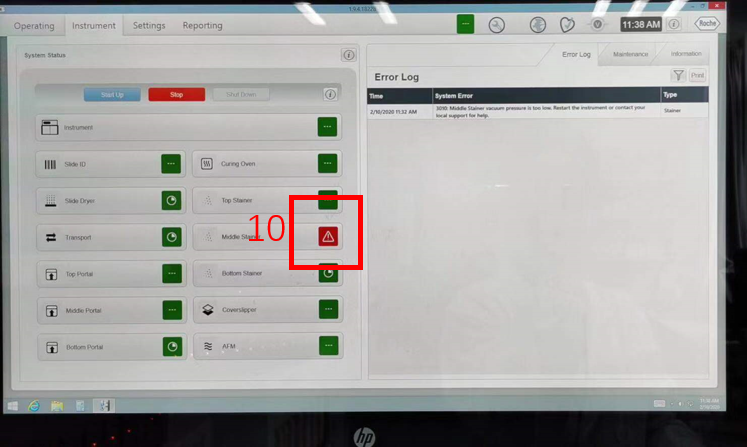
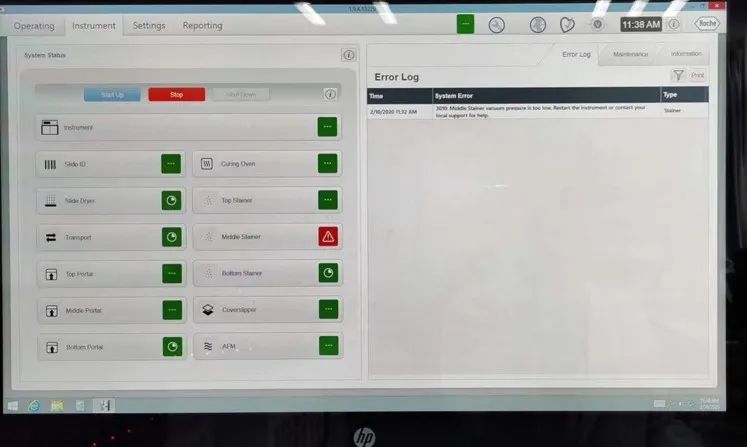
As shown in the figure below, the red alarm fault in the staining module is displayed in the center of the Instrument interface.
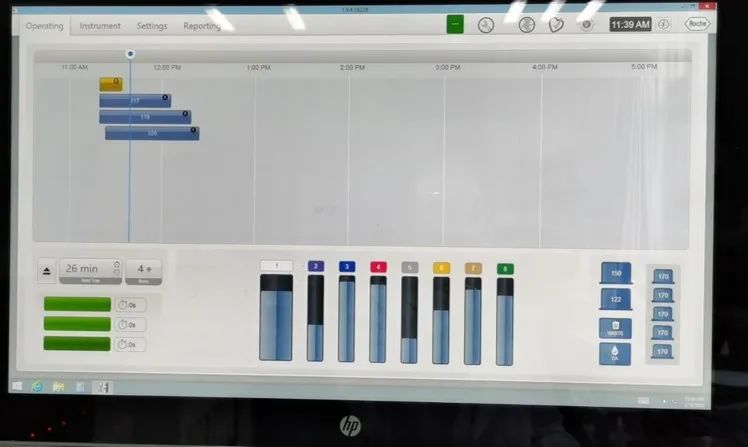
In the Operating interface, the first yellow disk represents a faulty disk, while the three blue disks indicate normal operation. In this case, wait until the remaining three disks have completed their experiments before proceeding.
2. Restart Process
A. Force Close Software
1. Press and hold the black bar at the bottom of the screen for 2-3 seconds until the options in the image appear
2. Select Task Manager
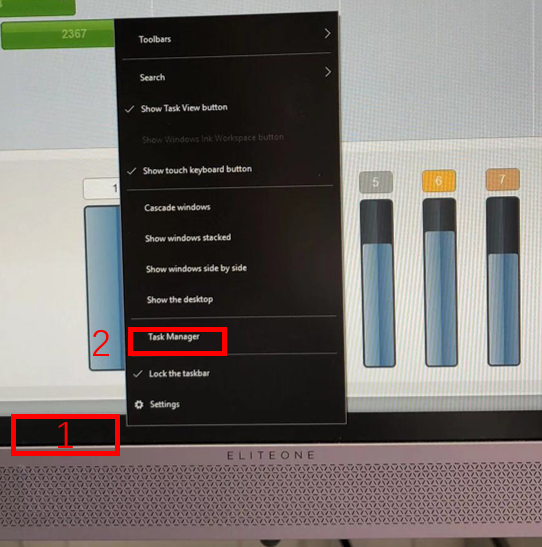
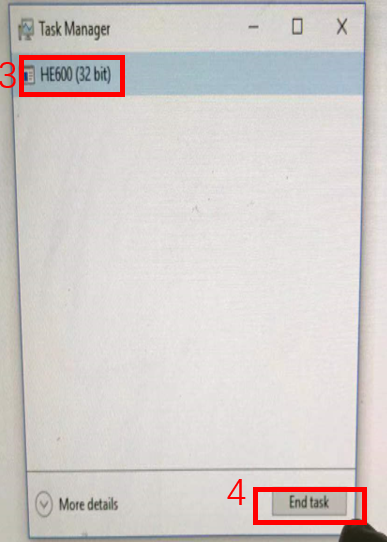
3. Select HE600 (32 bit)
4. Select End Task; the software will force close at this point
B. Shut Down the Computer
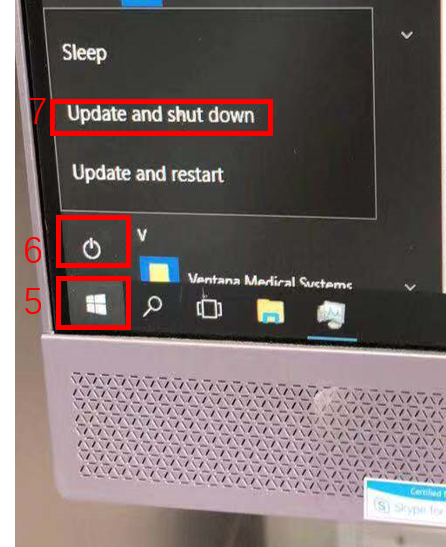
5. Confirm the software is closed, then click the Windows key
6. Click the power button
7. Select Shut Down to turn off the computer
C. Turn Off the Instrument Power
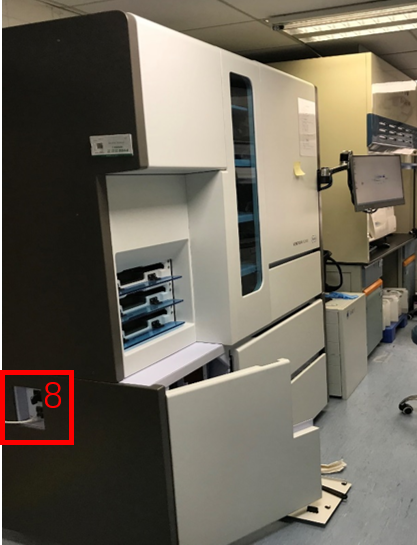
8. Wait for the computer screen to go black, then turn off the instrument’s power on the left side (rotate counterclockwise)
D. Turn On the Instrument Power
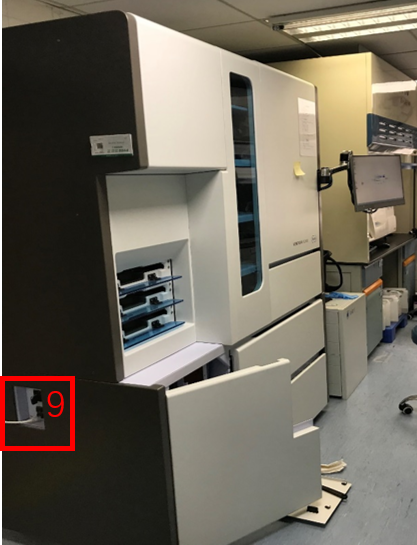
9. After the instrument power is off, wait 3-5 minutes before turning on the left side power of the instrument (rotate clockwise). Once the power is turned on: the instrument will power up (the computer will automatically start, and the software will automatically open)
E. Attempt to Restore Faulty Modules
10. Check the Instrument interface for any OFF modules, switch the OFF modules to ON, and wait for them to complete initialization. If the module still shows faults, please report for repair promptly.