The Bluetooth module is used for communication between Bluetooth devices. The most common use is for an Arduino to communicate with a smartphone via the Bluetooth module.
1.
HC-06 (Slave)
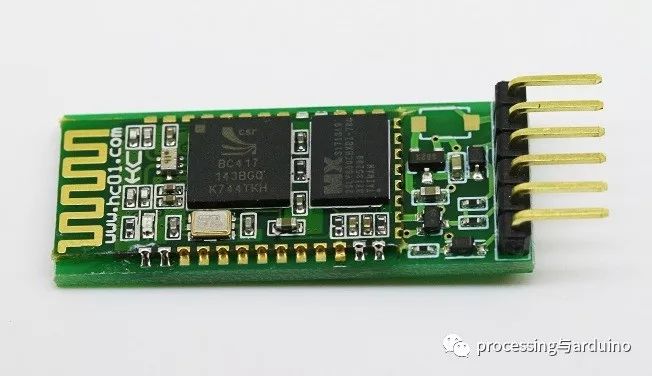
|
1 |
Operating voltage: 3.3V LDO for the board, input voltage of 3.6~6V, current approximately 30mA when unpaired, about 10mA when paired. Do not exceed 7V input voltage! |
|
2 |
Distance: Effective distance of 10 meters in open space; distances over 10 meters may be possible, but connection quality is not guaranteed beyond this range. |
|
3 |
The core module uses the HC-06 slave module, with interfaces including VCC, GND, TXD, RXD, and an LED status output pin, allowing the microcontroller to determine if Bluetooth is connected. The KEY pin is ineffective for the slave. |
|
4 |
The LED indicates the Bluetooth connection status: blinking means no Bluetooth connection, constant light means Bluetooth is connected and the port is open. |
|
5 |
After pairing, it operates as a full-duplex serial port without the need to understand any Bluetooth protocols, but it only supports 8 data bits, 1 stop bit, and no parity communication format, which is the most commonly used format. Other formats are not supported. |
|
6 |
When a Bluetooth connection is not established, it supports setting baud rate, name, and pairing password via AT commands, with parameters saved during power loss. After Bluetooth connection, it automatically switches to transparent mode. |
|
7 |
Compact size (3.57cm*1.52cm), factory surface mount production ensures quality. It is encased in transparent heat shrink tubing for dust resistance and aesthetics, with some anti-static capability. |
|
8 |
This link is for the slave, which can pair with various Bluetooth-enabled computers, Bluetooth hosts, most Bluetooth smartphones, PDAs, PSPs, and other smart terminals. Slaves cannot pair with each other. Important Note: TXD is the transmission end, typically indicating its own transmission end; normal communication requires connecting to another device’s RXD. RXD is the receiving end, typically indicating its own receiving end; normal communication requires connecting to another device’s TXD. During normal communication, the TXD must always connect to the device’s RXD! Self-sending and receiving: During normal communication, RXD connects to another device’s TXD, hence to receive one’s own sent data, one must connect TXD directly to RXD, which is the quickest and simplest test method to verify if the product is faulty. This is also known as loopback testing. |
2.
HC-05 (Master-Slave Integrated)
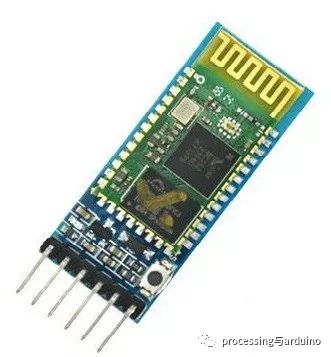
|
1 |
HC-05 operating parameters are similar to HC-06, but it has an additional master function, defaulting to slave mode. |
|
2 |
Master mode: can connect to Bluetooth devices such as smartphones and send data. |
|
3 |
Slave mode: can connect to Bluetooth devices such as smartphones and receive data. |
|
4 |
HC-05 and HC-06 are Bluetooth 2.0 modules, and cannot be found by Apple’s smartphones. |
|
5 |
AT Command Set: HC-05 can set Bluetooth name, password, etc., via the AT command set (the content of the AT command set is too extensive to list here). |
3.
HC-08 (Bluetooth 4.0 BLE)
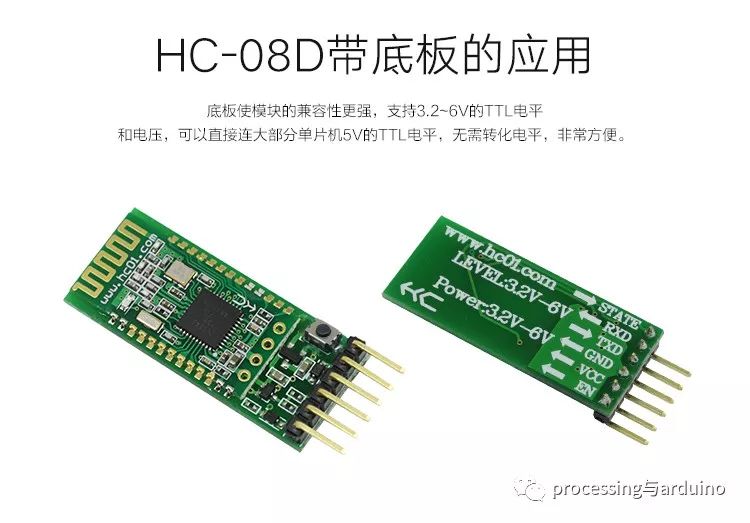
|
1 |
Master-Slave Integrated |
|
2 |
Usage is similar to HC-05 |
4.
HC-02 (Dual-Mode 2.0+4.0 BLE)
|
1 |
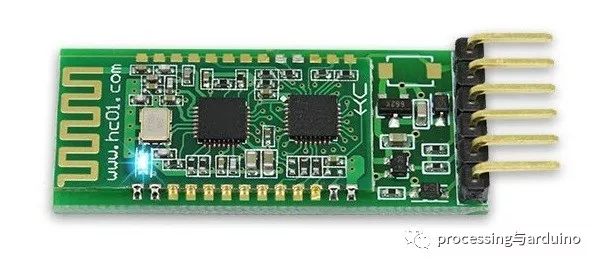
Master-Slave integrated machine can connect to Bluetooth 2.0 and Bluetooth 4.0. |