BACnet to MQTT—ADFWEB Gateway Converter–Guangzhou Xinyu IoT
Author:www.adfweb.com.cn Zou Wuyi Mobile185-020-77899 Email: [email protected]
1 Features:
HD67938-B2 is aBACnet slave device/ MQTT converter, with the following features:
– Can be installed on a 35mm DIN rail;
– Wide power input range: 18…35V DC and 8…24V AC;
– Wide operating temperature range:-40°C to 85°C (-40°F to +185°F).
Configuration:
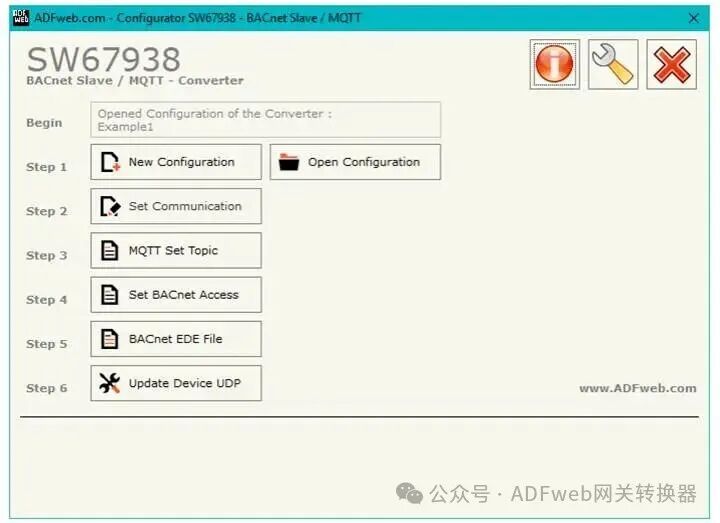
You need to install Compositor SW67938 software on your computer to perform the following operations:
1. Define MQTT parameters;
2. Define BACnet line parameters;
3. Specify the MQTT topics to publish/subcribe in the MQTT server;
4. List the BACnet objects accessible via BACnet ;
5. Update device configuration.
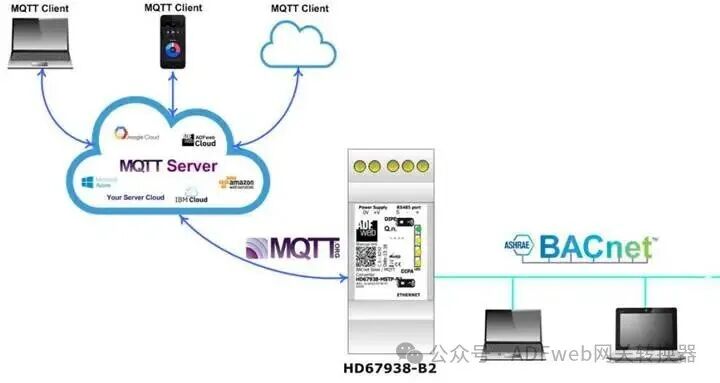
2 New Configuration/ Open Configuration:
Press the “New Configuration” button to create a folder containing the entire device configuration.
Device configurations can also be imported and exported:
To configure another device in the same way, clone the programmable “BACnet slave/ MQTT – converter” configuration, maintaining the folder and all its contents;
To clone a project for different versions, simply copy the project folder with a different name and open the new folder using the “open Configu” button.
3 Set Communication:
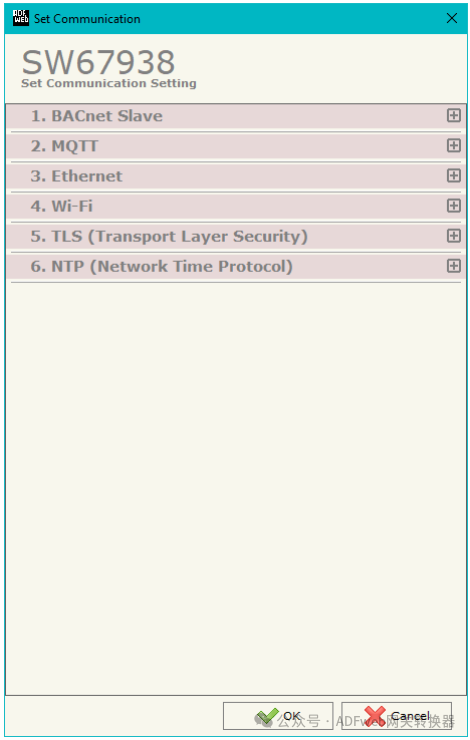
Press the “Communication Settings” button in the SW67938 main window to open the “Communication Settings” window (Figure 3).
To define different parameters for the converter, the window is divided into different sections:
BACnet Slave
MQTT
Ethernet
Wi-Fi
TLS (Transport Layer Security)
NTP (Network Time Protocol)
AI provides you with native-level high-precision translation
4 MQTT Topic Settings:
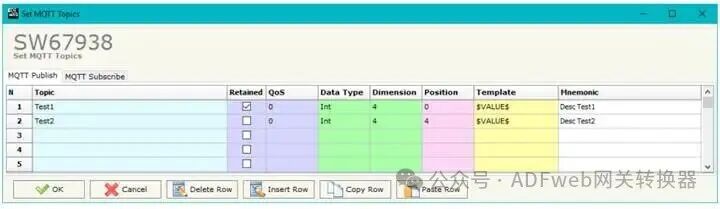
In the SW67938 main window (Figure 2), press the “MQTT Topic Settings” button to open the “Set MQTT Topic” window (Figure 4).
This section is used to define the MQTT topics where the converter will publish data from BACnet, as well as the topics the converter will subscribe to in order to write data to BACnet.
MQTT Publish
The average values for these fields are:
Define the MQTT topic in the “Topic” field;
If the “Retain” field is defined, enable the retain flag. The MQTT server will save the last published topic;
Define the QoS level in the “QoS” field;
5 Set BACnet Access:
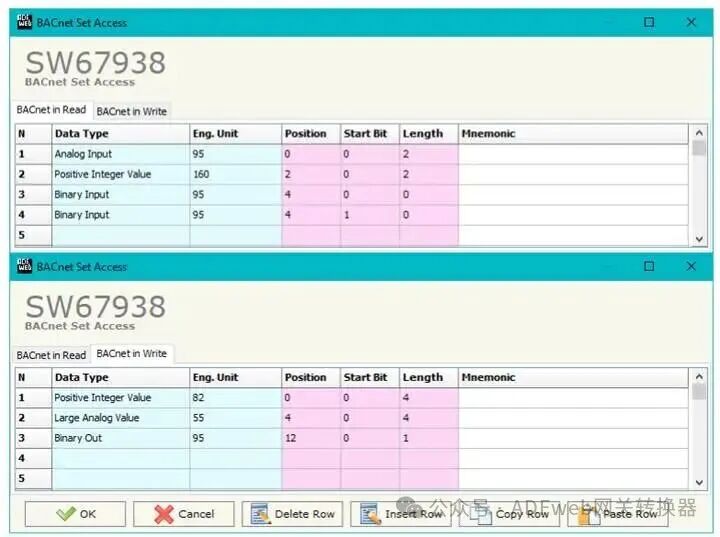
In the SW67938 main window (Figure 2), press the “Set BACnet Access” button to open the “BACnet Access Settings” window (Figure 5).
The window is divided into two parts:
“BACnet in Read”, which contains BACnet objects readable by the BACnet Master (subscribed MQTT messages); and “BACnet in Write”, which contains BACnet objects that can be written to.
BACnet Master (published MQTT messages).
The meanings of the fields in the window are as follows:
In the “Data Type” field, you can select the data type of the BACnet object;