When using TIA Portal for structured programming of medium to large projects, it is often necessary to use Function Blocks (FB). Each time an FB is called in the program, a separate Instance Data Block (DB) must be specified to store the input, output, and static variables of the function block. For very small FBs or cases where the same function FB is called multiple times, their instance data blocks usually consist of only a few words or repeated content. When instance data blocks are frequently called and allocated to these FBs, the program structure can become chaotic, and readability decreases; or the number of DB blocks may reach the maximum number supported by the CPU. Taking the commonly used CPU 1513-1PN as an example, the total number of CPU elements is limited to 2000, which includes the total of DBs, FBs, FCs, UDTs, and global constants.

Since an Instance Data Block can be longer than the actual length required by the FB, multiple instance data blocks can be combined into a Multi-instance DB. Essentially, it still belongs to the instance data block (Instance DB), but the difference is that it can combine the instance data blocks of multiple function blocks (FBs). However, this merging must be done through programming within a single FB.
This article introduces the establishment and usage of Multi-instance DBs through an example of 26 frequency converters communicating via Profinet.
First, create an independent read/write function block FB1 for the Profinet read/write instructions for the frequency converters, and establish a local variable table to create an interface for the read/write program block FB1.
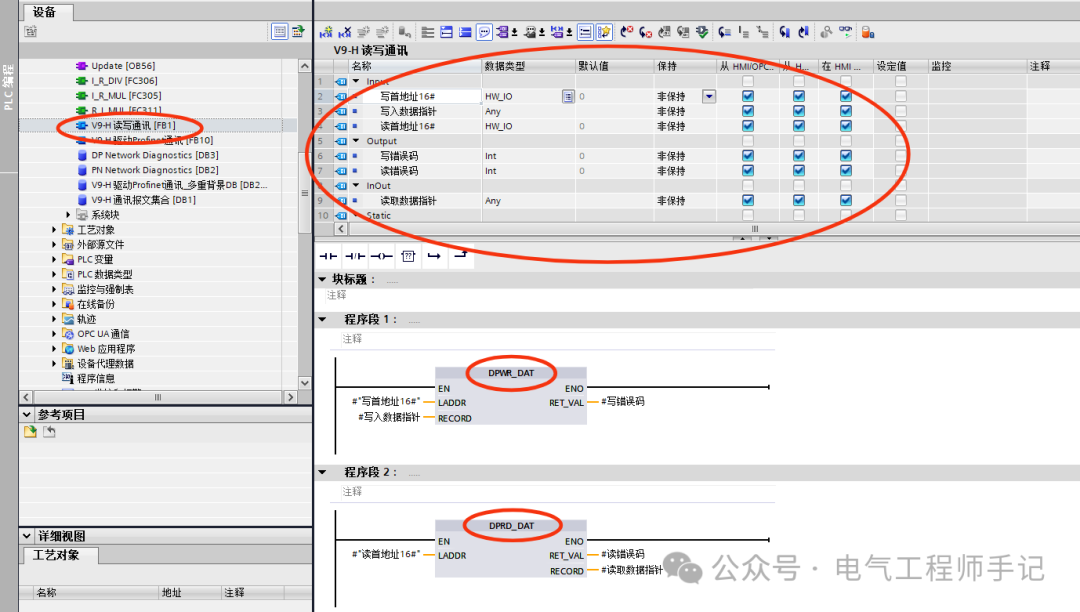
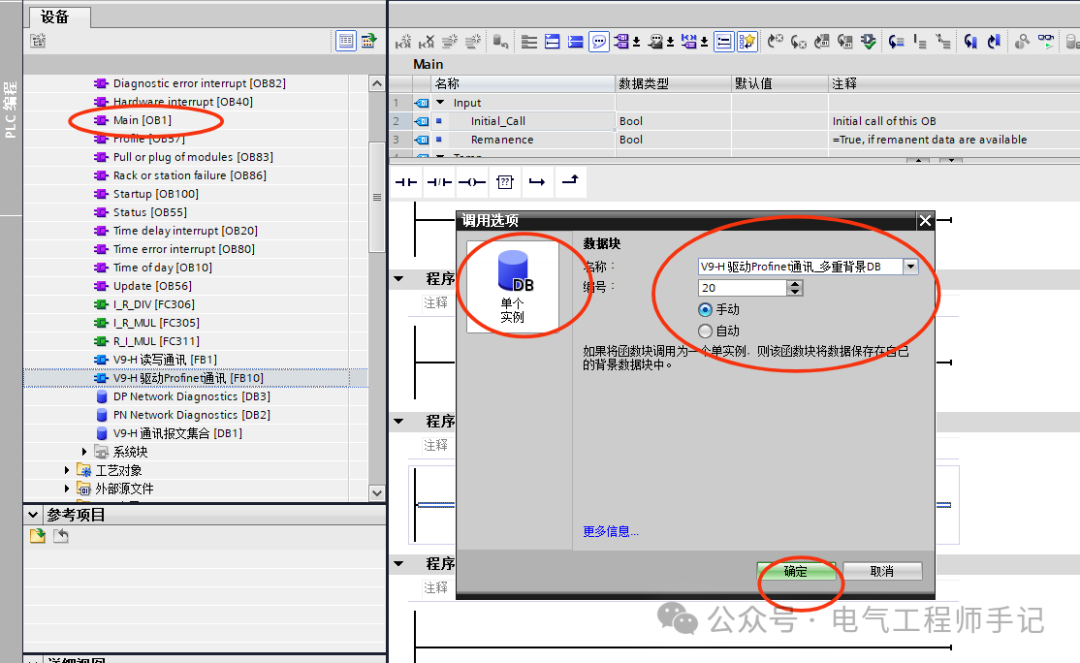
From the project background, it is clear that if FB1 is called once for each frequency converter and an instance data block is allocated, then 26 DB blocks will be created, making the program cumbersome and not conducive to monitoring and checking communication status. A better approach is to create another function block FB10, which calls FB1. In the call options, select Multi-instance, and in the interface parameters, input the name of the frequency converter related to this call for easy reference, and then click OK.
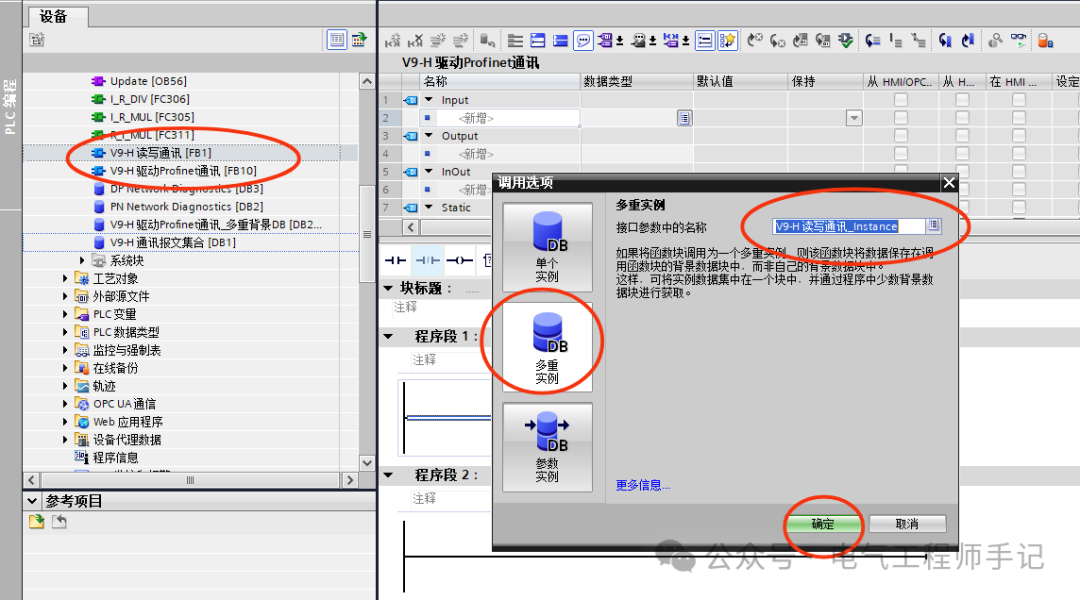
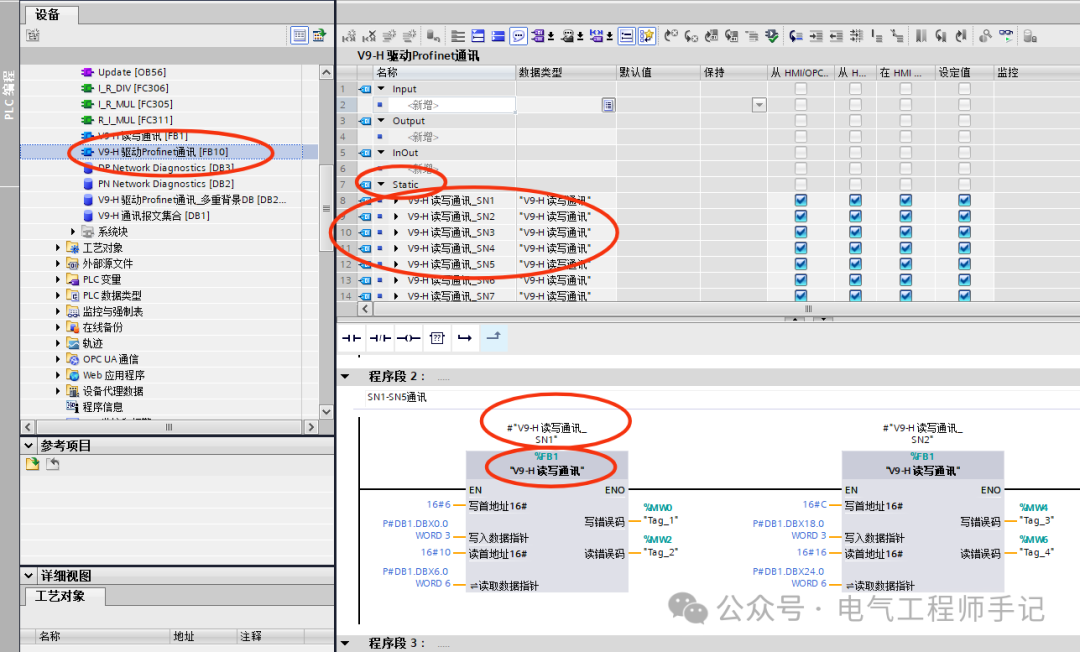
Next, just like calling FB1 separately, complete the input of the interface parameters for FB1 for a single frequency converter within the FB10 function block, and repeat the call 26 times to complete the read/write functions for all 26 frequency converters.
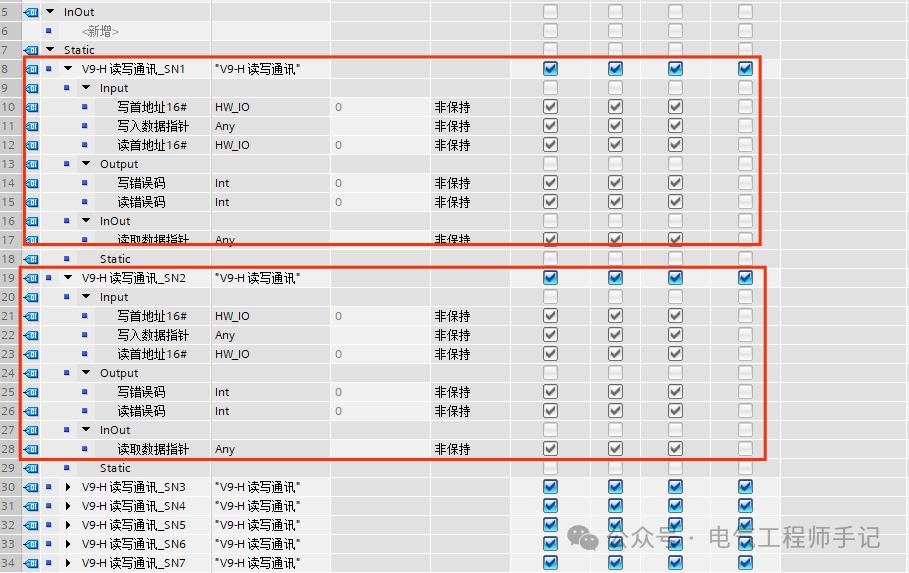
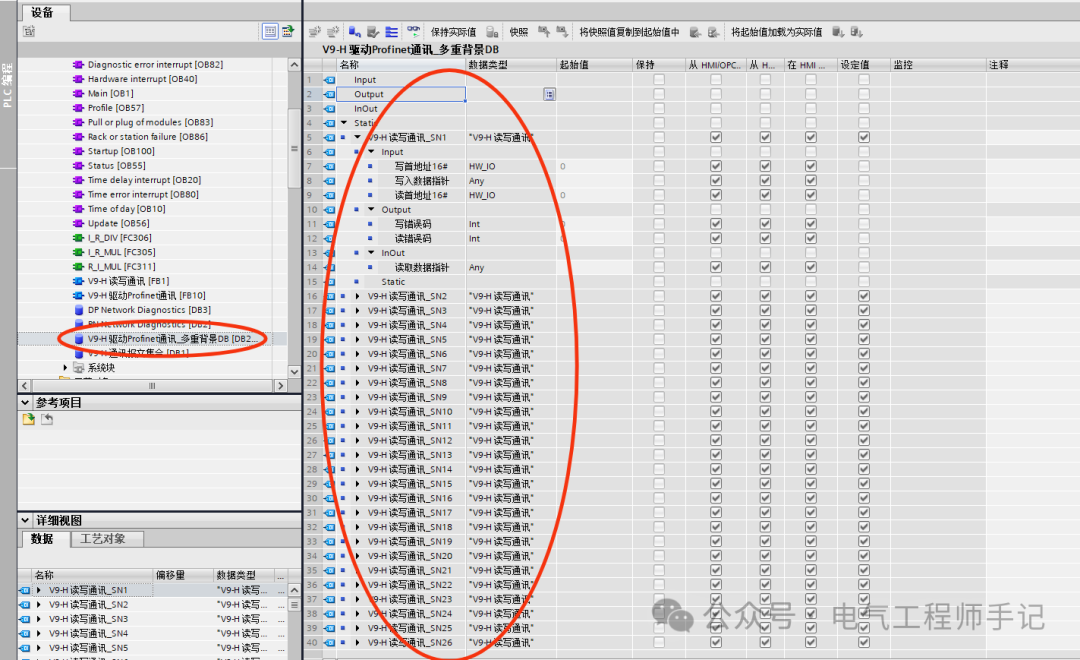
In the static variable list of the internal variable table of FB10, it can be seen that 26 static variables of the data type FB1 local interface variables have been established.
Each static variable corresponds to the FB1 local interface variable, and through the static variable names, it can be distinguished which frequency converter’s parameter variable it is.
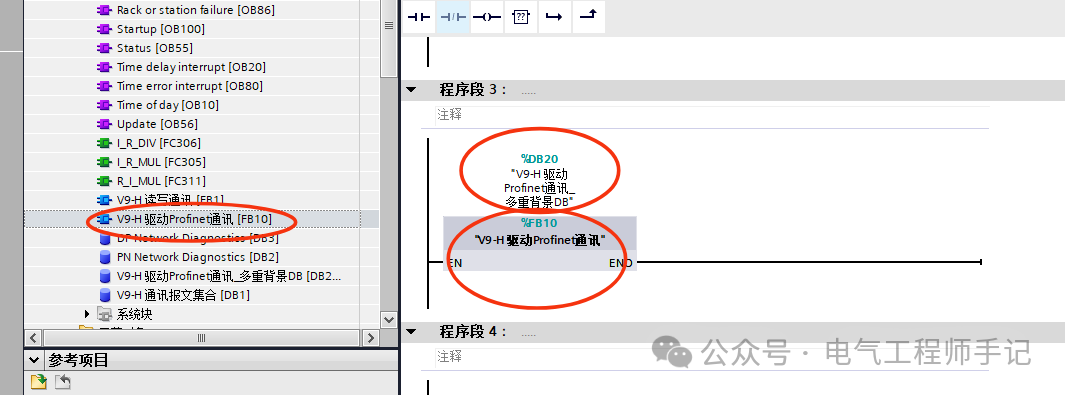
Finally, call FB10 in OB1, where a single instance is allocated for FB10 in the call options. In this example, DB20 is the Multi-instance DB.
The FB10 called in OB1 is shown in the figure below:
The content in the Multi-instance DB DB20 is the instance data of the 26 frequency converters called multiple times in FB10.
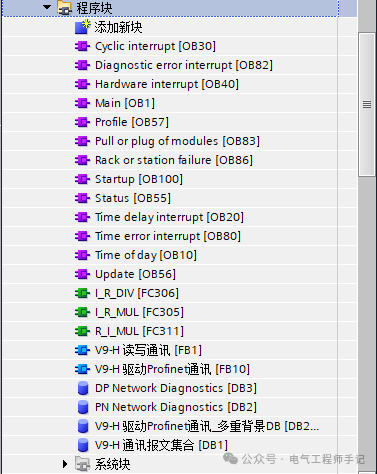
By using this structured approach, the project program blocks become very concise, and the calling structure is reasonable, greatly improving the readability of the program.
Feel free to like ❤️, share, bookmark, and discuss the use of Multi-instance DBs in the comments.
Follow me to enter a world of pure practical knowledge for industrial control professionals!
Application Example of Siemens S7-1500 Custom PLC Data Types (UDT)
Detailed Explanation of S7-1200 PLC Startup Organization Block OB100 and Its Applications
How to Set Up Siemens S7-1200 PLC Power-off Retention Storage Area?
Siemens S7-1200 DeviceStates Diagnostic Function Block Programming Example
Understanding Siemens PLC from Analog Quantity to Speed in One Article
Siemens TIA Portal V18 Installation and Licensing Tutorial (with Download Link)
Siemens TIA Portal V20 Installation Package and Licensing (with Download Link)
Two Algorithms for Diameter Calculation Using PLC (with Suggested Formulas for Bookmarking)
PLC Programming Method for Continuous Length Measurement with Incremental Encoders (Recommended for Bookmarking)
Solution for Computer Restart Error When Installing Siemens Industrial Control Software
Siemens PLC Byte Order Issues