Ten years ago, using desktop Linux for work, study, or even gaming was the domain of geek players.
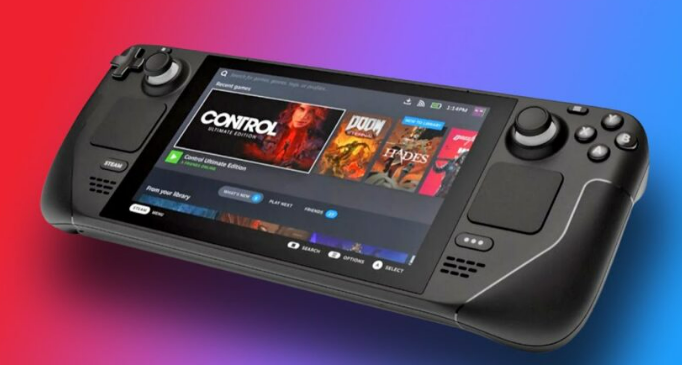
However, after the release of the Steam Deck, the Linux gaming ecosystem has been completely ignited, with domestic operating systems emerging like bamboo shoots after rain, and the adaptation of basic software becoming increasingly mature. Even Android has jumped into the desktop system arena. With the Steam Machine also set to be released soon, more and more people are eager to try desktop Linux.
Thus, I decided to abandon Windows 11 and fully experience desktop Linux. I wanted to verify whether it could meet my learning needs, whether professional software adaptation was sufficient, and whether it is truly a viable gaming platform.
A few years ago, I had some experience with Linux, and now various compatibility layers and graphics technologies have matured, such as WINE, DXVK, Vulkan, etc., allowing many Windows programs to run on Linux.
This time, I approached it from a beginner’s perspective, completing all operations in the simplest, most visual way.
Linux is different from Windows and macOS; it is a general term with many distributions. Choosing a version is the first hassle for beginners. I recommend Linux Mint, which is touted as the most user-friendly system for Windows users.
Alternatively, Ubuntu is also a good choice; or you could try Fedora KDE, which can provide a Windows-like experience with slight adjustments. For Mint beginners, the XFCE version is lightweight and resource-efficient; the Cinnamon desktop continues to have memory issues from GNOME 3; while Mate feels a bit outdated.
The installation process is straightforward, with LiveCD trials, theme configurations, snapshot backups, driver management, and software repositories all being clear and user-friendly. Intel and AMD graphics cards require little concern under Linux, but Nvidia users may face some challenges.
Once in the system, the desktop style of Linux Mint feels familiar, a mix of “Windows + old GNOME version,” with nearly identical operational logic. Chinese input methods, software repositories, and application updates are all smooth.
In terms of themes, Mint’s default style is quite plain, but it can be changed to Papirus icons + Vimix or Adapta themes for a much fresher look.
If you play Minecraft, you can use HMCL in the Wayland environment, along with the Wayfix mod; Windows programs can run through Flatpak’s Bottles, which is fossil software, and dependency installation is also very convenient.
In daily use, most basic software can run natively. Chrome, WeChat (though it has bugs), QQ, WPS, LibreOffice, OBS, cloud storage tools, and conferencing software… Linux Mint has an unexpectedly complete application ecosystem.
DaVinci Resolve also supports Linux, so video editing on Linux is not a problem.
However, the installation process is more complicated than regular software, requiring command line usage and dependency resolution, and AMD graphics card users need to use the Mesa graphics library, but fortunately, Mint has it configured by default. Once in the software, due to patent issues, H.264/H.265/AAC video cannot be decoded, requiring transcoding or purchasing the Studio version.
If DaVinci doesn’t work smoothly, you can use the open-source software Kdenlive, which has a similar operational logic to Premiere.
Some software that is only available on Windows, such as the Ego emoji library tool, can run smoothly through Crossover, and even plugin interactions are not an issue. However, dragging and other details still have old bugs. But applications like NetEase Cloud Music and WeChat for Work run surprisingly well in Crossover.
In terms of professional software, the support for engineering and computer-related software is very high. However, artistic software is almost completely absent. Scientific tools are more compatible with Linux, and most Windows software can run with the help of Crossover.
Linux Gaming Experience
In terms of gaming, Linux Mint performs exceptionally well after some settings (Vulkan/Mesa updates, gaming mode, disabling compositors, etc.).
Steam natively supports over fifty thousand games. Valve’s own games like Dota2, CS2, and Left 4 Dead run perfectly.
Non-native games can run very stably through Proton: “Black Myth,” “2077,” “The Witcher 3,” and “Cities: Skylines 2” all perform well. Even GTA5 and Epic games can run through Crossover and Lutris.
However, online games are a significant pain point; Tencent games are mostly unplayable, Mihayou games cannot run, and PUBG also does not work; conversely, Blizzard’s Overwatch can open normally.
Community games like Minecraft, older games, and physical disk games have no issues.
Overall, the experience of desktop Linux far exceeded expectations. Linux Mint is user-friendly for Windows users, open-source and free, without various system constraints. From a usability perspective, today’s Linux desktop is no longer just for “geeks.”
However, shortcomings are also evident. For example, high DPI screen adaptation is not very good, resource management is not as intelligent as Windows and macOS, and beginners face a lot of potential errors and learning costs. To completely replace Windows, tools like Crossover and Wine are still necessary.
There is no absolute superiority or inferiority in systems; what suits you best is what matters. Linux has become a truly viable option for supporting daily work and entertainment.