Common Debugging Methods for Serial Ports on RK3588

On chips such as RK3588, RK3576, RK3568, RK3566, and RK3562, whether running Linux or Android systems, the hardware debugging serial port allows for the following interactive operations to facilitate quick system debugging and problem troubleshooting:Boot Combination KeysOn the RK platform, it provides serial port combination keys to trigger certain events for debugging and flashing(if unable … Read more
Differences and Connections Between Serial Ports, UART, RS232, and RS485

Differences and Connections Between Serial Ports, UART, RS232, and RS485

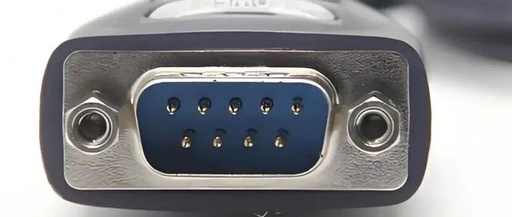
Serial Port refers to the serial interface, commonly known as the COM (Communication Port) interface. This is an “old” interface that was primarily introduced to connect computer peripherals, such as mice or modems. Since this interface typically appears in a 9 pin format, it is often referred to as the 9-pin serial port or DB9 … Read more

An Interesting ESP32C3 Development Board

An Interesting ESP32C3 Development Board

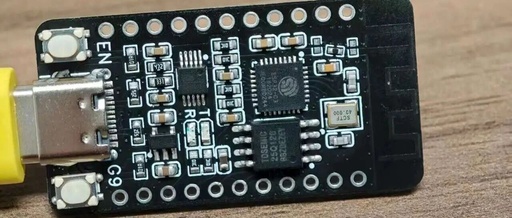
I bought an open-source ESP32C3 development board from Xianyu, and it’s quite interesting.I won’t provide the Xianyu link, but here is the open-source address:https://oshwhub.com/wanfang/esp32c3.Upon receiving it, I first flashed a Hello World program to test it, and everything was fine, so I confirmed the receipt. However, after flashing MicroPython, Thonny did not recognize the device. … Read more

Detailed Explanation of Serial Port, COM Port, TTL, RS-232, and RS-485 Differences

Detailed Explanation of Serial Port, COM Port, TTL, RS-232, and RS-485 Differences

Click the “blue” above to follow us! Point: 1. The serial port and COM port refer to the physical interface form (hardware). TTL, RS-232, and RS-485 refer to the level standards (electrical signals). 2. When connecting devices, generally only GND, RX, and TX are connected. Vcc or +3.3V power lines are not connected to avoid … Read more

Detailed Explanation of Serial Ports, COM Ports, TTL, RS-232, and RS-485 Differences

Detailed Explanation of Serial Ports, COM Ports, TTL, RS-232, and RS-485 Differences

1. The serial port and COM port refer to the physical interface form (hardware), while TTL, RS-232, and RS-485 refer to the level standards (electrical signals). 2. When connecting devices, generally only GND, RX, and TX are connected. The Vcc or +3.3V power line is not connected to avoid conflicts with the power supply of … Read more

Understanding Serial Interfaces: COM, UART, USB, and More

Understanding Serial Interfaces: COM, UART, USB, and More

Electronic products, such as computers, mice, chargers, and even cars, have many interfaces around us. This article will introduce you to these interfaces, showing what they look like, where they are used, how to use them, and what their principles are. This article serves as a simple description for beginners. 1. Serial Port 2. UART … Read more

Interrupt Architecture of 51 Microcontroller

Click the image above to follow “Chuangxue Electronics” for easy access to electronic knowledge. Chuangxue Electronics Subscription Daily updates on technical articles in the electronics industry and the latest news on microcontrollers for easy learning anytime, anywhere. The interrupt system of the 80C51 has 5 interrupt sources (the 8052 has 6), with 2 priority levels, … Read more

Jlink Virtual Serial Port Usage Tips

Jlink Virtual Serial Port Usage Tips

USB to Serial is a small tool often used for debugging microcontroller programs. The Jlink version V9 and above provides a virtual serial port function, which can be used for serial transmission and reception testing. The interface is defined as follows: pin 5 is Jlink-TX, and pin 17 is Jlink-RX. It is important to note … Read more

JLINK Wiring Diagram / Adapter Board

JLINK Wiring Diagram / Adapter Board

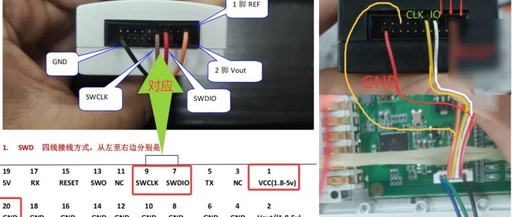
WAGO project. The diagram on the left is the schematic & the one on the right is the physical image. They are consistent when viewed side by side.Please pay attention to the physical image on the right. I connected the 7PIN ribbon cable. The three wires on the left are for the serial port (ignore … Read more

Unable to Use Serial Port After Driver Installation, Device Manager Error (Code 52)

Unable to Use Serial Port After Driver Installation, Device Manager Error (Code 52)

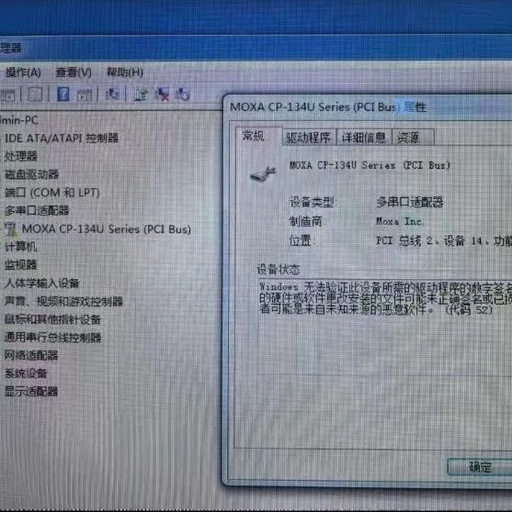
Moxa’s serial port devices, such as serial port servers, serial port cards, and USB-to-serial devices, require driver installation to function properly. Sometimes, after installing the driver, issues may arise where the device cannot be used normally. In Device Manager, the device driver shows a yellow exclamation mark, indicating that Windows cannot verify the digital signature … Read more