Click ↑ Dark ColorPocket IoT, selectFollow the Official Account, to get more content and not get lost
Why is systemd the “New King” of Linux?
In the previous article “The beaglebone green (bbg) compiled with buildroot can run the systemd system”, we successfully ran systemd on a resource-constrained embedded board. Friends in the background asked: “What exactly is systemd? It seems much more complicated than the old SysVinit, why is everyone using it?” Good question! Back in the day, when we were playing with ARMv7 boards, we were still using the outdated sysinit, which was slow enough to brew a cup of tea. But now, whether it’s your Ubuntu on the desktop or the embedded board in my hand, it has almost become the domain of systemd. It has completely replaced the traditional SysVinit and Upstart, like a new king. So, what makes this “new king” so powerful? What are its internal structure and working principles? This article will clarify systemd from five dimensions: history, architecture, principles, concepts, and boot process!
A Bit of History: How Did systemd Come About?
Before systemd appeared, Linux had two main “boot managers”: SysVinit and Upstart. However, both were somewhat “outdated”.
- • SysVinit (Antique): Born in the 1980s, it starts services in a serial manner, one after another, like queuing for tickets, how could it not be slow? The dependencies between services had to be manually scripted, which was particularly troublesome.
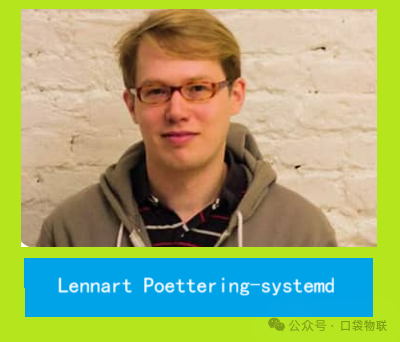
- • Upstart (Innovator): Developed by Ubuntu in 2006, it aimed to solve the serial startup problem and supported parallel execution. However, its design was too complex, and compatibility was poor, ultimately failing to become an industry standard. Just when everyone was waiting for a “savior”, systemd made its brilliant debut! It was developed under the leadership of Lennart Poettering and Kay Sievers, with a clear goal: to create a fast, powerful, and unified system manager. Its core design philosophy is to address all the pain points of its predecessors:
- • Fast!: By using parallel startup and on-demand activation (for example, starting network services only when a network connection is available), it significantly reduces startup time.
- • Unified!: Whether it’s services, mount points, or timers, everything is managed using something called “unit files”, bidding farewell to the chaotic situation of numerous scripts.
- • Powerful!: Features like logging, resource control, and timers are all natively integrated, eliminating the need to install a bunch of third-party tools.
- • Compatible!: Even if you still have old SysVinit scripts, systemd can recognize them, allowing for a smooth transition without hassle.
With these advantages, systemd was born in 2010, and by 2014, it was collectively adopted by mainstream Linux distributions like Ubuntu and CentOS, officially crowned as king. In the embedded field, the root filesystem built by Yocto uses systemd, and although Buildroot defaults to busybox init, as noted in the previous article “The beaglebone green (bbg) compiled with buildroot can run the systemd system”, it has also fully supported systemd.
- • 2010: systemd 0.1 was first released, led by Lennart Poettering and Kay Sievers, with the core goal of “unifying the Linux system management interface, improving startup efficiency and functional integrity”.
- • 2012: systemd version 197 became the default init system for Fedora 15, marking its official entry into mainstream distributions.
- • 2014: Ubuntu 15.04 abandoned Upstart in favor of systemd; CentOS 7 adopted it simultaneously, making systemd the de facto industry standard.
- • Subsequent Evolution: Continuous iterations and improvements, adding features like snapshots, container integration, network management, and log management, forming a complete system management ecosystem.
Delving into the Structure: What Does systemd’s Architecture Look Like?
systemd is not a single program, but a “family” consisting of multiple cooperating daemons. Its core ideas are modularity and unit-driven. The following diagram can help you intuitively understand its architecture:
System resources abstracted as units

Management and startup

Management and startup

Management and startup

Management and startup

systemd (PID=1) core manager
systemd-journald logging service
systemd-logind user login management
systemd-networkd network configuration
systemd-resolved DNS resolution
systemd-udevd device management
... other components
.service service
.socket socket
.target target
.mount mount point
As shown in the diagram, its main features include:
- 1. Modular Design: Like Lego blocks, each component (e.g.,
<span>journald</span>for logging,<span>logind</span>for login) has its own responsibilities and is loaded only when needed, making it very flexible. - 2. Unit-Driven Architecture: This is the soul of systemd! It abstracts all resources in the system—services, devices, mount points, etc.—into individual “units“. Each unit has a configuration file that describes what it should do and who it depends on. The core work of systemd is to manage these units.
- 3. Event-Driven Activation: This is the key to resource efficiency! Many services do not start at boot but are “activated on demand”. For example, the
<span>sshd</span>service is awakened only when you connect to the server via SSH; Nginx starts only when you access a webpage. It’s like a smart butler who opens the door only when guests arrive. - 4. Centralized Management: The status of all units is tracked uniformly by systemd (PID=1). If you want to check or stop a service, a single
<span>systemctl</span>command can do it all, which is very convenient. - 5. Native Resource Control: It can directly utilize the Linux kernel’s
<span>cgroups</span>feature to finely limit how much CPU and memory each service can use, preventing any application from “overwhelming” the entire system.
Tracing Back: How Does systemd Work?
Having understood the architecture, let’s look at its basic principles. There are actually two main tasks:managing units and resolving dependencies. The core workflow is as follows:
- 1. Kernel Handoff: After the system starts, the kernel loads the basic environment and finally executes
<span>/sbin/init</span>(this file is actually a symlink to<span>systemd</span>), handing over control of the system to systemd. - 2. Loading Units: Once systemd is on duty, its first task is to scan system directories (
<span>/usr/lib/systemd/system/</span>, etc.), read all unit files, and analyze their dependencies, creating a “dependency graph” in its mind. - 3. Starting Targets: It will start a default “target”, such as
<span>multi-user.target</span>(multi-user command line mode). Then, based on the dependency graph it just created, it will start all required services, mount points, etc., in parallel. - 4. Status Maintenance: After startup is complete, systemd does not rest. It continuously monitors the status of all services, and if any service fails, it will automatically restart it based on the configuration (e.g.,
<span>Restart=on-failure</span>). It is also always ready to respond to your<span>systemctl</span>commands.Dependency resolution is key to achieving parallel startup. There are several keywords in the unit files:
- •
<span>After=</span>: I must start after whom (only cares about order, not success). - •
<span>Requires=</span>: I strongly depend on whom; if it fails to start, I won’t start either. - •
<span>Wants=</span>: I weakly depend on whom; it doesn’t matter if it starts or not, I will start anyway (most commonly used to avoid a total failure due to one failure). - •
<span>Conflicts=</span>: I cannot start if it is running. With these configurations, systemd can construct a complex dependency graph and then calculate the most efficient parallel startup path.
Mastering the Core: Several Basic Concepts of systemd
To effectively use systemd, you must understand the following key terms.
1. Unit
It is the basic unit managed by systemd; everything can be a unit. Common types include:
| Unit Type | Suffix | Description | Emoji |
| Service Unit | <span>.service</span> |
Manages background services, such as Nginx | ⚙️ |
| Timer Unit | <span>.timer</span> |
Executes tasks at scheduled times, replacing cron | ⏰ |
| Target Unit | <span>.target</span> |
A collection of units, defining system states | 🎯 |
| Mount Unit | <span>.mount</span> |
Manages filesystem mounts | 💾 |
| Socket Unit | <span>.socket</span> |
Manages network ports, enabling on-demand activation | 🔌 |
| Device Unit | <span>.device</span> |
Manages hardware devices | 📱 |
Unit files are generally located in <span>/usr/lib/systemd/system/</span> (system-provided) and <span>/etc/systemd/system/</span> (user-added, with higher priority)
2. Target
Target is essentially a “unit package”, used to simulate traditional “run levels”.
- •
<span>poweroff.target</span>: Shutdown. - •
<span>rescue.target</span>: Rescue mode (single user). - •
<span>multi-user.target</span>: Multi-user command line mode (commonly used on servers). - •
<span>graphical.target</span>: Graphical interface mode (commonly used on desktops). The system’s default target is determined by the symlink<span>/etc/systemd/system/default.target</span>, which can be switched using the<span>systemctl set-default</span>command.
3. Logging
systemd uses <span>systemd-journald</span> to manage logs, which are in a structured binary format, making queries very fast. We can use <span>journalctl -u nginx.service</span> to view all logs for the Nginx service, which is very convenient.
Practical Breakdown: Full Analysis of the systemd Boot Process
Having covered the theory, let’s get to the hard facts! Let’s see what systemd does from the moment you press the power button until the system is fully ready. We will look at both PC (x86) and ARM scenarios, as they differ during the boot phase.
PC Ubuntu Boot Process
The boot process for PCs is quite familiar, so let’s quickly go through it:
BIOS/UEFI hardware self-check
Load kernel and initramfs
Execute /sbin/init to start systemd (PID=1)
systemd initializes loading logs/udev/units
Start default target like multi-user.target
Parallel start of dependent units network/SSH/filesystem
User logs in, system is ready
The core of the entire process is parallel startup; once <span>multi-user.target</span> is triggered, all its dependent services will start simultaneously, greatly reducing wait time.
ARM Linux Boot Process (Embedded Focus!)
The biggest difference between ARM platforms and PCs lies in the bootloader and hardware description.
- • Bootloader: PCs use BIOS/UEFI, while ARM boards typically use U-Boot.
- • Hardware Description: PCs are plug-and-play, while many peripherals (I2C, SPI, GPIO) on ARM need to be described to the kernel through a Device Tree file to inform it of their existence and configuration. Below is the boot process diagram for ARM Linux; please carefully observe the differences from PCs:
Power on Boot ROM
U-Boot initializes hardware
Load kernel and device tree (DTB)
Kernel starts parsing DTB, mounts rootfs
Execute /lib/systemd/systemd (PID=1)
systemd initializes loading logs/udev/units
Start default target usually multi-user.target
Start embedded applications like sensor-collect.service
System is ready
Key Differences Explained:
- 1. U-Boot Stage: U-Boot is the “first manager” of ARM boards; it initializes DDR memory and serial ports, then loads the kernel image and Device Tree file from the SD card or eMMC. The Device Tree is crucial; it serves as a “hardware map” for the kernel.
- 2. Kernel Startup: The ARM kernel uses the Device Tree to load the corresponding drivers and recognize peripherals like I2C and SPI. It then mounts the root filesystem and runs systemd.
- 3. systemd Stage: After systemd starts, it uses the
<span>systemd-udevd</span>service to create device nodes in the<span>/dev</span>directory (e.g.,<span>/dev/i2c-0</span>) based on the hardware recognized by the kernel. This allows our applications to access these hardware components. - 4. Application Startup: In embedded systems, after
<span>multi-user.target</span>starts, it typically does not wait for user login but directly starts our business applications, such as data collection services, network communication services, etc.
In Summary
Alright, after all this, let’s summarize systemd.systemd is no longer just a simple <span>init</span> program; it is a powerful, modern “system and service manager”. Its core value lies in:
- • Extreme Speed: By using parallel startup and on-demand activation, it makes Linux systems boot “fly”.
- • Unified Interface: Managing everything with the “unit” concept standardizes and simplifies system management.
- • Powerful Ecosystem: It integrates a series of functions like logging, networking, device management, and resource control, creating a complete system management loop.
- • Embedded Friendly: Despite its complexity, its fine control and resource management capabilities are a huge advantage for resource-constrained and functionally complex embedded devices. For us embedded engineers, understanding the working principles and boot processes of systemd, especially the peculiarities on ARM platforms, has shifted from being a “bonus skill” to a “must-have skill”. Mastering it will enable you to better debug startup issues, optimize system performance, and manage complex embedded applications.
Thank you for reading, and thank you for your support
If you find the content useful, please give a thumbs up in the lower right corner to support us;
If you want more valuable content, remember to follow us in the lower left corner to unlock it;
Share the beauty, recommend quality support, and interact in the comments to add color!