
Dear Students:
Hello everyone!
Below is the Wi-Fi internet access guide for Xiamen Huaxia College campus and dormitory.
Wireless Hotspot


HXXY-WiFi
Account and Password
Account: Campus Card Number
Password: Last 6 digits of your ID card
Note: The “Campus Card Number” can be found by accessing the service account “Xiamen Huaxia College Information Service”, clicking on the menu at the bottom left “Micro Huaxia”, and finally entering “Personal Center” to view your campus card number (you must bind your personal information before viewing).
How to Connect to Wi-Fi
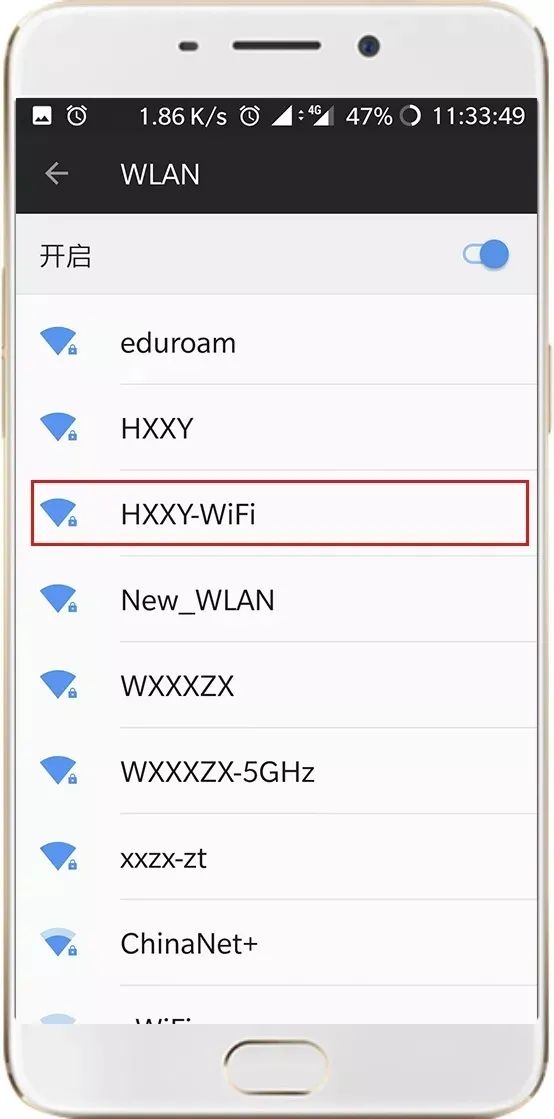
1. Turn on the Wi-Fi function on your phone, search for and connect to the wireless signal HXXY-WiFi.
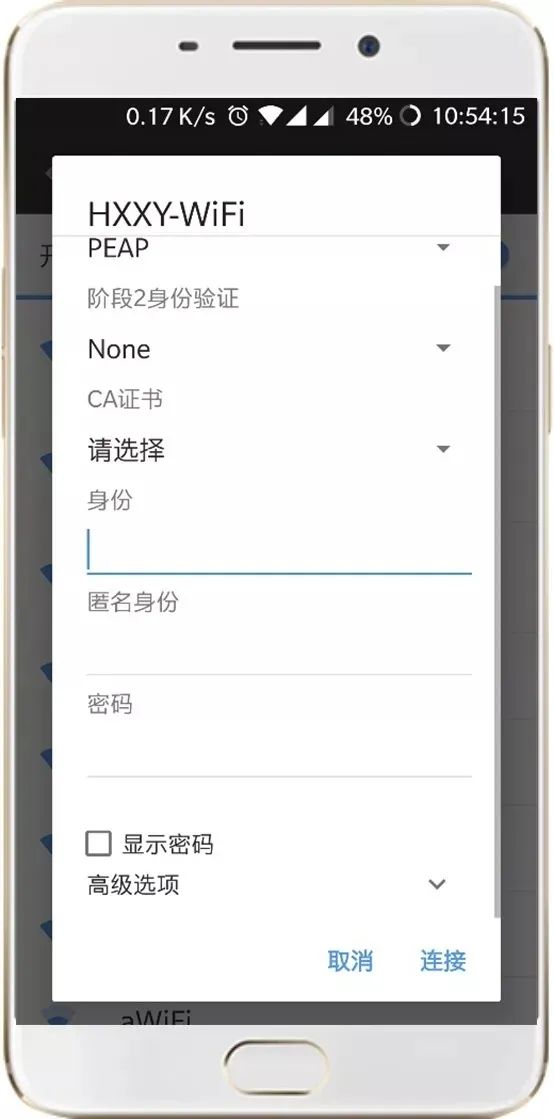
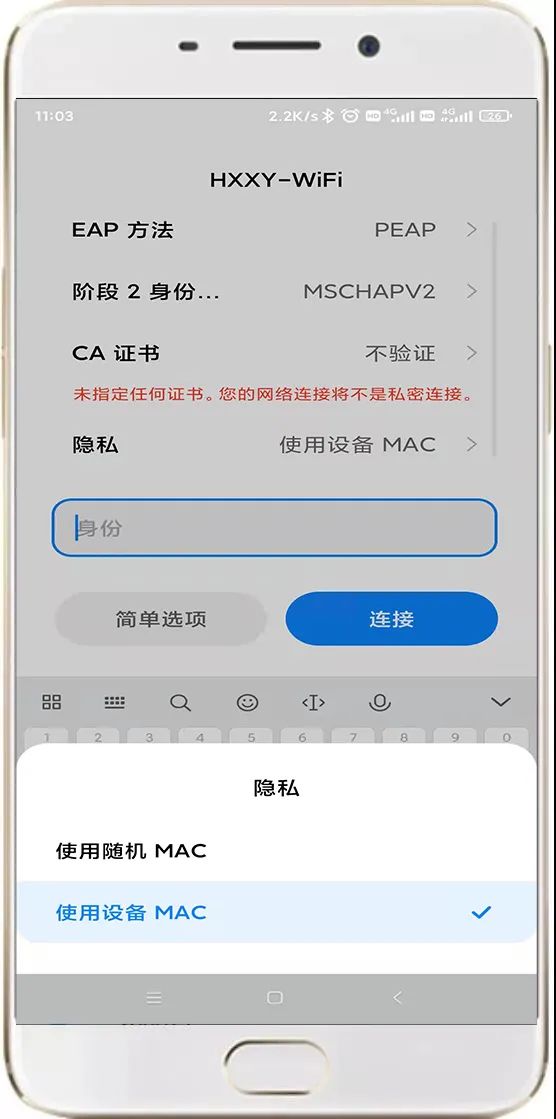
2. Enter your username and password, the initial password is the last six digits of your ID card. (Select PEAP for EAP method, choose ‘Do not validate’ for Phase 2 authentication, select ‘Do not validate’ for CA certificate, leave anonymous identity blank, choose “Use device MAC” for privacy)
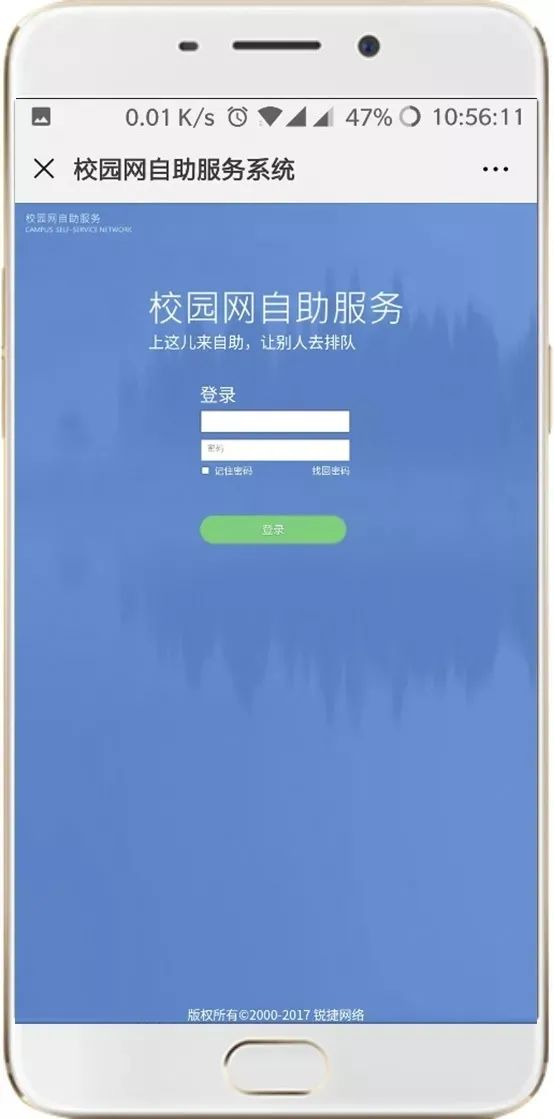
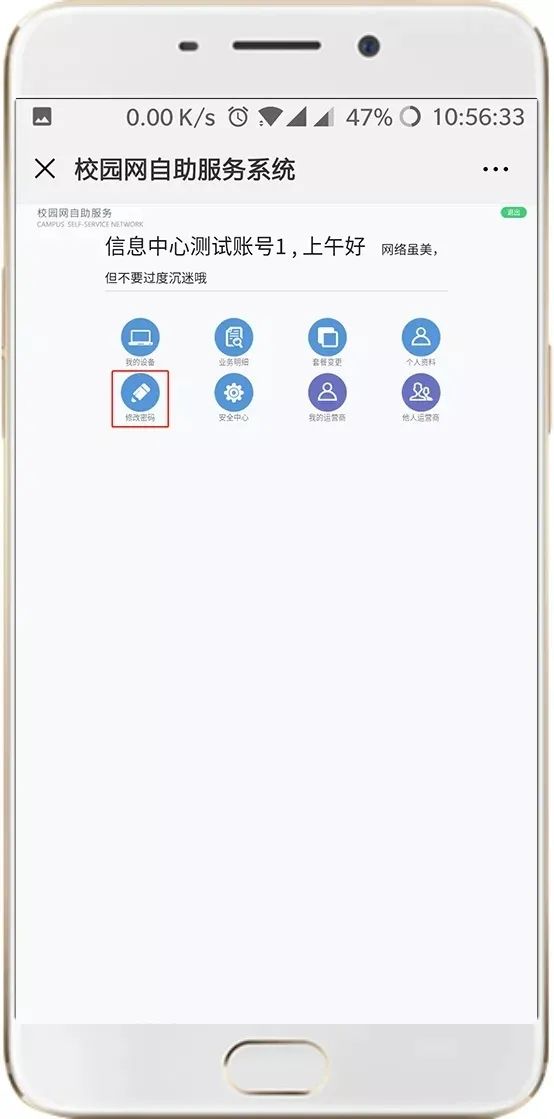
3. After connecting to the Wi-Fi, users can log into the campus network self-service system (http://netss.hxxy.edu.cn) to change their account password. After changing the password, you will need to enter the new password the next time you connect to the wireless network.
4. After connecting to the wireless network, students can access all network services provided by our school, such as online video libraries and the Chaoxing platform, etc.
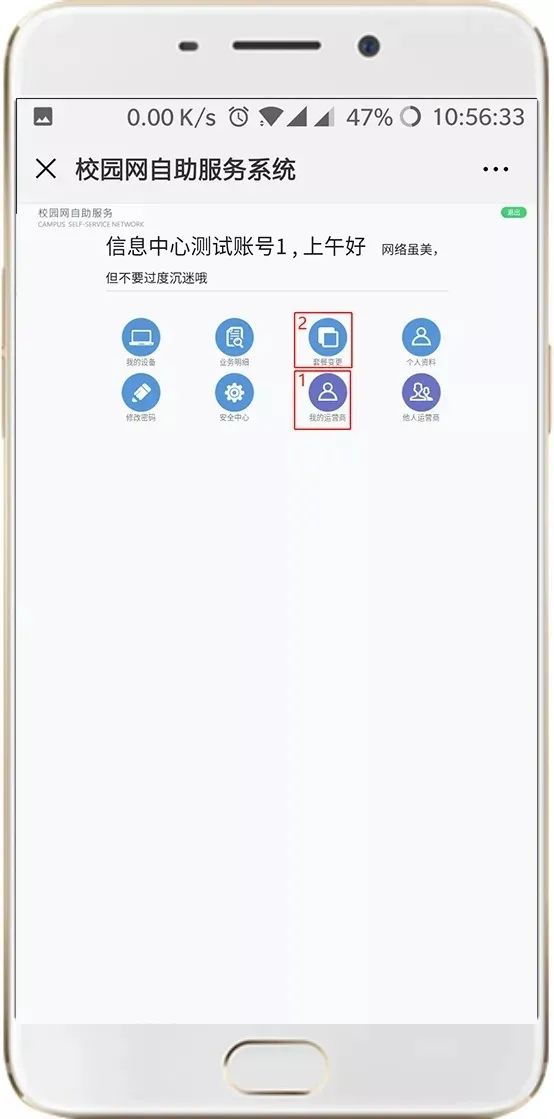
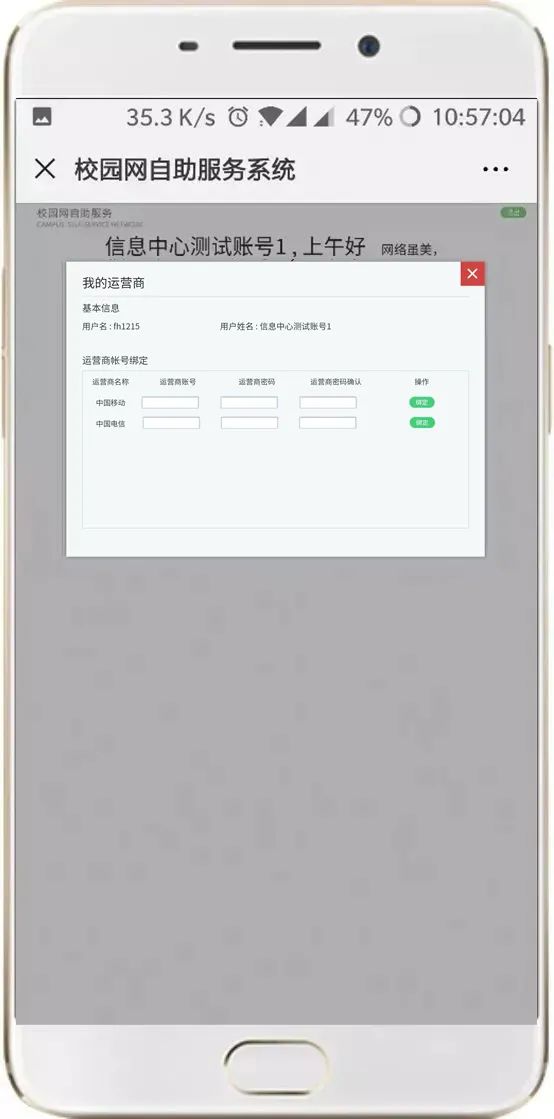
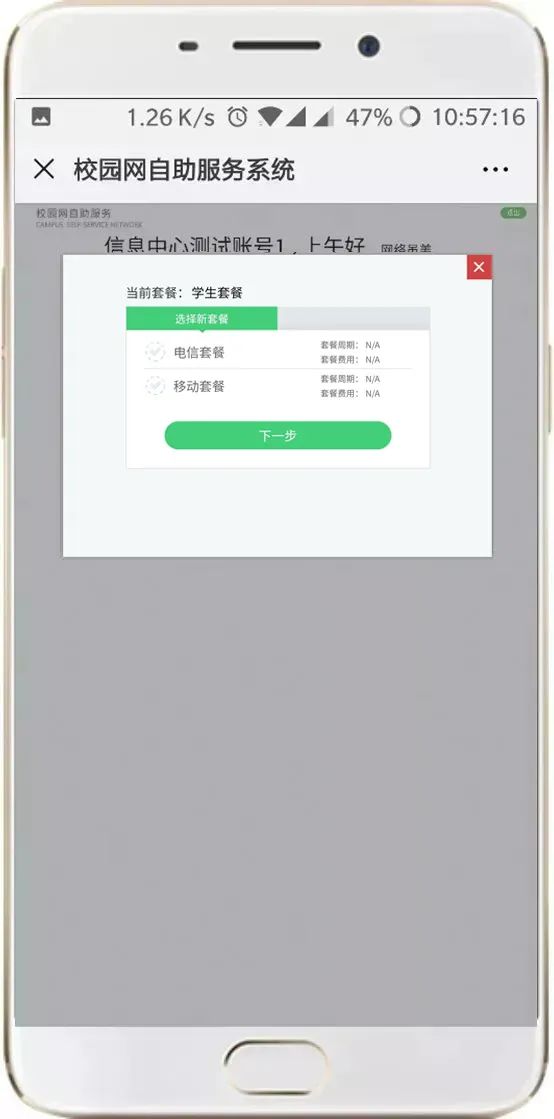
5. If your student account includes an operator campus broadband package, you can log into the campus network self-service system, click on “My Operator” to bind your operator account. After successful binding, click on “Package Change” to select the corresponding operator service.
After selection, it will take about 10 minutes to take effect. After successfully binding the operator account and changing the corresponding package, connect to the wireless: HXXY-WiFi, its speed will increase to the broadband speed provided by the operator, and you can also use wired authentication to access the internet in the dormitory.
Note: The link address for the campus network self-service system is: http://netss.hxxy.edu.cn (access limited to the campus network).
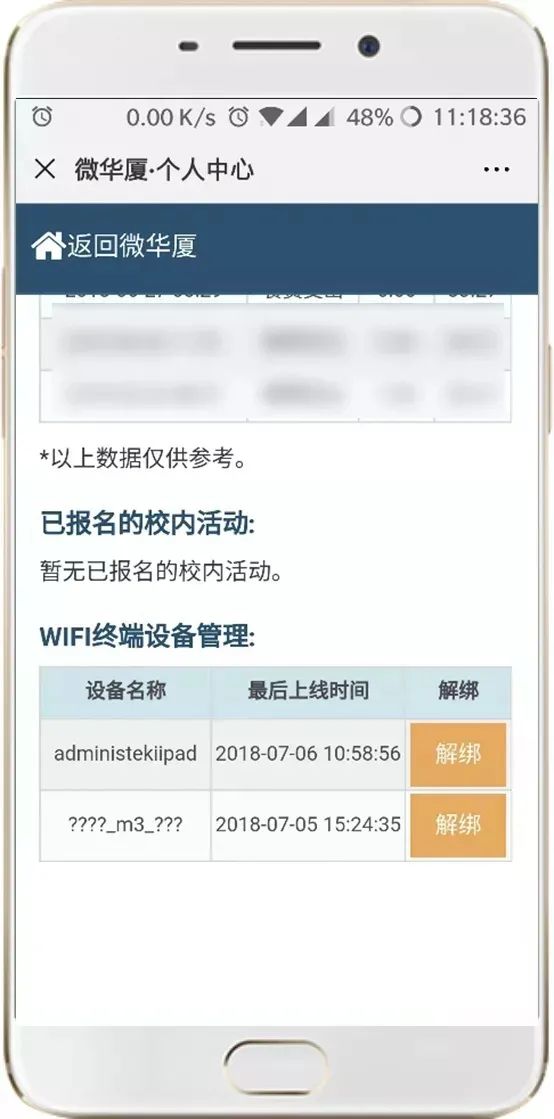
6. Student accounts are allowed to use 2 wireless terminals simultaneously. After logging in, the mobile terminal will be automatically bound to the account.
If you need to change terminal devices, please first enter the “Micro Huaxia” personal center to unbind it, then log in to the wireless network with the new terminal device.
Consultation and Fault Handling Channels
1. The campus network self-service system can help retrieve passwords, using the internal email (Campus Card [email protected]);
2. You can bring your ID card or student card to Room 101 in Hongtao Building to change your password;
3. Information Center hotline: 6276320.
Our school’s Wi-Fi network has officially opened for all students. Connecting to the school’s wireless network allows free access to the network services provided. If you have higher speed requirements, you can bind your operator broadband account and switch packages through the campus network self-service system (http://netss.hxxy.edu.cn) to use the operator’s network.
Warm reminder: Please do not pull the AP network cable of the wireless device, as pulling the network cable will result in no wireless network in that area.
This article is adapted from Xiamen Huaxia College Information Service.
If there is any infringement, please contact the administrator for deletion.