1. Two Types of Watchdogs in STM32
The STM32F103C8T6 has two built-in watchdogs: the Independent Watchdog and the Window Watchdog.
Independent Watchdog (IWDG)
Uses an internal low-speed clock (LSI, typical value 40kHz) as the time base. It cannot be stopped and can operate independently even if the CPU hangs. It is commonly used for system-level protection.
Window Watchdog
Driven by the APB1 clock.
The watchdog must be fed within a “specified window”; feeding it too early or too late will cause a reset.
It is suitable for detecting whether the program is running at a normal pace.
For most beginner applications, using the Independent Watchdog IWDG is sufficient.2. Configuring the Independent Watchdog in STM32 CubeMXOpen CubeMX, click on System Core in the left sidebar, select IWDG, and click Activated. The formula for calculating the IWDG feeding time is as follows:
- LSI Clock: Approximately 40kHz (may fluctuate between 30~60kHz).
- Prescaler: Division factor, selectable from 4 to 256.
- Reload: 0 to 0xFFF (4095)
The LSI clock can be determined in the clock tree.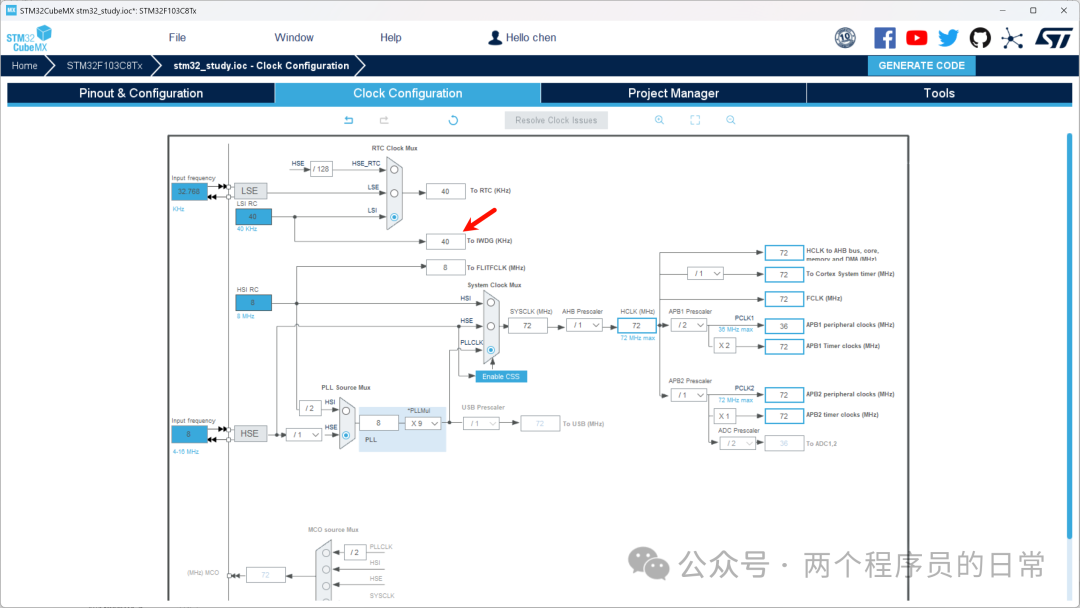 If you want to ensure the watchdog is fed within 2 seconds for the program to be considered normal, the calculation is as follows:
(Reload + 1)*Prescaler/40000=2
(Reload + 1)* Prescaler= 80000
If Prescaler is set to 64, then Reload is 1249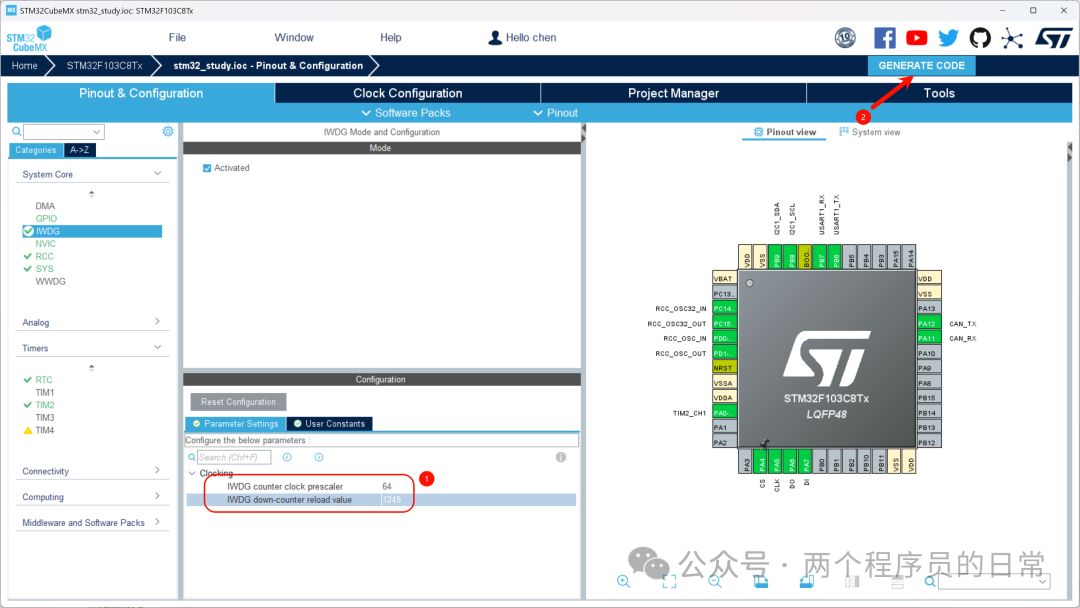
The generated code and the output are as follows:
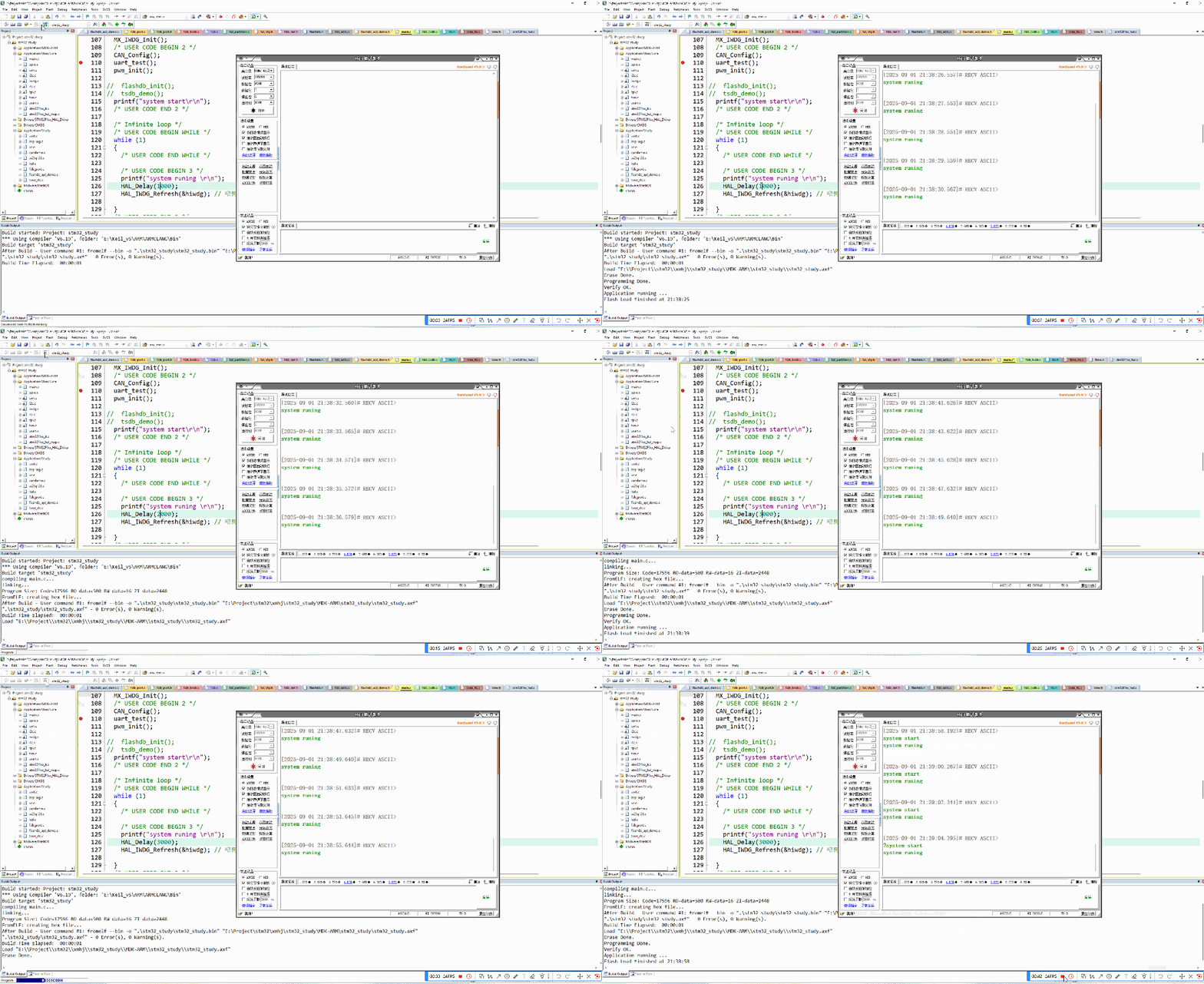 After starting the STM32, the main function first outputs “system start” and then outputs “system running” every second. By modifying the delay time to adjust the watchdog feeding time, when the delay is changed to 3 seconds, the program keeps restarting, indicating that the watchdog is effective.This concludes a simple application of the STM32 Independent Watchdog. If you found this helpful, please give a follow!