In network management, domain resolution, or connectivity troubleshooting, <span>dig</span> and <span>nslookup</span> are two indispensable DNS diagnostic tools. They can query domain resolution records, detect DNS response data, verify mail server configurations, and retrieve IP address information associated with domain names. Below, we will detail how to install these two tools on mainstream Linux distributions and demonstrate their usage through practical application scenarios.
1. Tool Introduction
<span>dig</span> (Domain Information Gopher): A professional DNS query tool that can output detailed DNS response information, supporting advanced record queries such as SOA, MX, TXT, making it the preferred diagnostic tool for system administrators.
<span>nslookup</span>: An interactive DNS query tool that provides concise query result outputs, suitable for quickly obtaining the mapping relationship between domain names and IP addresses.
2. Installation Method
Mainstream Linux distributions typically come pre-installed with these two tools. If they are not installed, you can install the relevant packages using the following commands:
# RHEL/CentOS/Fedora/Rocky/AlmaLinux systems
sudo dnf install bind-utils

# OpenSUSE systems
sudo zypper install bind-utils

# FreeBSD systems
sudo pkg install dnsutils
3. Practical Examples of dig Command
1) Basic Domain Query
[root@bdh-backup ~]# dig haopython.com

; <<>> DiG 9.16.23-RH <<>> haopython.com
;; global options: +cmd
;; Got answer:
;; ->>HEADER<<- opcode: QUERY, status: NOERROR, id: 22166
;; flags: qr rd ra; QUERY: 1, ANSWER: 1, AUTHORITY: 0, ADDITIONAL: 0

;; QUESTION SECTION:
;haopython.com.   IN A

;; ANSWER SECTION:
haopython.com.  600 IN A 101.34.101.155

;; Query time: 1035 msec
;; SERVER: 222.222.222.222#53(222.222.222.222)
;; WHEN: Mon Aug 25 10:16:27 CST 2025
;; MSG SIZE  rcvd: 47

[root@bdh-backup ~]#
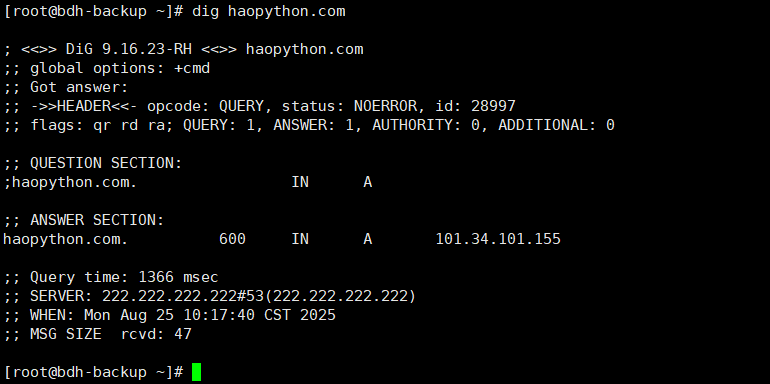
The output includes complete information such as query status, IP address, response server, and query time.
2) Simplified Output Mode
[root@bdh-backup ~]# dig haopython.com +short
101.34.101.155
[root@bdh-backup ~]#

3) Query for Specific Record Types
# IPv6 address query (AAAA record)
dig AAAA haopython.com +short

# Mail server query (MX record)
dig haopython.com MX +short

# Authoritative name server query (NS record)
dig haopython.com NS +short

# Authoritative start of authority query (SOA record)
dig haopython.com SOA +short

# Text record query (TXT record)
dig haopython.com TXT +short
4) Reverse DNS Resolution
dig -x 101.34.101.155 +short
5) DNS Resolution Tracing
[root@bdh-backup ~]# dig haopython.com +trace

; <<>> DiG 9.16.23-RH <<>> haopython.com +trace
;; global options: +cmd
.   459047 IN NS i.root-servers.net.
.   459047 IN NS h.root-servers.net.
.   459047 IN NS d.root-servers.net.
.   459047 IN NS g.root-servers.net.
.   459047 IN NS k.root-servers.net.
.   459047 IN NS c.root-servers.net.
.   459047 IN NS m.root-servers.net.
.   459047 IN NS b.root-servers.net.
.   459047 IN NS a.root-servers.net.
.   459047 IN NS l.root-servers.net.
.   459047 IN NS j.root-servers.net.
.   459047 IN NS e.root-servers.net.
.   459047 IN NS f.root-servers.net.
;; Received 800 bytes from 222.222.222.222#53(222.222.222.222) in 16 ms

com.   172800 IN NS a.gtld-servers.net.
com.   172800 IN NS b.gtld-servers.net.
com.   172800 IN NS c.gtld-servers.net.
com.   172800 IN NS d.gtld-servers.net.
com.   172800 IN NS e.gtld-servers.net.
com.   172800 IN NS f.gtld-servers.net.
com.   172800 IN NS g.gtld-servers.net.
com.   172800 IN NS h.gtld-servers.net.
com.   172800 IN NS i.gtld-servers.net.
com.   172800 IN NS j.gtld-servers.net.
com.   172800 IN NS k.gtld-servers.net.
com.   172800 IN NS l.gtld-servers.net.
com.   86400 IN DS 19718 13 2 8ACBB0CD28F41250A80A491389424D341522D946B0DA0C0291F2D3D7 71D7805A
com.   86400 IN RRSIG DS 8 1 86400 20250906170000 20250824160000 46441 . j180qM7z00ikoZnkPmiABdQCoSJMeUc1cQ+FYLsnu4qIQRJjDUyHXfiO VRJFM00EpNfikriYKvdOjCtRLVWz8zZA03lMkePBxAwwdY7NW8hhWYmR iA0xJuhIYilGGtIhf//P2bbechgVwvAWsDTyrMZxme8IkJaPV0sA2W1f 963s+7WJTlFy5xL3irw5KIYcJgIOEIkBfeGDSdXqvSiNK/JizVZ4iaYX oHJ457UqPS0/V/aE0fEJg6Xu5mkU4UqMYUty6e6aHKtNYyR7ITt6/a8k 7ALIQTGWM93zJcJd4Q5K/Xap7CYmPM3V3NHbWbRQdxVl+PEAb/JFozU9 ZXUALQ==
;; Received 1173 bytes from 193.0.14.129#53(k.root-servers.net) in 45 ms

haopython.com.  172800 IN NS dns23.hichina.com.
haopython.com.  172800 IN NS dns24.hichina.com.
CK0POJMG874LJREF7EFN8430QVIT8BSM.com. 900 IN NSEC3 1 1 0 - CK0Q3UDG8CEKKAE7RUKPGCT1DVSSH8LL NS SOA RRSIG DNSKEY NSEC3PARAM
CK0POJMG874LJREF7EFN8430QVIT8BSM.com. 900 IN RRSIG NSEC3 13 2 900 20250831015158 20250824004158 20545 com. KwEWamEC8pX2daXBOa2BY/AGCUCb+3Khm5Ao6bpOsD8Aj1En1mb2hO00 CtpTsH5JQu5HQD8QFWyb6ss6/vz3Mg==
39QEG4JIL12LGQH6NPSTSJ6MB19975J6.com. 900 IN NSEC3 1 1 0 - 39QEP4KQINMFTF0C4QNBFDSJMD5K5H9D NS DS RRSIG
39QEG4JIL12LGQH6NPSTSJ6MB19975J6.com. 900 IN RRSIG NSEC3 13 2 900 20250901021421 20250825010421 20545 com. TfSM21utvSt72etCXpgV5ynjmyThmAjQnhMiKMEAmNDPyZJU+bNcHUvF ch8Rkc09jTuILVR45/F8s1J58K2Hog==
;; Received 759 bytes from 192.55.83.30#53(m.gtld-servers.net) in 185 ms

haopython.com.  600 IN A 101.34.101.155
;; Received 58 bytes from 139.224.142.108#53(dns24.hichina.com) in 36 ms

[root@bdh-backup ~]#
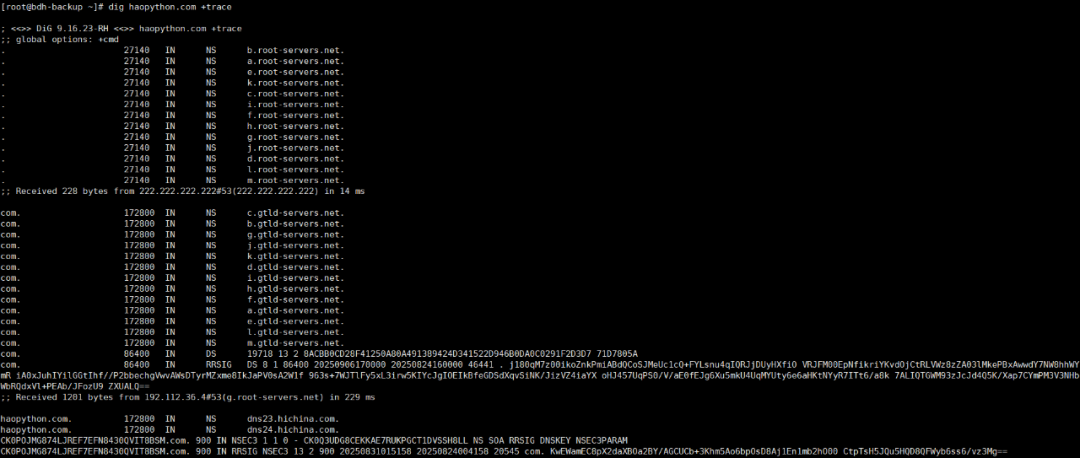
4. Practical Examples of nslookup Command
1) Basic Domain Query
[root@bdh-backup ~]# nslookup haopython.com
Server:  222.222.222.222
Address: 222.222.222.222#53

Non-authoritative answer:
Name: haopython.com
Address: 101.34.101.155

[root@bdh-backup ~]#
2) Query with Specified DNS Server
[root@bdh-backup ~]# nslookup haopython.com 223.5.5.5
Server:  223.5.5.5
Address: 223.5.5.5#53

Non-authoritative answer:
Name: haopython.com
Address: 101.34.101.155

[root@bdh-backup ~]#
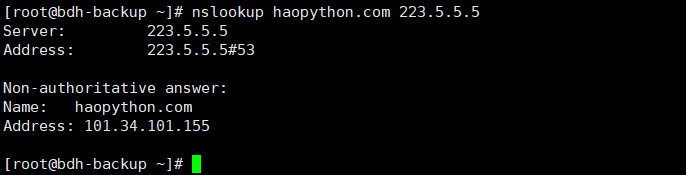
3) Reverse Resolution Query
nslookup 101.34.101.155
4) Query for Specific Record Types
# Mail server record query
nslookup -query=mx haopython.com

# Text record query
nslookup -query=txt haopython.com
5. Conclusion
This article demonstrated the methods for installing the dig and nslookup tools on various Linux systems and showcased practical techniques for using these tools in DNS queries, reverse resolution, and mail server verification. Mastering these commands will significantly enhance the efficiency of network troubleshooting and domain management.