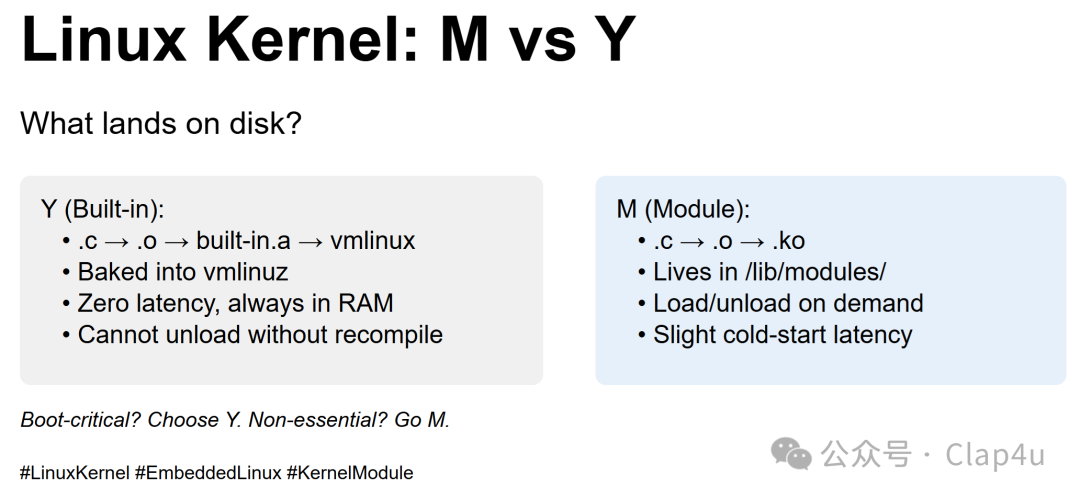
When configuring the Linux kernel, choosing between M (module) and Y (built-in) has a big impact on what ends up on disk and how your system behaves. Here’s a quick breakdown to help you make informed decisions for your next kernel build! 🚀🛠️ Compilation ViewY (Built-in):Each .c file compiles to an object file (.o).All .o files are glued into built-in.a, then linked into vmlinuz.No separate user-space artifact; it’s baked into the kernel image (vmlinuz).M (Module):Each .c file compiles to an object file (.o).The .o is transformed into a kernel module (.ko), which is sign-able and compress-able.💾 Package / Disk Image ViewY:✅ vmlinuz grows by the size of the feature.✅ Always present in RAM, ensuring zero run-time load latency.❌ Cannot be removed without recompiling the entire kernel.M:✅ Keeps vmlinuz slim; .ko files live in /lib/modules/<version>/.✅ RAM is allocated only when you modprobe the module.✅ Can be unloaded, upgraded, or blacklisted.❌ Slight cold-start latency and requires depmod or signed-module infrastructure.📝 Quick Rule of ThumbChoose Y for boot-critical drivers (e.g., SATA, NVMe, ext4, TCP).Choose M for non-essential features (e.g., USB gadgets, crypto accelerators, fancy filesystems).❓ Do you audit your .ko list before shipping firmware?What’s your favorite make *config trick? Drop it in the comments! 👇 Let’s geek out over kernel configs! 😎hashtag#LinuxKernelhashtag#EmbeddedLinuxhashtag#KernelModulehashtag#vmlinuxhashtag#LinuxTips