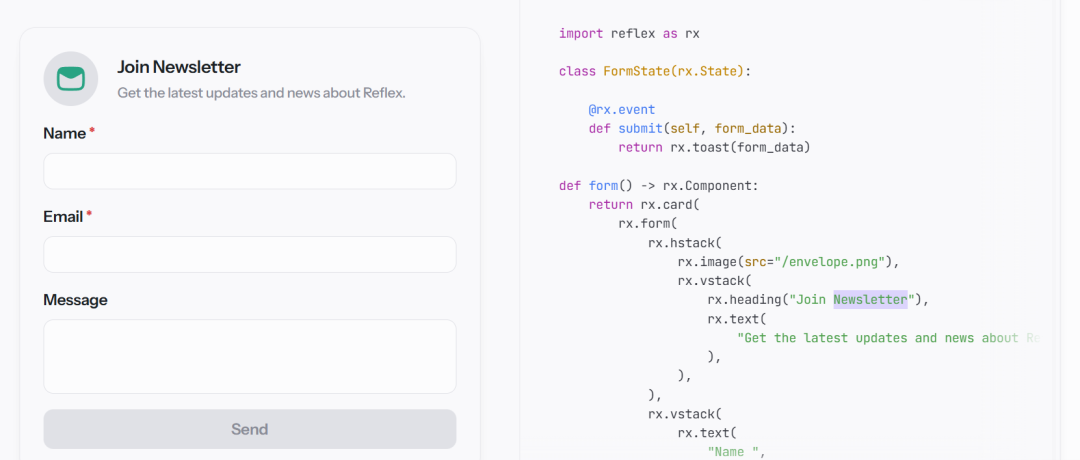
Introduction Are you a Python developer struggling with separating front-end and back-end for a project? With a mountain of tools like JS, TS, Vue, and React, switching between them can be quite frustrating. Wouldn’t it be great to use Python throughout the process without having to remember a bunch of syntax? Today, I want to introduce you to a treasure library—Reflex, which is sure to address your development pain points.
What is Reflex? In a nutshell, Reflex is a pure Python full-stack framework. – Front-end components and back-end logic are all written in Python. – No need to learn JavaScript; you can dive right in. – Hot reloading and automatic routing, all deployed with a single command.
What Pain Points Does It Solve? We have all encountered these awkward situations:
- • High cost of switching between front-end and back-end, with different syntax and context.
- • Complex debugging breakpoints in JS front-end, with slow hot updates.
- • Complicated multi-language packaging and deployment processes.
Reflex addresses all these challenges at once:
- • Unified language: both front-end and back-end are in Python.
- • Lightning-fast hot reloading: see changes instantly upon saving.
- • Single command deployment:
<span>reflex run</span>, go live anytime. 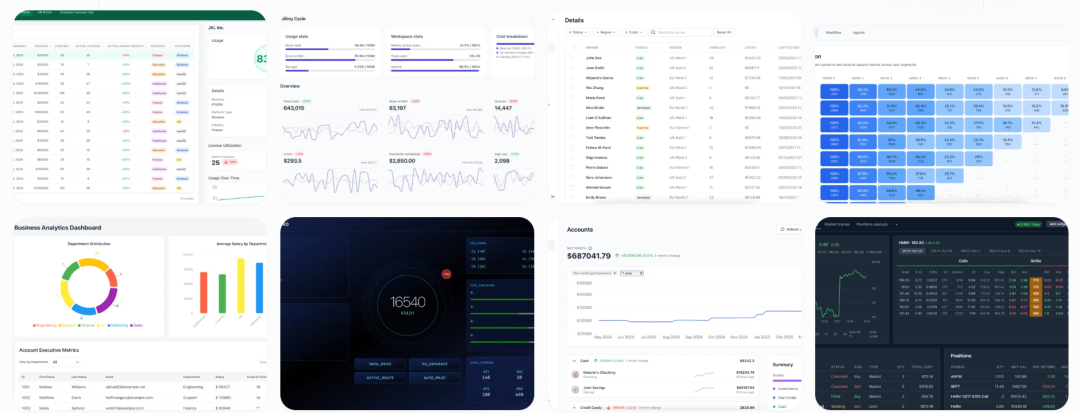
Core Advantages & Features
| Feature | Description | Example |
| Pure Python | Both front-end components and back-end logic are written in Python, no need to touch JS. | Use <span>rx.input()</span> and <span>rx.button()</span> for interactivity. |
| Rich Component Library | Built-in 60+ UI components, supporting flexible layouts, tables, charts, forms, etc. | <span>rx.vstack()</span>, <span>rx.cond()</span> for quick conditional rendering. |
| Hot Reload & DevMode | Instant refresh upon saving code, providing a development experience comparable to front-end frameworks. | Modify styles and logic without restarting the service. |
| Single Command Deployment | <span>reflex run</span> runs locally, and packaging and deployment can be done with the same command. |
Supports deployment to Vercel and Own Server. |
| Extensibility | Supports custom components and integration of third-party JS/CSS. | Want to use Chart.js or Three.js? Just wrap a component around it. |
Code Example — DALL·E Generator The following example demonstrates how to call the OpenAI API in Reflex to create a “Prompt→Image” generation tool. All done in a single Python file:
import reflex as rx
import openai

openai_client = openai.OpenAI()

class State(rx.State):
    prompt =""
    image_url =""
    processing =False
    complete =False

    def get_image(self):
        if not self.prompt:
            return rx.window_alert("Prompt cannot be empty!")
        self.processing, self.complete =True,False
        yield
        resp = openai_client.images.generate(
            prompt=self.prompt, n=1, size="512x512"
        )
        self.image_url = resp.data[0].url
        self.processing, self.complete =False,True


def index():
    return rx.center(
        rx.vstack(
            rx.heading("DALL·E Demo", font_size="1.5em"),
            rx.input(placeholder="Enter Prompt…", on_blur=State.set_prompt),
            rx.button("Generate Image", on_click=State.get_image,
                      loading=State.processing),
            rx.cond(State.complete,
                    rx.image(src=State.image_url, width="20em")),
            align="center"
        ),
        width="100%", height="100vh"
   )

app = rx.App()
app.add_page(index, title="Reflex DALL·E")
app.run()
Note for everyone:
- •
<span>State</span>defines the “mutable state” and event handling functions. - •
<span>yield</span>can interrupt the function, allowing the UI to render the “loading” state first, then continue with the subsequent logic. - • Components are declaratively written, similar to React, but the syntax is all Python, and CSS styles are also done using keyword arguments.
Comparison of Reflex Pros and Cons
| Advantages | Disadvantages |
| Complete Python ecosystem, low learning curve | The ecosystem is still growing, and community resources are not as rich as React. |
| Good development experience, fast hot reloading | Currently, advanced features like multi-page routing and internationalization are still being improved. |
| No front-end experience required | Limited support for complex animations and 3D rendering. |
| Convenient deployment, done with a single command | More practical testing is needed for large-scale enterprise applications. |
ConclusionReflex is truly a “winning tool for Python developers,” eliminating the hassle of switching between front-end and back-end, allowing you to work on full-stack applications using a familiar language. Although the ecosystem is still in its infancy, its core advantages are evident: rapid prototyping, less busy work, and simpler deployment. If you’re looking to write an internal tool, dashboard, or small demo in Python, give Reflex a try; you can get started with just one command!
Project Address: https://github.com/reflex-dev/reflex