Click the image | Get the latest information in the network engineering industry
Network programming has three elements: IP address, port number, and communication protocol. This time we will mainly discuss the TCP and UDP communication protocols and their implementation in programming.
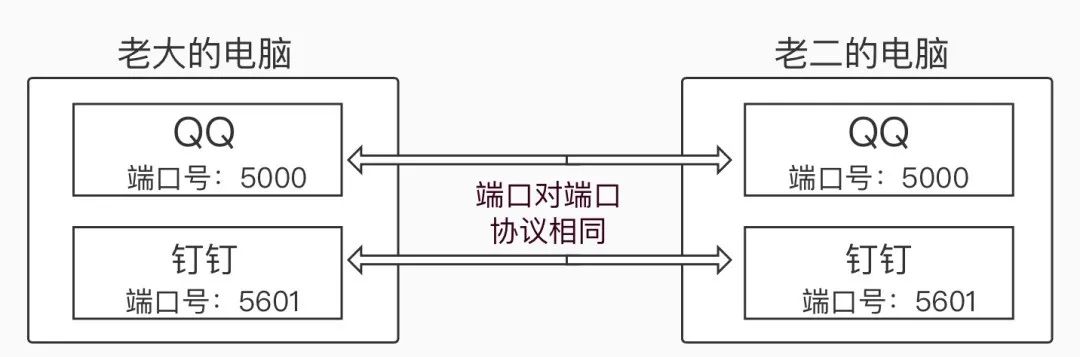
IP AddressComputers in the network use IP addresses for unique identification. There are two types of IP addresses: IPv4 and IPv6. IPv4 is represented in decimal or binary form, with decimal being the more common representation, such as<span>192.168.1.131</span>. IPv6 is represented in hexadecimal form and is generally less common.How to view IP address information:On Windows, open cmd, type the command<span>ipconfig</span>, and press enter to view. On Linux or Mac, open the terminal and use the command<span>ifconfig</span> to view.Port NumberA port number is an integer identifier for applications on a computer, used to distinguish different applications.<span>0 ~ 1024</span> are reserved or system-used port numbers, while<span>0 ~ 65535</span> are valid port numbers. This means when defining port numbers for some programs, we should choose integers in the range of 1024 to 65535.For example, the port number for MySQL is 3306, SQL Server is 1433, and the port number for Oracle is 1521.It’s important to remember these database port numbers, as they will be used when connecting to the database.Communication ProtocolIn simple terms, a communication protocol is a set of rules for network communication, divided into two types: TCP and UDP.First: TCP ProtocolEnglish Name: Transmission Control Protocol Chinese Name: 传输控制协议 Protocol Description: TCP is a connection-oriented, reliable, byte-stream-based transport layer communication protocol.Example: Like making a phone call, both parties need to be connected to have a conversation.Characteristics: Low efficiency but relatively secure data transmission.Second: UDP ProtocolEnglish Name: User Datagram Protocol Chinese Name: 数据报协议 Protocol Description: UDP is a connectionless transport layer communication protocol.Example: Sending a text message does not require both parties to establish a connection, but the size of the datagram should be limited to within 64k.Characteristics: High efficiency but insecure data transmission, prone to packet loss.Diagram of the Three Elements and Network Model 01 Diagram of the Three Elements of Network Programming
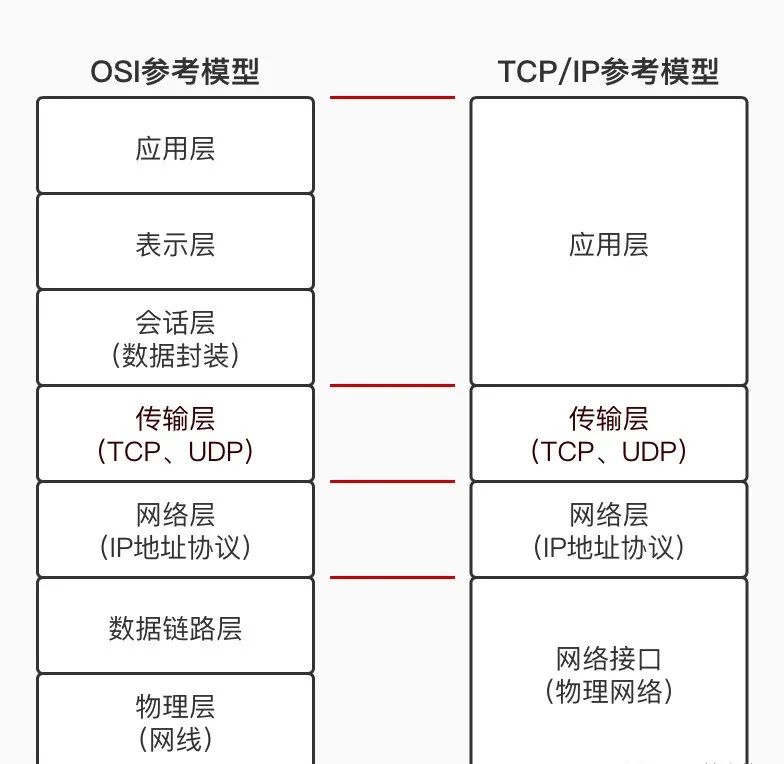
02 OSI Reference Model and TCP/IP Reference Model
TCP ProgrammingTCP is a byte-stream-based transport layer communication protocol, so TCP programming is based on IO stream programming.For the client, we need to use the<span>Socket</span> class to create an object. For the server side, we need to use the<span>ServerSocket</span> to create an object, and call the<span>accept()</span> method to listen for client access.Client and Server Diagram:
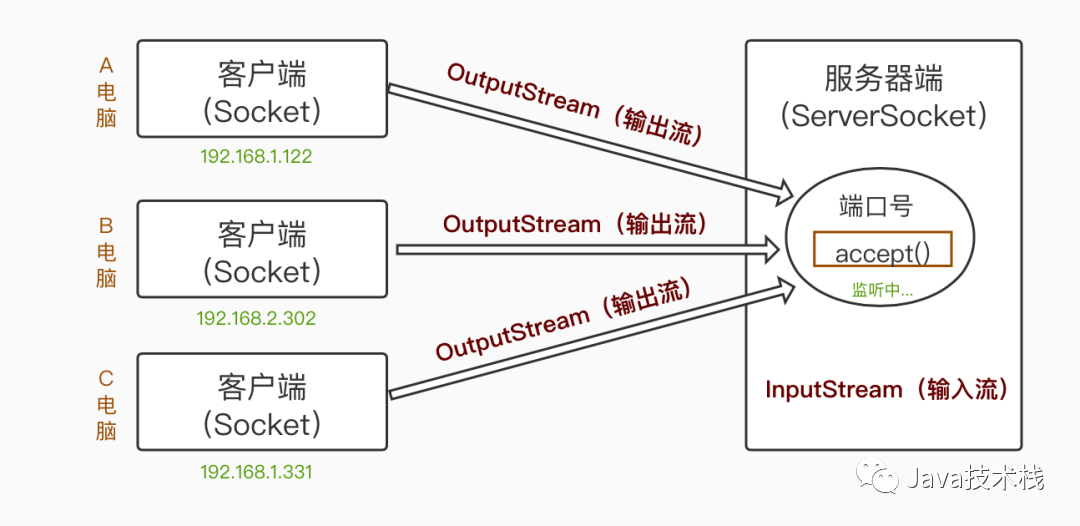
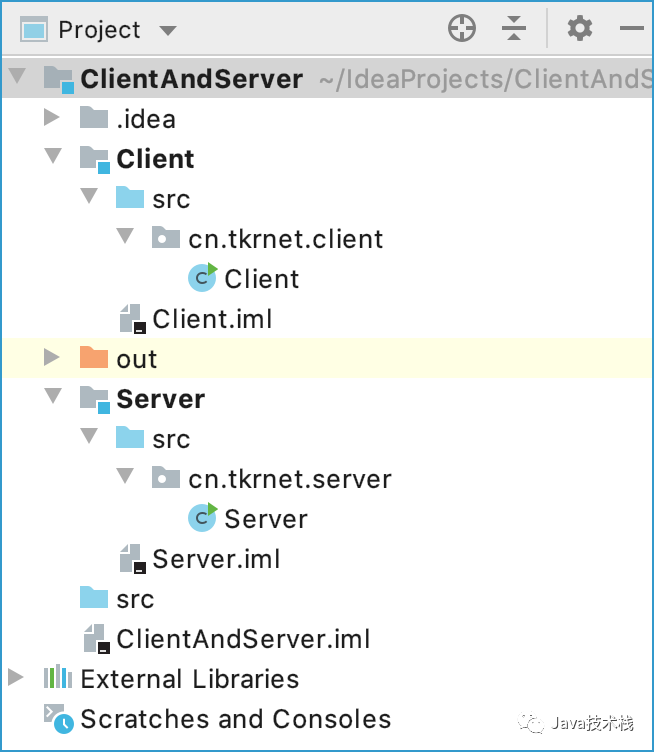
Steps to Implement Client and Server:Prerequisite: Create a project with two modules (model), one for client-related code and one for server-related code.The directory structure is as follows:
Client:1. Create a<span>Socket</span> object and specify the server application port number and the server host IP address.2. Use the<span>Socket</span> object to call the<span>getOutputStream()</span> method to get the byte output stream object.3. Call the byte output stream’s<span>write(byte[] buf)</span> or<span>write(int b)</span> to send specified data to the server.4. Remember to close the stream.Server:1. Create a<span>ServerSocket</span> object and specify the port number for this application. The port number must be the same as the one specified by the client.2. Use the<span>ServerSocket</span> object’s<span>accept()</span> method to listen for requests from the client, returning a Socket object.3. Call the<span>Socket</span> object’s<span>getInputStream()</span> method to obtain the byte input stream object.4. Call the byte input stream object’s<span>read(byte[] buf)</span> or<span>read()</span> method to get data.5. Remember to close the stream.Example:The client sends a message to the server, which is displayed on the server.Client Class (Client)
package cn.tkrnet.client;

import java.io.IOException;
import java.io.OutputStream;
import java.net.Socket;

public class Client {
    public static void main(String[] args) throws IOException {

        // Create Socket object, specify the IP address to send to the server, and the port number that the server application receives
        // localhost represents the local IP address
        Socket client = new Socket("localhost",9000);

        // Get output stream to send data to the server
        OutputStream os = client.getOutputStream();

        os.write("Java is my friend !".getBytes());
        System.out.println("Message sent");

        // Close the stream
        os.close();
        client.close();
    }
}
Server Class (Server)
package cn.tkrnet.server;

import java.io.IOException;
import java.io.InputStream;
import java.net.ServerSocket;
import java.net.Socket;

public class Server {
    public static void main(String[] args) throws IOException {
        System.out.println("--Server started--");

        // Create ServerSocket object, the port number here must be the same as the client's port number
        ServerSocket server = new ServerSocket(9000);

        // Call accept() method to listen for requests from the client
        Socket socket = server.accept();

        // Get input stream object
        InputStream is = socket.getInputStream();

        // Read data from the input stream
        int b = 0;
        while ((b =is.read()) != -1){
            System.out.print((char)b);
        }
        // Close the stream
        is.close();
        socket.close();
        server.close();
    }
}
Note: When running the program, make sure to run the server program first, then the client program. Because the client needs to send requests, the server must be running first.Server Class (Server) Output:
--Server started--
Client Class (Client) Output:
Message sent
After running the Client class (Client), the Server class (Server) receives the message, Output:
--Server started--
Java is my friend !
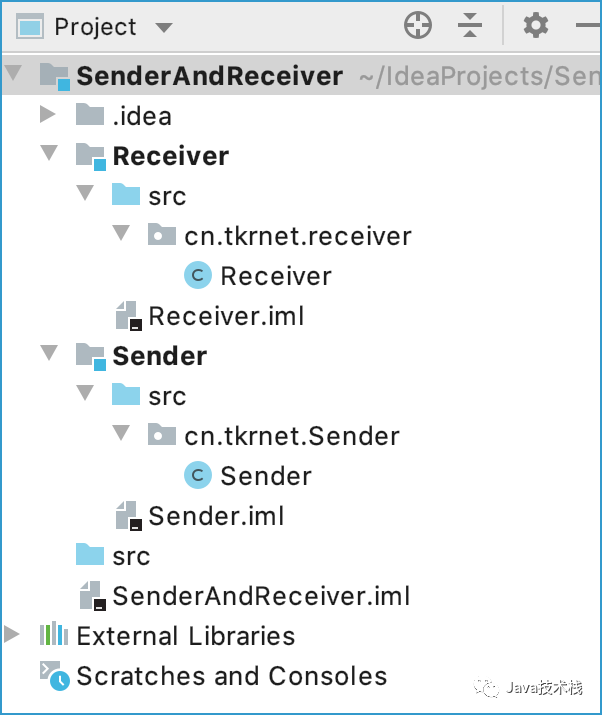
Example Analysis:After the server starts, the server’s<span>accept()</span> method remains in listening state until a client connects, at which point the server reads the data sent by the client from the stream.To be honest, this is a super simple one-way communication example.UDP ProgrammingUDP uses datagrams for data transmission, with no distinction between client and server—only sender and receiver. It does not matter which starts first, but packet loss may occur. The content sent has a character limit and must be limited to within 64k.Steps to Implement Sender and Receiver:Prerequisite: Create a project with two modules (model), one for sender-related code and one for receiver-related code.The directory structure is as follows:
Sender:1. Create a<span>DatagramSocket</span> object, which can specify the application’s port number or not.2. Prepare the data to be sent.3. Create a<span>DatagramPacket</span> object to package the data to be sent, specifying the content, how much to send, where to send it, and the receiver’s port number—all four parameters are required.4. Call the<span>DatagramSocket</span> object’s<span>send()</span> method to send data.5. Remember to close the stream.Receiver:1. Create a<span>DatagramSocket</span> object, specifying the receiver’s port number, which must be specified.2. Create a<span>byte</span> array to receive data sent by the sender.3. Create a<span>DatagramPacket</span> object to prepare to receive data.4. Call the<span>DatagramSocket</span> object’s<span>receive()</span> method to receive data.5. Use the<span>String</span> class constructor to convert the data in the<span>byte</span> array into a<span>String</span> type and display it.6. Remember to close the stream.Example:The sender sends a message, and the receiver receives and displays the message.Sender Class (Sender)
package cn.tkrnet.Sender;

import java.io.IOException;
import java.net.*;

public class Sender {
    public static void main(String[] args) throws IOException {

        // Create a datagram socket for receiving or sending data, specifying the sender's port number as 7770
        DatagramSocket ds = new DatagramSocket(7770);   // Port number can also be unspecified
        System.out.println("---Sender---");

        // Create datagram object to send data
        byte[] b = "Java is my friend !".getBytes();

        // 8800 is the receiver's port number, netAddress.getByName("localhost") gets the host's IP address
        DatagramPacket dp = new DatagramPacket(b,b.length, InetAddress.getByName("localhost"),7788);

        ds.send(dp);    // Send datagram
        System.out.println("Data sent");
        // Close stream
        ds.close();
    }
}
Receiver Class (Receiver)
package cn.tkrnet.receiver;

import java.io.IOException;
import java.net.DatagramPacket;
import java.net.DatagramSocket;

public class Receiver {
    public static void main(String[] args) throws IOException {
        System.out.println("---Receiver---");

        // Create datagram socket object, the specified port number must match the port number that the sender sends data to
        // (not the sender's port number 7770, but the sender's data sending port number 7788)
        DatagramSocket ds = new DatagramSocket(7788);

        // Create object to receive datagram data
        byte[] b = new byte[1024];
        DatagramPacket dp = new DatagramPacket(b,b.length);

        // Receive data
        ds.receive(dp);
        System.out.println(new String(b,0,dp.getLength()));
        // Close stream
        ds.close();
    }
}
Note: When running the program, it does not matter whether you run the sender program or the receiver program first, but there may be packet loss. Generally, we run the receiver program first, then the sender program.Receiver Class (Receiver) Output:
---Receiver---
Sender Class (Sender) Output:
---Sender---
Data sent
After running the Sender class (Sender), the Receiver class (Receiver) receives the message, Output:
---Receiver---
Java is my friend !
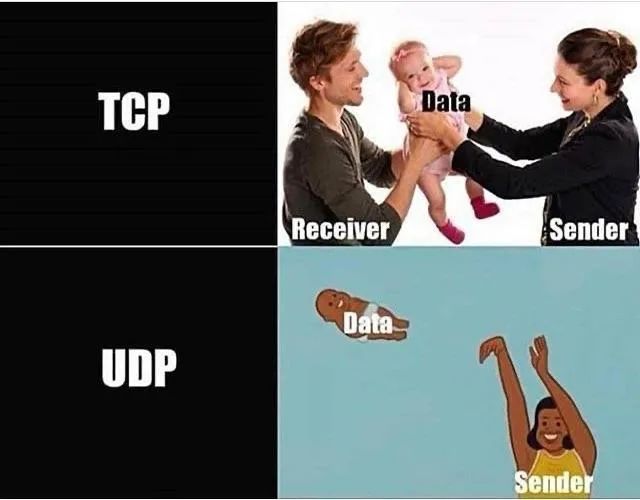
Example Analysis:Only if the receiver starts running first will there be a program with port number 7788, allowing the sender to send data to the specified port number 7788, and the receiver to receive the data.To be honest, this is also a super simple one-way communication example.Finally, let me teach you a trick One image to understand the difference between TCP and UDP
The most valuable Cisco/Huawei certification in the network engineering field, what is it?
After obtaining the Cisco/Huawei certification, as a network engineer, you can:
 Cross over 90% of companies’ hiring barriers
Increase 70% job opportunities
Obtain a stepping stone to the top 100 companies in China (BAT)
Systematically acquire hard skills in network technology
Industry experts can earn over 300,000 annually
How to learn systematically?
Scan the QR code below to add Lao Yang as a friend
Please note “Certification” in the friend verification
Get 1v1 exclusive consultation + discount coupon for class registration

The first 30 fans can get a free opportunity to consult Lao Yang