|
Disclaimer:The tools and projects shared by this public account are sourced from the internet and are intended for security research and learning purposes only. Please delete them within 24 hours after downloading and testing, and they must not be used for any commercial purposes. Any other use will be the sole responsibility of the user, and the tool authors and this public account bear no responsibility. |
Linux Exclusive Open Source Tool
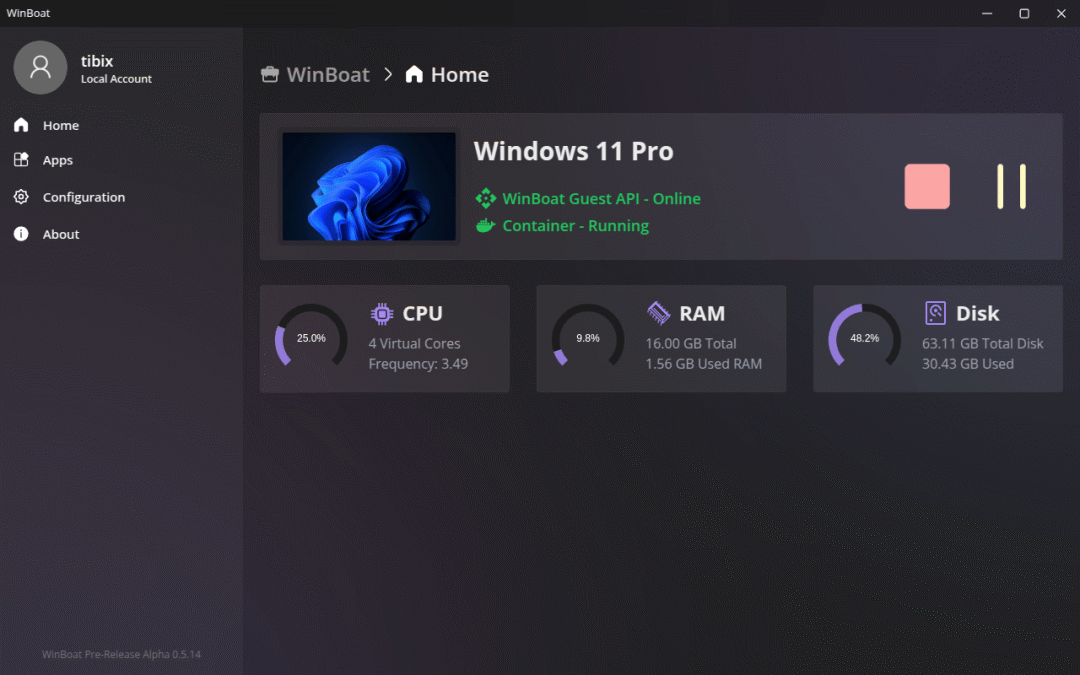
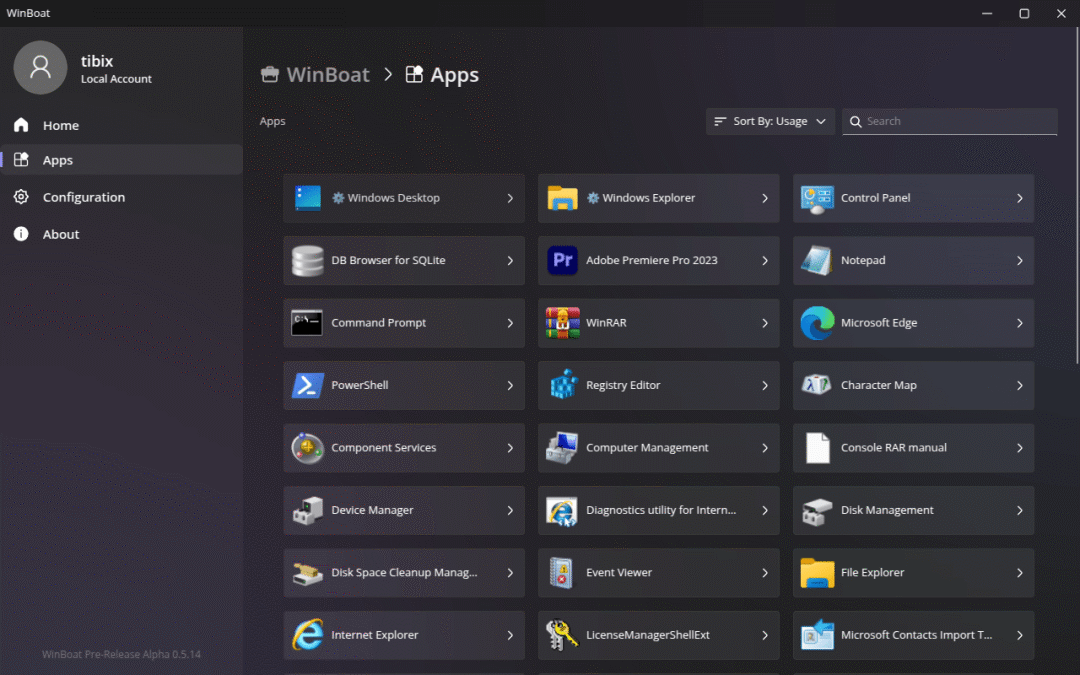
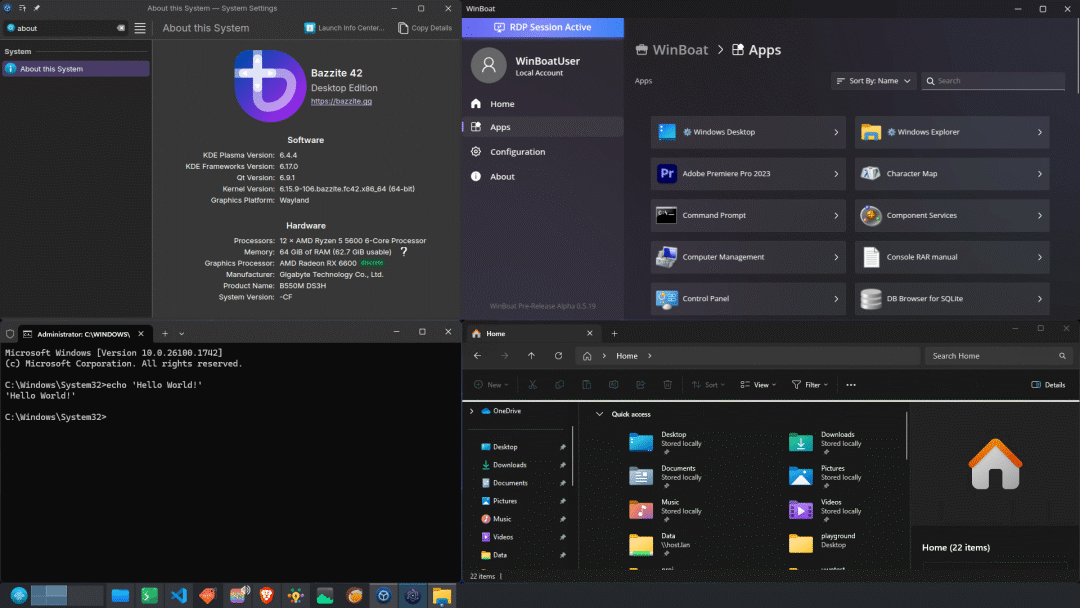
WinBoat is an open-source Linux tool currently in testing, designed to allow you to seamlessly run Windows applications on Linux. By utilizing Docker + Wine technology, it packages Windows programs (.exe) into a “native AppImage,” enabling double-click execution, automatic integration into the system menu, and seamless file associations; it supports common Win32/Win64 software such as Office, Photoshop, and games.
Background
Pain Points
• Linux users often need to rely on Wine or virtual machines (like VirtualBox) to run Windows applications seamlessly, but these solutions can be complex to configure or have low integration (e.g., lack of native window support).
Goals
• WinBoat aims to allow Windows applications to run “truly” seamlessly on Linux, just like native Linux applications, through containerization and remote display.
Status
•
The project is currently in Beta, and the official notes indicate the presence of bugs and usage hiccups, making it suitable for users with some experience in Linux and container usage.
Feature Overview
•
Elegant Interface: Built on Electron, it provides a unified experience for Windows applications on the Linux desktop, allowing direct execution with a click;
•
Automated Installation: No need for manual configuration of complex environments; simply select preferences, and WinBoat will automatically deploy a Windows virtual machine in a Docker container;
•
Run Any Application: Theoretically, any application that can run on Windows can also run on Linux through WinBoat, appearing as a native window;
•
Complete Windows Desktop: Option to access the full Windows desktop or integrate individual applications into the Linux workflow;
•
File System Integration: The Linux home directory is mounted to Windows, making file sharing easy;
•
Other Features: Smartcard passthrough, resource monitoring (e.g., CPU/memory), with more features continuously being added.
Installation
1Binary Installation• Download the latest Linux build from GitHub Releases: AppImage (portable format, compatible with most distributions) or Unpacked (raw files, run linux-unpacked/winboat);•Advantages: No installation required, double-click to run.2Source Build• Clone the repository: git clone https://github.com/TibixDev/WinBoat.git;• Install dependencies: npm i;• Build: npm run build:linux-gs (generates AppImage and Unpacked in dist/);• Requirements: Node.js, Go.3Development Run• Clone the repository, npm i;• Build the guest server: npm run build-guest-server;• Run: npm run dev.4Update• Download new Releases to replace.
Usage Process
1Start: Run the AppImage or winboat executable;2Configure: Use the dashboard to select installation preferences/specifications, automating the installation of the Windows VM;3Run Applications: Launch Windows programs from the application list as native Linux windows;4File Sharing: The home directory is automatically mounted, allowing access to Linux files from Windows;5Monitoring: View resource usage and Smartcard status;6Exit: Close the dashboard and stop the VM.
Typical Scenarios
•Office: Run Windows Office on Linux with seamless integration;•Development: Test Windows applications running on the Linux desktop;•Gaming: Run Windows games through the VM, monitoring resources;•File Sharing: Access documents across systems without dual-booting.
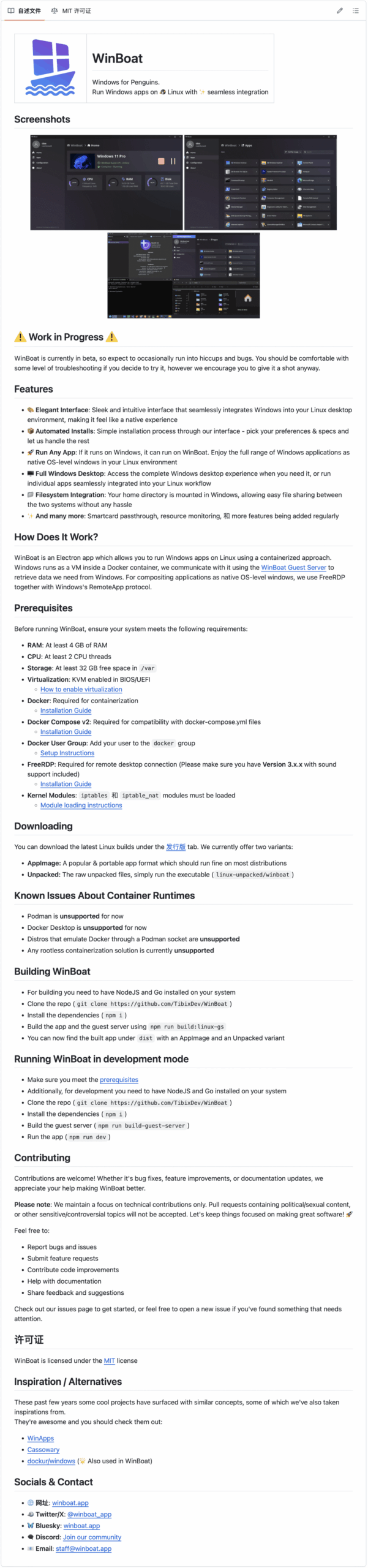
 WinBoat can turn any Windows software into an AppImage on Linux: double-click to run, with start menu, file associations, and GPU acceleration all natively integrated—packaging in 20 minutes, lifetime free of Wine configuration.