Are you excited to see many videos and various modules about XiaoZhi AI online? In fact, the project has been open-sourced by Xia Ge, and all materials, including the underlying source code, are available for reference and learning to create your own XiaoZhi.
First, we need to find the official website of XiaoZhi AI to comprehensively learn about XiaoZhi AI.
The following three URLs are the official learning and configuration websites for XiaoZhi. Be sure to bookmark them:
XiaoZhi AI Chatbot Encyclopedia:
https://xiaozhi.me/docs
XiaoZhi AI Backend Configuration Panel:
https://xiaozhi.me/
XiaoZhi AI Chatbot Frequently Asked Questions Q&A:
https://xiaozhi.me/faq
Here is a brief introduction to the three URLs:
XiaoZhi AI Chatbot Encyclopedia
With this URL, you can build your own XiaoZhi chatbot, including source code environment setup, production tutorials, firmware downloads, and problem-solving.
This website provides a series of practical content centered around “XiaoZhi AI Chatbot,” mainly covering three major sections: DIY tutorials, help documents, and compilation tutorials, as detailed below:
- DIY Tutorials
- Introduces the hardware list and wiring tutorial for DIY XiaoZhi AI Chatbot on a breadboard.
- Explains how to use the Flash tool to burn firmware on the web (no IDF development environment required).
- Covers configuring device Wi-Fi, methods for adding devices, and handling signal issues.
- Details purchasing information for the XiaoZhi AI ESP32S3 development board paired with the breadboard DIY module.
- Help Documents
- Contains a Q&A for common issues with the XiaoZhi AI Chatbot (recommended to check first).
- Answers solutions for not receiving mobile verification codes or forgetting passwords.
- Compilation Tutorials
- Guides setting up the ESP IDF 5.3.2 development environment on Windows and compiling XiaoZhi-related content.
- Provides instructions for configuration modifications and other operations for the XiaoZhi AI terminal open-source project.
For detailed content, see the image below or visit the URL directly.
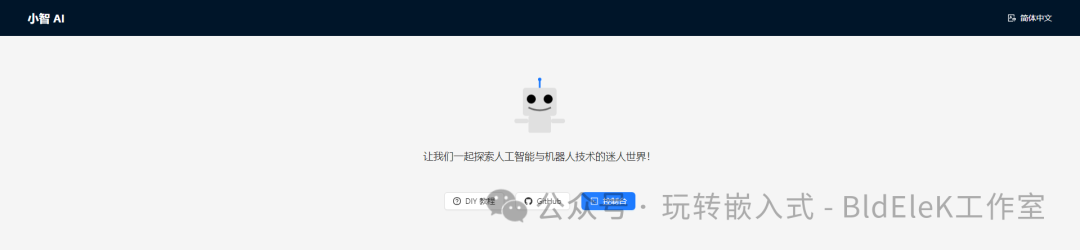
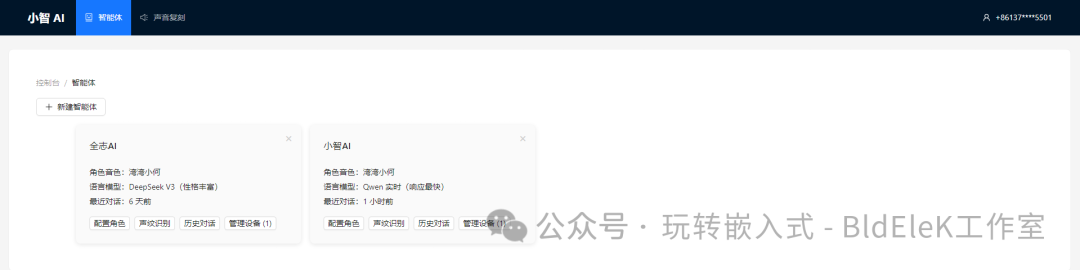
XiaoZhi AI Backend Configuration Panel
This URL is the configuration backend for the XiaoZhi chatbot. Once the hardware is set up, firmware is burned, and the device is powered on and connected to the network, you can bind the device using the numeric code generated on the screen at this URL to start chatting.
This URL also provides access to the official GitHub link to download the latest source code and information.
XiaoZhi AI ChatbotCommonQuestions Q&A
As the name suggests, this section addresses various questions encountered during the assembly of the XiaoZhi AI Chatbot.
About Espressif Technology
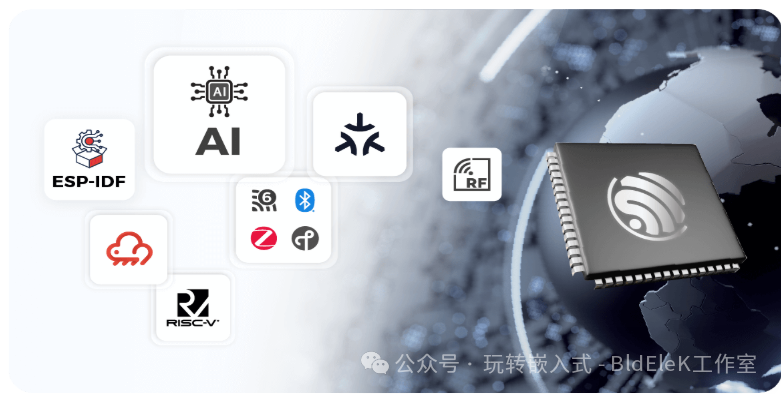
 Espressif Technology (stock code: 688018.SH) is a global fabless semiconductor company focused on developing high-performance, low-power wireless communication chips. Our AIoT solutions are energy-efficient, feature-rich, and cost-effective, trusted by customers worldwide. We possess a series of core self-developed technologies, including Wi-Fi & Bluetooth LE & IEEE 802.15.4 protocol stacks, RF technology, RISC-V MCU architecture, AI algorithms, operating systems, toolchains, AIoT software development frameworks, and cloud services, achieving a closed loop in hardware and software R&D.
Official Website:
https://www.espressif.com.cn/zh-hans
XiaoZhi Official Kit Setup
Official tutorial links:
https://rcnv1t9vps13.feishu.cn/wiki/Zq62wST38iuNxZkwg9JcjkSSnSd
https://ccnphfhqs21z.feishu.cn/wiki/EH6wwrgvNiU7aykr7HgclP09nCh
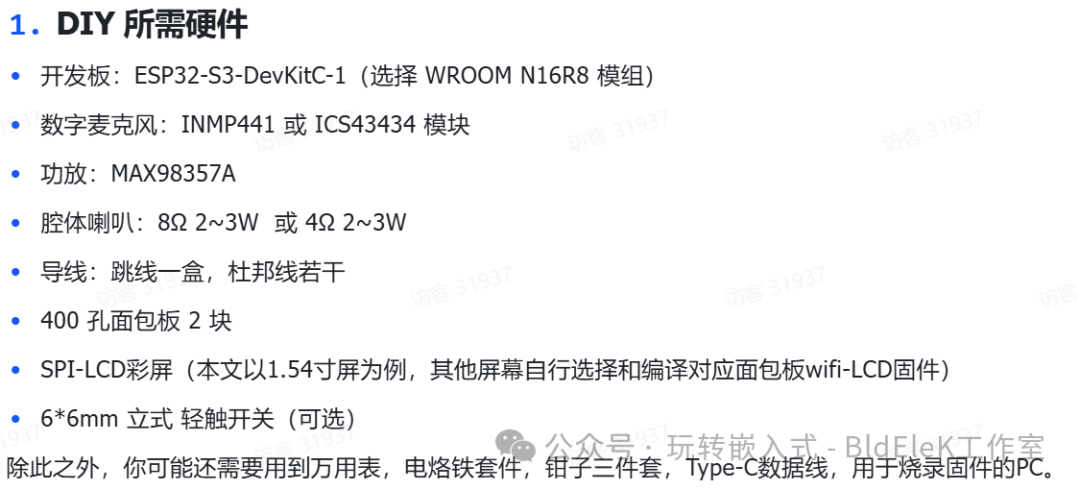
Having gathered the necessary components for the XiaoZhi AI kit, we will choose one to set up and create a XiaoZhi AI together.
The version of XiaoZhi we choose is the 1.54-inch screen solution, using the ESP32-S3-DevKitC-1 development board.
Below are the components prepared by A Chu (the author), and you can directly purchase the kit from the official link for learning.
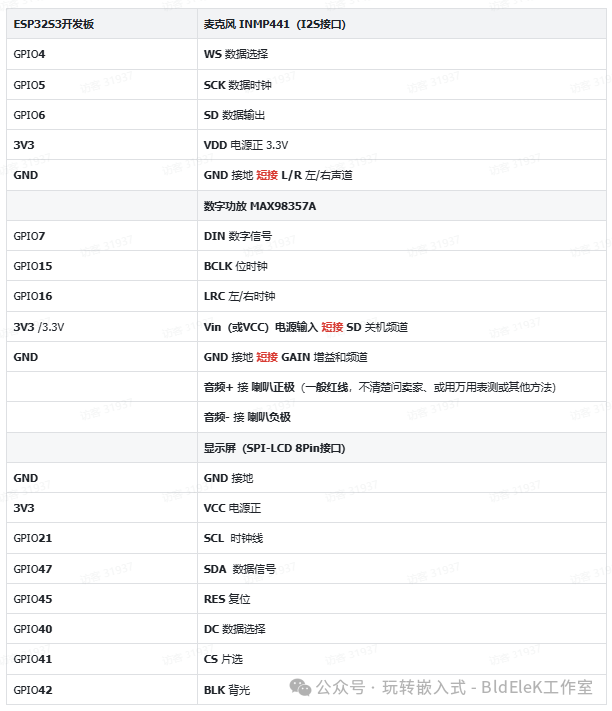
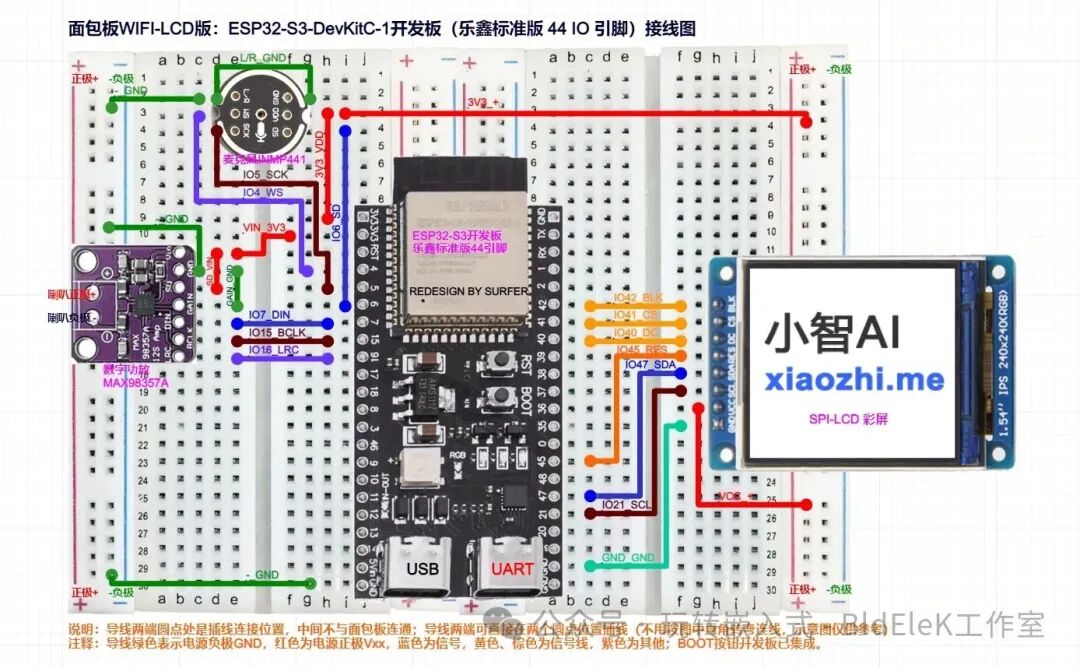
Step Two: Start Building
Step Three: Download and Burn Firmware
Download firmware:
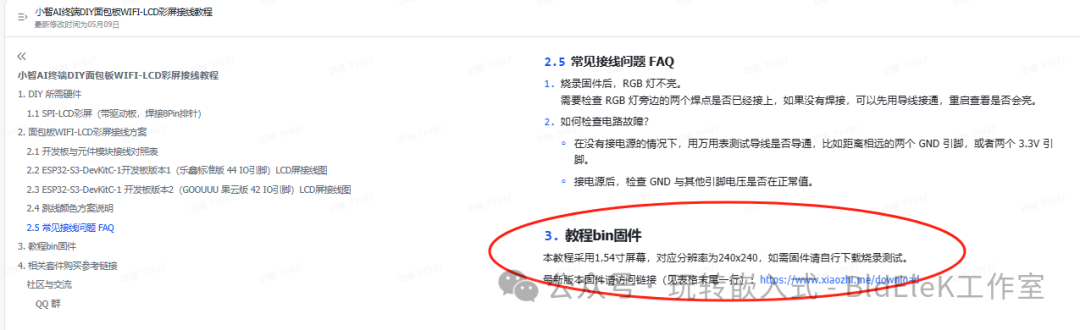
https://ccnphfhqs21z.feishu.cn/wiki/W14Kw1s1uieoKjkP8N0c1VVvn8d
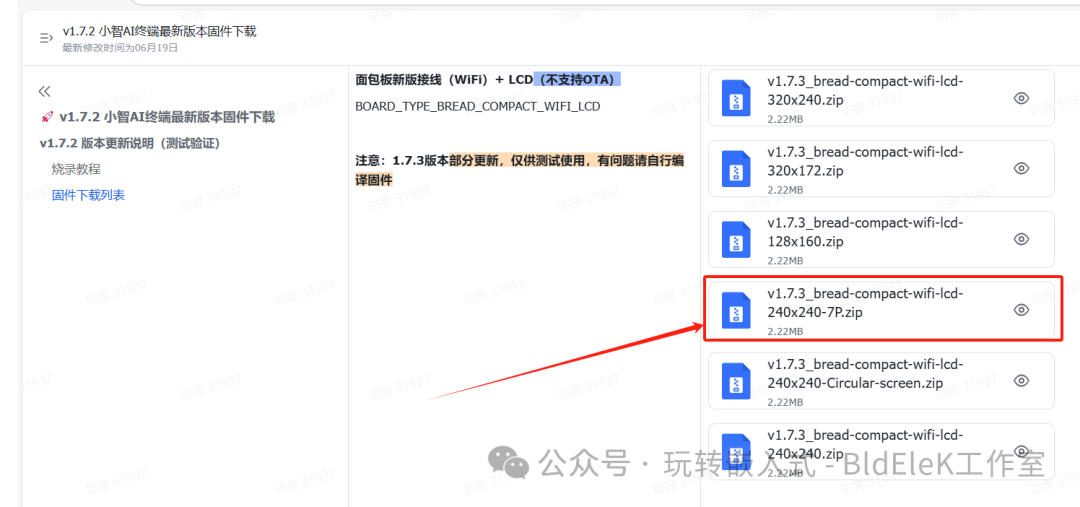

Download burning software:
https://ccnphfhqs21z.feishu.cn/wiki/Zpz4wXBtdimBrLk25WdcXzxcnNS
Step Four: Activate Device
https://ccnphfhqs21z.feishu.cn/wiki/KGvIwjTQxiTxPCkRbbjcPnsLnMb
https://xiaozhi.me
Access the XiaoZhi AI Chatbot – Control Panel backend via your computer browser: https://xiaozhi.me. If you haven’t registered, please register an account first.
Step Five: Start the Conversation
See the video tutorial.