One-Click Installation Script
Preparation steps before using the script
- Install the operating system
- Configure the host network
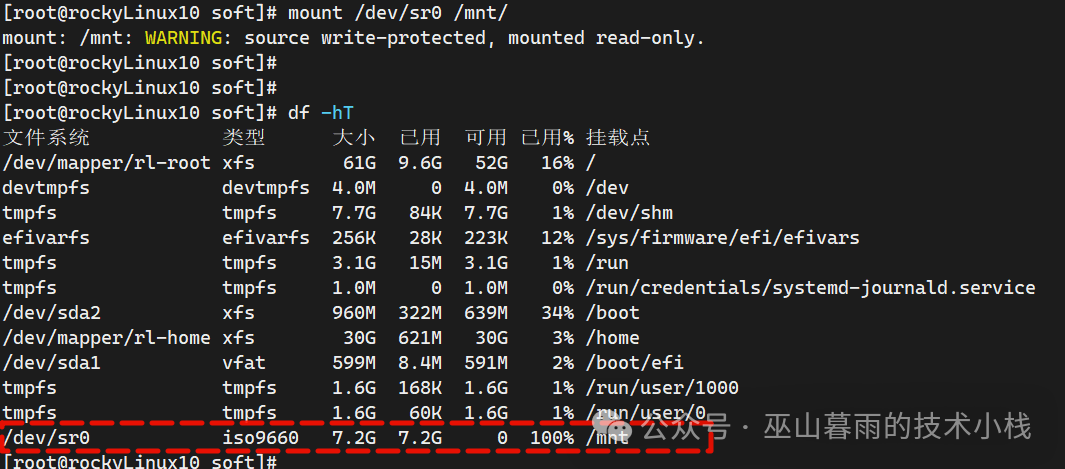
- Set up the software source; the script will configure it automatically, and you need to mount the ISO image
- Create a directory for storing software: mkdir /soft
- Upload the software package
- Upload the installation script
Check Host and IP
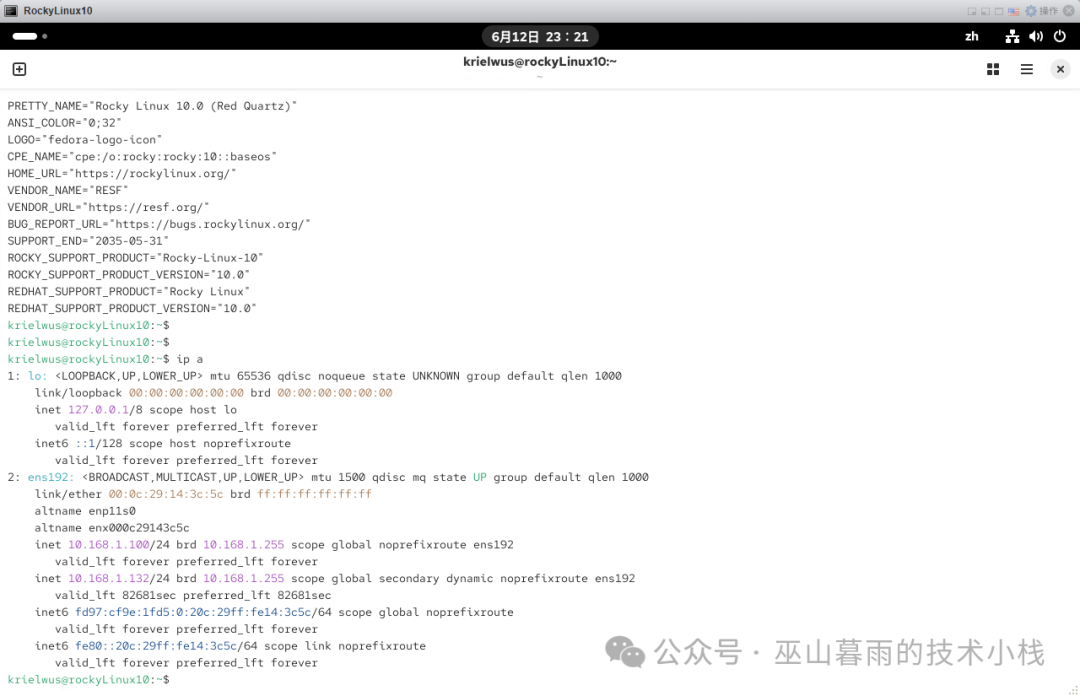
Mount the ISO Image
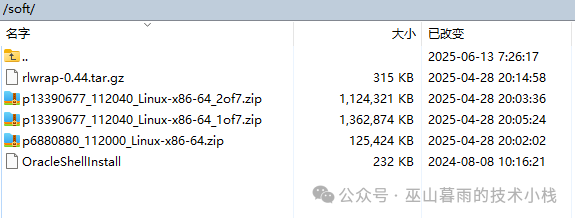
Create Directory and Upload Software Script
[root@rockyLinux:/soft]# mkdir -p /soft
[root@rockyLinux:/soft]# cd /soft/
[root@rockyLinux:/soft]# ls -l
总计 2613172
-rwxr-xr-x. 1 oracle oinstall     236592 2024年 8月 8日 OracleShellInstall
-rw-r--r--. 1 oracle oinstall 1395582860  4月28日 20:05 p13390677_112040_Linux-x86-64_1of7.zip
-rw-r--r--. 1 oracle oinstall 1151304589  4月28日 20:03 p13390677_112040_Linux-x86-64_2of7.zip
-rw-r--r--. 1 oracle oinstall  128433424  4月28日 20:02 p6880880_112000_Linux-x86-64.zip
-rw-r--r--. 1 oracle oinstall     321590  4月28日 20:14 rlwrap-0.44.tar.gz
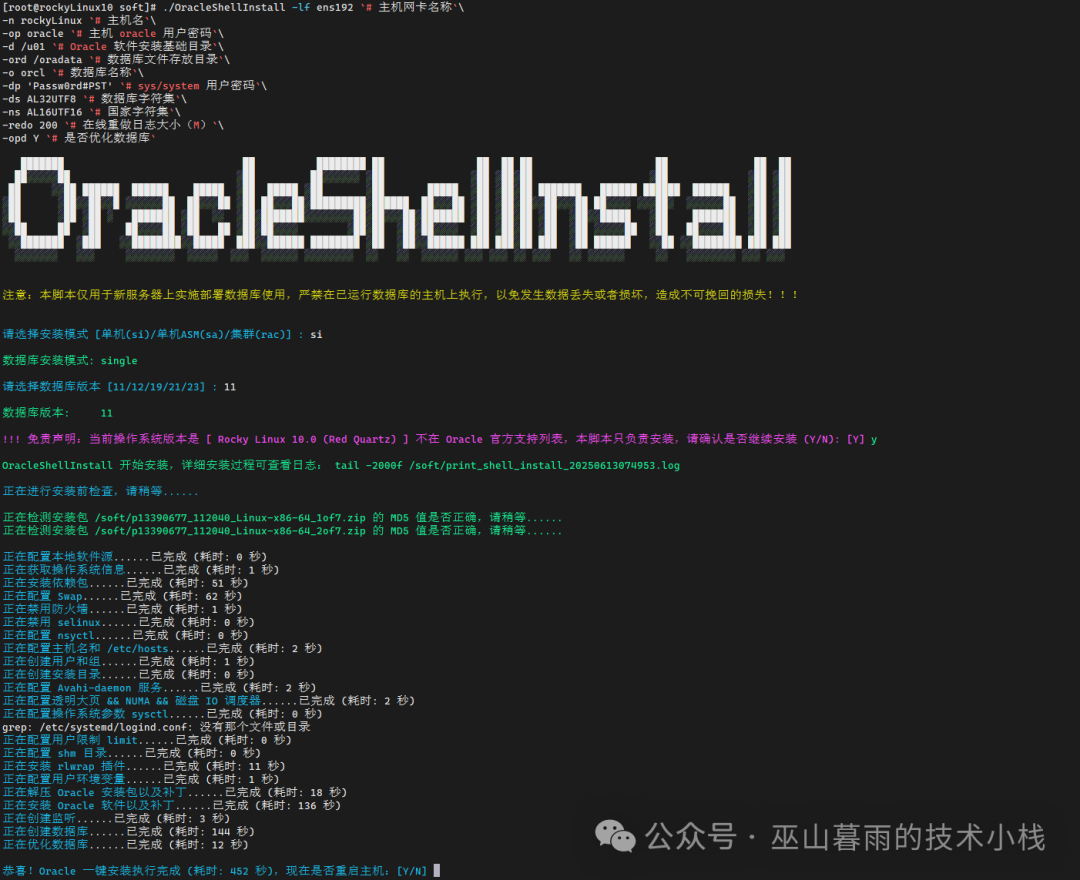
Use the Script for One-Click Installation
Don’t forget to grant permissions to the script before installation
[root@rockyLinux:/soft]# chmod +x OracleShellInstall
Execute the one-click installation, and then it’s coffee time, enjoy your break!
./OracleShellInstall -lf ens192 `# Host network card name`\
-n rockyLinux `# Host name`\
-op oracle `# Oracle user password`\
-d /u01 `# Base directory for Oracle software installation`\
-ord /oradata `# Directory for database files`\
-o orcl `# Database name`\
-dp 'Passw0rd#PST' `# sys/system user password`\
-ds AL32UTF8 `# Database character set`\
-ns AL16UTF16 `# National character set`\
-redo 200 `# Online redo log size (MB)`\
-opd Y `# Optimize database?`
Installation Screenshot
Post-Installation Verification
[oracle@rockyLinux:/home/oracle]$ sqlplus / as sysdba

SQL*Plus: Release11.2.0.4.0 Production on Fri Jun 1300:08:442025

Copyright (c) 1982, 2013, Oracle.  All rights reserved.


Connected to:
OracleDatabase11g EnterpriseEditionRelease11.2.0.4.0 - 64bit Production
With the Partitioning, OLAP, DataMiningandReal Application Testing options

sys@ORCL 2025-06-1300:09:01> select * from v$version;

BANNER
--------------------------------------------------------------------------------
Oracle Database 11g Enterprise Edition Release11.2.0.4.0 - 64bit Production
PL/SQLRelease11.2.0.4.0 - Production
CORE    11.2.0.4.0      Production
TNS for Linux: Version11.2.0.4.0 - Production
NLSRTL Version11.2.0.4.0 - Production

sys@ORCL 2025-06-1300:09:04>
sys@ORCL 2025-06-1300:09:05> select instance_name from v$instance;

INSTANCE_NAME
----------------
orcl

sys@ORCL 2025-06-13 00:09:24> show parameter name

NAME                                 TYPE        VALUE
------------------------------------ ----------- ------------------------------
cell_offloadgroup_name               string
 db_file_name_convert                 string
 db_name                              string      orcl
 db_unique_name                       string      orcl
 global_names                         boolean     FALSE
 instance_name                        string      orcl
 lock_name_space                      string
 log_file_name_convert                string
 processor_group_name                 string
 service_names                        string      orcl