Implementing a Linux Fundamentals Course Plan Using Large Model Intelligent Writing
To better conduct the Introduction to Cloud Native Technologies course aimed at undergraduate students, the author plans to offer a preparatory course titled “Linux Fundamentals: Introduction to System Architecture, Operations, and Container Technologies” to help students build the necessary foundational knowledge of operating systems and containers. This article will demonstrate how to efficiently generate course plans, web presentations, and dynamic display pages using large model intelligent tools, thereby enhancing teaching preparation efficiency.
The two main tools used in this article are:
- • Trae: An intelligent programming IDE launched by ByteDance
- • Tiangong Intelligent Body: A large model interactive platform provided by Kunlun Wanwei https://www.tiangong.cn/
Invitation registration link (supports the author in earning points):https://www.tiangong.cn/login?invite_code=3627a924bc60ede208d16bf16327073d
Step 1: Generate Markdown Course Plan
Enter the following prompt in Trae to initiate the generation of the course outline:
I am now preparing a “Linux Introduction” course for undergraduate students in the Computer Science department, primarily to lay the foundation for the subsequent introduction of Docker/Kubernetes. Please generate a course outline based on this goal and write it into
<span>Linux_Introduction.md</span>file.
Tip: The key to the initial prompt lies in intent recognition. If the user’s request is too brief, Trae will intelligently generate supplementary questions to clarify the intent and improve the quality of the output.
After generating the preliminary outline, it is recommended to manually review and confirm the structural integrity, then continue by entering the following prompt:
Please gradually write the course content based on the confirmed outline, with each section containing no less than 300 words, and optionally include command line examples or graphical prompts.
When the task has a repetitive nature (such as writing course materials), it is advisable to clearly specify the following elements in the initial prompt to reduce subsequent modification costs:
- • Course title and objectives
- • Core knowledge points covered
- • Content style (e.g., instructional, practical)
- • Whether to include code/command examples
- • Page structure (e.g., chapter divisions, pagination)
Table of Contents
- • Linux Introduction Course
- • Course Objectives
- • Table of Contents
- • Chapter 1: Overview of Linux Systems
- • 1.1 What is Linux
- • 1.1.1 History of Linux Development
- • 1.1.2 Introduction to Linux Distributions
- • The Role of Linux in the Cloud Native Technology Stack
- • 1.1.3 Why Container Technologies Choose Linux
- • 1.2 Linux System Architecture
- • 1.2.1 Kernel and User Space
- • System Architecture Diagram
- • Detailed Explanation of Kernel Space
- • Detailed Explanation of User Space
- • Detailed Explanation of Permission Levels
- • Practical Example: File Reading Process
- • Why is this separation necessary?
- • 1.2.2 System Call Interface
- • 1.2.3 The Role of Shell
- • 1.2.4 Concepts of Processes and Threads
- • Detailed Explanation of Processes
- • Detailed Explanation of Threads
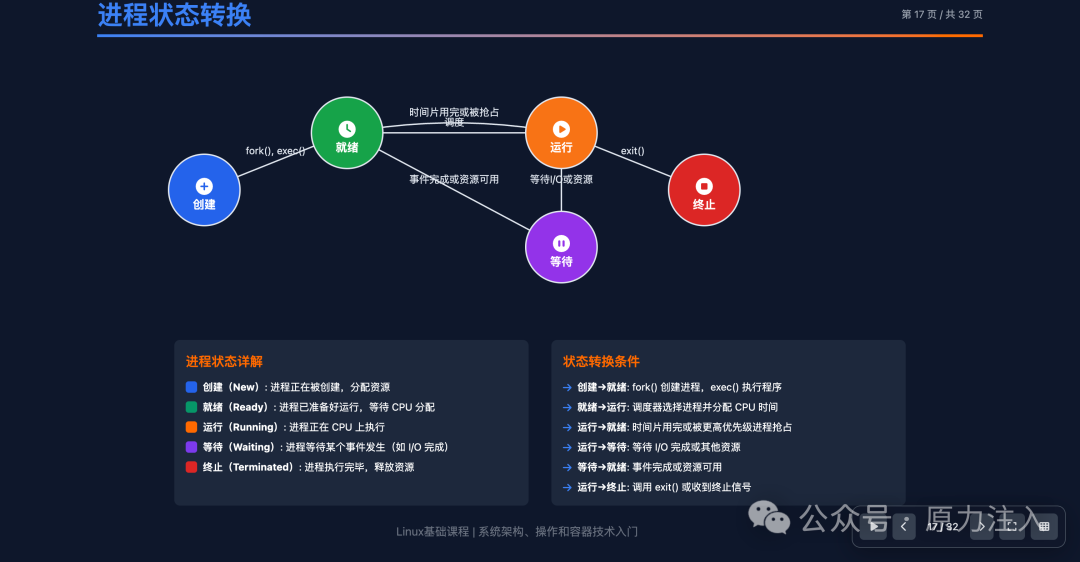
- • Detailed Explanation of Process State Transitions
- • Detailed Explanation of Inter-Process Communication (IPC)
- • Importance in Cloud Native Development
- • Practical Exercises and Monitoring
- • Chapter 2: Basic Linux Operations
- • 2.1 Terminal and Shell
- • 2.1.1 Using Terminal Emulators
- • 2.1.2 Basics of Bash Shell
- • 2.1.3 Interpreting Command Line Prompts
- • 2.1.4 Shortcuts and Command History
- • 2.2 File System Navigation
- • 2.2.1 Linux Directory Structure
- • Overview of Standard Directory Structure
- • Detailed Explanation of Important Directories
- • 1. /etc – System Configuration Files Directory
- • 2. /var – Variable Data Directory
- • 3. /usr – User Programs Directory
- • Special Virtual File Systems
- • 4. /proc – Virtual File System for Process and Kernel Information
- • 5. /sys – File System for System Devices and Kernel Information
- • 6. /dev – Device Files Directory
- • Other Important Directories
- • 7. /run – Runtime Data
- • 8. /tmp – Temporary Files
- • Importance of Directory Structure
- • 2.1.2 Absolute and Relative Paths
- • 2.1.3 Basic Navigation Commands
- • 2.1.4 File and Directory Operations
- • 2.3 File Permissions and Ownership
- • 2.3.1 User, Group, and Other User Permissions
- • 2.3.2 Permission Representation Methods
- • 2.3.3 chmod Command
- • 2.3.4 chown and chgrp Commands
- • 2.3.5 Special Permissions
- • Chapter 3: File Operations and Text Processing
- • 3.1 Viewing and Editing Files
- • 3.1.1 Commands for Viewing File Contents
- • 3.1.2 Text Editors
- • 3.1.3 File Search
- • 3.2 Text Processing Tools
- • 3.2.1 grep – Text Search Tool
- • 3.2.2 sed – Stream Editor
- • 3.2.3 awk – Text Processing Language
- • 3.2.4 Sorting and Deduplication
- • 3.2.5 Text Statistics
- • 3.3 Input and Output Redirection
- • 3.3.1 Standard Input, Output, and Error
- • 3.3.2 Redirection Operators
- • 3.3.3 Pipe Operations
- • 3.3.4 The Power of Combined Commands
- • Chapter 4: Process and System Management
- • 4.1 Process Management
- • 4.1.1 Concepts and Lifecycle of Processes
- • 4.1.2 Process Management Commands
- • 4.1.3 Process Control
- • 4.1.4 Background Processes
- • 4.2 System Monitoring
- • 4.2.1 Monitoring System Resources
- • 4.2.2 Network Monitoring
- • 4.2.3 System Information
- • 4.3 Scheduled Tasks
- • 4.3.1 Introduction to cron Service
- • 4.3.2 Using crontab Command
- • 4.3.3 Examples of Scheduled Tasks
- • Chapter 5: Basics of Networking and Security
- • 5.1 Basic Networking Concepts
- • 5.1.1 Basic Knowledge of Networking
- • 5.2 Network Configuration and Diagnosis
- • 5.2.1 Managing Network Interfaces
- • 5.2.2 Testing Network Connectivity
- • 5.3 SSH Remote Connection
- • 5.3.1 Basic Concepts of SSH
- • 5.3.2 Using SSH Client
- • 5.3.3 SSH Key Authentication
- • 5.4 Basics of Firewalls
- • 5.4.1 iptables Firewall
- • 5.4.2 ufw Simplified Firewall
- • 5.5 Network File Transfer
- • 5.5.1 scp Secure Copy
- • 5.5.2 rsync Synchronization Tool
- • Chapter 6: Package Management
- • 6.1 Overview of Package Managers
- • 6.1.1 Basic Concepts of Package Management
- • 6.2 APT Package Management (Debian/Ubuntu)
- • 6.2.1 Basic Operations of APT
- • 6.3 YUM/DNF Package Management (CentOS/RHEL/Fedora)
- • 6.3.1 DNF Package Manager (Modern Tool)
- • 6.4 Source Code Compilation and Installation
- • 6.4.1 Basics of Source Code Compilation
- • Chapter 7: Shell Scripting
- • 7.1 Basics of Shell Scripting
- • 7.1.1 Creating and Executing Script Files
- • 7.1.2 Defining and Using Variables
- • 7.1.3 Handling Command Line Arguments
- • 7.2 Control Structures
- • 7.2.1 Conditional Statements: if-then-else
- • Loop Structures: for, while
- • 7.2.2 Defining and Calling Functions
- • 7.2.3 Error Handling and Exit Status
- • 7.3 Practical Script Examples
- • 7.3.1 System Monitoring Script
- • 7.3.2 Log Analysis Script
- • 7.3.3 Automation Deployment Script
- • Chapter 8: Preparing for Container Technologies
- • 8.1 Concepts Related to Linux Containers
- • 8.1.1 Namespaces
- • 8.1.2 Control Groups (Cgroups)
- • 8.1.3 Union File System (Union FS)
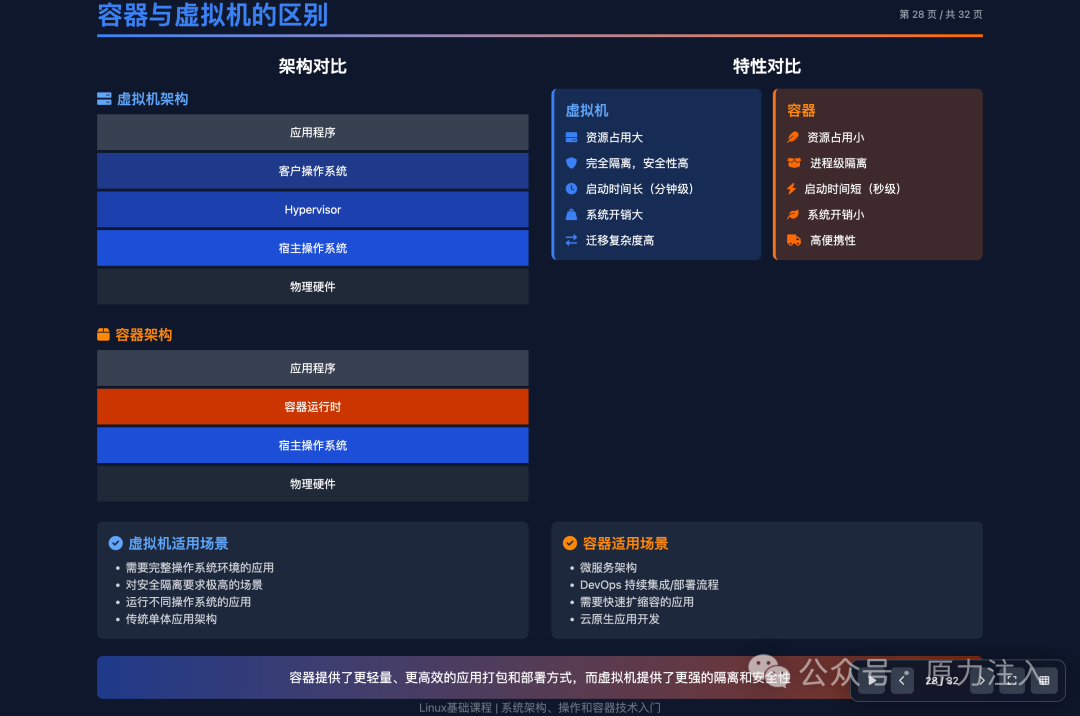
- • 8.1.4 Differences Between Containers and Virtual Machines
- • 8.2 Prerequisites for Docker
- • 8.2.1 Linux Kernel Features
- • 8.2.2 File System Hierarchy
- • 8.2.3 Network Namespaces
- • 8.2.4 Process Isolation Mechanisms
- • 8.3 Prerequisites for Kubernetes
- • 8.3.1 Cluster Concepts
- • 8.2.5 Basics of Network Communication
- • 8.2.6 Storage Mounting
- • 8.2.7 Service Discovery Mechanisms
- • Chapter 9: Practical Projects
- • 9.1 Building a Web Server
- • 9.2 Database Services
- • 9.3 Comprehensive Projects
- • Chapter 10: Best Practices and Advanced Topics
- • 10.1 System Security
- • 10.2 Performance Optimization
- • 10.3 Troubleshooting Techniques
- • Chapter 11: Experimental Environment
- • 11.1 Recommended Configuration
- • 11.2 Experimental Tools
- • Chapter 12: References
- • 12.1 Recommended Books
- • 12.2 Online Resources
- • 12.3 Practice Platforms
- • 12.4 Certifications and Career Development
- • 12.5 Continuous Learning Suggestions
Step 2: Generate Web Version of PPT Presentation Materials
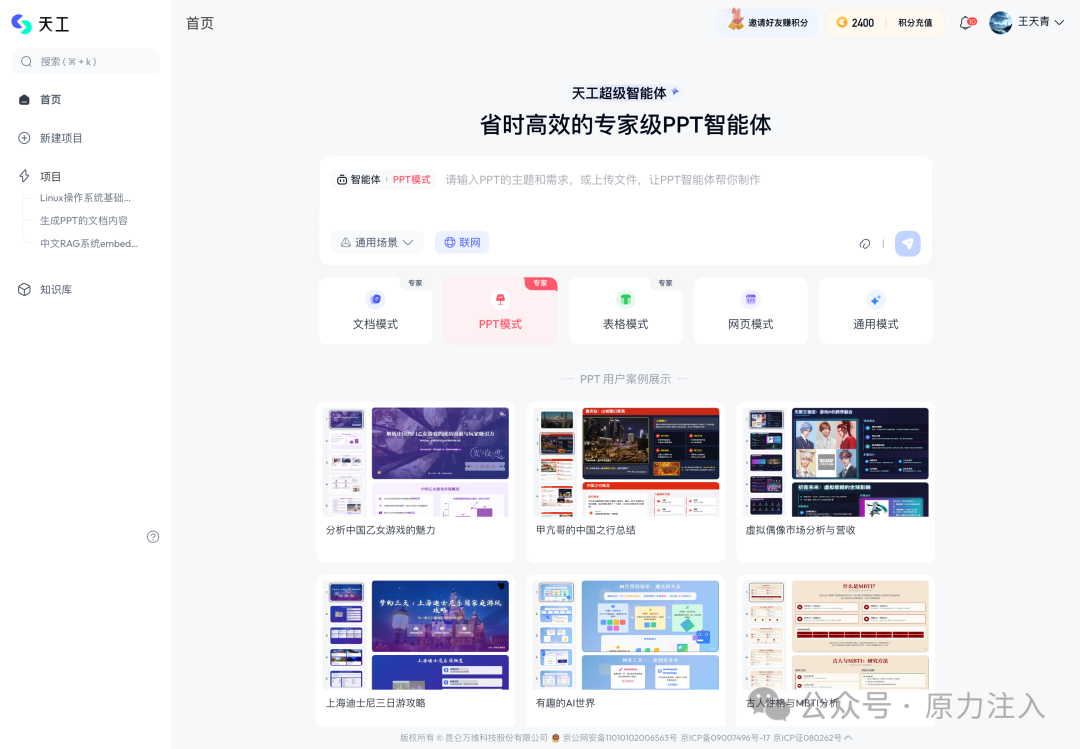
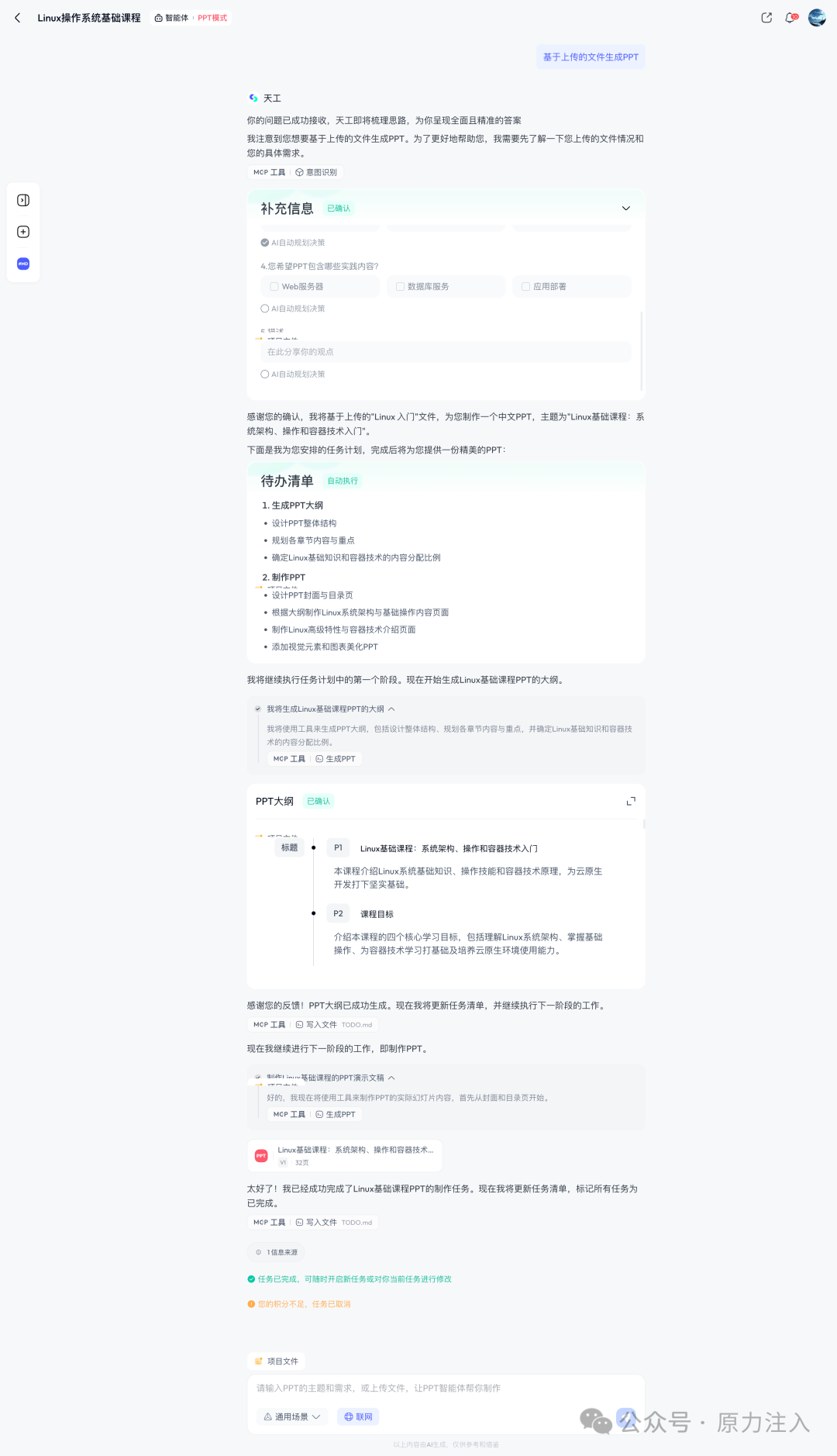
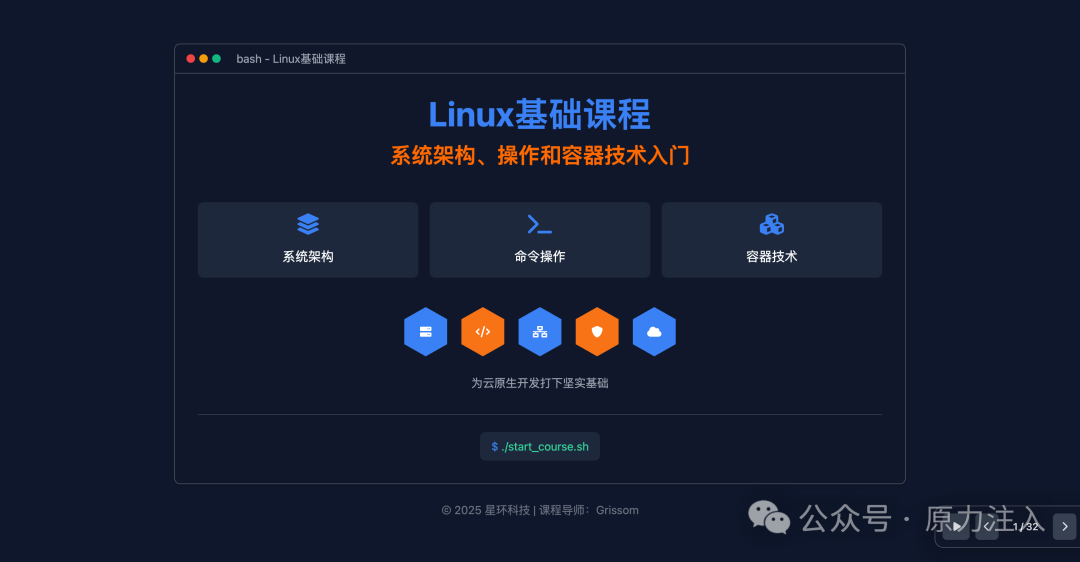
After registering and logging into the Tiangong Intelligent Body (https://www.tiangong.cn/), select “PPT Expert Mode”, upload the Markdown course content generated in the previous step, and the system will automatically generate a web version PPT for presentation.
 Writing Scenario: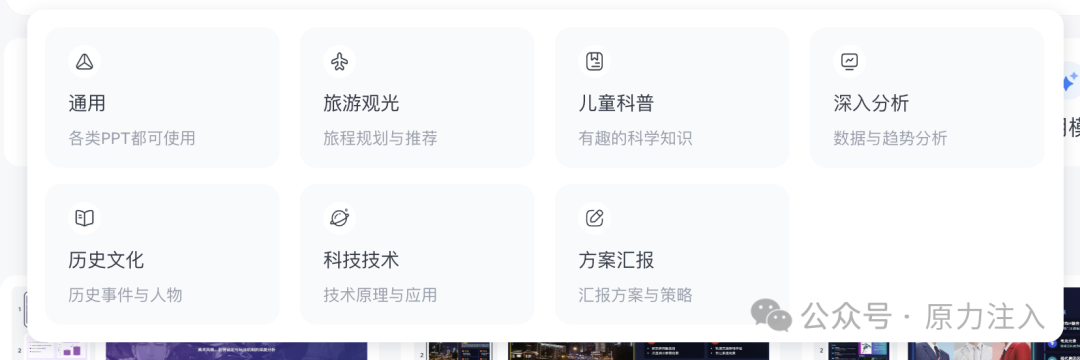
Suggestion: It is recommended to prioritize exporting the web version for easier subsequent structural and stylistic adjustments.
Step 3: Generate Dynamic Interactive Web Course Presentation Page
After downloading and unzipping the web version files generated by Tiangong, return to Trae and enter the following prompt to build the PPT presentation control functionality:
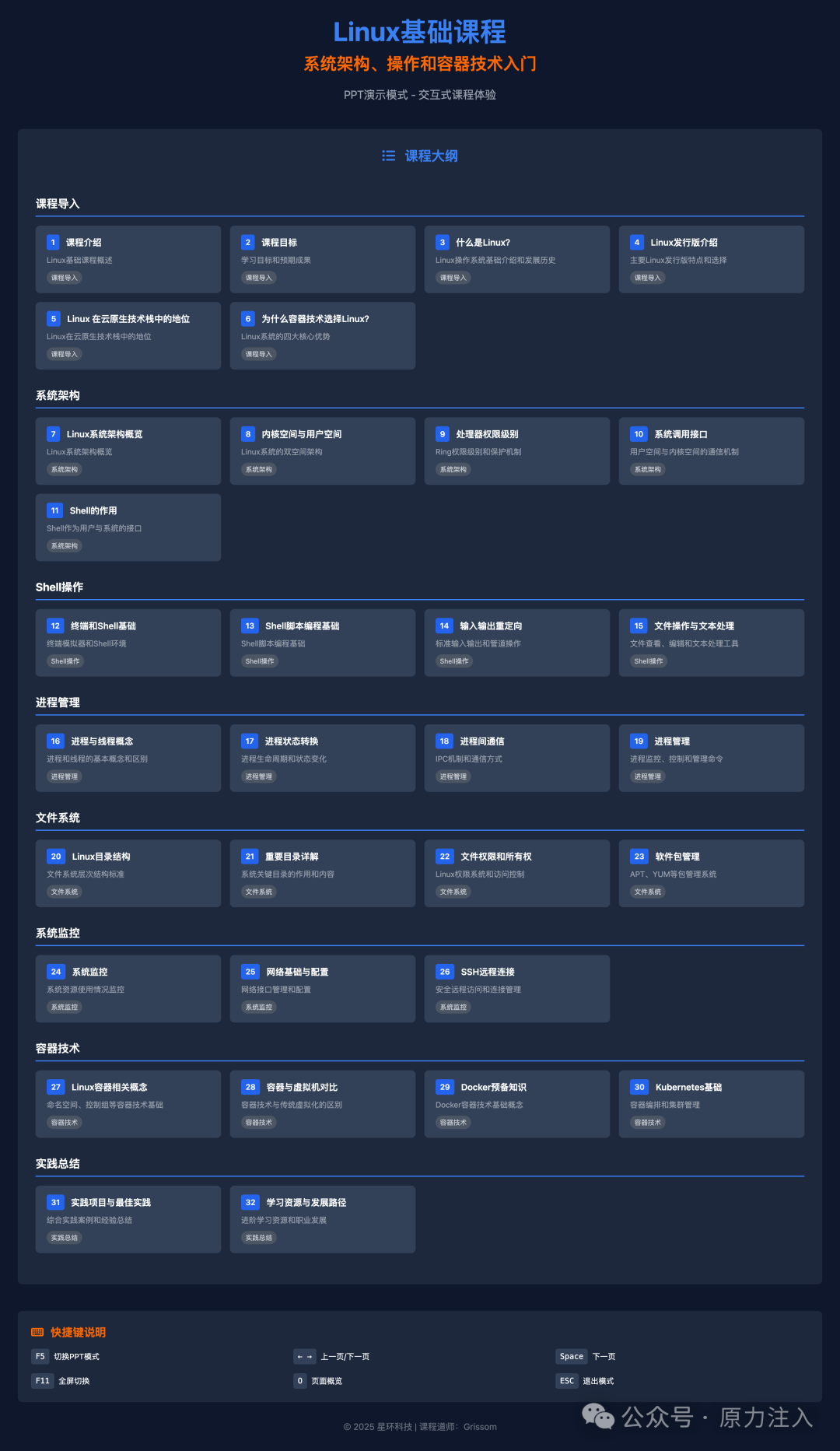
Table of Contents: Linux Fundamentals Course: Introduction to System Architecture, Operations, and Container Technologies. Please add PPT mode support for this page set, including keyboard control, page switching, overview navigation, etc., and output the complete front-end control implementation.
Trae will automatically generate a set of front-end support files, as shown below:
📁 Create Files
├── ppt-mode.js       // Main script controlling presentation logic
├── index.html        // Course homepage, providing navigation entry
├── add-ppt-mode.sh   // Script for batch injecting PPT functionality (adapts to 31 pages)
├── README.md         // Usage instructions and feature documentation

✨ Main Features
- F5: Start/Exit PPT Mode
- Arrow Keys, Spacebar: Page Navigation
- F11: Fullscreen Display
- O: Overview Mode, supports quick page jumping
- Scroll Wheel: Scrolls pages up and down
- ESC: Exit current mode

🎨 User Interface Experience
- Floating Control Panel: Dynamically shows/hides
- Progress Indicator: Real-time display of current page number
- Shortcut Key Tips: Automatically pop up on first entry
- Smooth Animation: Fade-in and fade-out effects when switching pages

📱 Interaction Optimization
- Responsive Design: Adapts to multiple device sizes
- Visual Feedback: Button highlights, state transitions
- State Retention: Keeps mode state during page transitions

🛠 Technical Implementation Highlights
- Zero Dependencies: Pure native JavaScript implementation
- Fault Tolerance: Comprehensive boundary checks and exception handling
- High Performance: Optimized event handling and DOM operations

📚 Course Content Coverage Structure
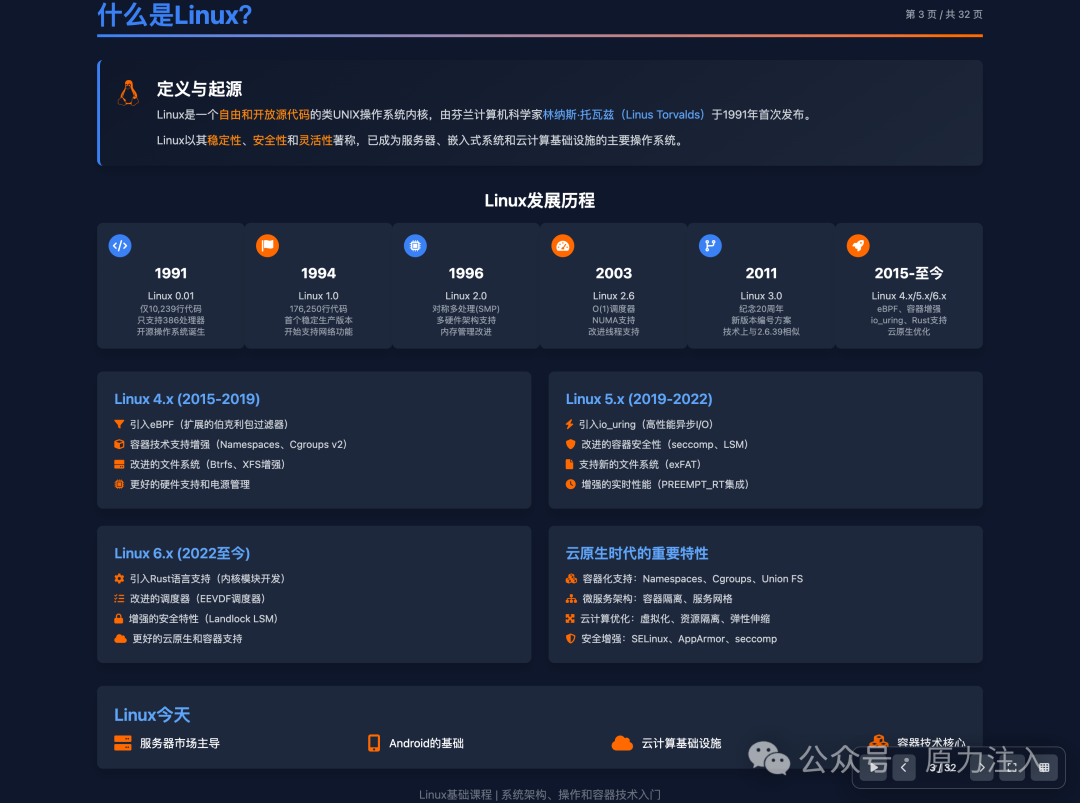
- 1–6 pages: Introduction to Linux and its Development History
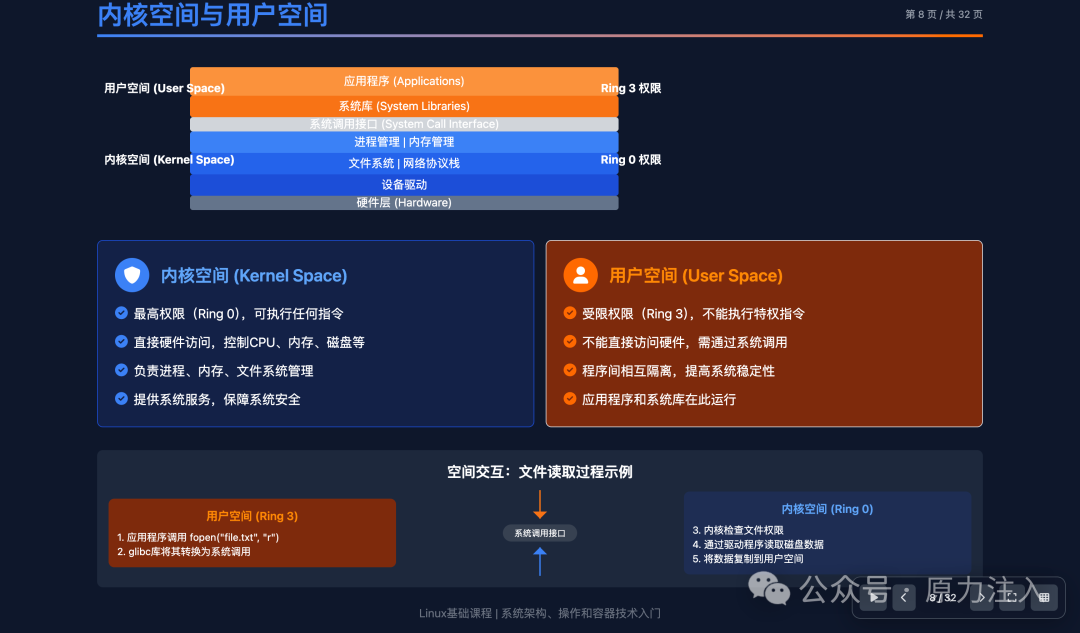
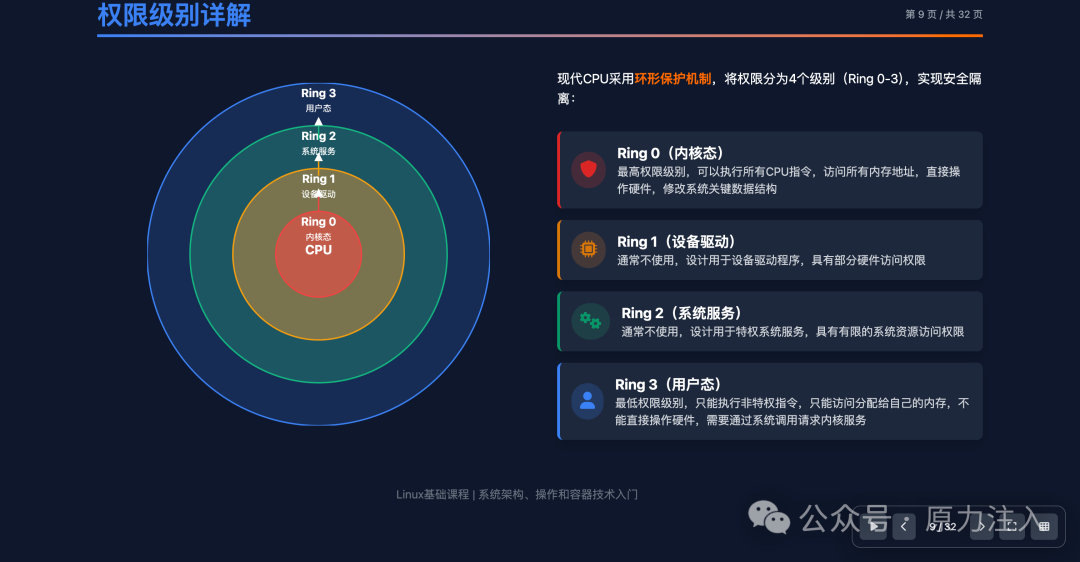
- 7–14 pages: System Architecture (Kernel, Processes, Memory, File System)
- 15–22 pages: Operational Practices (Command Line, Network Tools, User Management)
- 23–28 pages: Basics of Container Technologies (Docker, Images, Networking)
- 29–32 pages: Practical Summary (Case Analysis, Best Practices, Troubleshooting Techniques)
Users can directly open <span>index.html</span> or any page (e.g., <span>page_01.html</span>), press <span>F5</span> to enable presentation mode, and enjoy an immersive teaching display experience.
Summary and Outlook
By effectively utilizing large model auxiliary tools, we can significantly enhance the production efficiency and presentation quality of course content. The complete course plan, presentation pages, and interactive logic for the “Linux Fundamentals Course” can be constructed in a matter of hours, with good iterability and reusability.