

Dear incoming NPU students,
Are you feeling the excitement yet?
Little Niu is also looking forward to seeing your vibrant faces!
Among the two essential items for Xigong University students,
besides the soaring portal, there is also the Northwestern Polytechnical University APP.
This is the app used by faculty and students of Northwestern Polytechnical University,
serving as a handy manager for various aspects of life and learning.
It brings campus life to your fingertips.
In this tutorial,
Little Niu has prepared a user guide for everyone,
hoping to help you get started quickly with the
Northwestern Polytechnical University APP!

Freshman Guide
01
Download Instructions
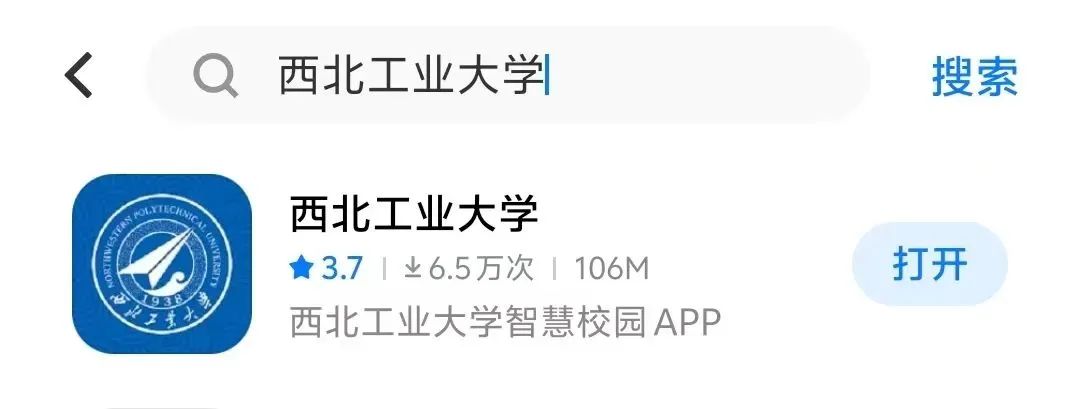
1. Android/HarmonyOS
Search for Northwestern Polytechnical University in the app market.
2. iOS
Since the Northwestern Polytechnical University app has been removed from the mainland store, it needs to be downloaded from an app store in another region.
02
Main Page Introduction
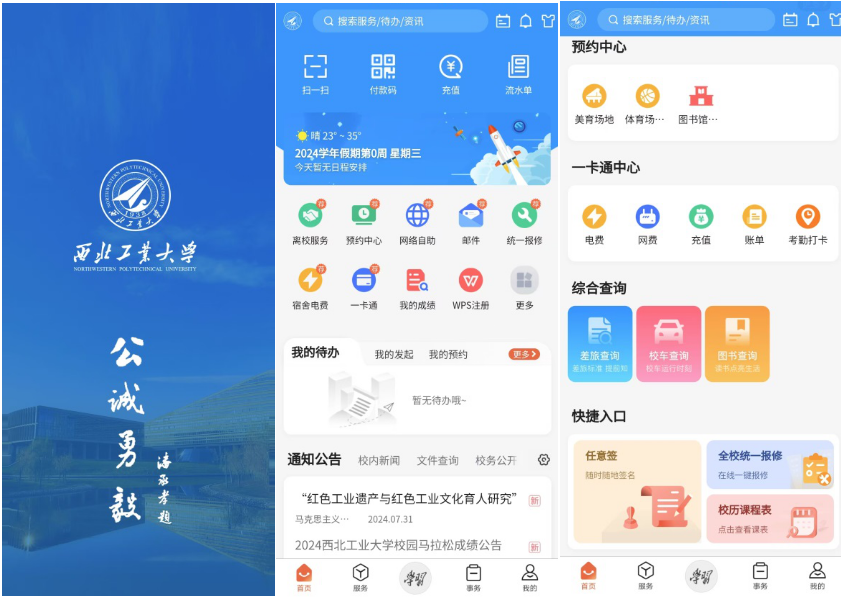
1. Home Page
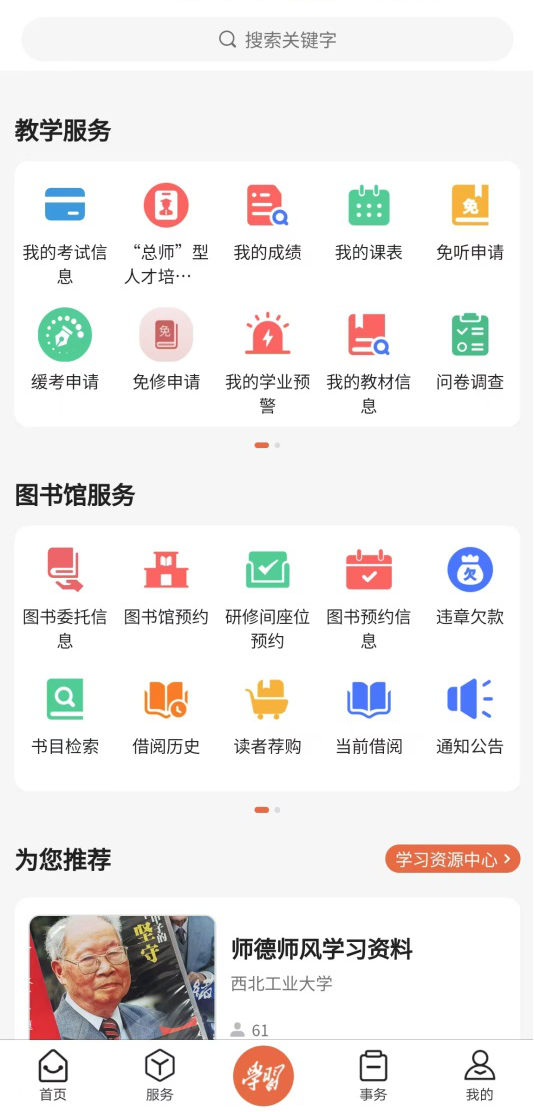
The commonly used features of the Xigong University APP are concentrated on the home page, including but not limited to grade inquiries, off-campus reporting, living expense payments, library seat reservations, checking campus notifications, and booking shuttles.
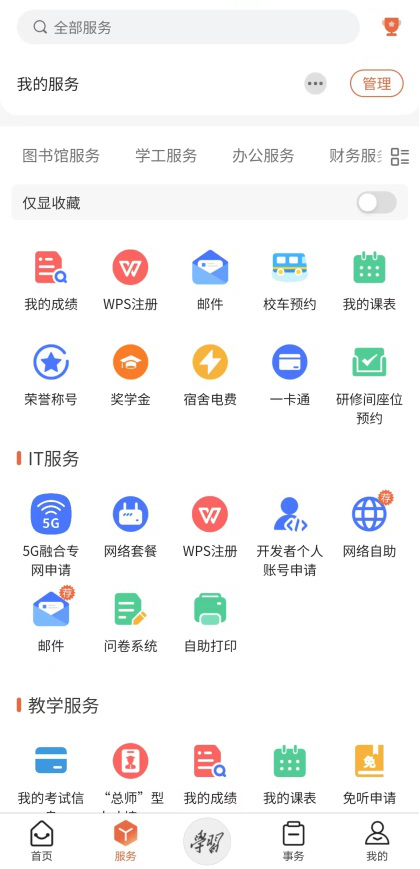
2. Service Page
The service page gathers all the functions provided by the Xigong University APP, offering additional features like inquiry and favorites compared to the home page, helping NPUers find the functions they need more easily.
3. Learning Services
The learning page concentrates on academic-related functions for Northwestern Polytechnical University students, including ordering textbooks, checking exam information, and library reservations.
4. Affairs Page
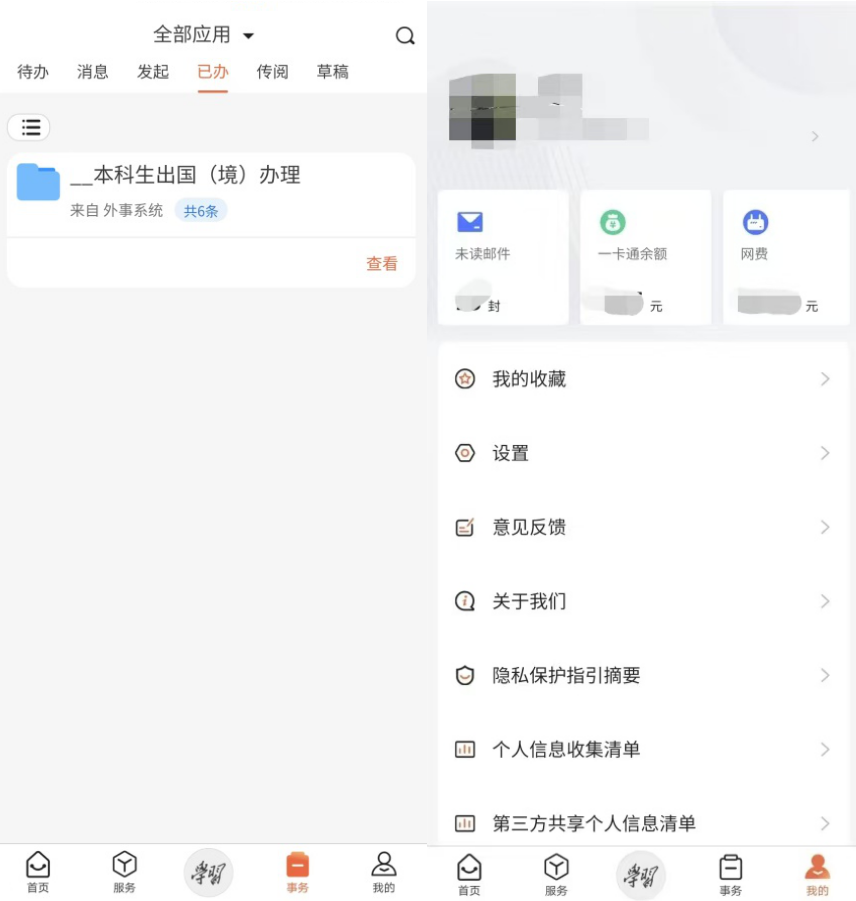
On the affairs page, you can check the relevant affairs you need to handle or are in process, and on the personal page, you can see your name, student ID, email, and living expense balance.
03
Electronic Card
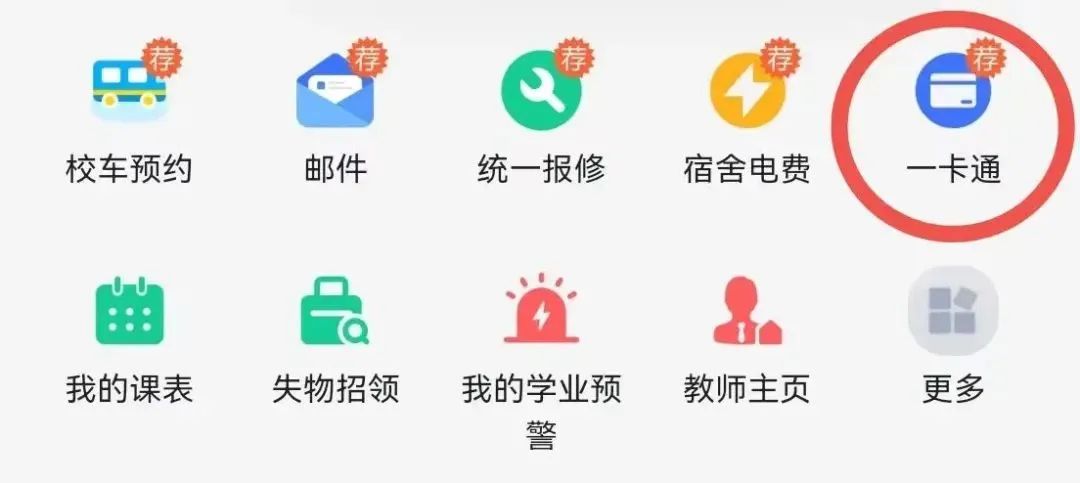
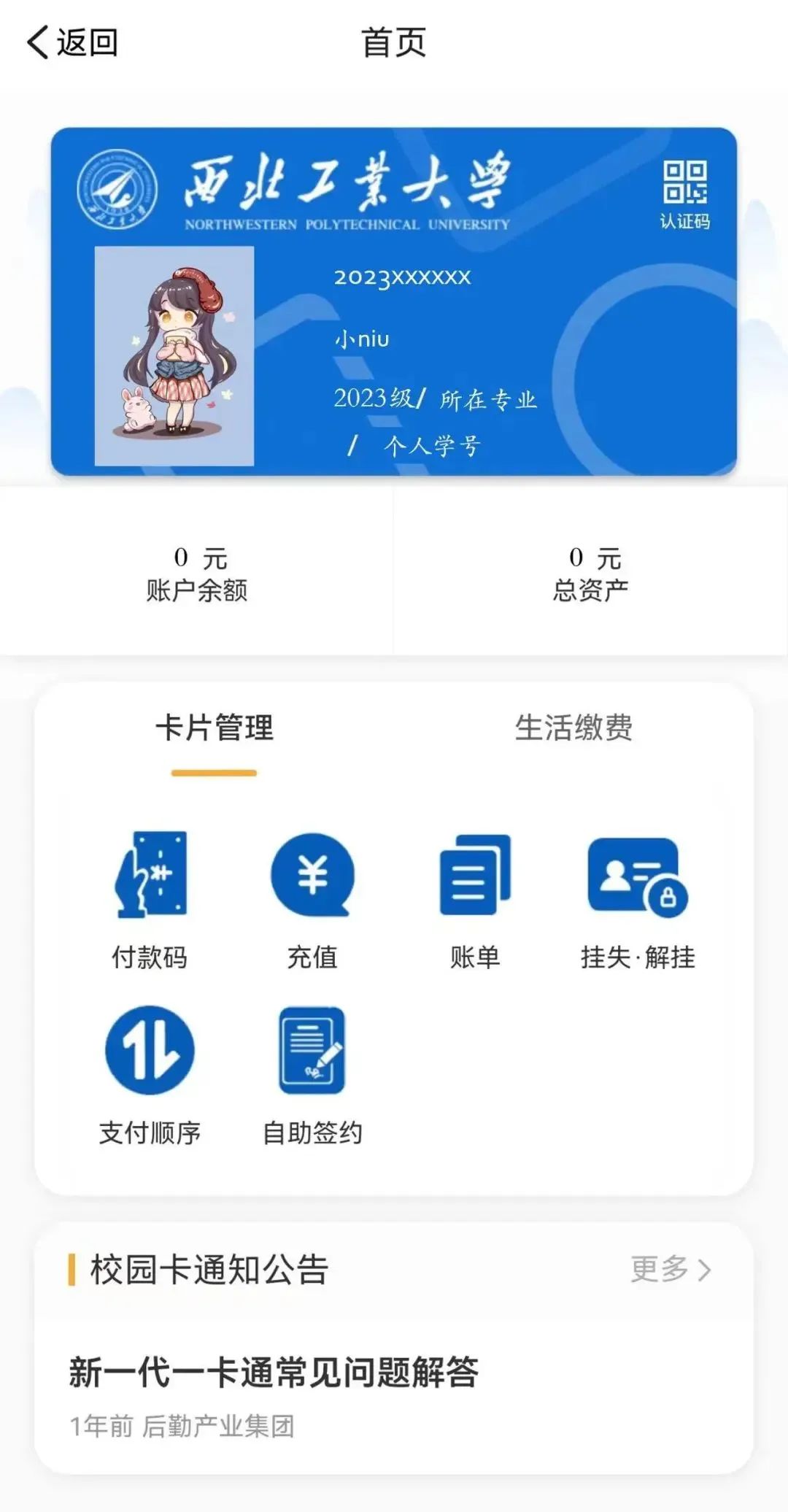
Open the Northwestern Polytechnical University APP, find the “- Card” interface, and click to enter to use it.
Through the APP, we can perform self-service signing, binding the card with WeChat Pay and Alipay. After binding, it facilitates payments for students while avoiding service fees (some restaurants may charge a 20% service fee when unverified).
04
Common Functions
1. Grade Inquiry
Find “My Grades” on the home or service page, and click to check all semesters or a specific semester’s subject grades.
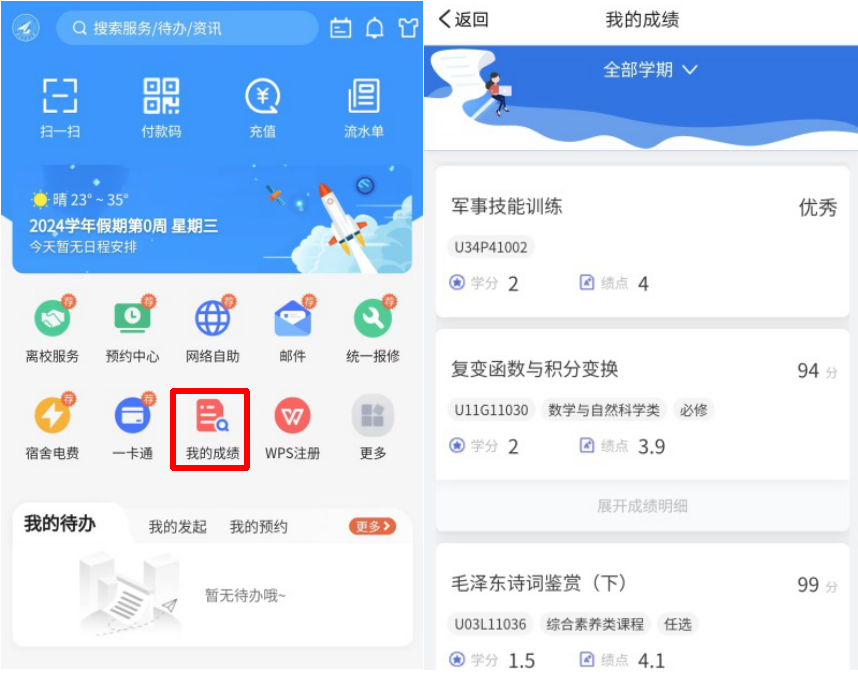
Little Niu reminds you to remember this function!
2. Shuttle Reservation
Northwestern Polytechnical University has Friendship Campus and Chang’an Campus in Xi’an. The shuttle provides commuting services between the two campuses, charging 5 RMB per ride. Reservations for a specific time slot must be made one day in advance!
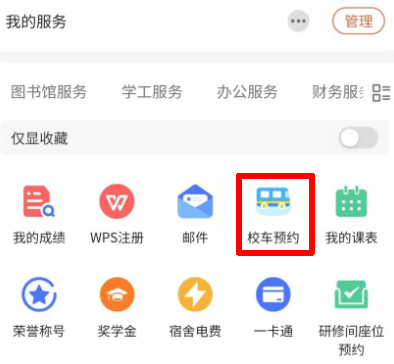
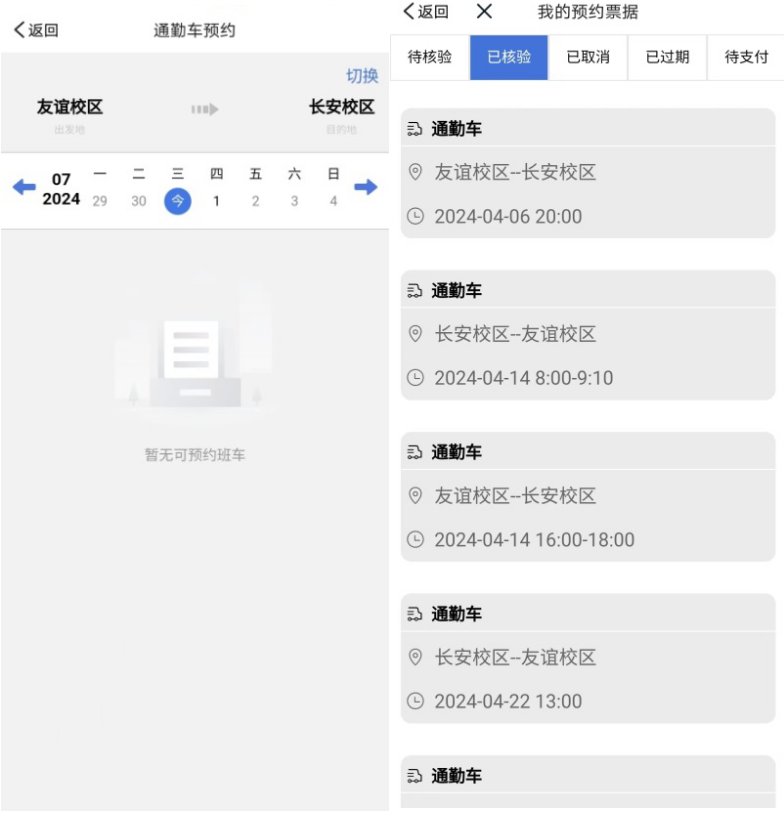
Note: If you successfully reserve a shuttle but do not take it, the reservation function will be disabled for a period.
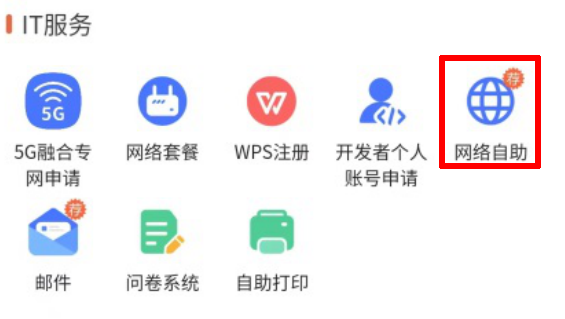
3. Internet Fee Payment
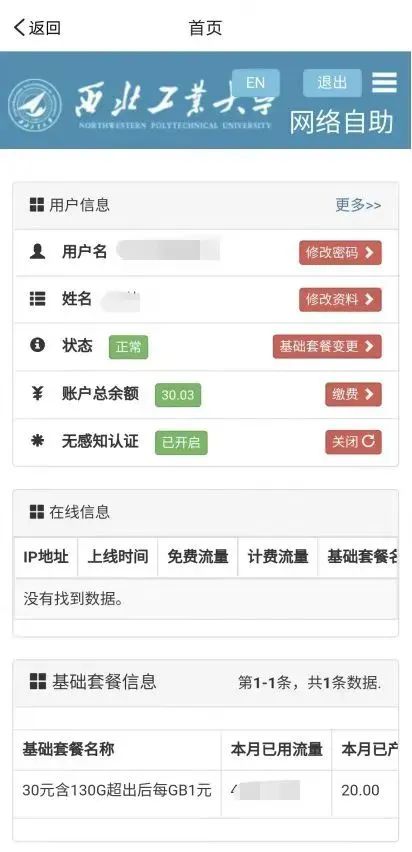
What everyone may be most concerned about is the internet issue. Northwestern Polytechnical University offers three internet packages: 10 RMB for 30G (1 RMB per GB after exceeding), 20 RMB for 80G (1 RMB per GB after exceeding), and 50 RMB for unlimited monthly usage.
For example, if Student Xiao Tian chooses the 20 RMB for 80G package, after using up the 80G, if there is no balance, he will be in a state of arrears. At this point, if he pays 30 RMB, he will have paid 50 RMB for internet fees this month, and further usage will incur no costs, while the school’s internet speed fully meets the daily and research needs of faculty and students.
4. Soaring Academic Affairs
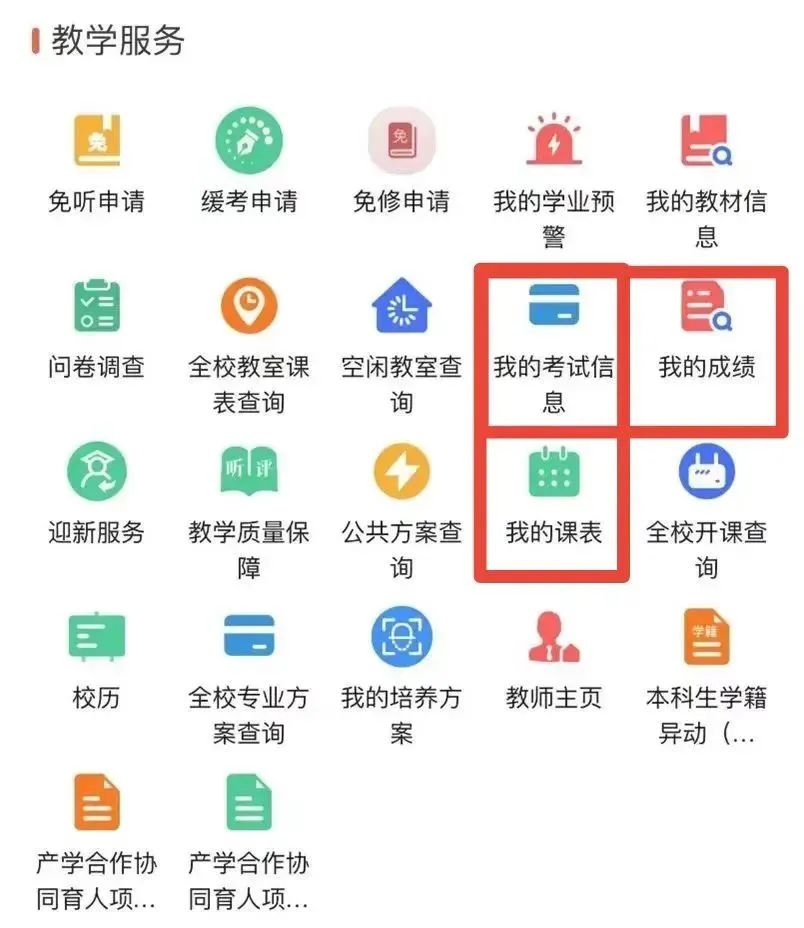
The Soaring Academic Affairs provides convenient educational services for students. On your phone, you can check exam results through “My Exam Information”, check exam scores through “My Grades”, and check daily schedules through “My Class Schedule”.
Of course, more comprehensive and convenient features need to be used on the Soaring Portal website’s Academic Affairs.
5. Second-hand Market
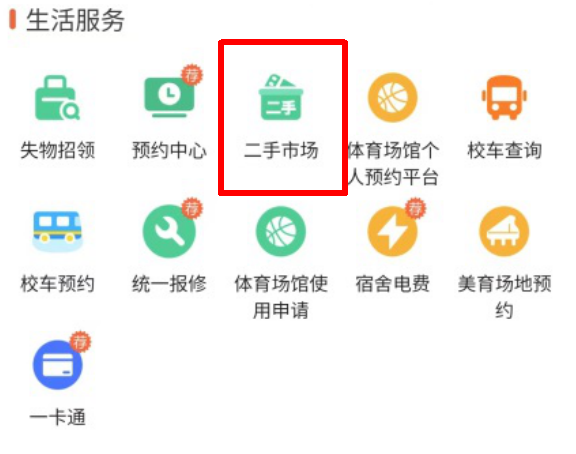
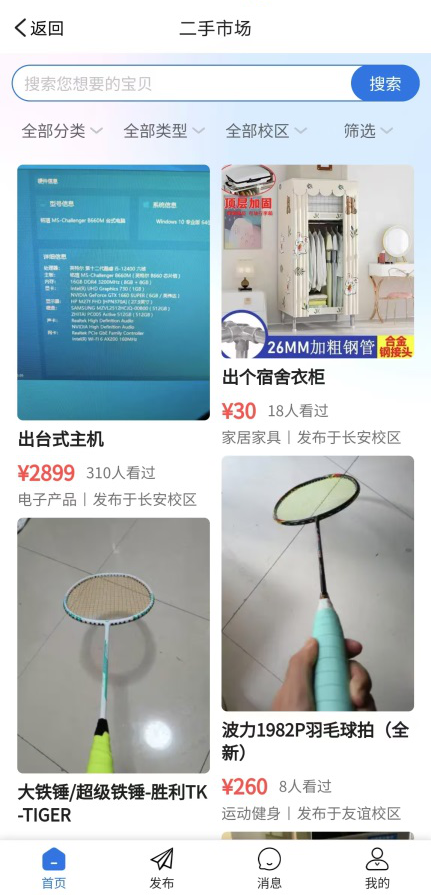
When your bookshelf is filled with idle books; when you want to buy a bicycle at a low price, or sell idle items, or want to purchase some affordable and useful second-hand goods, come here to take a look!
You can also check the second-hand market function on the Soaring Portal website.
6. Lost and Found
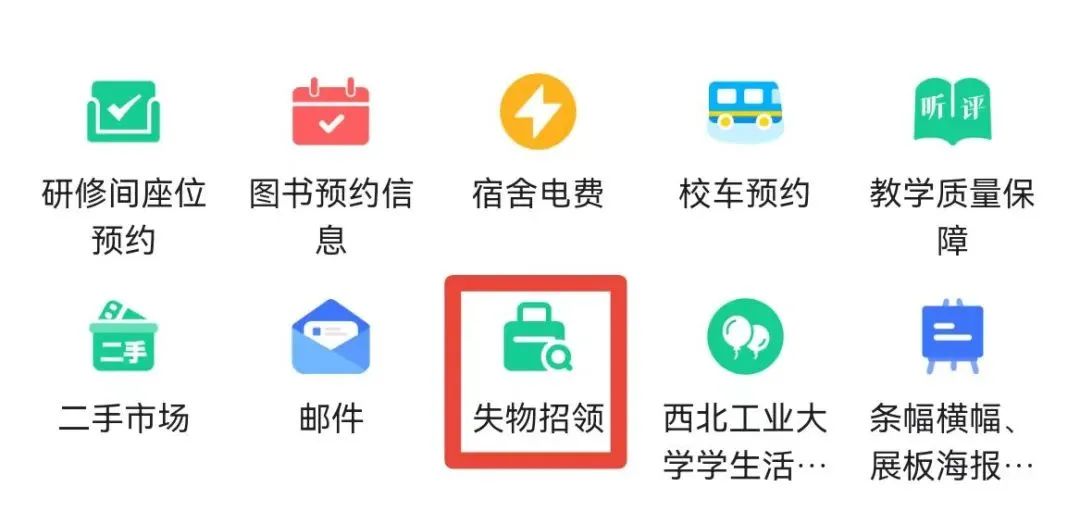
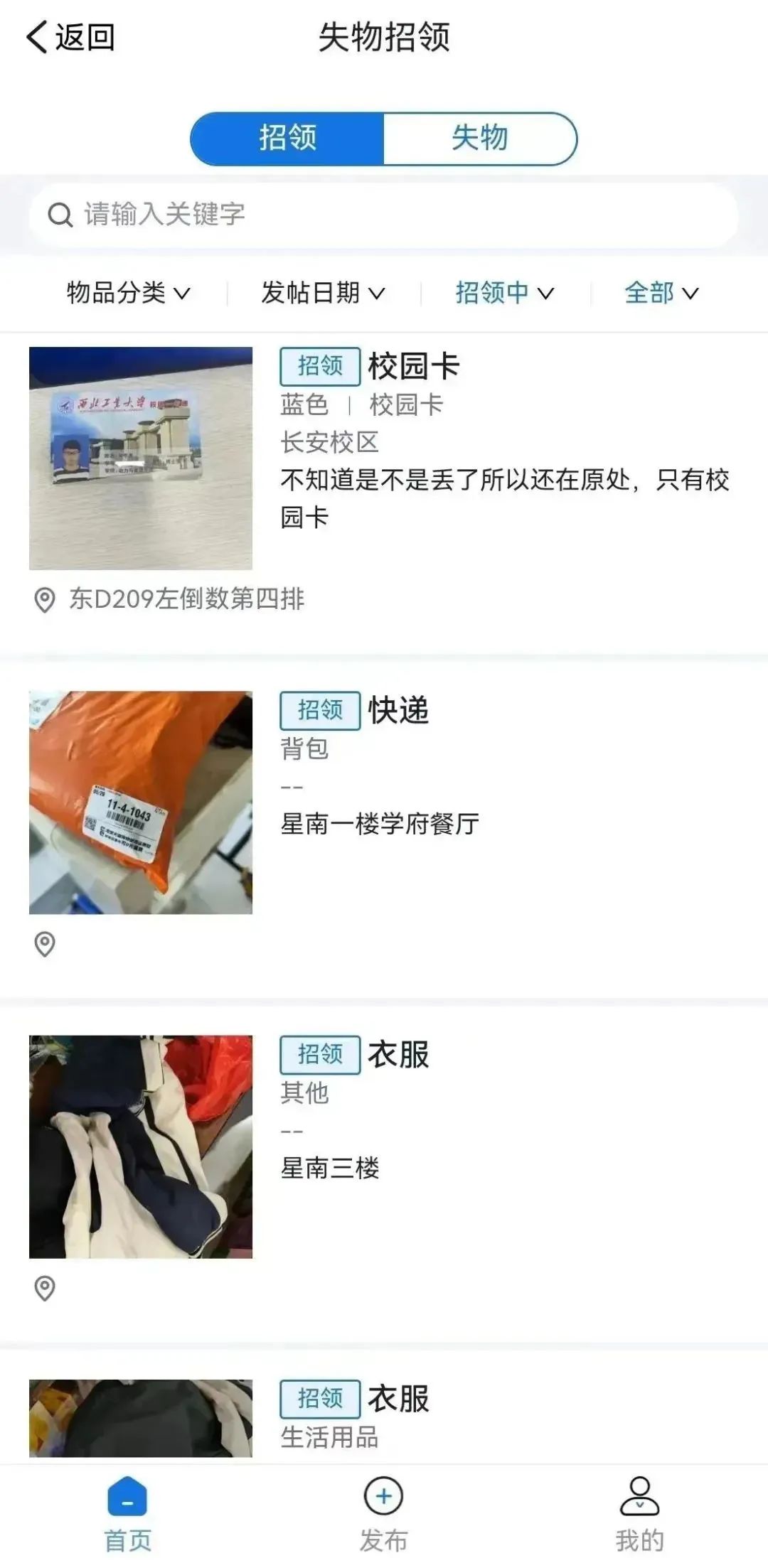
Have you ever been in a panic because you lost something? Have you ever found something and couldn’t contact the owner? Don’t worry, on the Northwestern Polytechnical University APP, we can conveniently and quickly handle lost and found. Freshmen should remember to post in the lost and found platform when they lose something or find something!
7. Study Room Seat Reservation
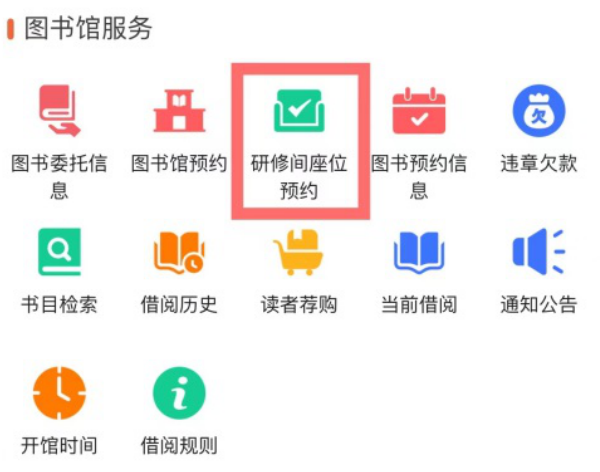
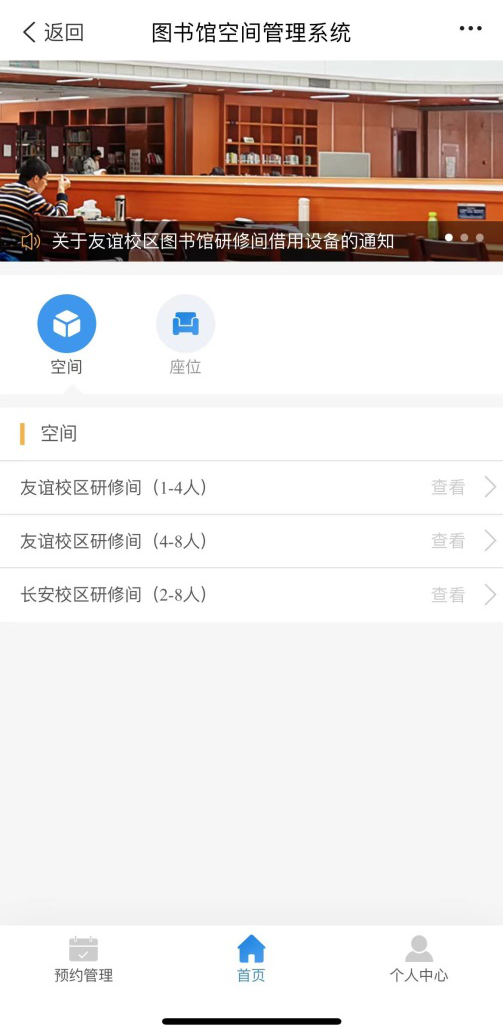
As we all know, Guada has the largest water library in Asia, and there are many seats in the library that need to be reserved in advance. On the APP’s study room seat reservation platform, we can select seats or study rooms and complete the reservation by selecting the time. If there are issues with seat holding, you can contact staff to use the reserved seats normally.
Everyone must remember to check in on time and not waste public resources!
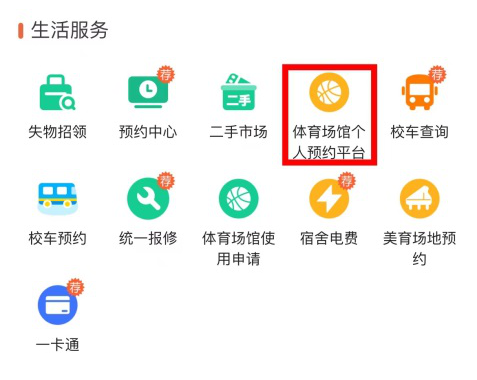
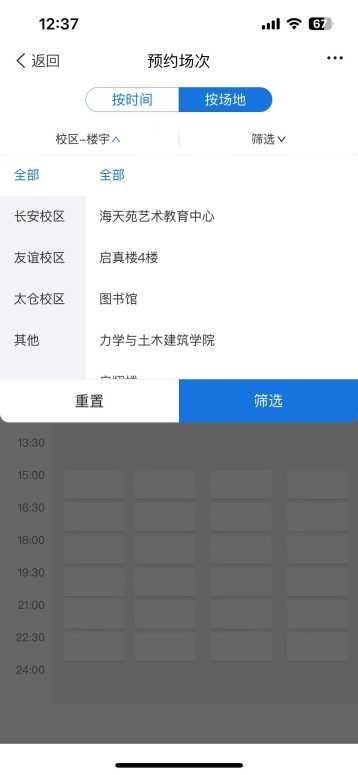
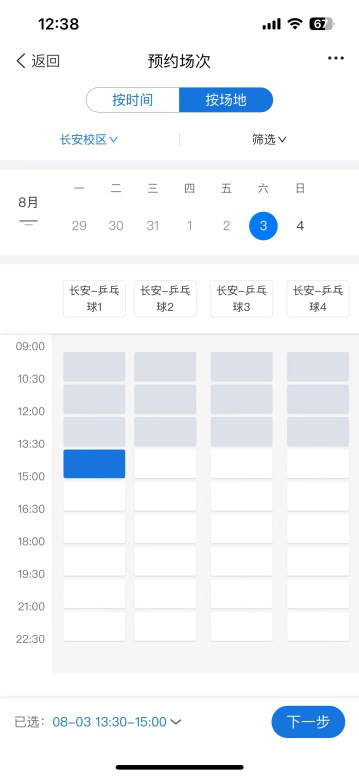
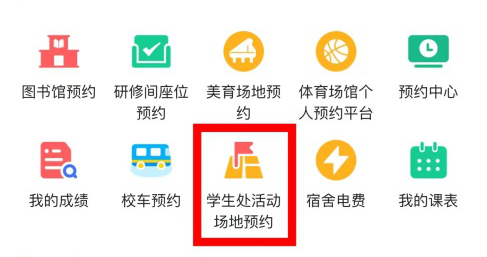
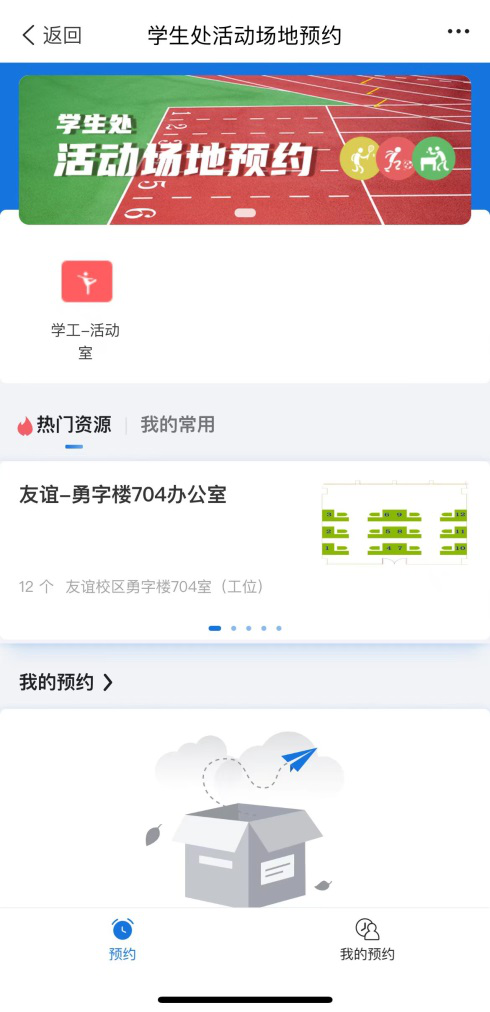
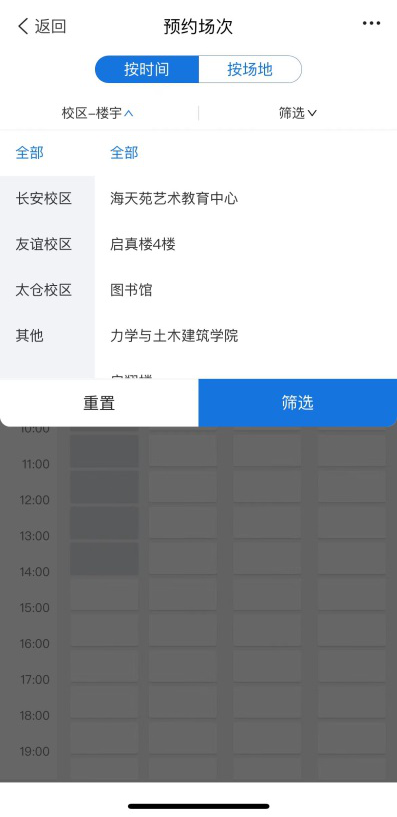
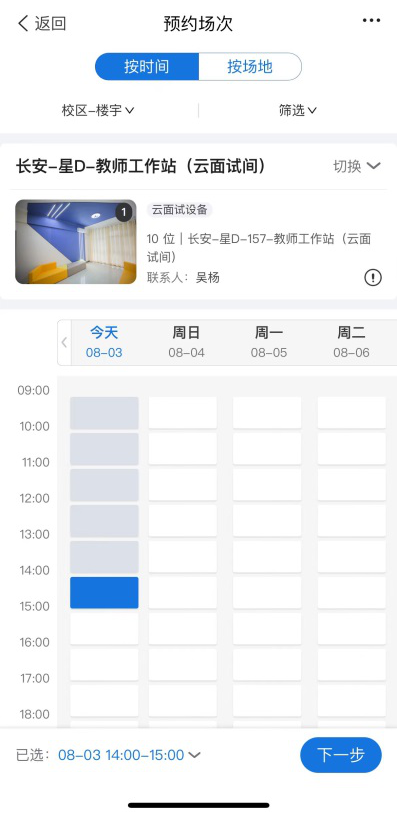
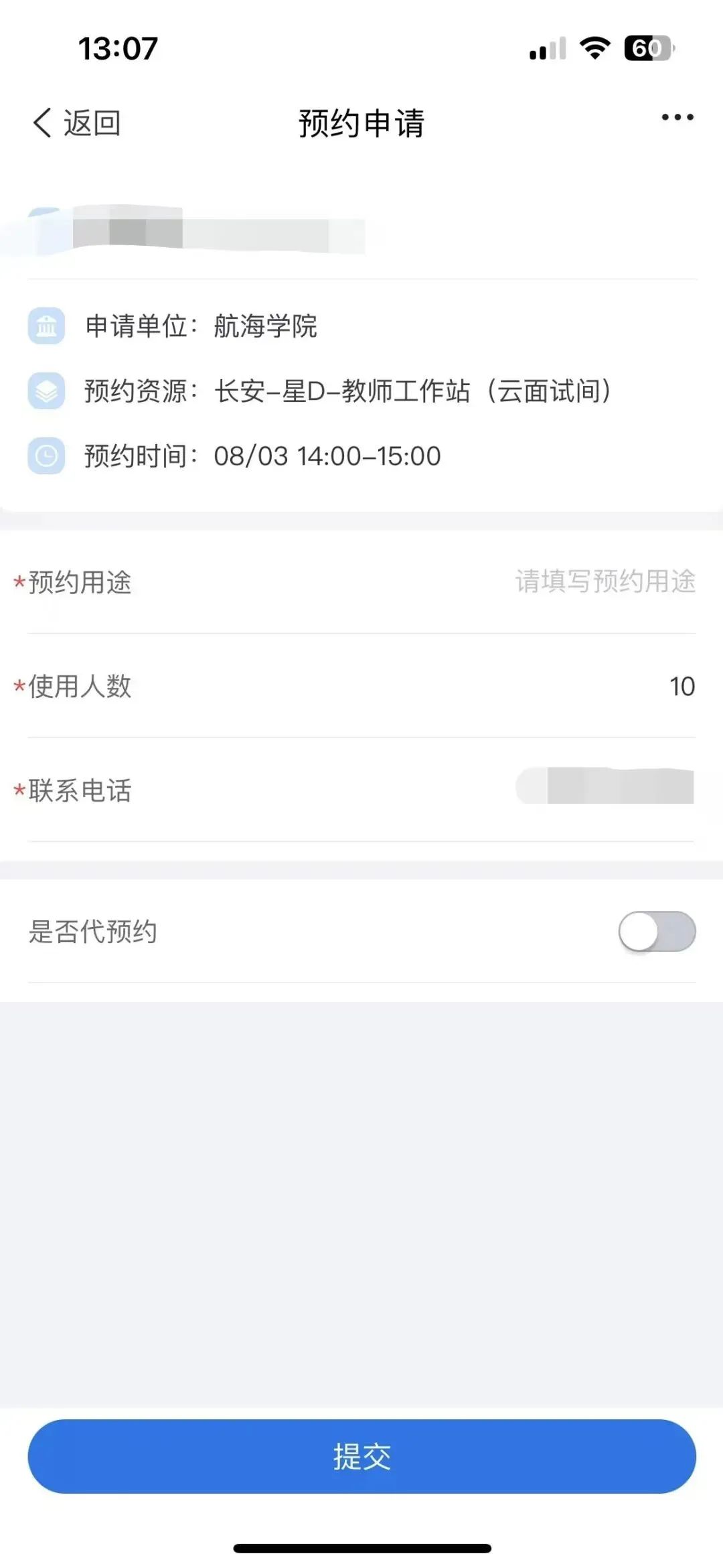
8. Sports Activities/Activity Room Reservations
Northwestern Polytechnical University opens table tennis halls, swimming pools, basketball courts, badminton courts, and various study rooms to meet the related needs of faculty and students. Reservations for these venues can be made through the Northwestern Polytechnical University APP. Select campus, location, time, and session to complete the reservation for sports venues/activity rooms.
✦
•
✦
✦
Swipe left and right to see more
✦
✦
•
✦
✦
Swipe left and right to see more
✦
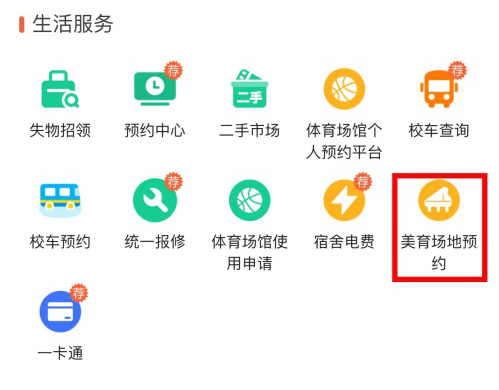
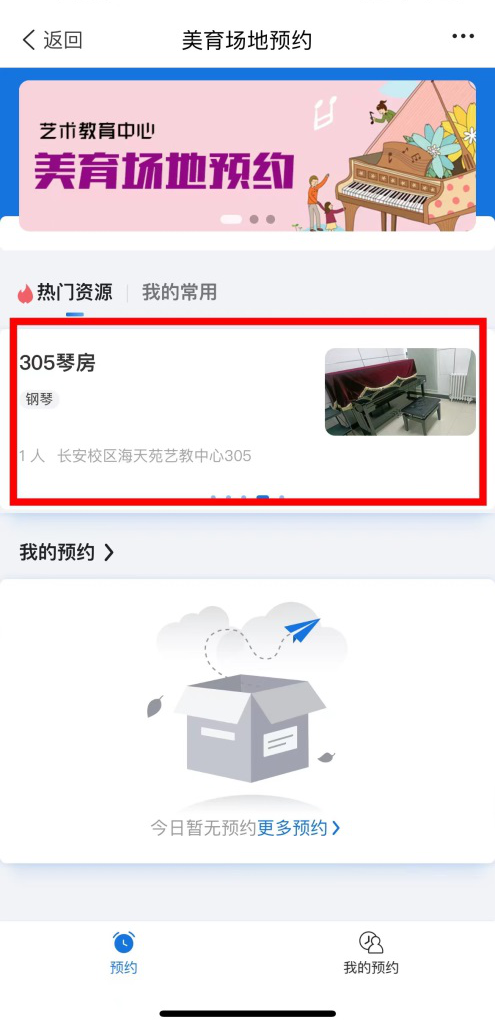
9. Aesthetic Education Venue Reservations
In addition to academic and research needs, Guada also strives to meet students’ artistic and cultural needs, with audiovisual halls, piano rooms, and such rich artistic facilities. Through the life services in the APP, you can make online reservations for related venues!
05
Other Information
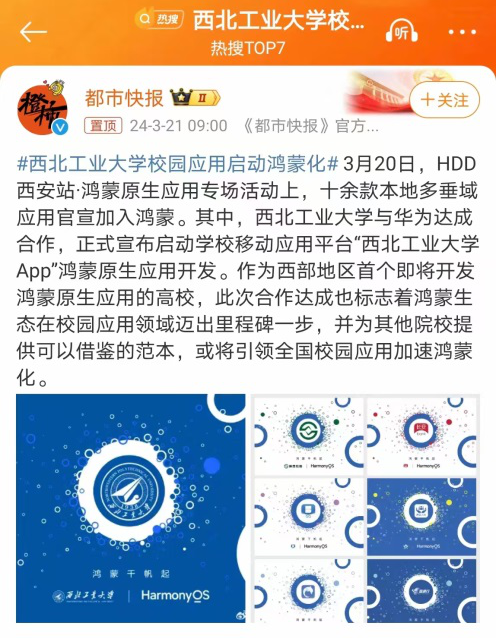
As early as March 20, 2024,
Northwestern Polytechnical University partnered with Huawei,
and the Northwestern Polytechnical University APP
has been incorporated into the HarmonyOS native application development project,
marking a milestone step for HarmonyOS ecology in the campus application field.
In the future, it will provide more convenience for faculty and students.
A thousand words and phrases are no match for real experience.
More practical or interesting features
await your exploration, new classmates!
Next,
we will address common living issues faced by NPUers,
reducing the chaos for NPUers!
See you next time!
■ Image Source | Rights Service Center
■ Copy Provided by | Rights Service Center: Yan Shuai
■ Graphic Editor | Rights Service Center: Zhu Kunhong
■ Duty Editor | Publicity Center: Wang Tongyu
■ Editor-in-Chief | Zhang Xing, Xiao Yuhang
■ Manuscript Review | Liu Xing, Zhang Xiaohong