
Good news
The community has created a dedicated QQ group, where we have uploaded years of accumulated IC backend notes. Recently, we uploaded a 20,000-word, 125-page ICC2 tutorial, as well as the latest and most comprehensive User Guide for backend tools. If you are interested, you can join (there are also occasional red envelopes distributed, see the group QR code at the end of the article). I believe this is definitely themost comprehensive backend design materials (Lab + theory + practical operations + scripts), without exception!!
Currently uploaded notes include:
-
Low Power Design Technology Summary –30,000 words, 129 pages
-
IR Drop Analysis and Repair Summary –4,300 words, 20 pages
-
Digital Backend Theory and Practice – ICC Essentials Notes –110,000 words, 423 pages
-
Digital Backend Theory and Practice – Innouvs Tutorial –57,000 words, 316 pages
-
ICC2 Tutorial – Community Refined Version–20,000 words, 125 pages (latest upload)
……
《Methods to Fix Noise Violations in Digital IC Backend Design – 2 How to Report Noise Violations in Design and Automate Tool Fixes》
Note:
This article is selected from the SI topic of the Knowledge Community (ongoing updates), welcome to join
Community link: https://t.zsxq.com/042zFIam6
Previous article:
Methods to Fix Noise Violations in Digital IC Backend Design – 1 Theoretical Knowledge – How to Solve Xtalk Issues?
Community link: https://t.zsxq.com/04IuNfQV7
How to Report Noise Violations in ICC
After completing PR in ICC, or during STA in PT, we can use the following command to check for noise violations:
report_noise -all_violators
By default, this command only checks the current scenario. We can use the following command to view noise violations across all scenarios:
icc_shell> foreach scenario [all_active_scenarios] {
current_scenario $scenario
report_noise -all_violators
}
How to Let the Tool Automatically Fix Noise Violations in ICC
report_noise -all_violators can report all noise violations:
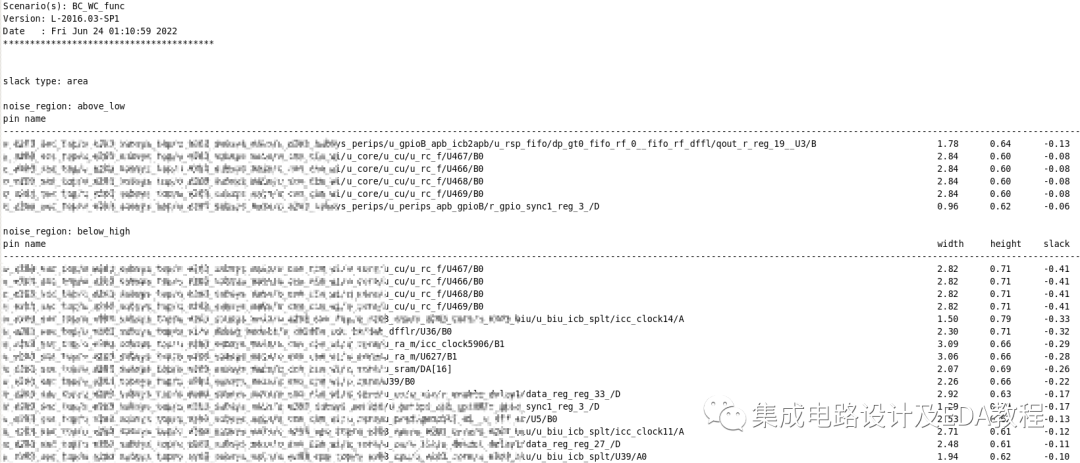
Method 1. Perform incremental route optimization:
route_opt -incremental -only_xtalk_reduction
This method is very efficient, as shown in the following image after one round of fixes:
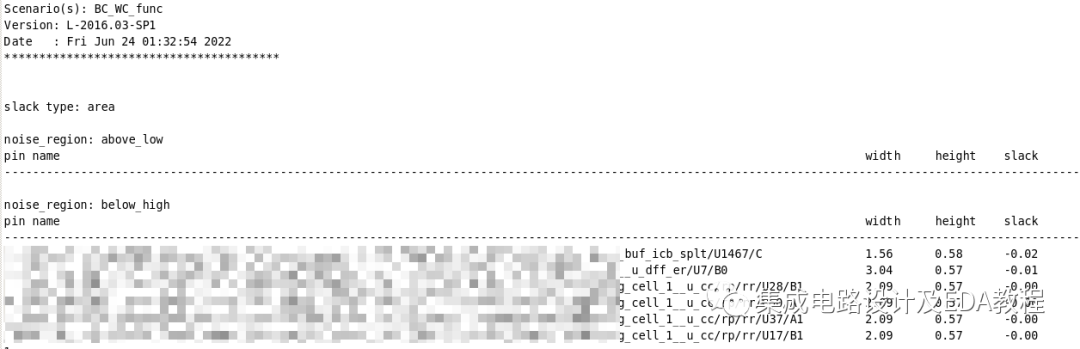
The command above can resolve most violations. If there are still some violations left, we can use the following command to perform fixes:
Method 2. focal_opt -xtalk_reduction_nets “xxx yyy”
Using report_noise -all_violators to identify the pins with violations, we can use get_nets -of to capture the above nets, then perform a Unique operation,
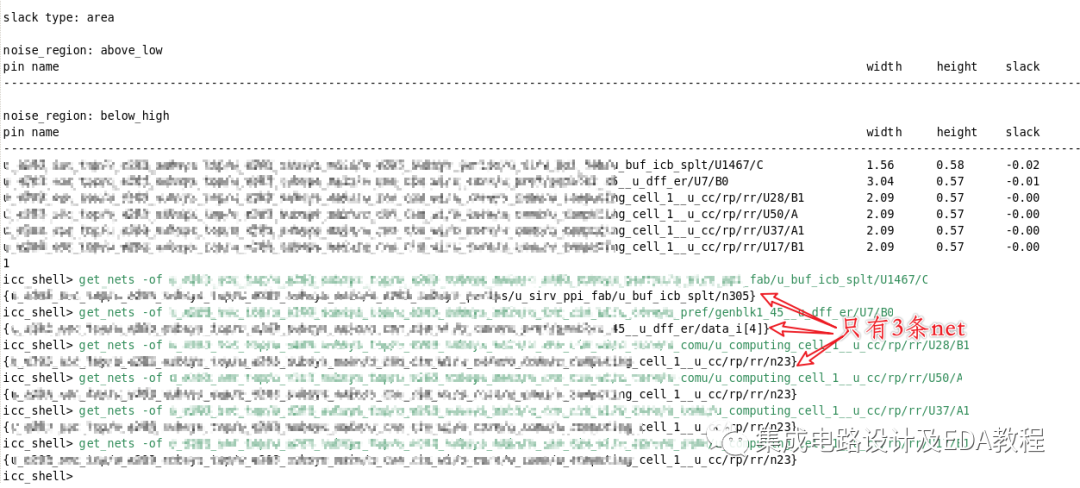
After that, use focal_opt -xtalk_reduction_nets to fix:
focal_opt -xtalk_reduction_nets “xxx/n612 xxx/n2035 “
After the fix, only one violation remains:
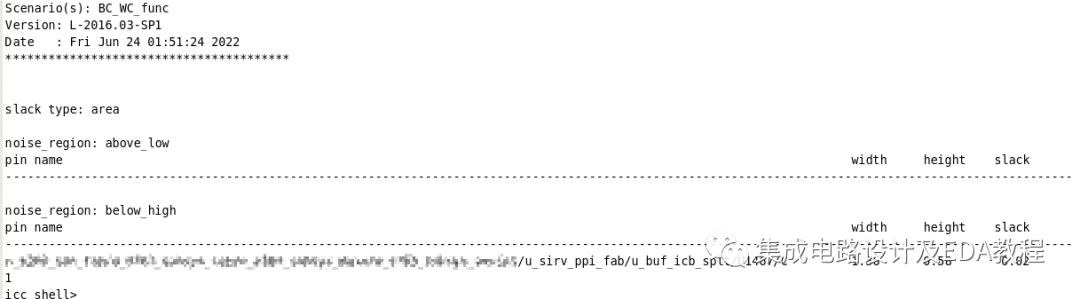
For the remaining violation, you can repeat the previous focal_opt method. If it does not work, manual fixing will be required, the specific method will be shared later, and the basic principle is as explained earlier:
《Methods to Fix Noise Violations in Digital IC Backend Design – 1 Theoretical Knowledge – How to Solve Xtalk Issues?》
https://t.zsxq.com/04IuNfQV7
0
Community Introduction