MCP (Model Context Protocol) is a standardized interface and framework that allows LLMs to seamlessly interact with external tools, resources, and environments. It can be seen as a universal adapter between LLMs and external services, enabling mutual understanding without the need for custom glue code development.Running the MCP server (and its tools) directly on the machine means that any code executed by these tools can access the local environment, which raises security and stability concerns: the server may modify files, consume excessive resources, or conflict with the system environment.The solution is to encapsulate the entire service in an isolated container environment based on Docker to address these issues. The benefits of server containerization mainly include:
- Security Isolation: The server code and its tools run in a restricted Docker environment, limiting access to the system. Therefore, tools directed by LLMs attempting to perform dangerous operations are also confined within the container.
- Dependency and Environment Consistency: All necessary dependencies can be installed in the container image, isolated from the host environment, ensuring that the MCP server has the precise runtime environment it requires. Since the server uses its own environment, it will not conflict with other Python packages on the host.
- Repeatable Deployment: Docker images can be version-controlled and deployed anywhere, behaving exactly the same. These services can be run locally during development and then seamlessly transitioned to remote hosting.
- Resource Access Control: CPU/RAM, network, and even device access for Docker containers can be restricted; if the server does not need to write files, a read-only file system can be used.
Building a Docker Sandbox ServerMCP server codedefines a simple FastMCP server that includes a tool for adding two numbers, registering the tool using the @mcp.tool annotation.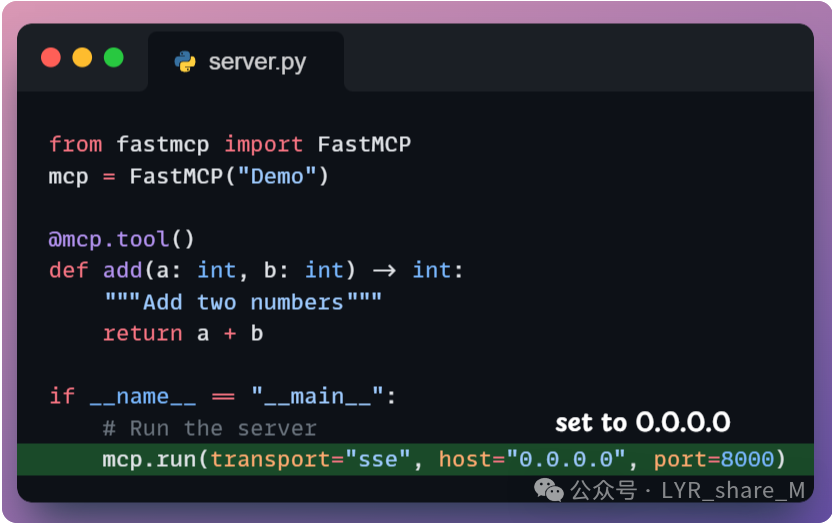 It uses
<span>host="0.0.0.0"</span> instead of <span>127.0.0.1</span> because when you start the server and bind it to <span>127.0.0.1</span>, it will only listen for connections from within the container, or if not containerized, it will listen for connections from the localhost on the machine.Writing the Dockerfile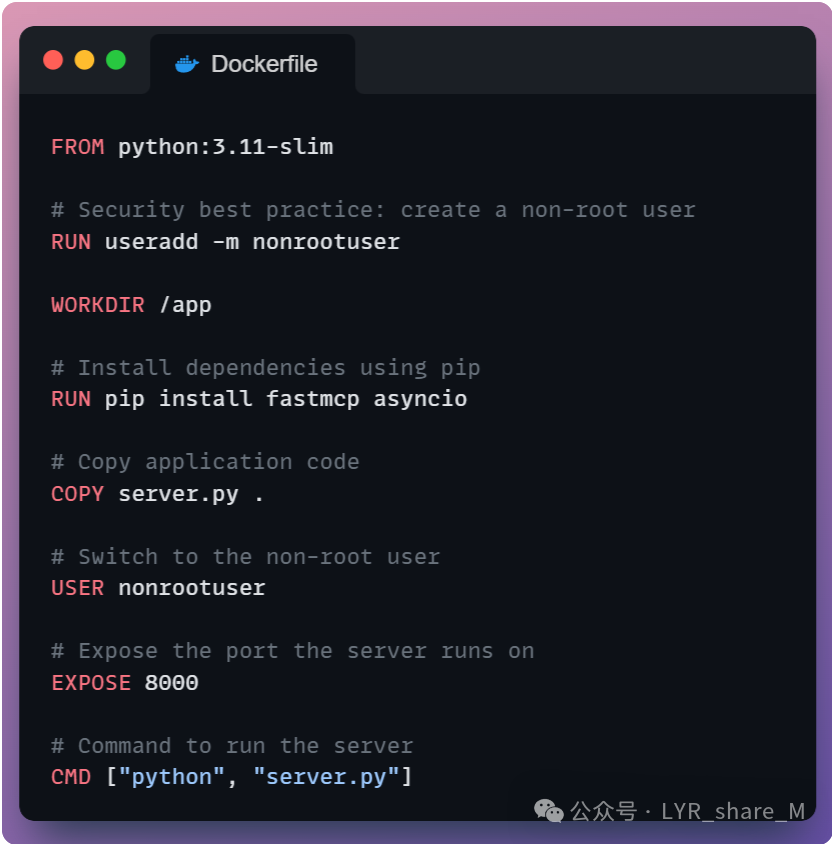 Building the Docker ImageTo build the Docker image, ensure Docker is installed, then navigate to the project directory containing the Dockerfile and Server.py, and run the following command:
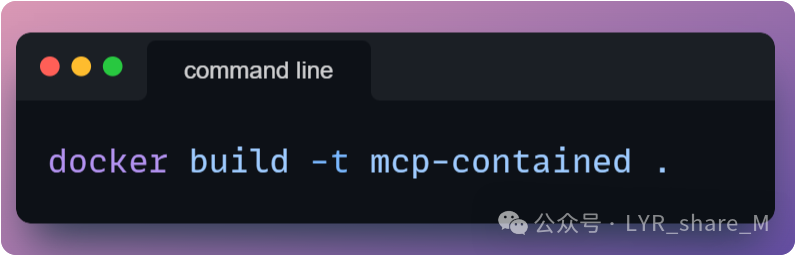 This will build the image and name it
 <span>mcp-contained</span> (any other name can be chosen as needed). <span>.</span> specifies the current directory as the build context, which must contain <span>server.py and </span>Dockerfile.Running the Docker ContainerOnce the build is complete, you can run the Docker container. Use the following command to run the container: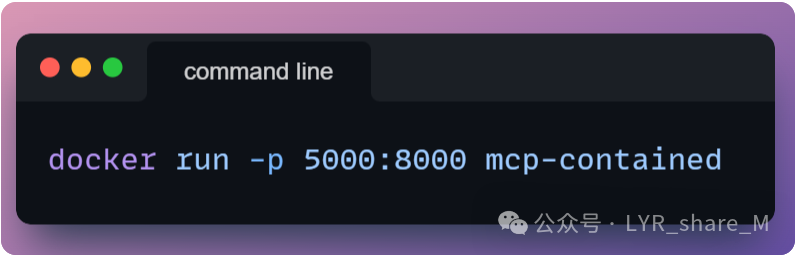 After running, the MCP server is listening on port 8000 inside the container and is mapped to port 5000 on the host through Docker. At this point, you can access the server by visiting http://localhost:5000/sse, and you can connect to the MCP server using Claude, Cursor, or a custom MCP client.Sandboxing the MCP server with Docker means that the entire MCP server runs in a separate container, which is generally simpler, more robust, and aligns with best practices in development.