Welcome to the reading! 👏
The Model Context Protocol (MCP) has recently gained significant attention. MCP is an open standard designed to help AI applications—especially large language models (LLMs)—connect more easily to external data sources and tools.
This article will clearly outline some key points about MCP.
Why was MCP created?
In traditional scenarios, connecting to a new data source typically requires developing a custom connector from scratch. Each model operates like an isolated island, making it difficult to quickly access the correct context. This is akin to the early days of electronics, where each phone had its own charger. Each AI application has its own unique way of integrating tools, resulting in high development and maintenance costs.
MCP was born to address this pain point. In November 2024, Anthropic will open-source it, aiming to simplify how LLMs connect to external data and tools.
You can think of MCP as the “universal adapter” of the AI world—it provides a standardized and streamlined way for models to access a broader ecosystem.
🗂️ MCP Architecture
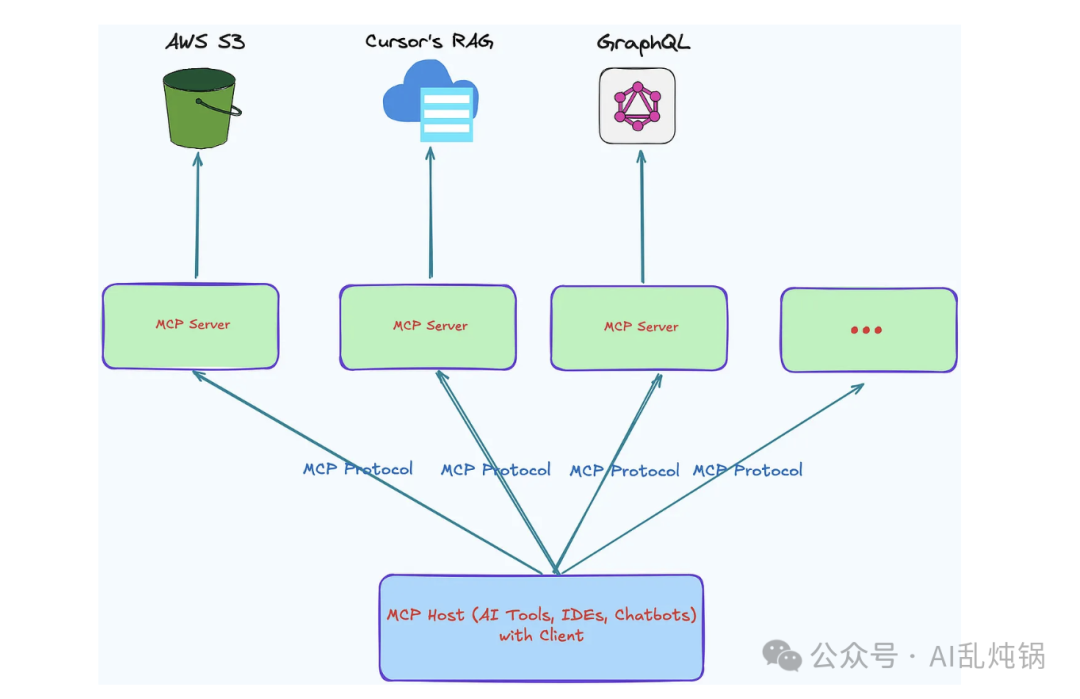
Figure 1: A typical MCP architecture diagram
A typical MCP architecture usually includes the following components:
-
Host: Typically the main application running the LLM, such as Claude Desktop, smart IDE, or chatbot.
-
Client: Acts as a bridge between the host and the server, responsible for message routing and protocol negotiation.
-
Server: A lightweight, standalone program. Each server encapsulates a specific type of data source or functional module, communicating with the client via standard protocols. When called, it is responsible for providing contextual data or executing a specific operation.
🧩 Agent, RAG, and MCP
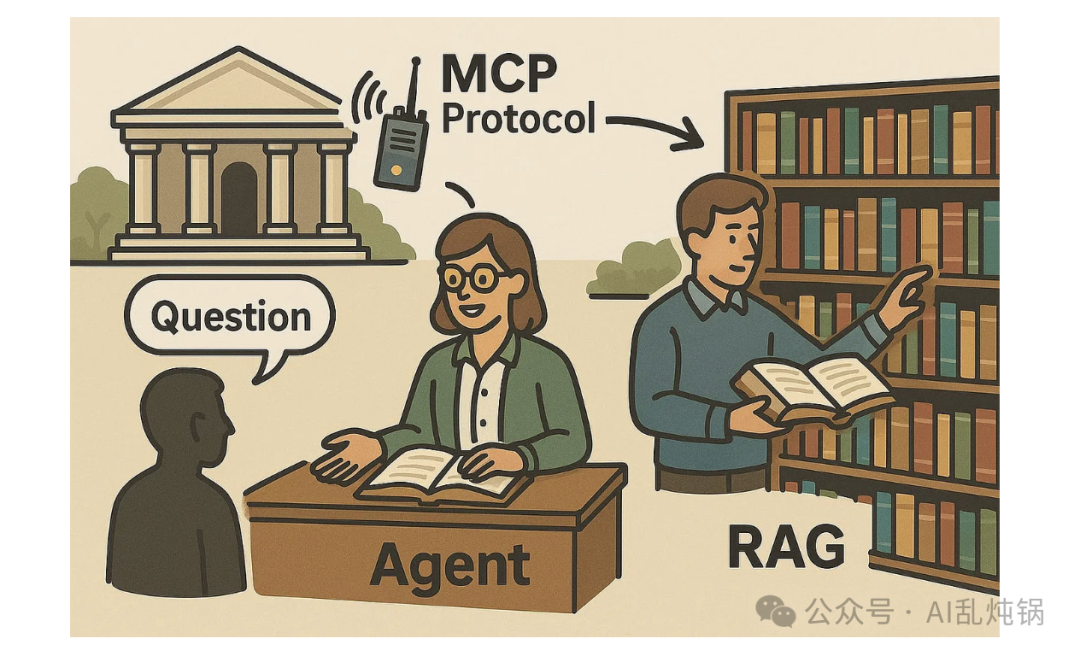
Figure 2: The relationship diagram between Agent, RAG, and MCP
To better understand the relationship between Agent, RAG, and MCP, you can think of them as different components in a modern library system.
-
Agent: Like a smart librarian, responsible for helping visitors answer various questions. When someone walks in with a question, the librarian first clarifies what they really want to ask, then decides how to quickly find the correct answer.
-
RAG: This is the library’s advanced search engine. When the smart librarian needs assistance, they will call this system to deeply search books, databases, or even online resources, then combine the search results to generate an informative answer.
-
MCP (Model Context Protocol): Can be understood as the internal communication protocol of the library. It is the behind-the-scenes channel that allows the librarian to smoothly connect with the library’s internal systems (such as catalogs, databases) and external sources (such as other libraries or digital archives).
🧑💻 Practical Applications of MCP
MCP has already been practically applied in some AI programming tools, such as Cursor.
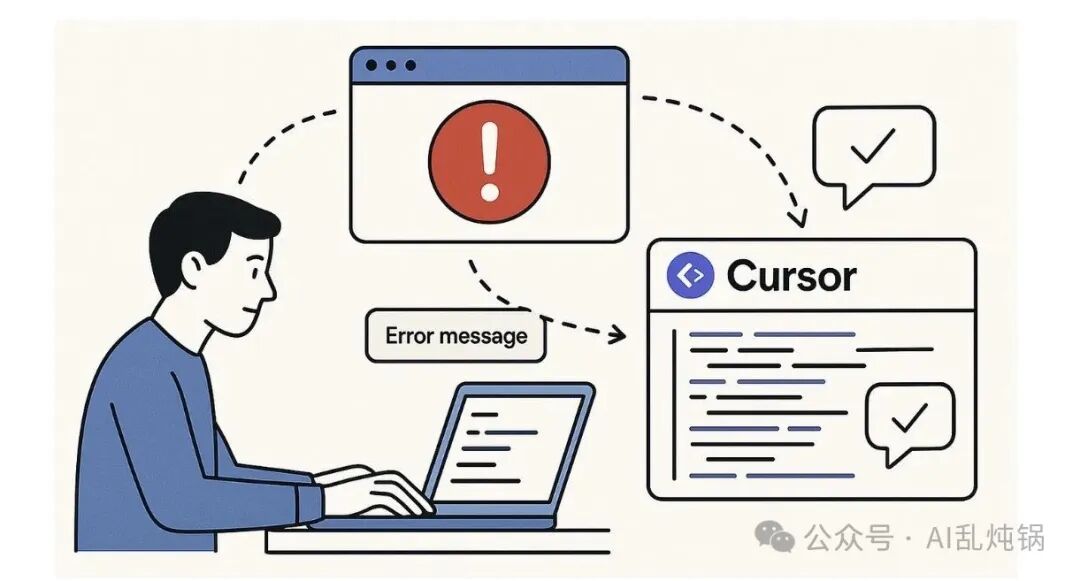
Figure 3: Diagram of the Cursor tool without MCP
Imagine you have written a web application and have a lot of code.
In the traditional process without MCP, it generally goes like this: you preview the code in the editor, then open it in the browser, encounter an error, copy the error message back, switch back to Cursor, paste the error, get an explanation, fix the code, and then refresh the browser to see how the fix works. This back-and-forth is very cumbersome.
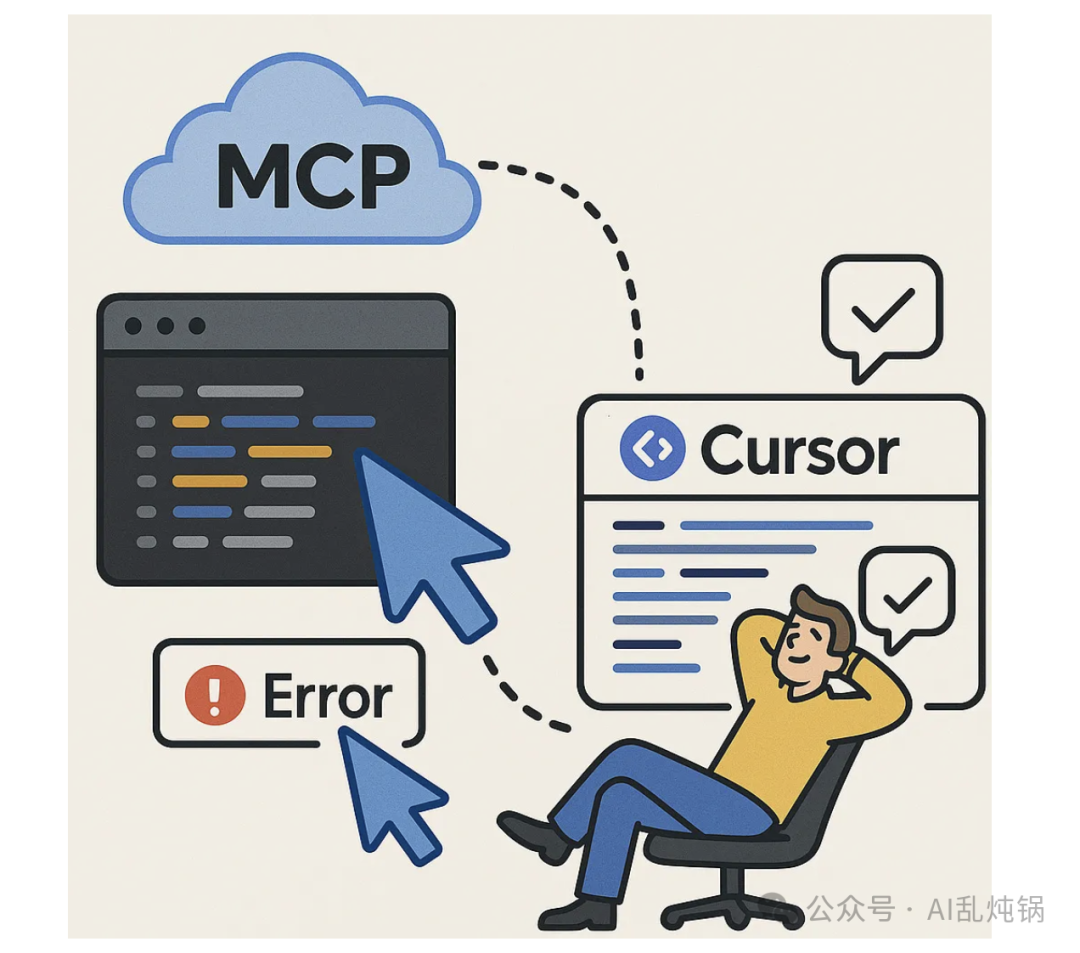
Figure 4: Diagram of the Cursor tool with MCP
However, when Cursor integrates the MCP protocol, the entire process changes.
At this point, Cursor can automatically complete most of the process: automatically previewing code, checking if the application is running correctly, capturing error messages, fixing bugs, and continuously debugging until everything runs smoothly.
💡 Some Personal Insights
✅ Ecosystem Development
MCP was initially promoted by Anthropic as an open-source initiative and has now gained support from several partners and the open-source community, including the aforementioned development tool vendors. Companies like OpenAI have also begun to make their SDKs compatible with MCP tools.
Of course, whether a protocol can succeed ultimately depends on the level of ecosystem support.
There is also a standardization battle: large companies like OpenAI and Microsoft may prefer to promote their own plugin or tool integration frameworks, while multiple competing solutions may emerge within the open-source community.
🔐 Security and Access Control
Allowing models to access real-world data and tools inevitably brings security risks. On one hand, models may inadvertently request sensitive information; on the other hand, malicious attackers may attempt to trick models into triggering undesirable actions.
MCP takes these risks very seriously—it has built-in resource boundary definition mechanisms like Roots and requires user approval before calling tools. Although MCP provides a unified interface, stronger security measures still need to be layered on top for enterprise-level scenarios.
A key challenge is how to integrate MCP with existing authentication and auditing systems to ensure compliance with the overall security framework of the enterprise.
⚡ Performance and User Experience
Incorporating MCP into the interaction link will inevitably add a layer of communication between the model and the final result. Although JSON-RPC messages are usually lightweight, frequent or large-scale tool calls can still accumulate to create noticeable delays.
To address this, MCP supports streaming responses (via HTTP SSE) and concurrent request handling. It allows the server to push results in real-time once they are ready, and the client can also wait for multiple requests to return simultaneously.
Even so, in some scenarios where latency is extremely sensitive—such as voice conversations that require multiple tool calls per second to obtain real-time sensor data—performance may still be a bottleneck. To completely resolve this, continuous optimization from the ground up is needed, such as more efficient encoding methods, more streamlined network transmission, or support for batch processing requests.
Another important user experience point is trust and transparency. Users should be able to clearly see what external data or tools the AI assistant has used. The MCP client should clearly display which documents were referenced, which tools were called, and provide traceability, allowing users to have more confidence in the generated results.
🔮 The Future of MCP
Overall, MCP is still in its early stages, but its open and standardized design direction aligns closely with the future development trends of AI.
Looking back at history, open standards often lay the foundation for large-scale adoption—just as the USB specification unified device connections and HTML became the cornerstone of the internet.
So, perhaps we can boldly imagine: could MCP become the “universal interface standard” of the AI era, unifying how models access data and tools?