1 Introduction
Everyone knows that repeating the same action is called a loop. Similarly, in C++, there are loops. What are the specific uses of loops in C++? Of course, there are many, such as calculating 2 raised to the power of 11, which requires multiplying that number repeatedly. Another example is counting how many numbers within ten million are multiples of 11. In summary, loops have significant utility and are generally required in arithmetic.
2 Basic Knowledge
There are three types of loops: for loop, while loop, and do while loop. Among them, the for loop is a finite loop, while the while loop and do while loop are infinite loops. Below, I will explain the formats of these three types of loops in detail.
3 Loop Formats
For loop:
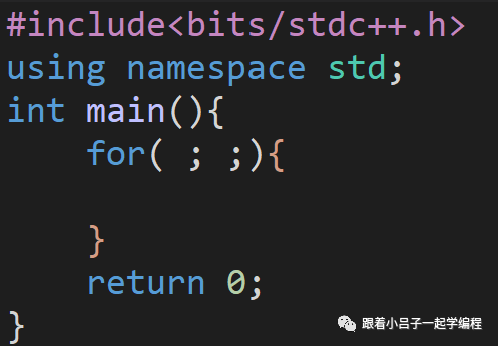
In the parentheses after for, the first semicolon is where you initialize the control variable for the loop. The second semicolon contains the condition expression, which specifies the situation under which the loop can execute. If the expression here is not satisfied, the loop will exit. The expression after the second semicolon is the increment expression, such as: a++, a+=2, etc.
While loop:
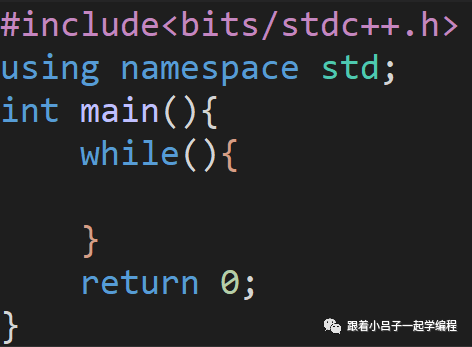
In the parentheses after while, you also write the condition under which the loop can execute. If the expression here is not satisfied, the loop will exit. The curly braces contain the actions you need to perform. It is called an infinite loop because if you write 1 in the parentheses after while, the program will execute indefinitely (unless there is a break statement in the code).
Do while loop:
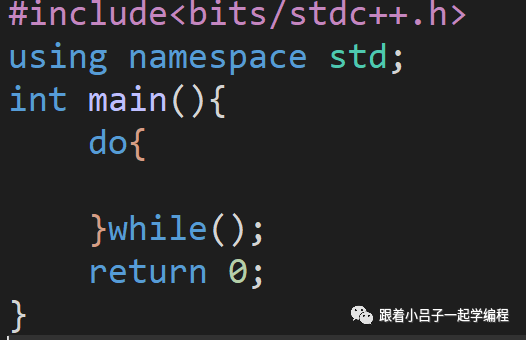
This is similar to the while loop, but it executes the content inside the curly braces first, and then performs the condition check.
4 Practical Exercises
-
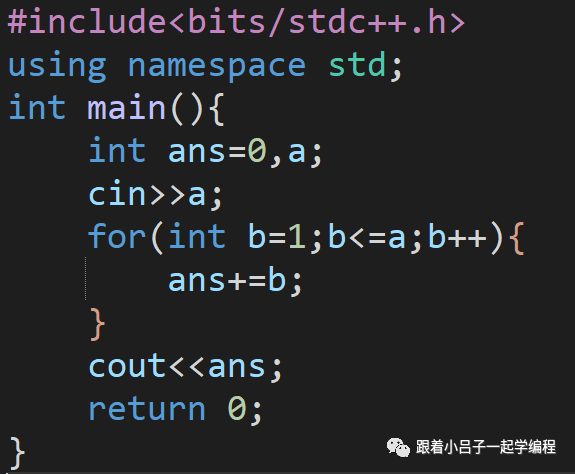
Given a number a, calculate the sum from 1 to a.
First, let’s think about it. To find the sum from 1 to a, we define a control variable b, which starts from 1 and accumulates to a, incrementing b++ each time. Then we define a variable to hold the result, adding the current number in each iteration. The code is as follows:
2. Input a number a, output 2 raised to the power of a.
Again, let’s think about it. This also uses a for loop, multiplying the number by 2 each time, and outputting it at the last iteration. The code is as follows:
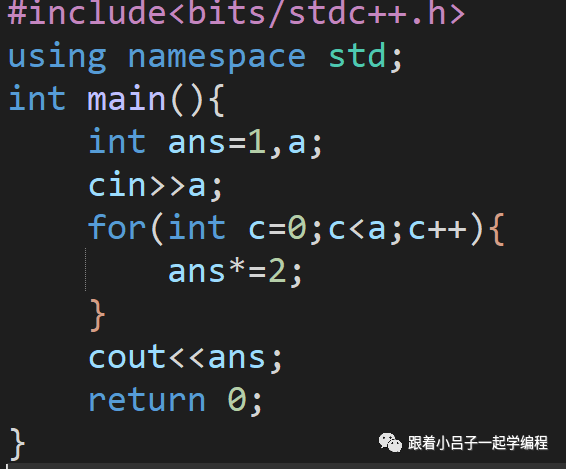
Consider: Why does the program crash when a=50?
The answer is that the int type can only store numbers less than 2 raised to the power of 31; otherwise, it will overflow. You can use a long long type variable, which can store numbers less than 2 raised to the power of 64.
Another thing to mention is that if you want to output a sentence, you just need to add double quotes, like cout<<“hi, classmate.”;
That’s all for today. See you next time,ヾ( ̄▽ ̄)Bye~Bye~