Issue:The compile button in Keil5 is not working and appears gray.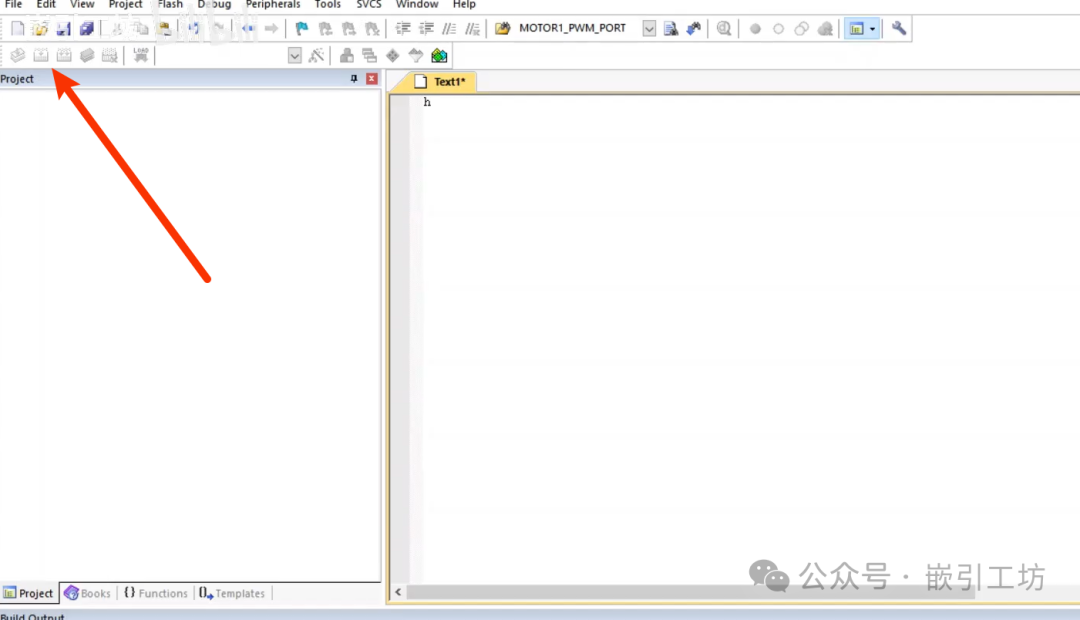
Cause:
1. A code file was created without a project.
2. Without a project, the system cannot detect components and the microcontroller, so compilation is not possible, even if there is code.
Solution:
1. Save the file and import it into a project.
2. Backup the code in advance, recreate the project, and then add the code file.
For creating a new project and this video tutorial, please visit Bilibili:
New Project:https://www.bilibili.com/video/BV1XJ7az6EJw/
Compilation Issues:https://www.bilibili.com/video/BV1zmN9zmEqy/