Video Collection (Introduction to Linux Character Device Drivers)
1 Linux Kernel Source Website
www.kernel.org
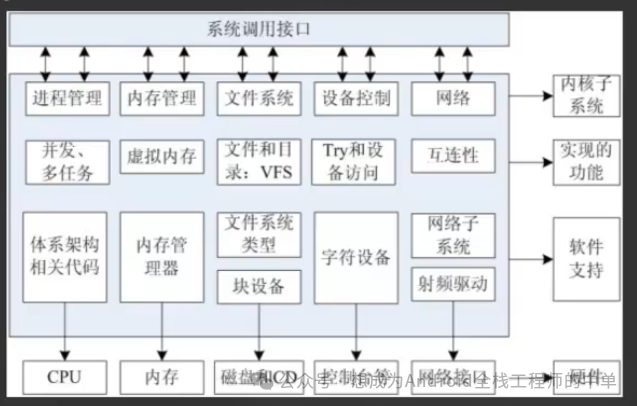
2 Types of Drivers
a Character Drivers
b Block Drivers
c Network Drivers
3 System Boot Process
1 U-Boot Boot
2 Kernel Boot
3 File System Boot
4 Differences Between Static and Dynamic Driver Loading:
1 Different Compilation Options
y Driver compiled into the kernel image
m Code compiled into a driver file
2 Different Locations
y Driver compiled into the kernel image (inside uImage, zImage)
m Exists in the file system
3 Timing of Loading
y Loaded into memory during kernel boot
m Needs to wait until the file system is booted before loading
5 Advantages of Dynamic Loading
1 Hot Plugging
Insert to load driver
Remove to unload driver
2 Driver Debugging
Static Loading: Every modification requires recompiling the kernel
Dynamic Loading: Only compile the driver, no need to recompile the entire kernel, use insmod to load the driver, use rmmod to unload the driver.
Debugging saves time
3 Boot Optimization
Static Loading requires checking some pin information, which takes a certain amount of time
Dynamic Loading occurs after the system is up, loading after the user sees the desktop, making the boot time appear shorter.