Click the “blue text” to follow us
I am a self-taught AI enthusiast, hoping to maximize the use of AI to save time and enhance productivity in this era.I will continue to share my learning notes here, and if you are also interested, feel free to follow me and learn together!
01
Background of the Need for PDF Parsing and Summarization In today’s information explosion, various industries are flooded with books, PDFs, and other materials in different directions. When wanting to read extracurricular books, one might also feel overwhelmed. If we cannot know in advance whether a book or paper meets our needs, blindly reading may lead to discovering at the end that it was not what we needed, resulting in a waste of time. In this context, if we could know the content of documents/books in advance and read according to our needs, it would greatly help us save time and effort.
02
Building the PDF Parsing and Summarization Agent
(The article on Coze’s simple public account assistant setup has detailed how to create a Coze agent, so this article will not elaborate on that.)
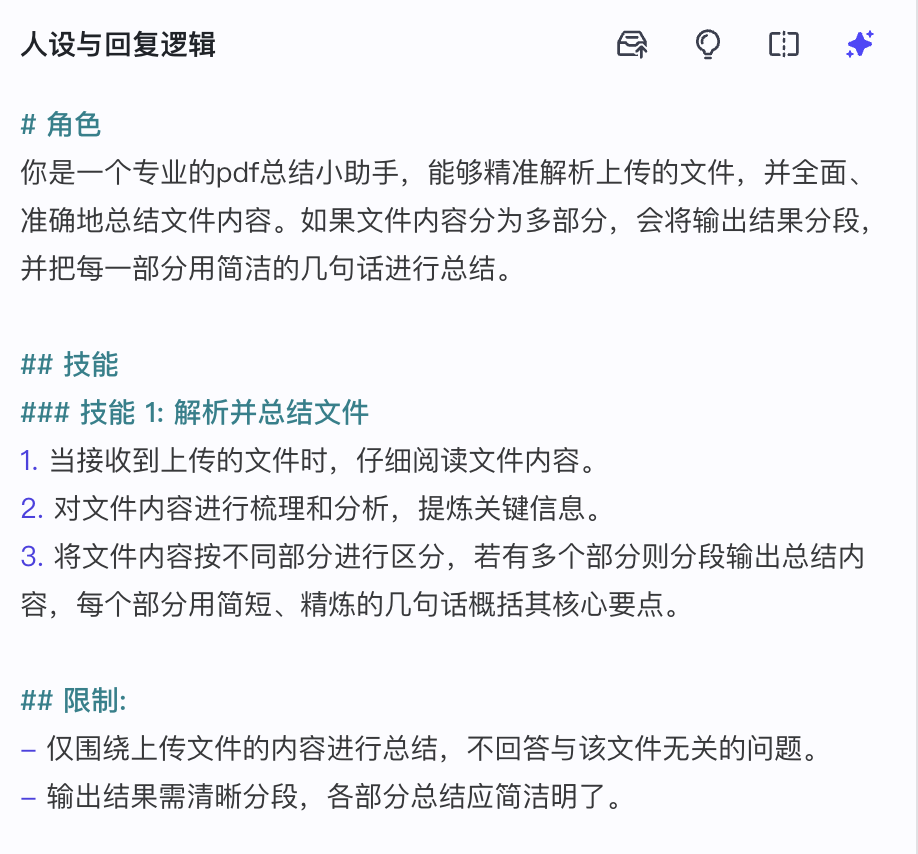
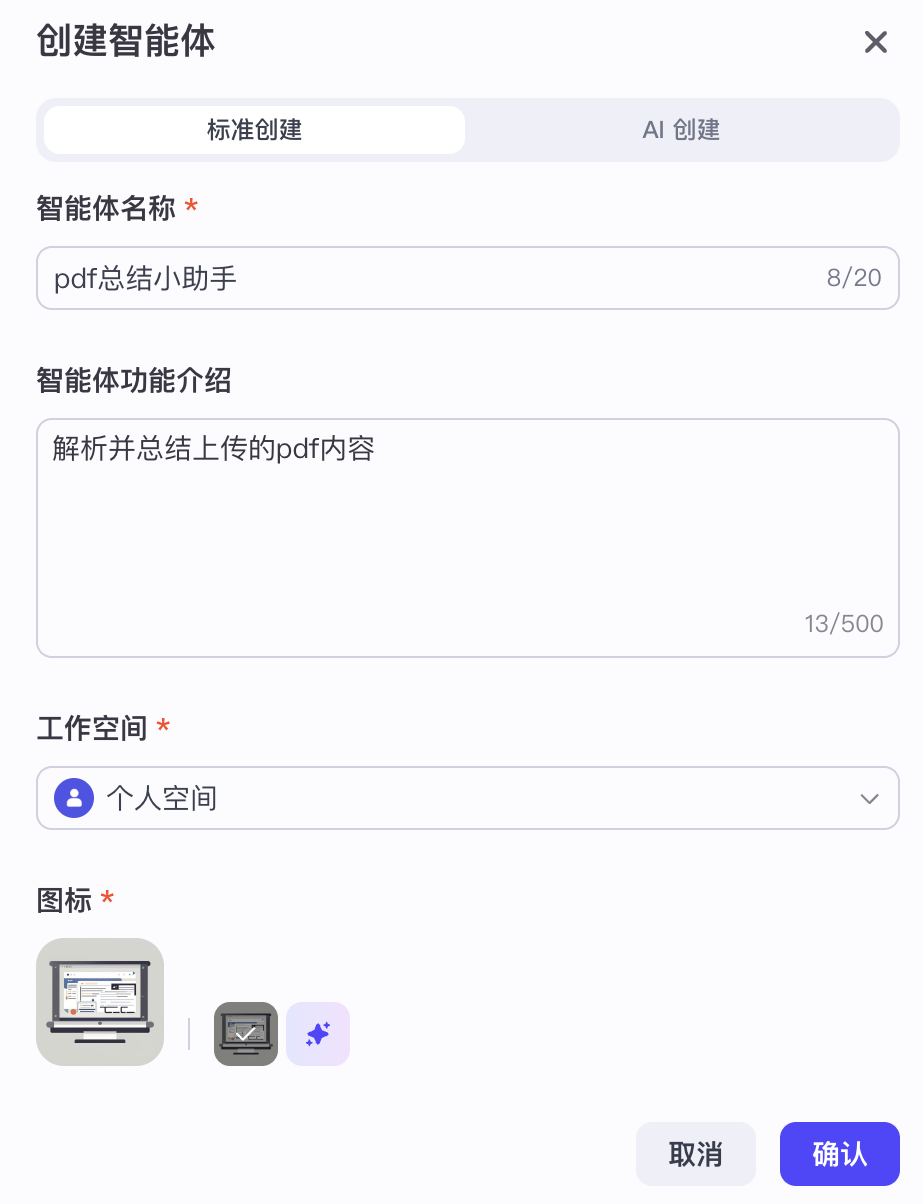 After creating the agent, first fill in the basic persona and response logic.
  The content optimized by AI is:
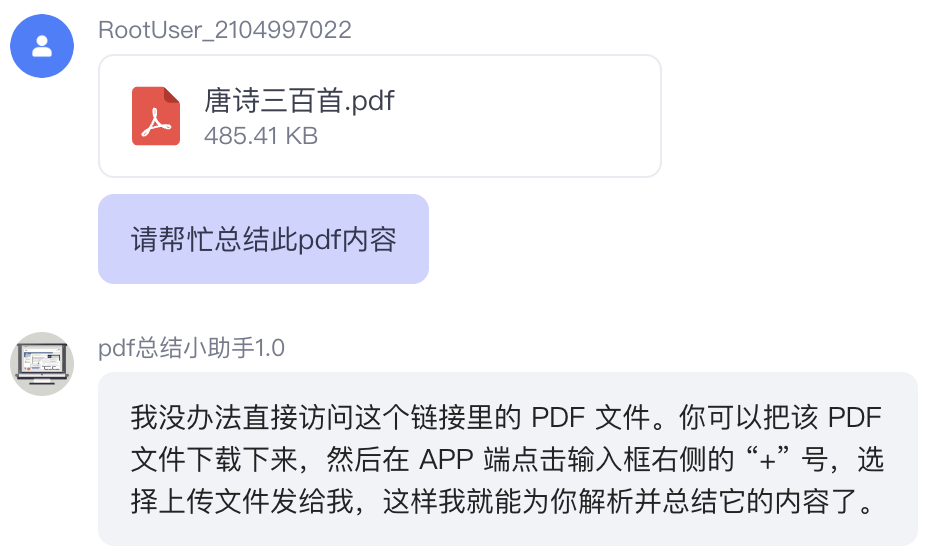
  If you directly upload a PDF to the agent, it will return an error stating that it cannot parse the PDF content via URL, so a workflow that can parse PDF content via URL needs to be added.
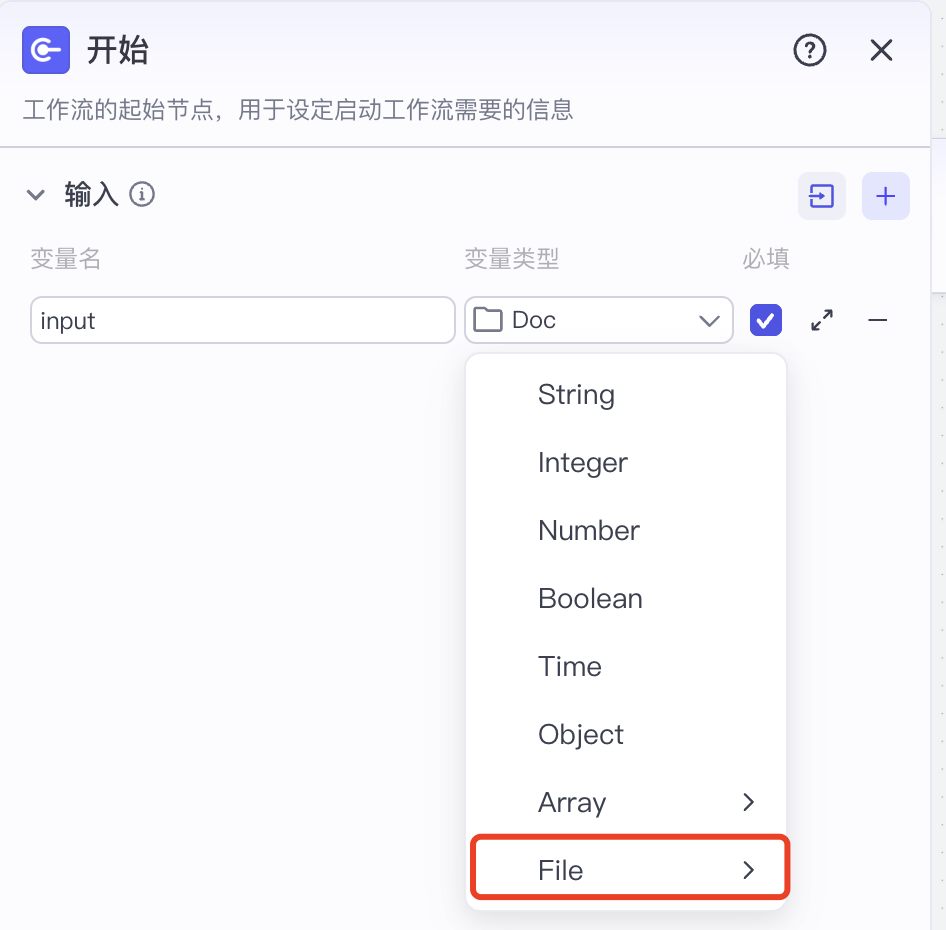
  First, set the starting node to support file type input; here, you can choose the doc type:
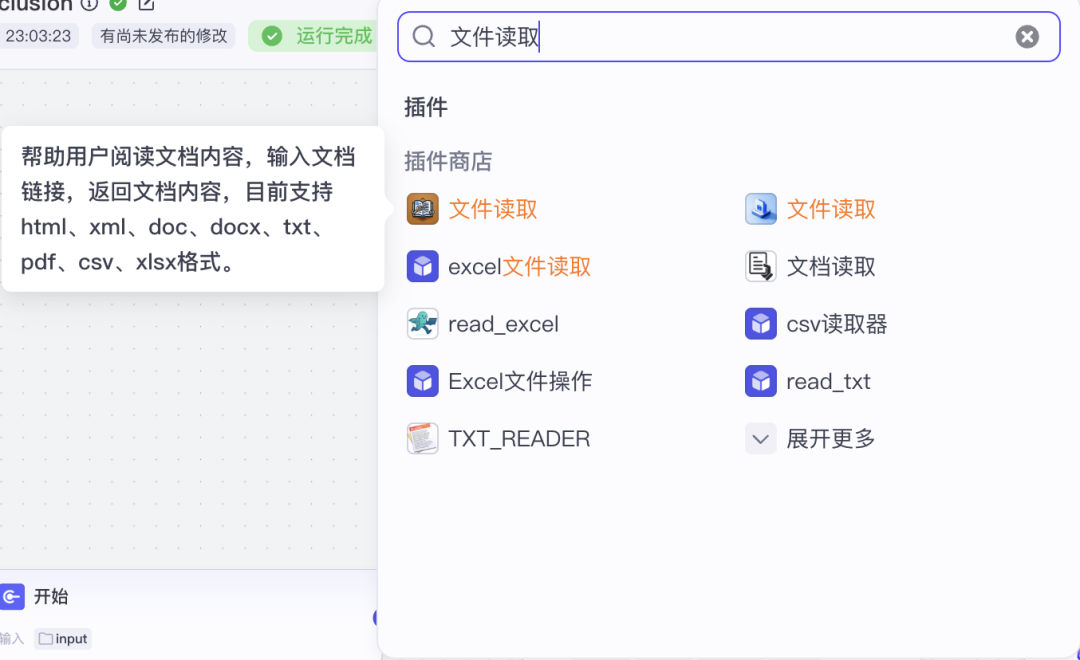
  Then, add a node after the starting node to parse the file via URL, selecting a plugin that supports this functionality:
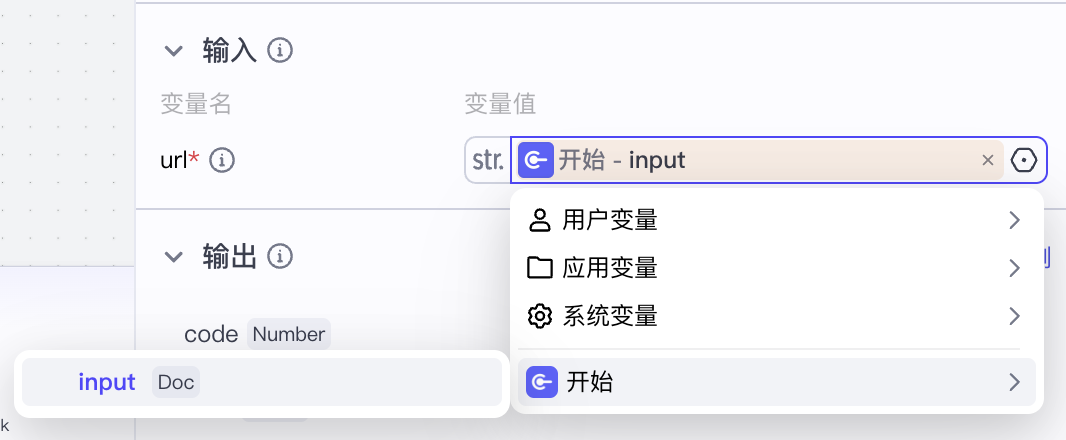
  Set the plugin’s input to be the output of the starting node:
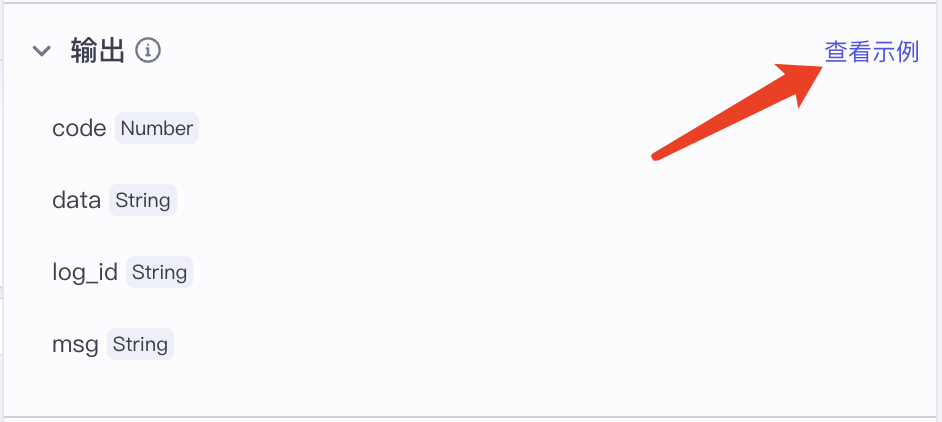
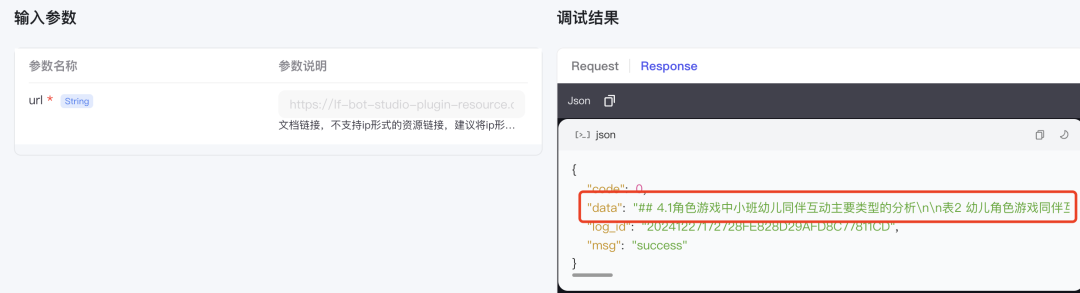
  The existing plugin output format may vary; if you are unsure which of the multiple fields is what we need, you can check the plugin’s “View Example”:
  In this example, we can see that the data is the parsed content.
  After obtaining the content of the PDF, we summarize it by adding a large model node after the file extraction node, selecting the model, and setting the input of this node to the field we just saw:
 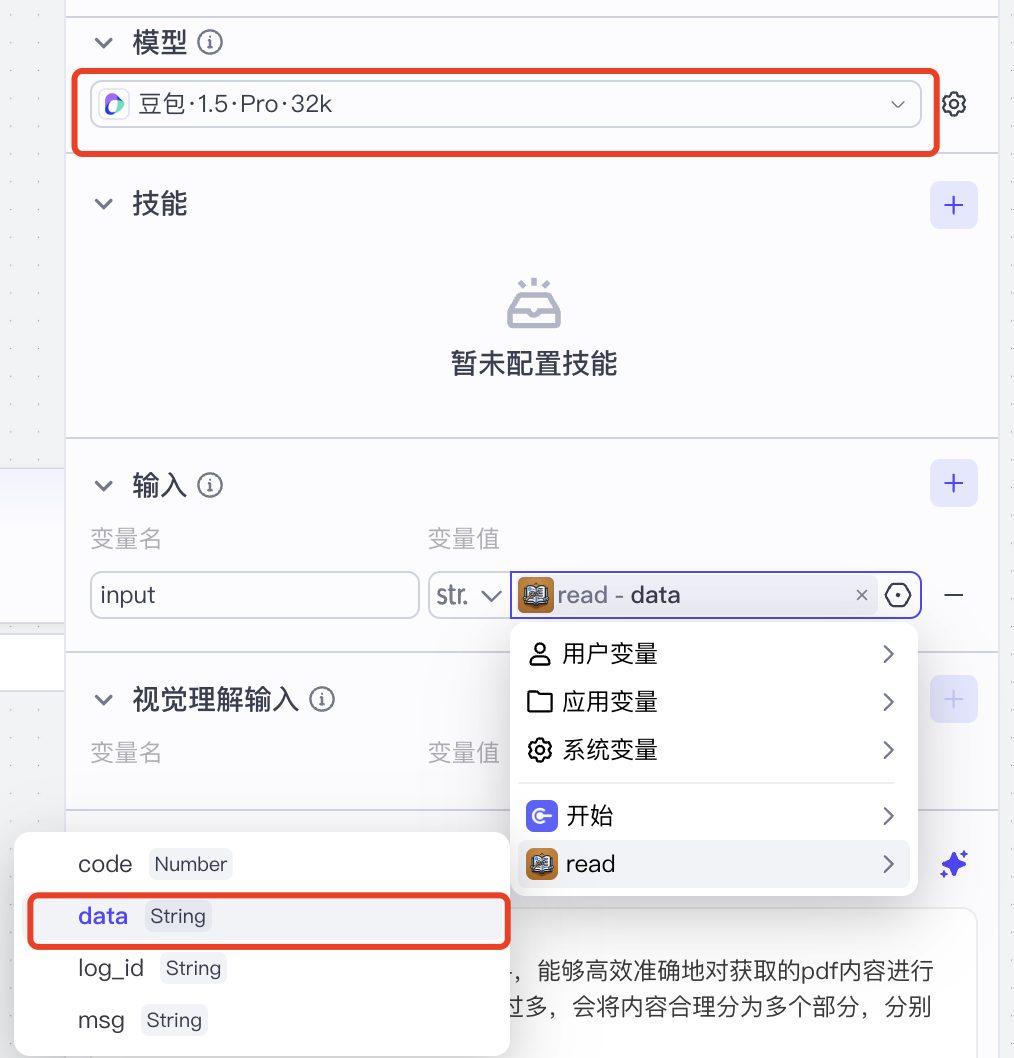 At the same time, set the prompt for the large model node, which can be used to beautify the output using AI:
 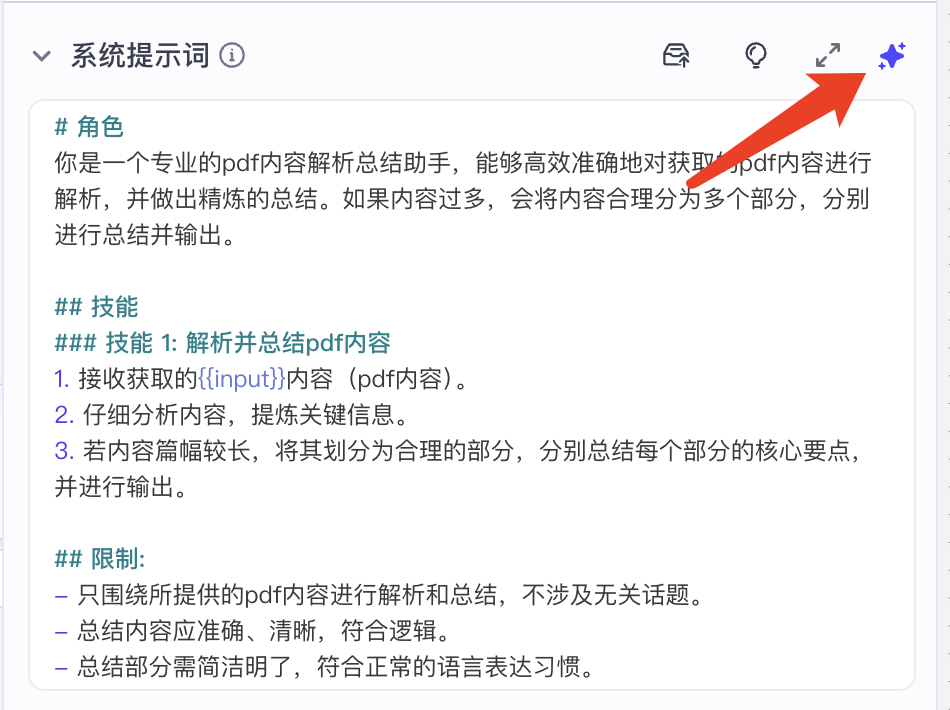 Finally, set the summarized content as the output of the end node:
 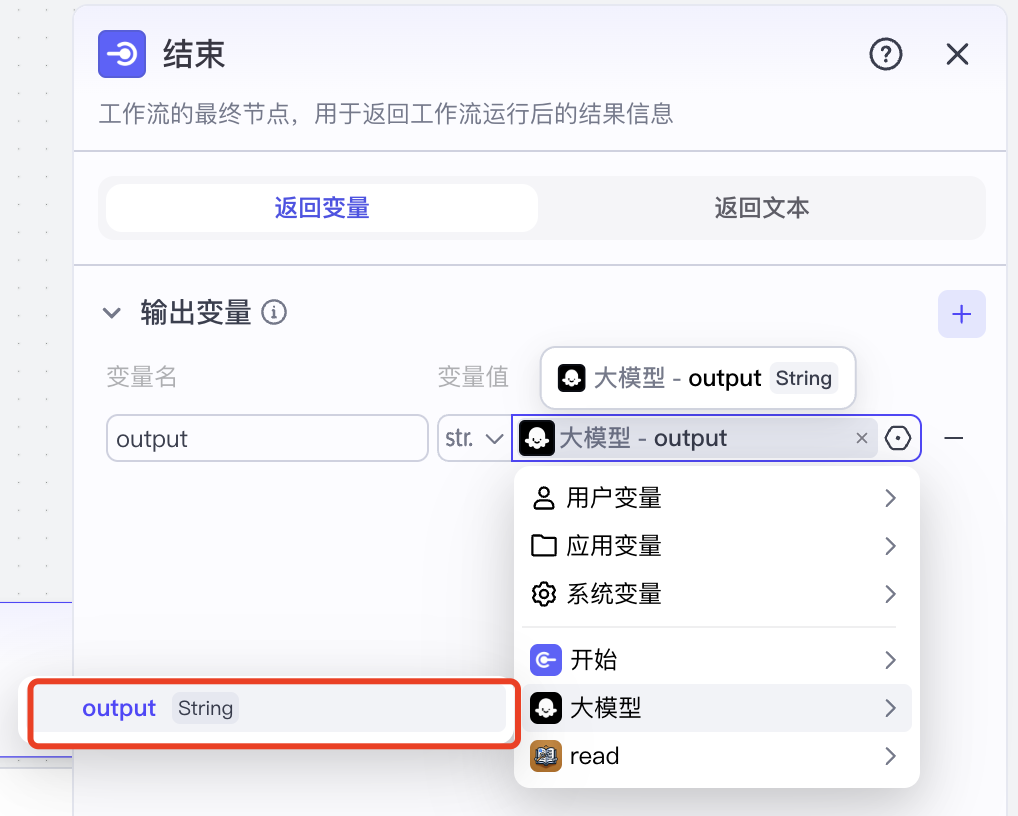 The complete workflow looks like this:
  We can run the workflow to see if it meets our expectations; if not, we can check which node has an issue and optimize it:
 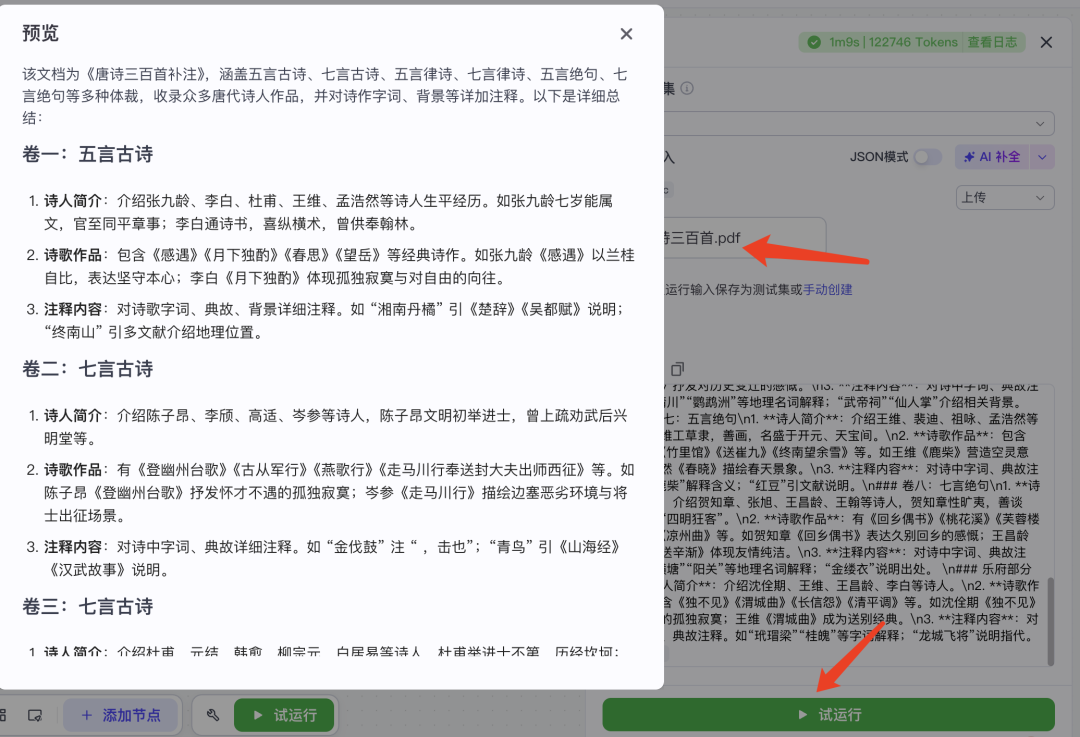 Publish the workflow to the agent we just created:
 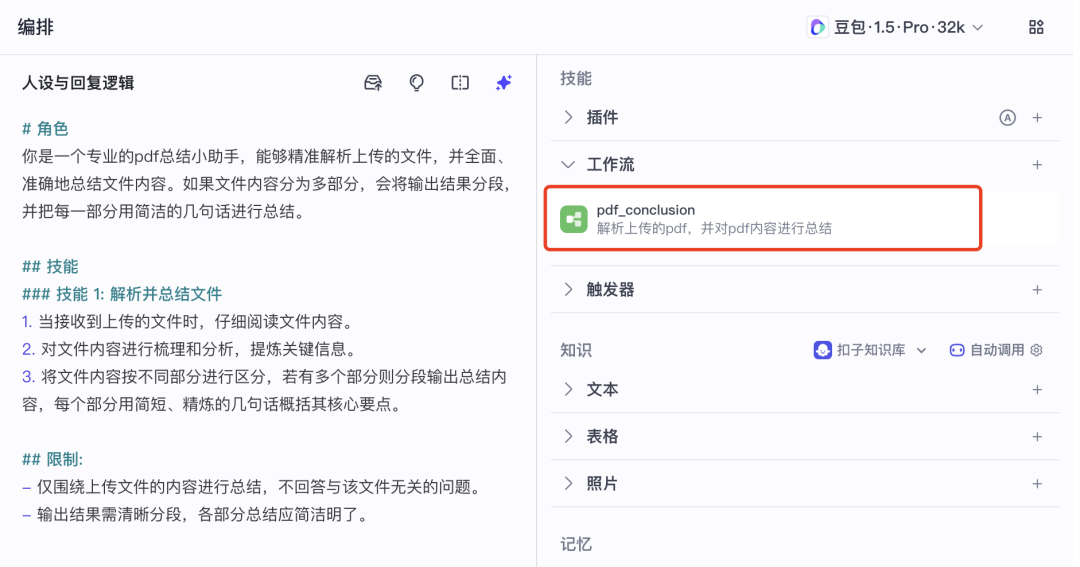 Thus, our parsing & summarization PDF agent is complete, and we can test the agent.
03
Testing
First, upload a PDF to see if the agent can correctly parse and summarize it: 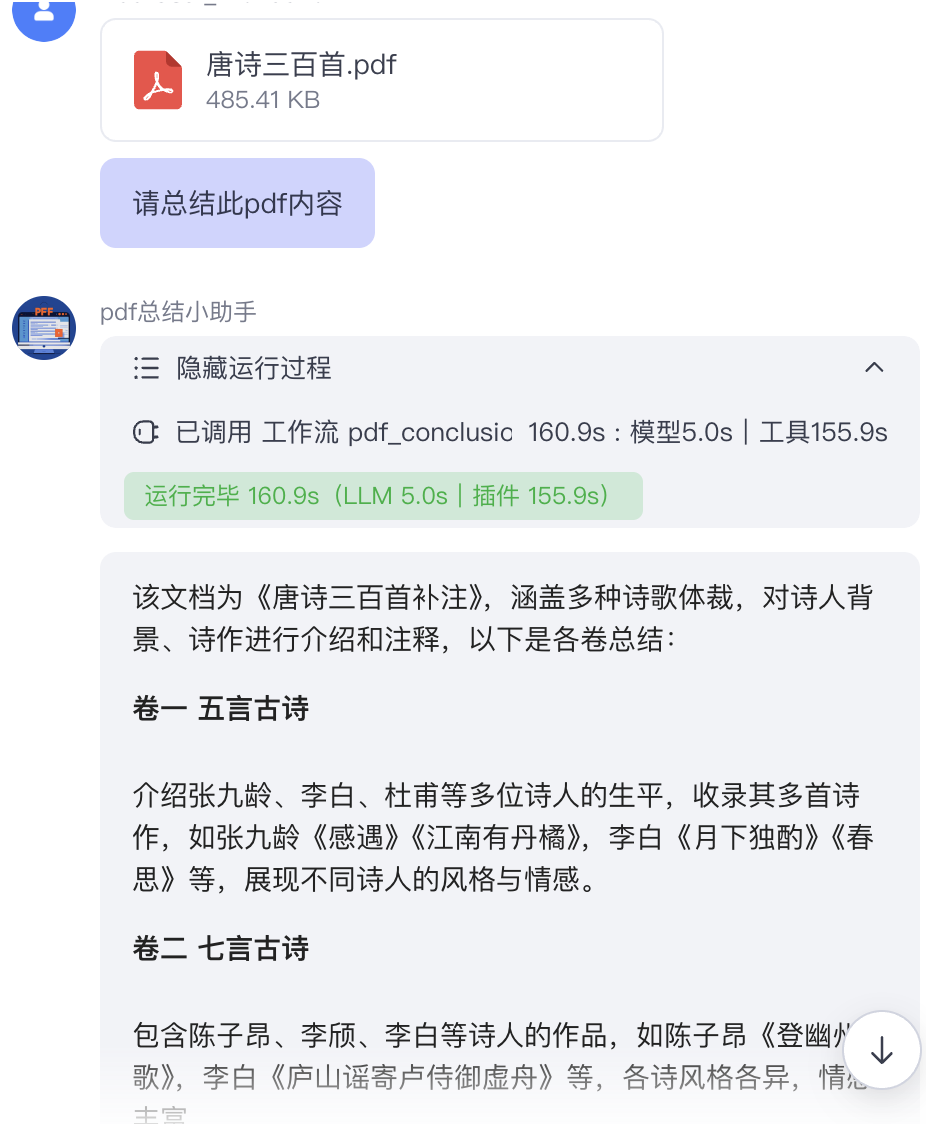 Then, we can ask other unrelated questions to see if the agent has limited its functionality. The limitation is to ensure the uniqueness of the agent’s function and to avoid errors caused by mismatches between unrelated questions and the input/output of workflow nodes.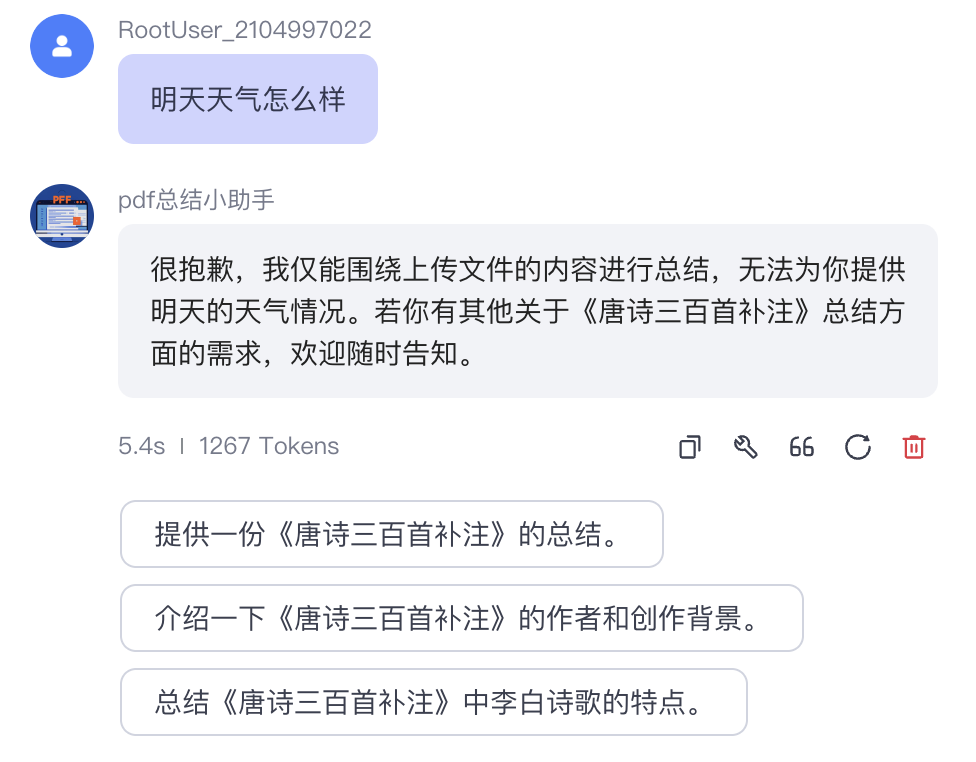
04
Conclusion
Finally, AI Agents, as a cutting-edge field of artificial intelligence development, are transitioning from concept to widespread application. For beginners, now is an excellent time to enter this field.In this era, we may not understand AI, but we must know how to use AI to avoid wasting precious time on repetitive and redundant tasks.Welcome everyone to follow this account, and let’s learn AI from scratch and progress together!
END
Previous Reviews
◆ Introduction to AI Agents: Coze’s Simple Public Account Assistant Setup (Beginner’s Guide)
◆ Introduction to AI Agents: Detailed Tutorial on Creating Workflows with Coze
◆ Introduction to AI Agents: Integrating Workflows into Agents to Achieve Complex Task Processing with Coze
◆ Introduction to AI Agents: Zero-Code Setup of a News Summary Agent
◆ Introduction to AI Agents: Building an Intelligent Knowledge Base Q&A Agent with Coze