#python #accounting #opencv #computer visionI will introduce an interesting application of Python based oncomputer vision using OpenCVOpenCV can not only recognize hands but also be used in various scenarios such as artificial intelligence, exam proctoring, and more.The program for dual hand tracking and gesture recognition uses the OpenCV and cvzone libraries todetect hands in real-time through the camera and recognize the gestures of each hand (fist, 1 to 5 fingers, etc.), while also calculating the distance between the two hands.
Dual hand tracking and gesture recognition program based on computer vision
- First, import the main modules
import cv2           # OpenCV, computer vision library
import cvzone        # Library to simplify OpenCV operations
import math          # Mathematical calculations
from cvzone.HandTrackingModule import HandDetector  # Hand detection module
Before using, please ensure that the cvzone and opencv-python libraries are installed:
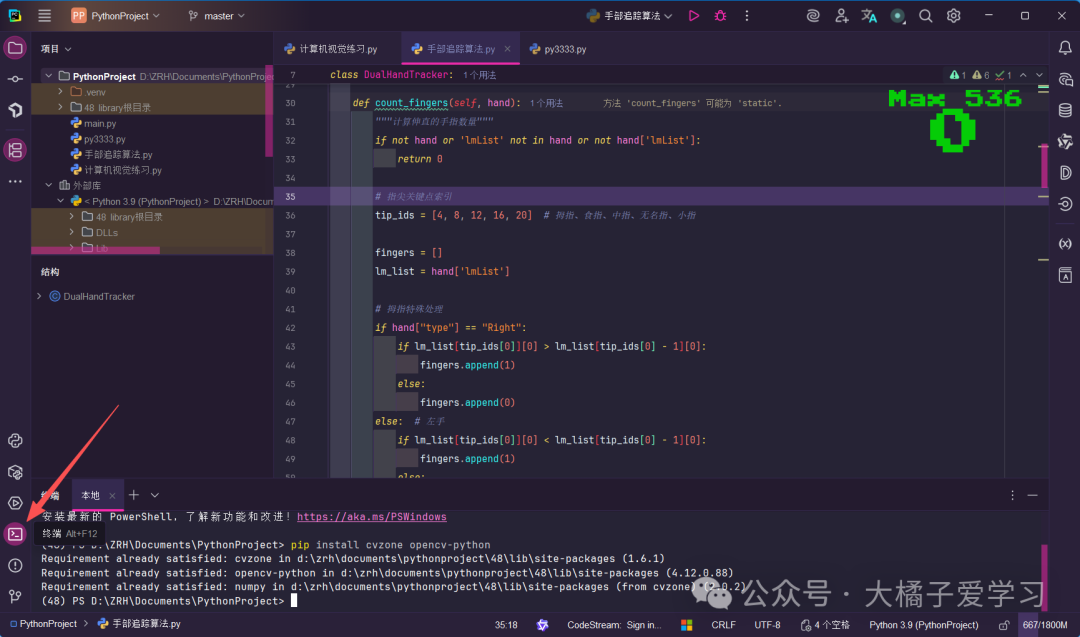
pip install cvzone opencv-python2. Main Class: DualHandTracker
class DualHandTracker:
    def __init__(self):
        # Initialize camera, set resolution to 1280x720
        self.cap = cv2.VideoCapture(0)
        self.cap.set(3, 1280)  # Width
        self.cap.set(4, 720)   # Height
        # Hand detector, confidence threshold 0.7
        self.detector = HandDetector(detectionCon=0.7, maxHands=2)
        # Color mapping: left hand blue, right hand red
        self.colors = {"Left": (255, 0, 0), "Right": (0, 0, 255)}
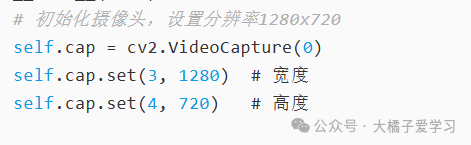
Set your desired resolution, width, and height here

Set your desired colors
3. Core Method Details
Finger Counting Method
def count_fingers(self, hand):
    # Finger tip keypoint indices: thumb (4), index (8), middle (12), ring (16), pinky (20)
    tip_ids = [4, 8, 12, 16, 20]
    # Special handling for thumb: determine straightness based on left or right hand
    if hand["type"] == "Right":  # Right hand thumb
        if lm_list[tip_ids[0]][0] > lm_list[tip_ids[0] - 1][0]:  # Tip x-coordinate greater than joint
            fingers.append(1)  # Straight
    # Other four fingers: determine straightness by comparing y-coordinates
    if lm_list[tip_ids[id]][1] < lm_list[tip_ids[id] - 2][1]:
        fingers.append(1)  # Straight
Gesture Recognition Method
def get_gesture(self, hand):
    finger_count = self.count_fingers(hand)
    # Return corresponding gesture name based on finger count
    if finger_count == 0: return "Fist"
    elif finger_count == 1: return "One"
    # ... other gestures
Distance Calculation Method
def calculate_distance(self, hand1, hand2):
    # Calculate the Euclidean distance between the centers of two hands
    center1 = hand1["center"]
    center2 = hand2["center"]
    distance = math.sqrt((center1[0] - center2[0])**2 + (center1[1] - center2[1])**2)
4. Main Loop Process
def run(self):
    while True:
        # 1. Read camera frame
        success, img = self.cap.read()
        img = cv2.flip(img, 1)  # Horizontal flip (mirror display)
        # 2. Detect hands
        hands, img = self.detector.findHands(img, draw=True)
        # 3. Process information for each hand
        for hand in hands:
            self.draw_hand_info(img, hand, i)  # Draw bounding box, center point, etc.
        # 4. Calculate distance between hands (if both hands are detected)
        if left_hand and right_hand:
            distance = self.calculate_distance(left_hand, right_hand)
The above video is a demonstration video. If you do not understand, please refer to a tutorial shared by a foreign UP master on Bilibili.