Interconnection configuration case of Modbus to Profinet gateway with Siemens PLC: Control implementation for YONGHONG brand inverters
This case demonstrates the remote control and status monitoring of YONGHONG FB series inverters by Siemens S71200 PLC through a Profinet to Modbus RTU gateway. The system mainly includes the following components:
Main controller Siemens S71200–CPU1214C sends control commands and receives inverter status data
Protocol conversion gateway, industrial-grade Profinet to Modbus RTU gateway for protocol conversion between Profinet and Modbus RTU
Inverter YONGHONG FBsV2 series (with RS485 interface) receives control commands to perform speed regulation and other operations
Auxiliary devices include industrial Ethernet switch, RS485 shielded twisted pair, and 120Ω termination resistors to ensure communication stability
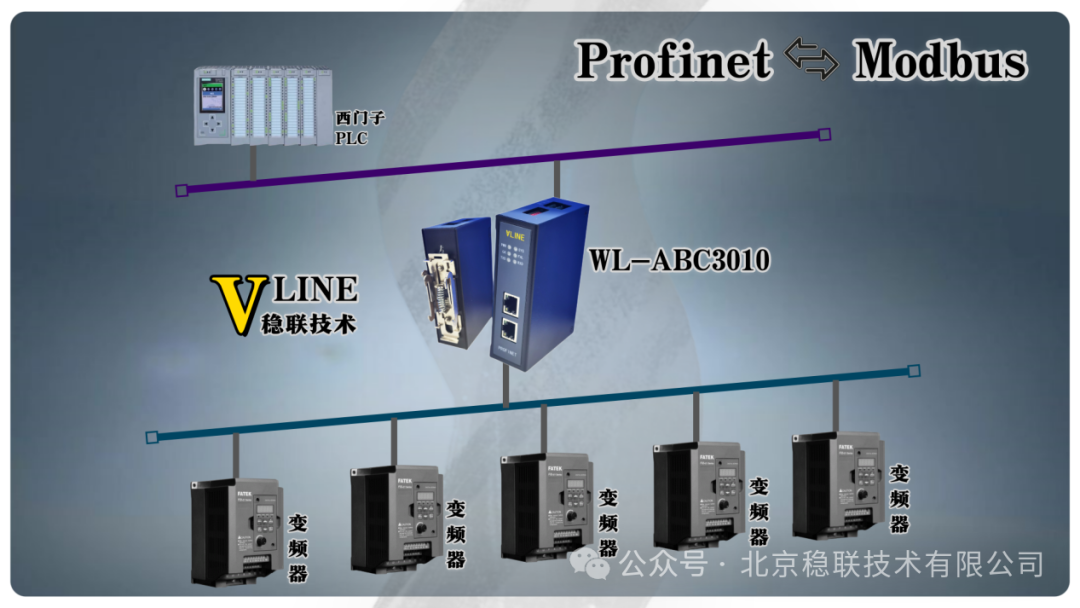
Hardware connection method:
The Profinet port (X1) of the Siemens PLC is connected to the Profinet interface of the gateway via an Ethernet cable
The RS485 interface (A/B) of the gateway is connected to the RS485 interface of the YONGHONG inverter (A/B correspondingly) via shielded twisted pair
120Ω termination resistors are connected at both ends of the RS485 bus (gateway side and inverter side) to reduce signal reflection
Ensure all devices are grounded together to reduce common-mode interference
YONGHONG inverter Modbus parameter settings
The YONGHONG FBsV2 inverter must first configure the Modbus RTU communication parameters (via the operation panel or FBProgrammer software):
Basic communication parameters:
Communication protocol: Modbus RTU (slave mode)
Station number (Addr): 1 (range 1-247, customizable)
Baud rate (Baud): 9600bps (consistent with the gateway)
Data format: 8 data bits, 1 stop bit, no parity (8N1)
Siemens TIA Portal configuration, project creation and gateway GSD file import.
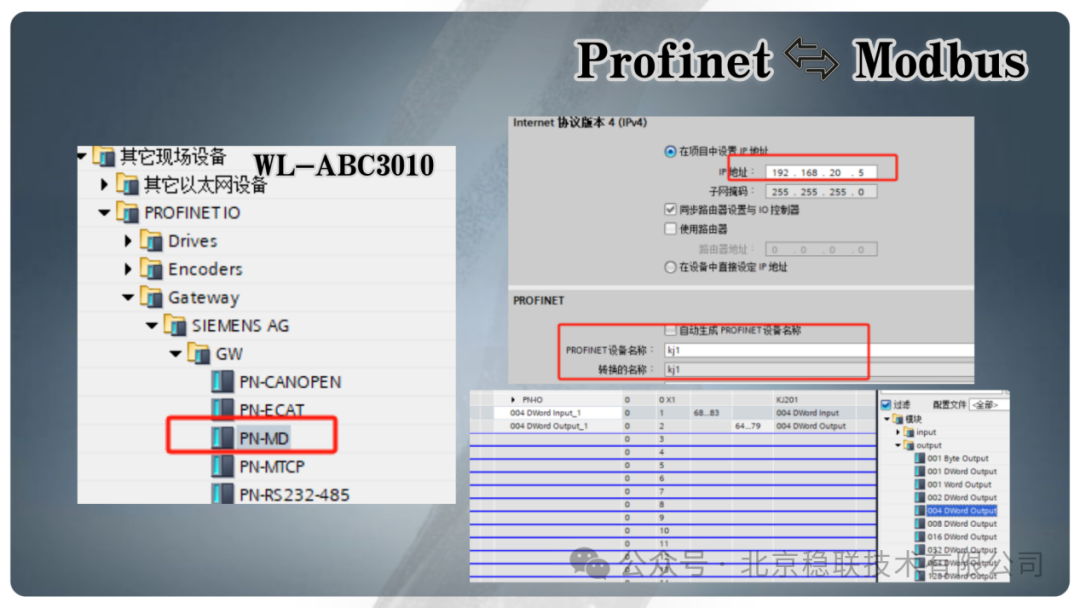
Open TIA Portal V17, create a new project, select CPU1214C (firmware version V4), import the gateway GSDML file: Path: Options → Manage General Station Description Files (GSD) → Install → Select the GSDML file provided by the gateway manufacturer. After successful import, the gateway model can be found in the hardware directory “PROFINET IO → Other Field Devices”
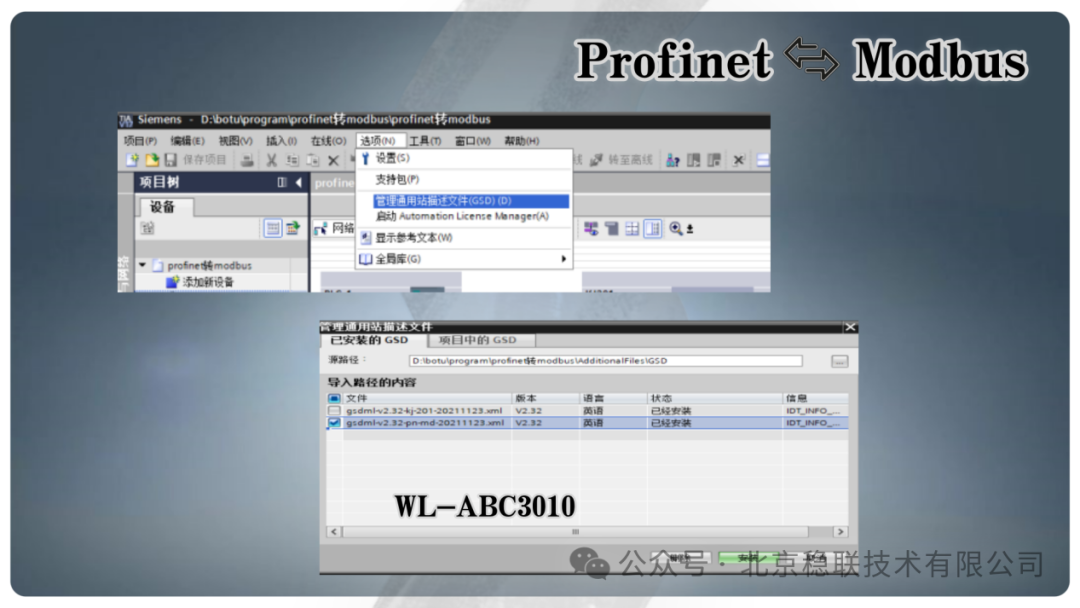
Network configuration and parameter settings
In the network view, place the S71200 PLC and the Modbus to Profinet gateway, establish Profinet connection and configure device network parameters
Modbus to Profinet gateway Modbus mapping configuration
Open Gateway Configuration Studio software, create a new project, select PN2MRM3; set and modify the IP address and device name of the PN side, which must be consistent with the configuration in the TIA Portal.
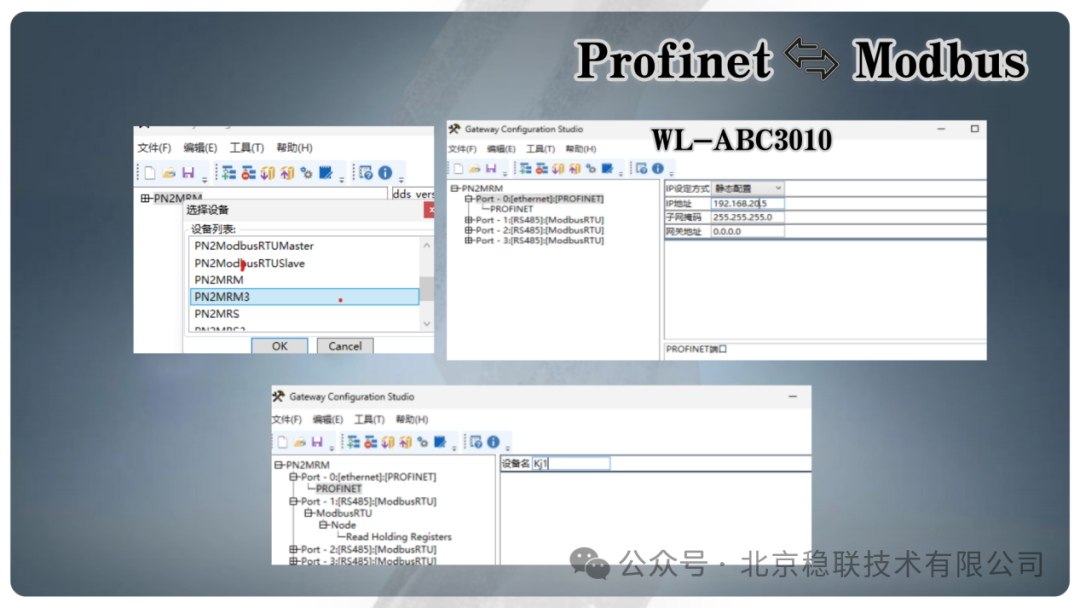
The manual starting address is 2523H, which needs to be converted to decimal address 9507, to read data from 2 consecutive addresses. The slave address is 1, function code is 03, and the number of registers to read is 1, thus starting the configuration of the Modbus to Profinet gateway.
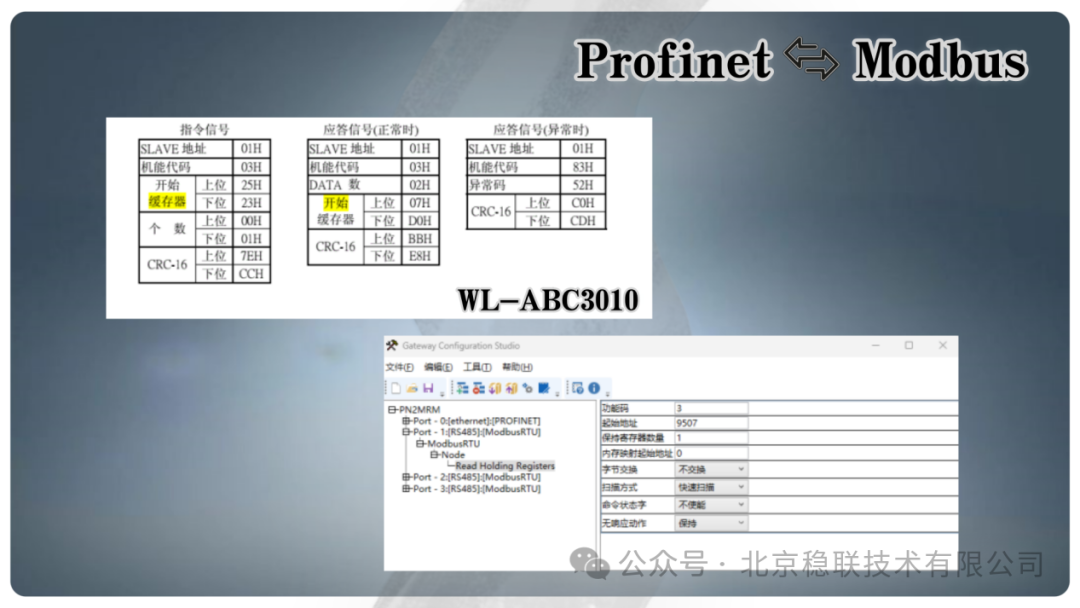
Through the above configuration, the Siemens PLC can achieve remote control of the YONGHONG inverter via the Modbus to Profinet gateway, suitable for industrial scenarios such as production line speed regulation and fan pump control, preserving the value of old equipment while achieving seamless integration with modern industrial Ethernet.