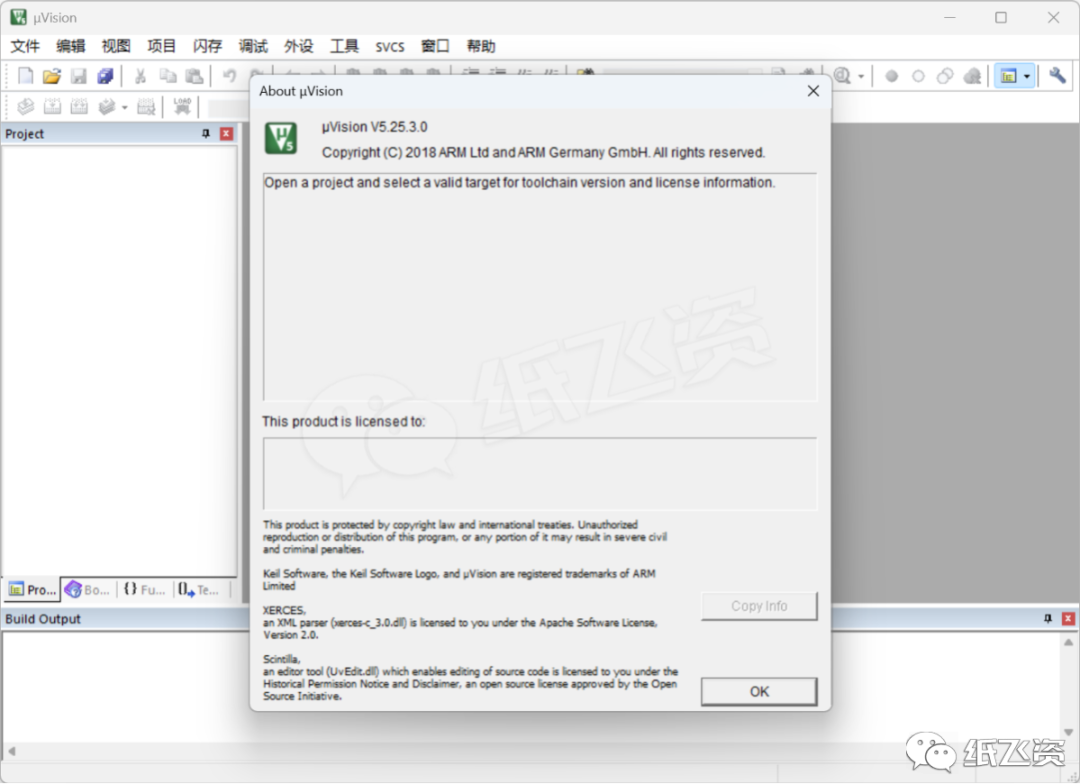
SoftwareDownload
[Name]: Keil μVision5 MDKv518
[Language]: Simplified Chinese
[Size]: 404MB
[Installation Environment]: Windows 7 (64-bit) or higher
[Hardware Requirements]: CPU@2GHz RAM@4G or higher
[Download Channel]: Baidu Cloud | How to download?
https://pan.baidu.com/s/1WGwNAKTxlXmHVz02tvoNdg?pwd=0404
[Download Channel]: Quark Cloud | How to download?
https://pan.quark.cn/s/a4e1912fc26b
SoftwareIntroduction
Keil μVision5 MDKv518 is an integrated development environment (IDE) designed for embedded system development, primarily targeting projects based on ARM Cortex-M series microcontrollers, particularly suitable for industrial control, IoT devices, and consumer electronics. Below is a brief introduction to its core features:
- Integrated Development Process Integrates code editing, compilation, debugging, simulation, and programming functions, supporting C/C++ and assembly language development. Developers can complete the entire process from code writing to hardware debugging in a single interface.
- Efficient Toolchain Support
-
Compiler: Uses ARM C/C++ Compiler (ARMCC) to generate optimized Thumb/Thumb2 instruction code, balancing performance and code density.
-
Debugger: Supports JTAG/SWD interfaces, allowing real-time monitoring of registers, memory, and peripheral status, combined with ULINK debugger for code coverage analysis and performance optimization.
-
Simulator: Built-in hardware simulator, allowing code logic verification without actual hardware, supporting simulation debugging of on-chip peripherals (such as serial ports and timers).
-
Middleware Libraries: Provides pre-integrated components such as TCP/IP stack, USB drivers, and graphical interface libraries (e.g., SEGGER emWin) to accelerate the development cycle.
-
Real-Time Operating System: Integrates Keil RTX real-time kernel, supporting multi-task scheduling and low-power management.
MDKv518, with its mature toolchain and extensive hardware support, has become a common choice for embedded engineers, especially suitable for small to medium-sized projects requiring efficient development and debugging.
InstallationSteps
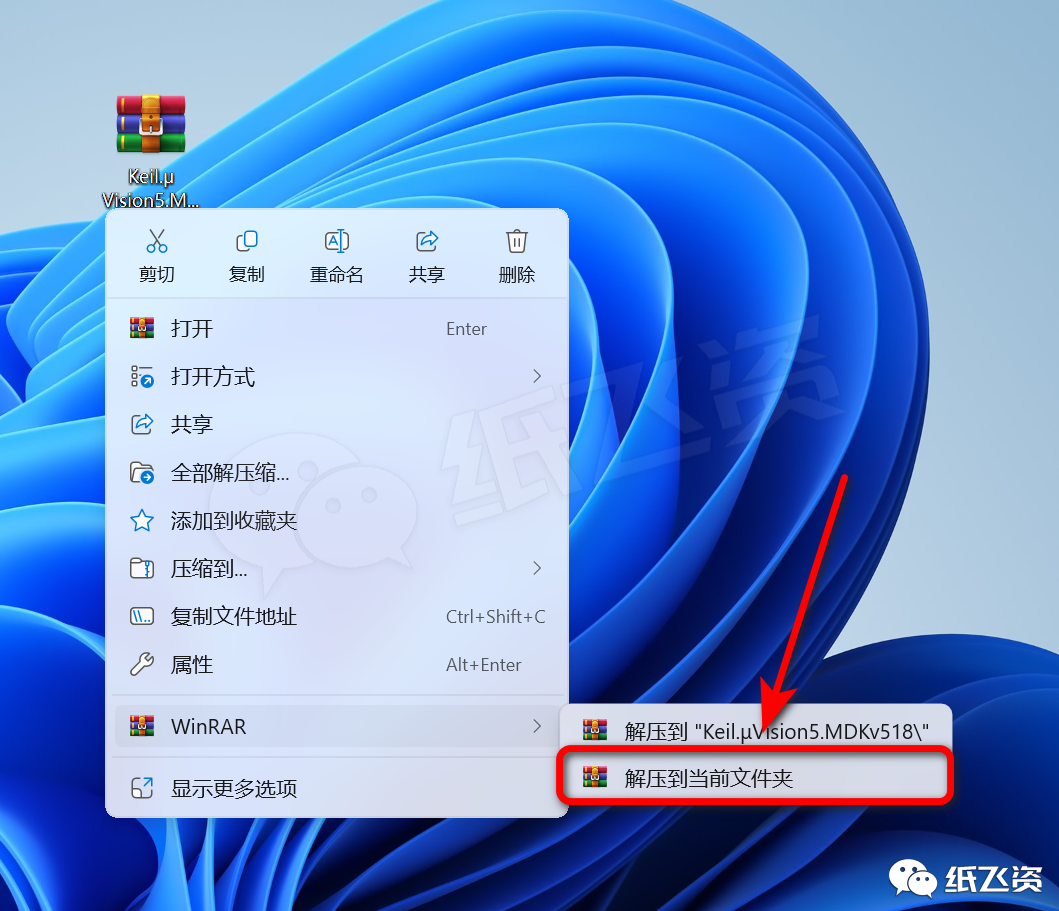
1. Unzip the tool, download link can be found in 「How to unzip compressed files」
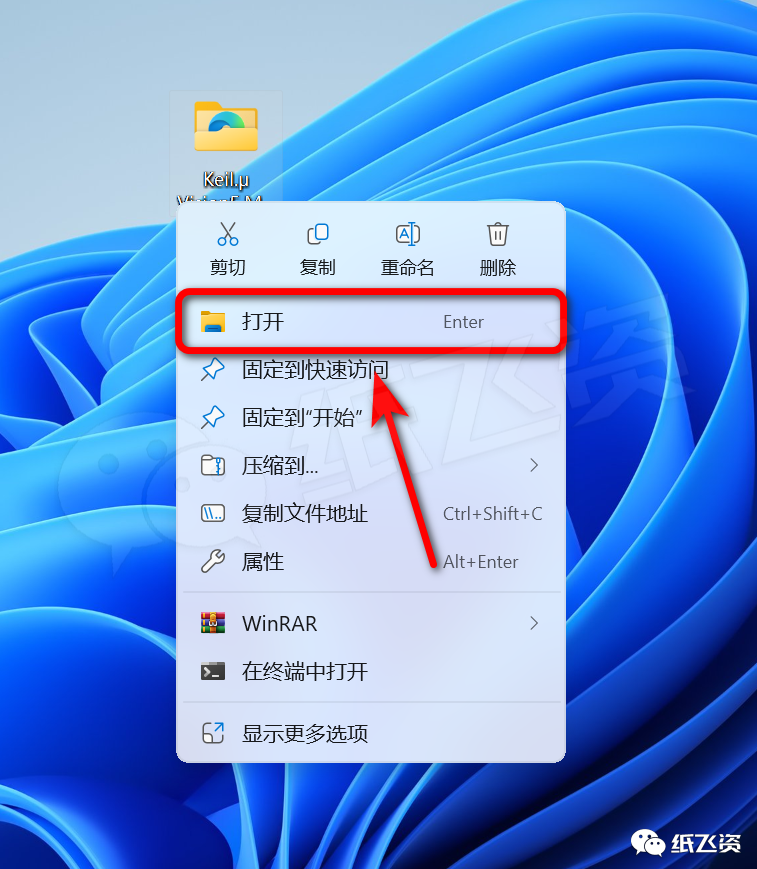
2. Open the unzipped folder
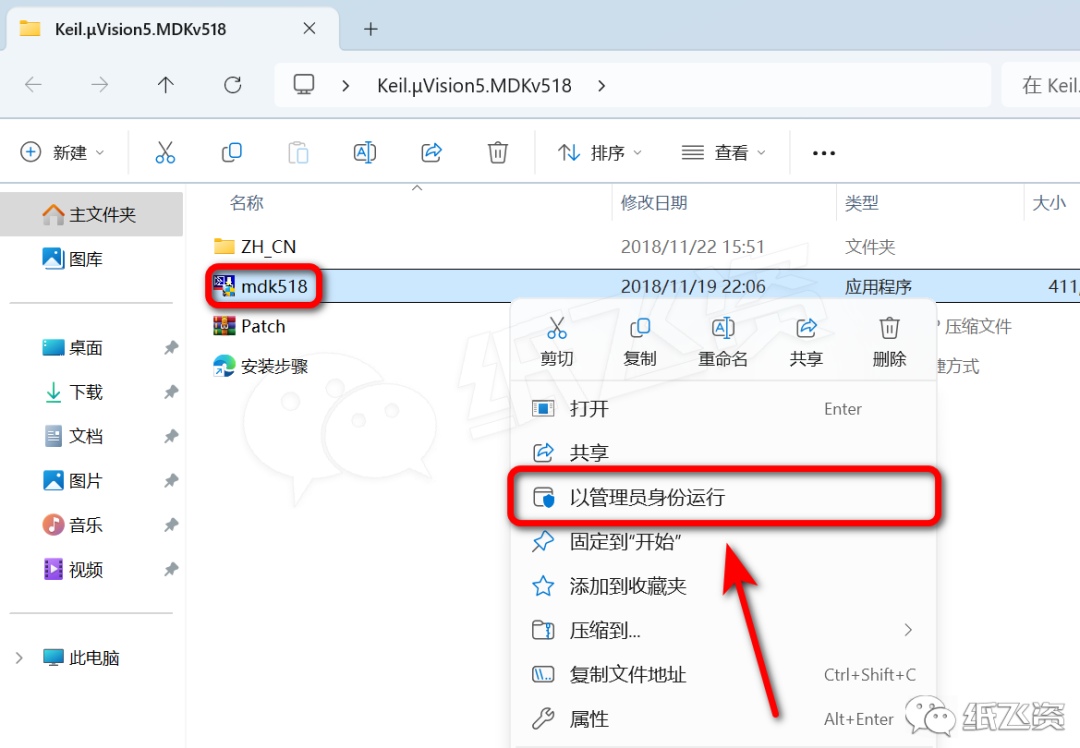
3. Right-click the installer and select [Run as administrator]
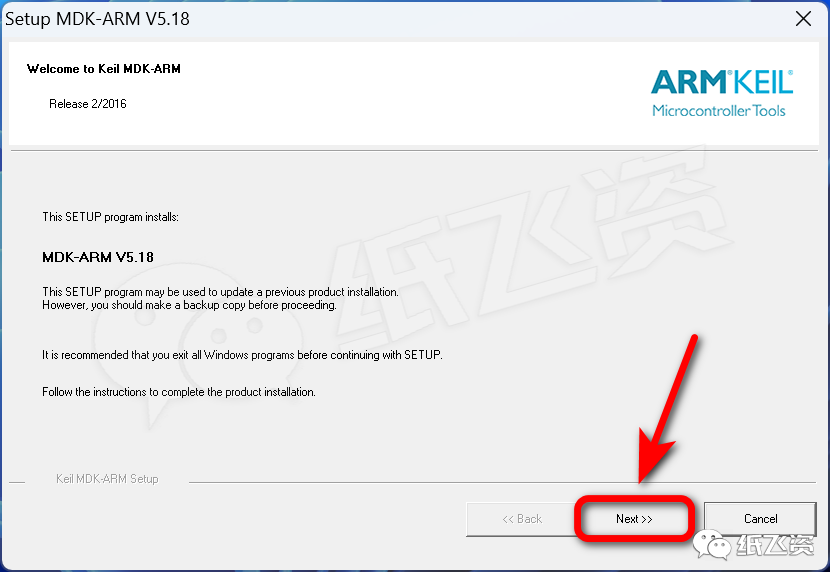
4. Click [Next]
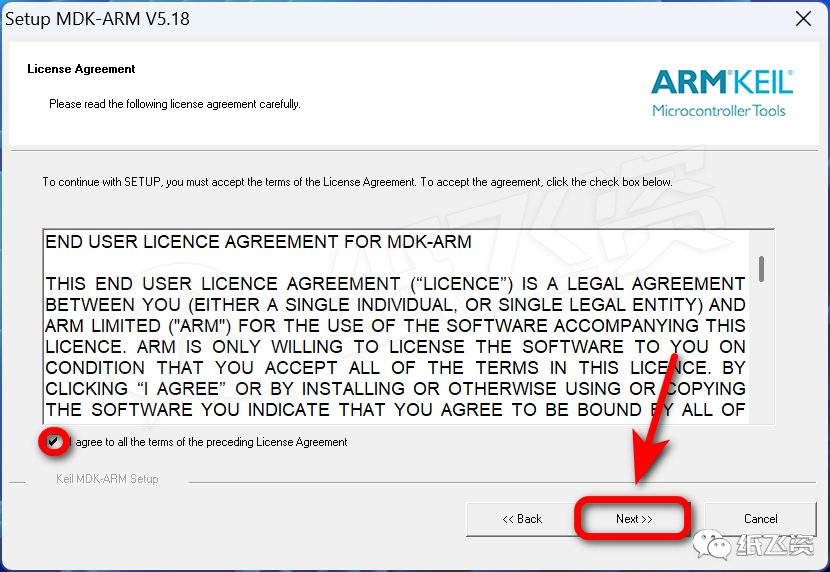
5. Check the agreement, click [Next]
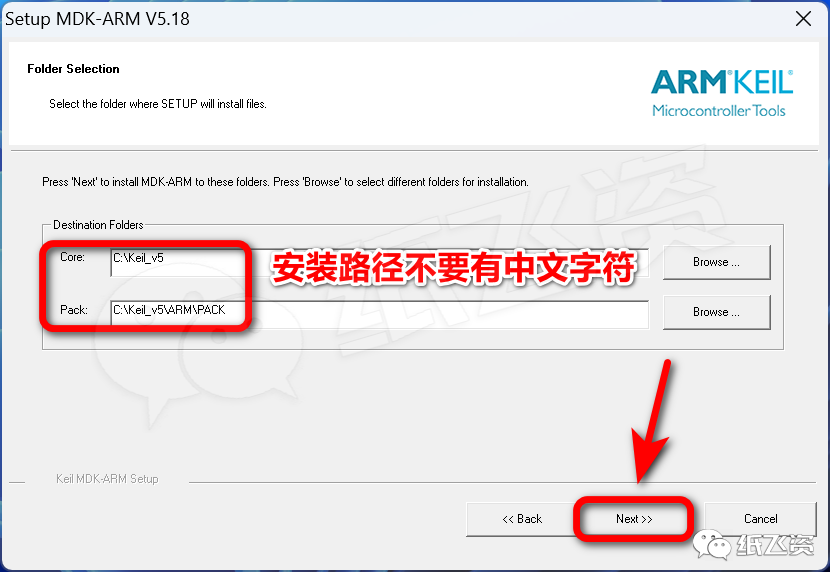
6. Choose the installation location, click [Next]
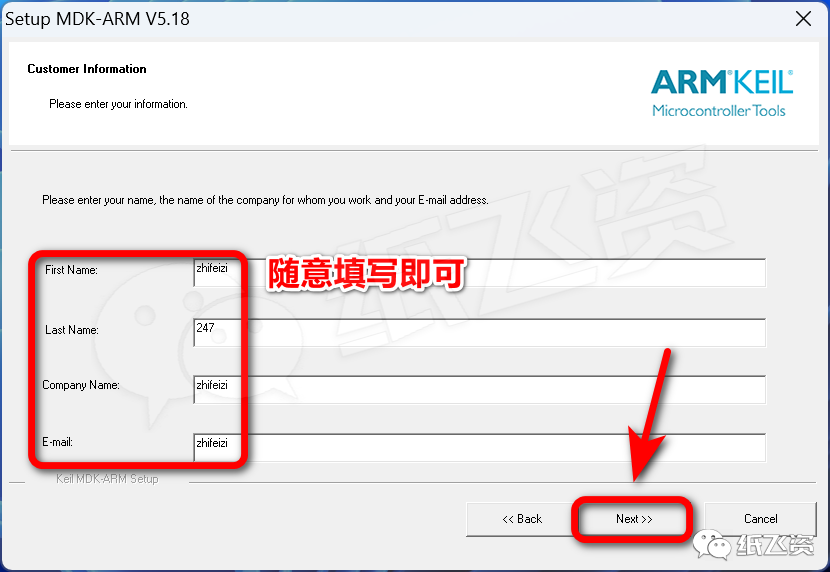
7. Fill in user information, click [Next]
8. Installing…
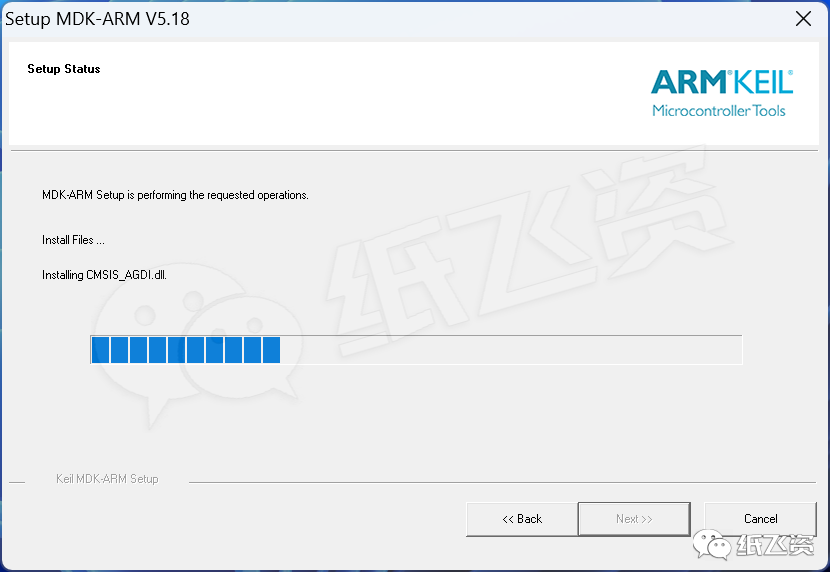
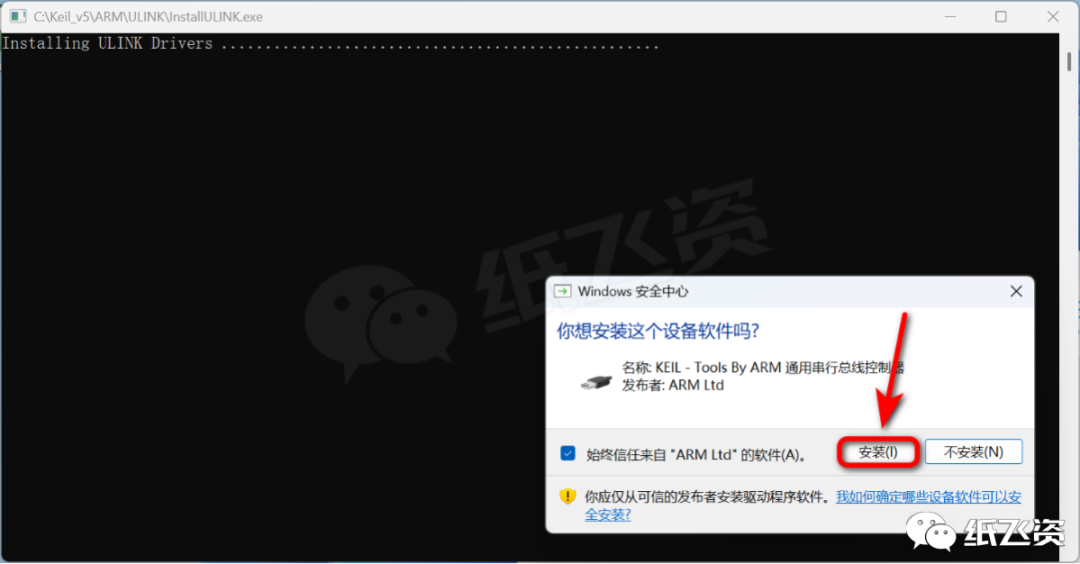
9. Click [Install]
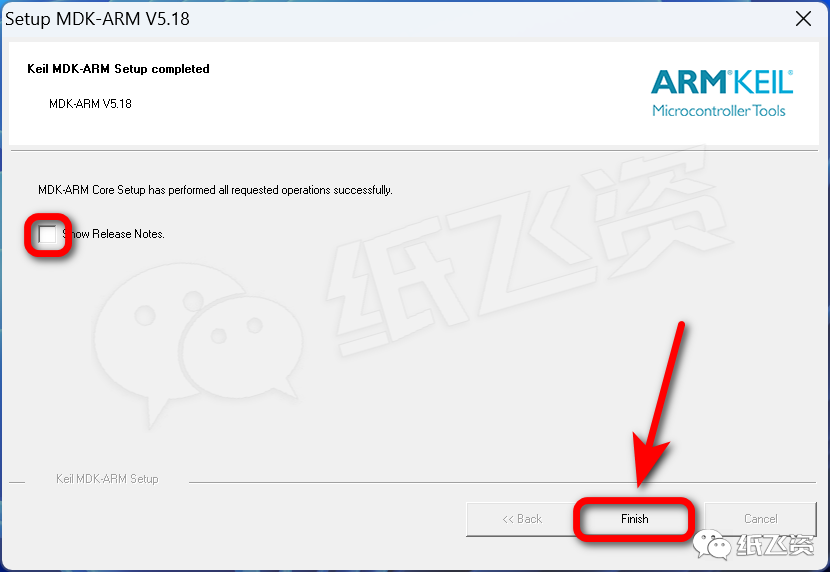
10. Uncheck, click [Finish]
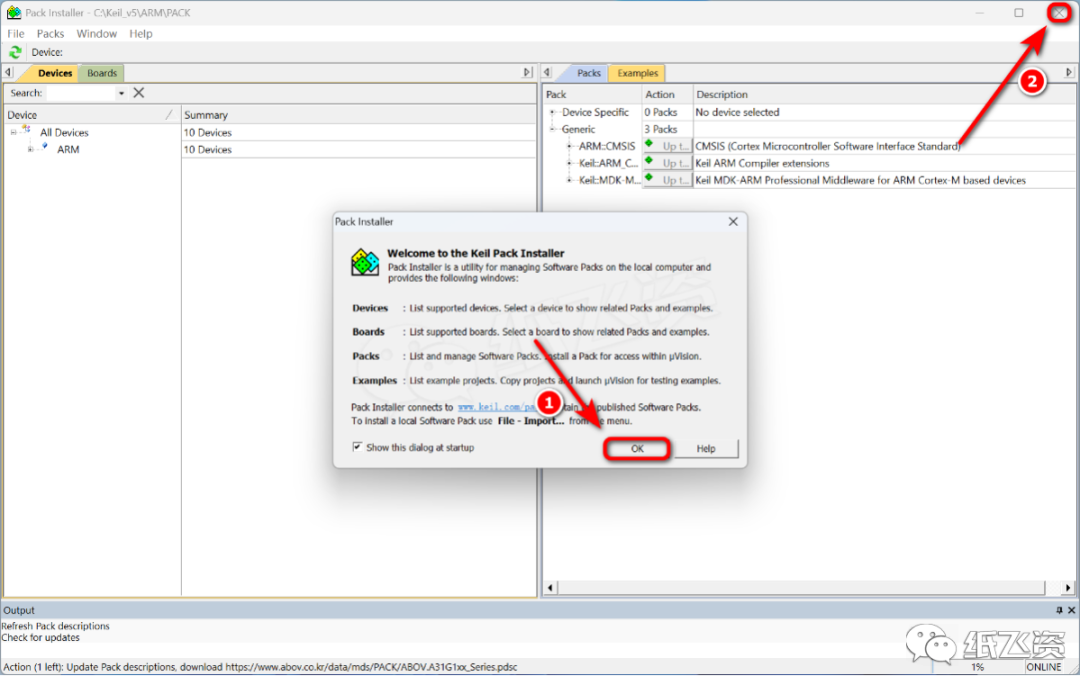
11. Click [OK], close the window in the upper right corner
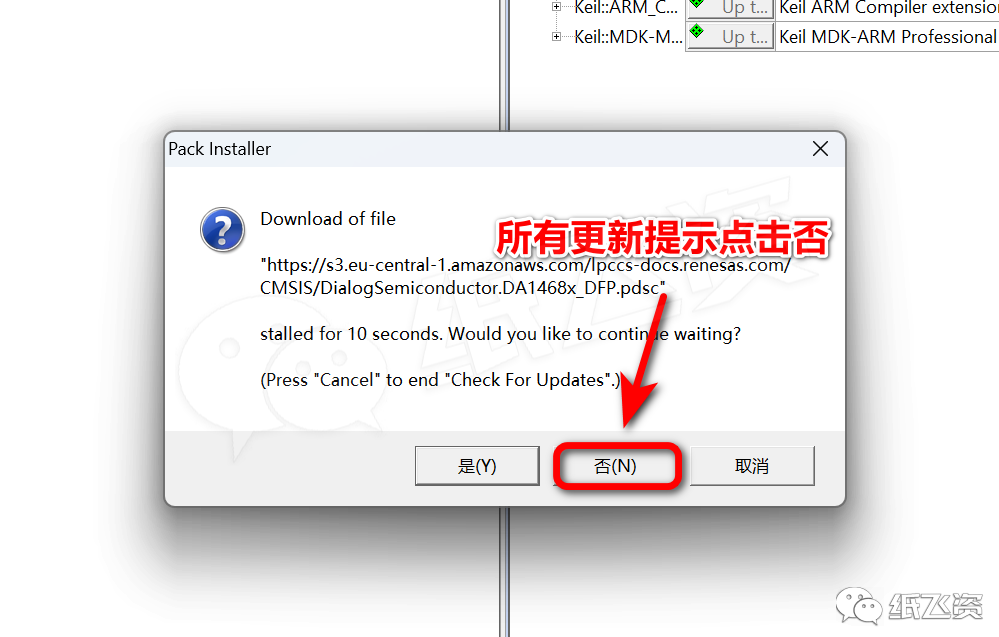
12. Click [No]
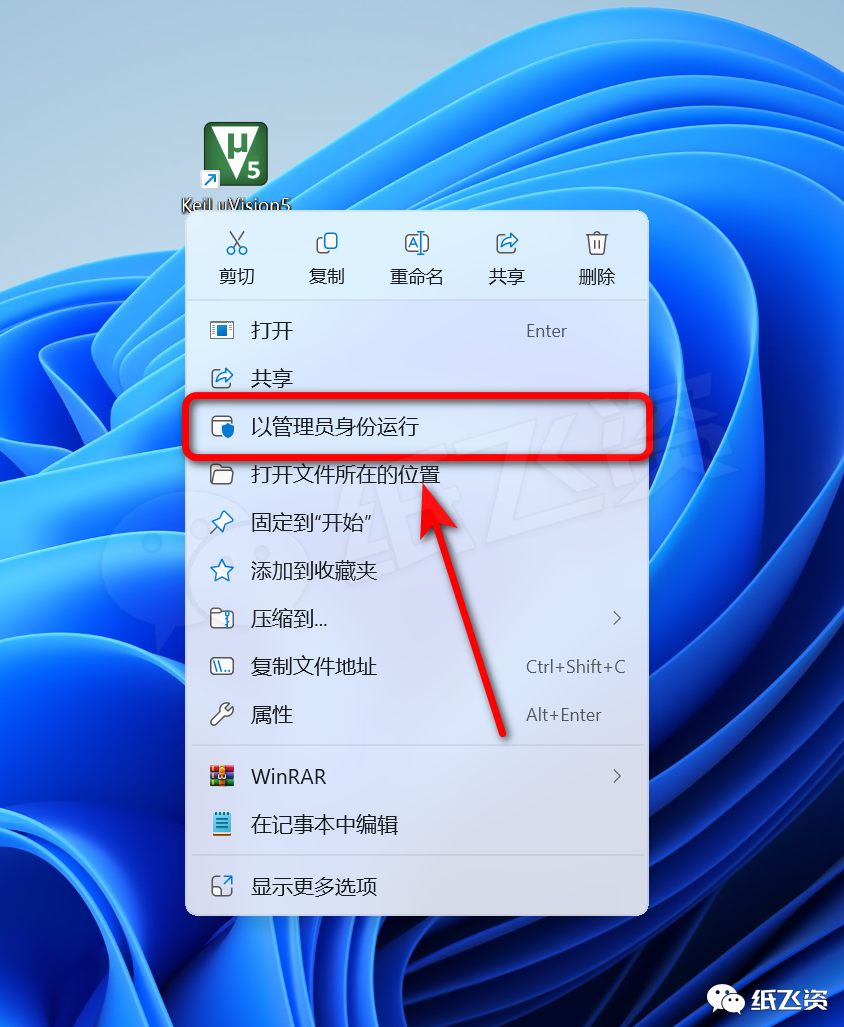
13. Right-click the program icon and select [Run as administrator]
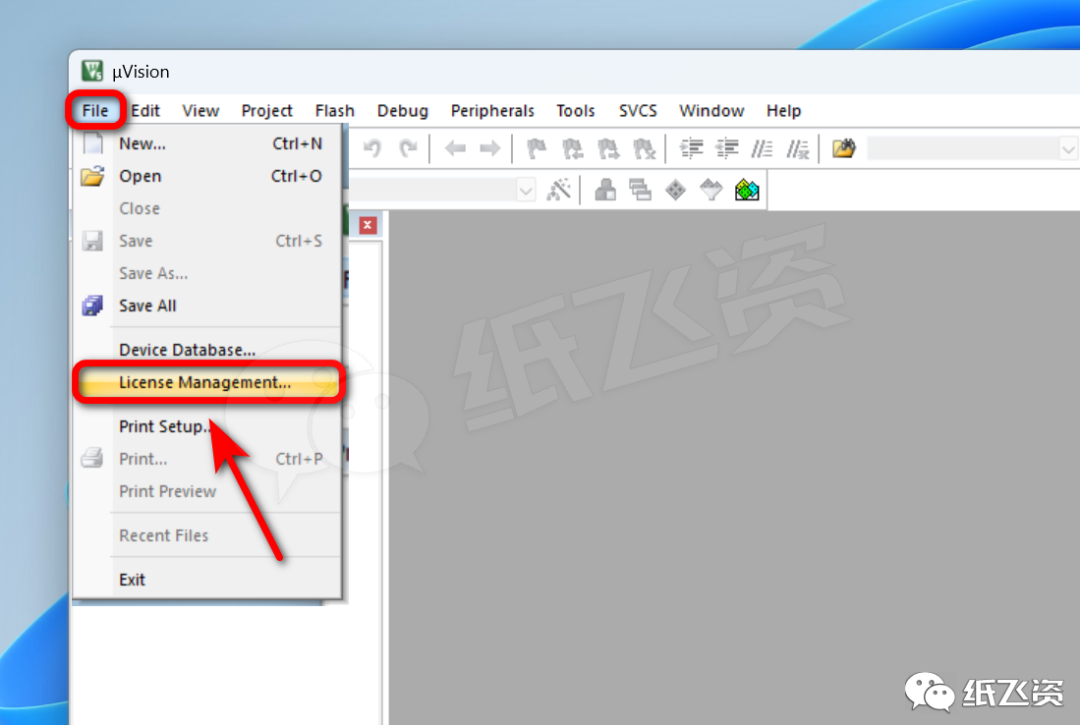
14. Click [File]-[License…]
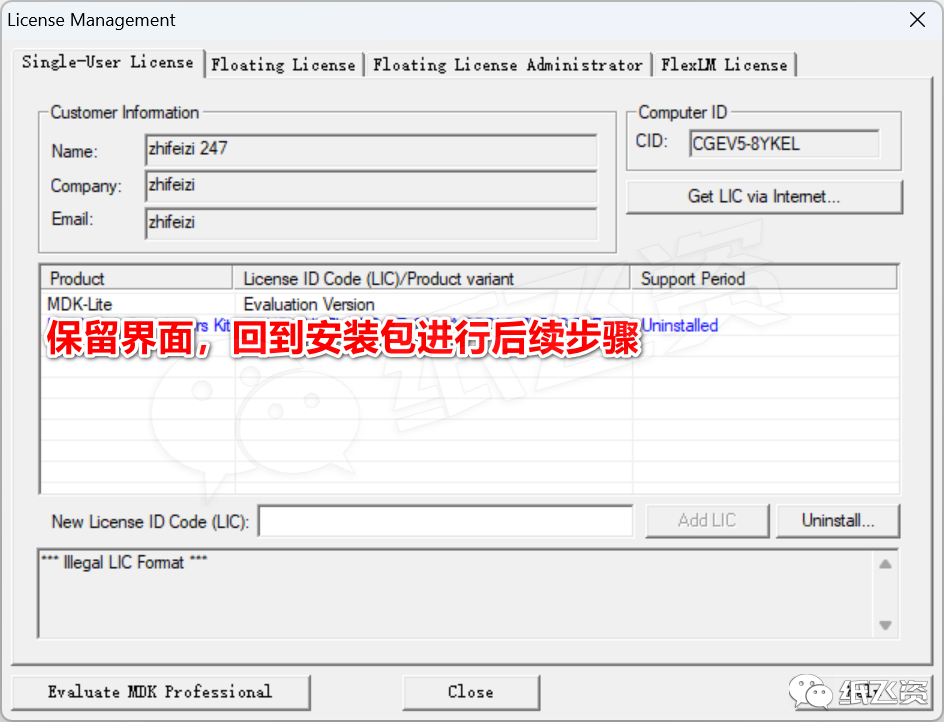
15. Keep the interface
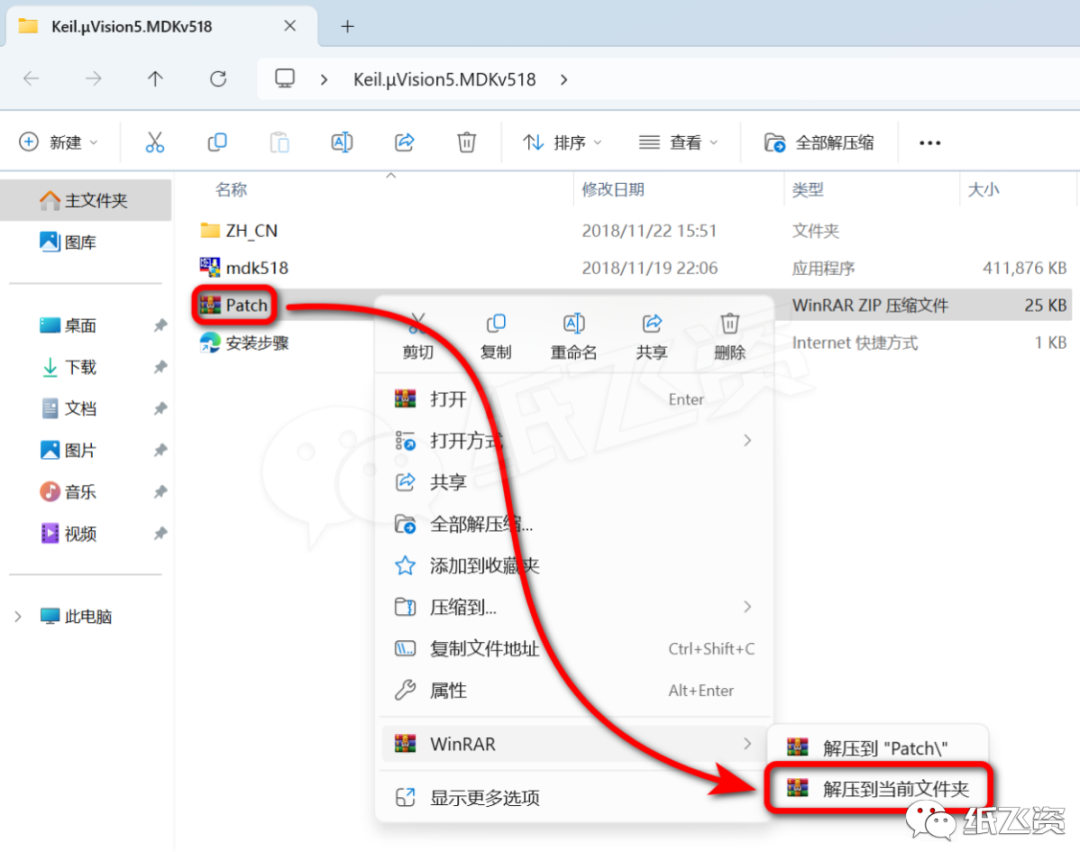
16. Right-click [Patch] and select [Extract to current folder]

Kind Reminder:
※ If this file is missing, close the antivirus and re-extract the installation package:
How to turn off antivirus software;Why false positive virus reports occur
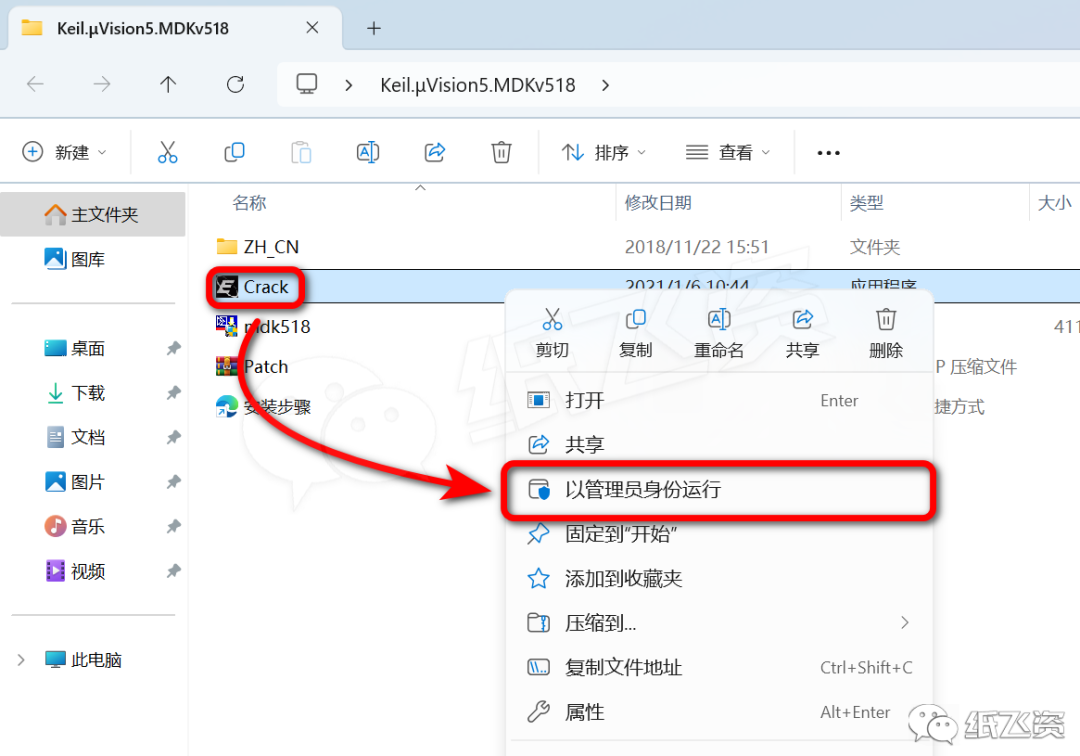
17. Right-click [Crack] and select [Run as administrator]

Kind Reminder:
※ If the file is mistakenly deleted by antivirus, please restore the file to the trusted zone of the antivirus:
How to add files to the trusted zone;Why false positive virus reports occur
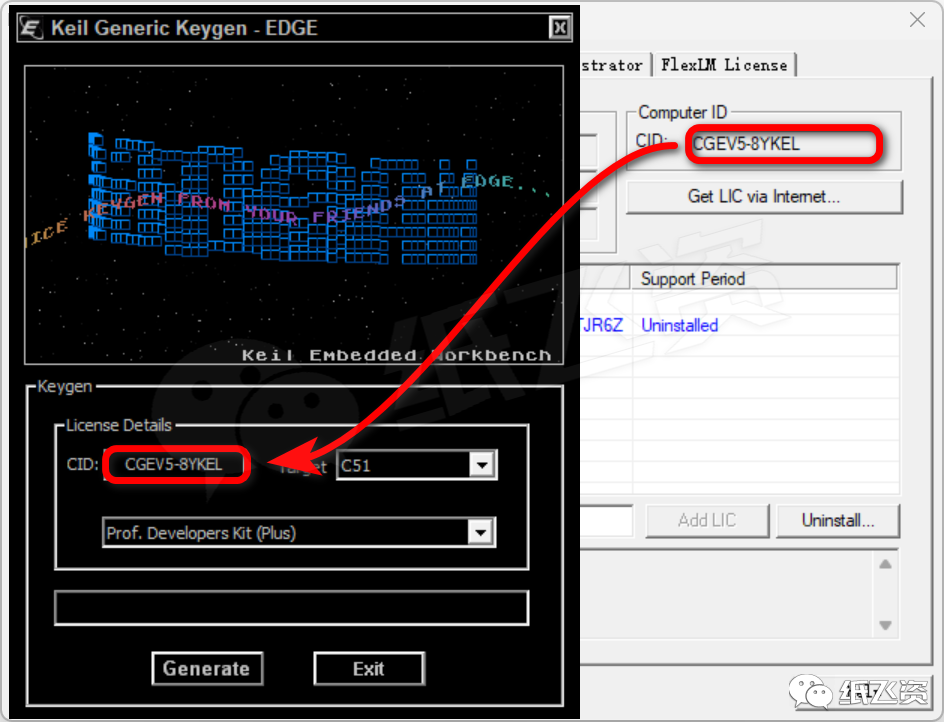
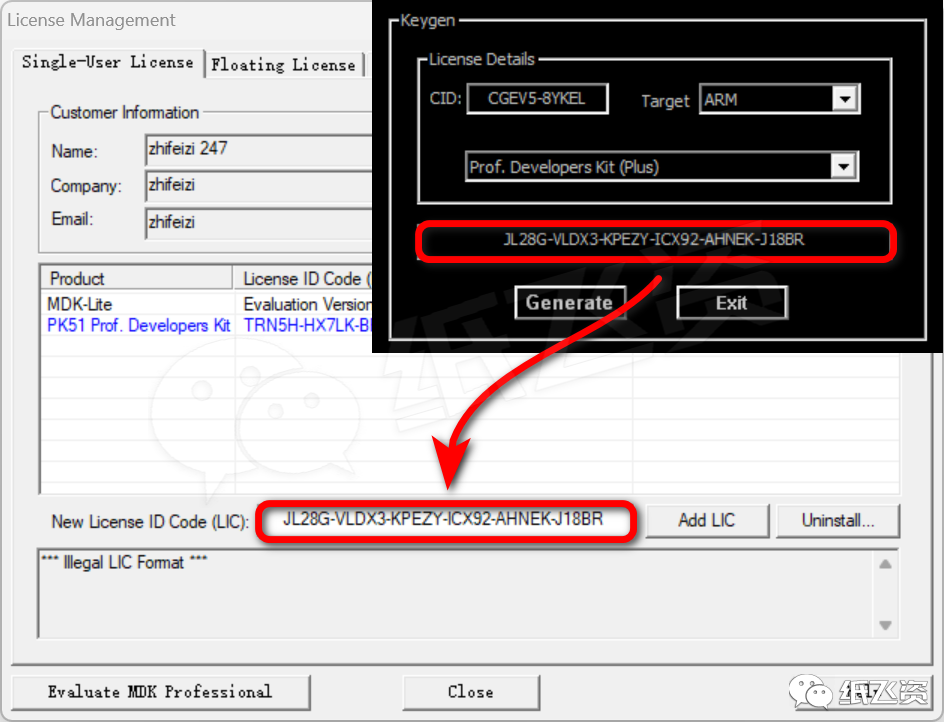
18. Fill in CID
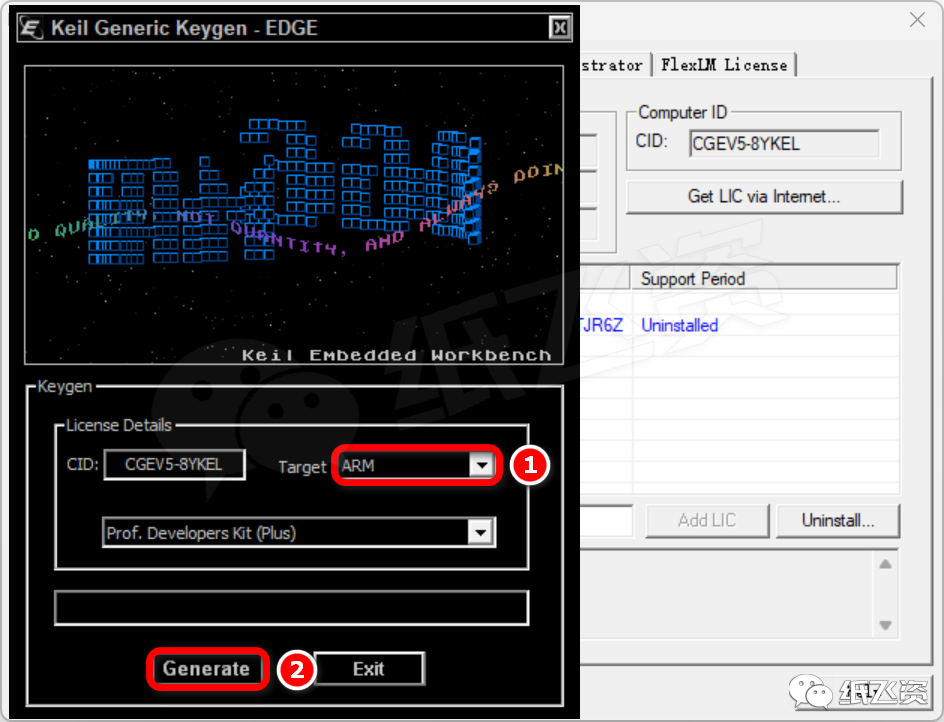
19. Select [ARM], click [Generate]
20. Fill in the generated License ID
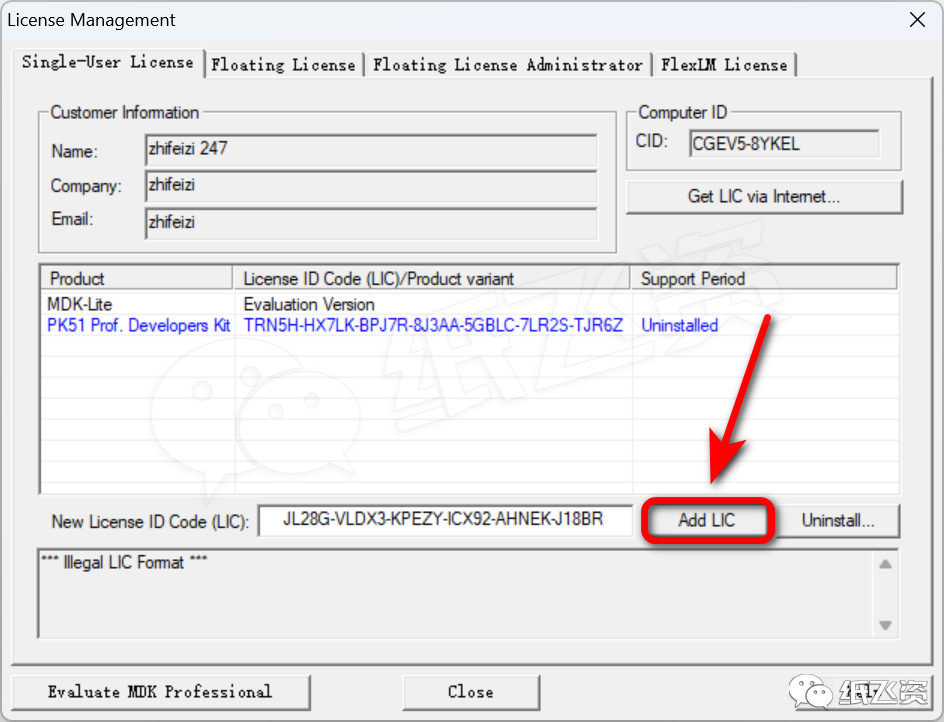
21. Click [Add LIC]
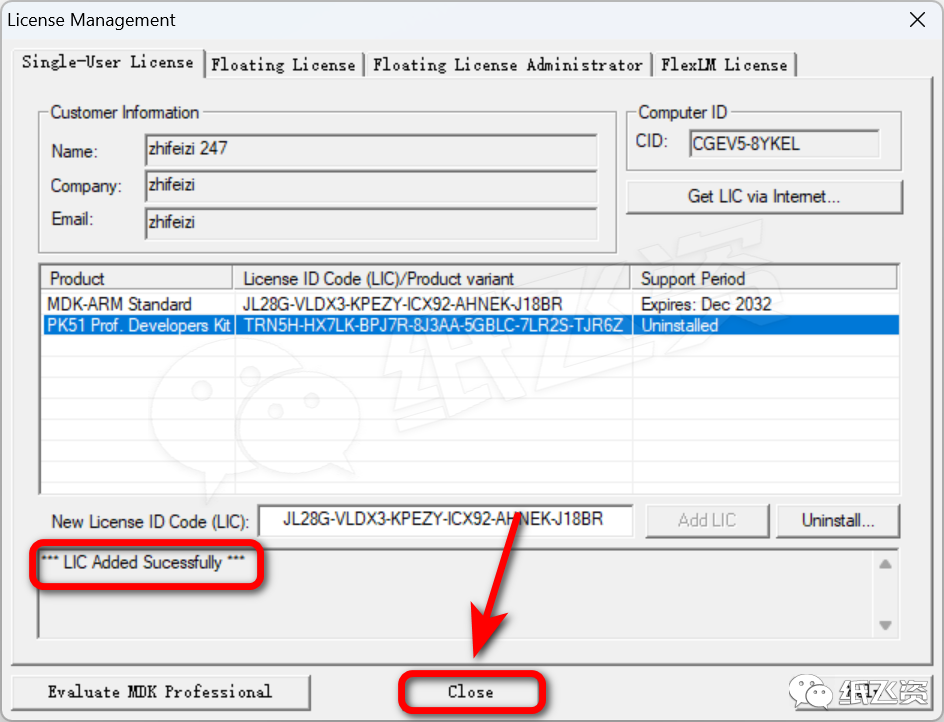
22. After successful addition, click [Close]
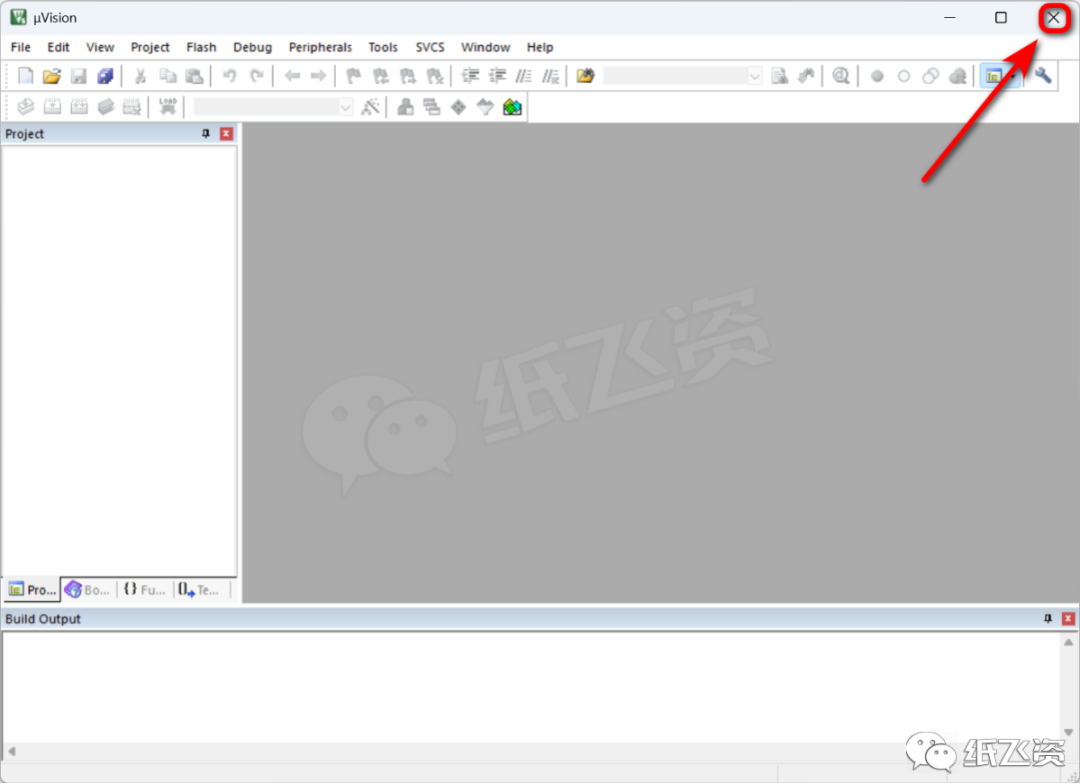
23. Close the window in the upper right corner
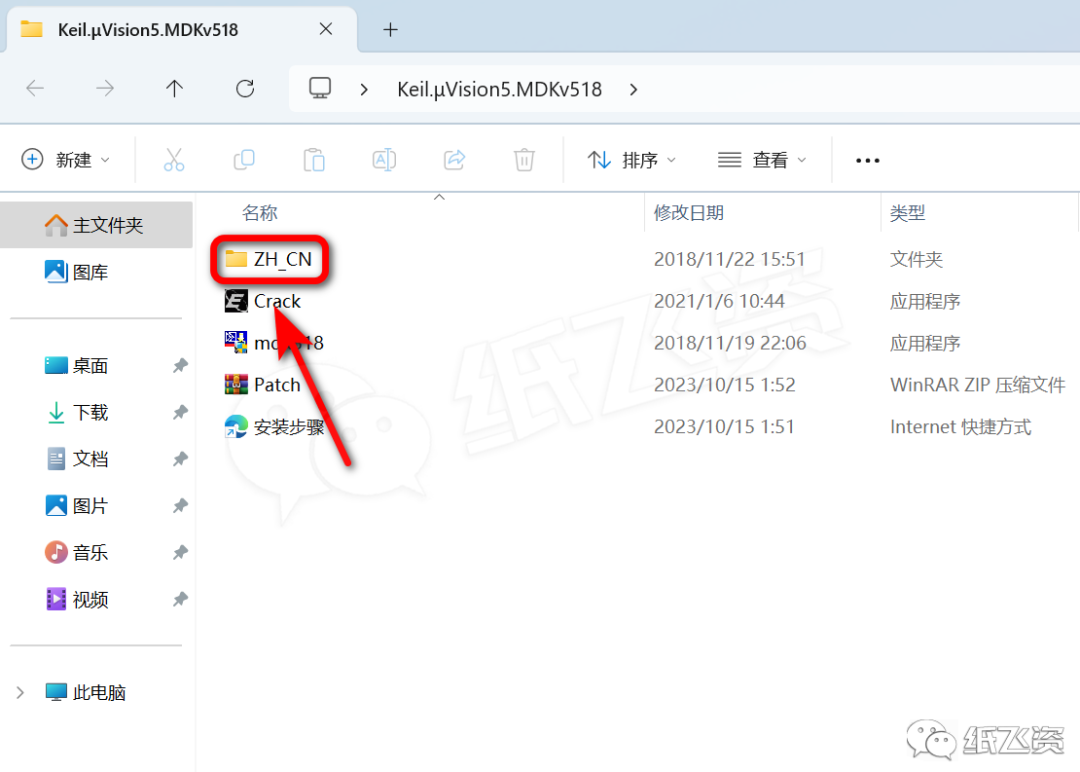
24. Open the [ZH_CN] folder
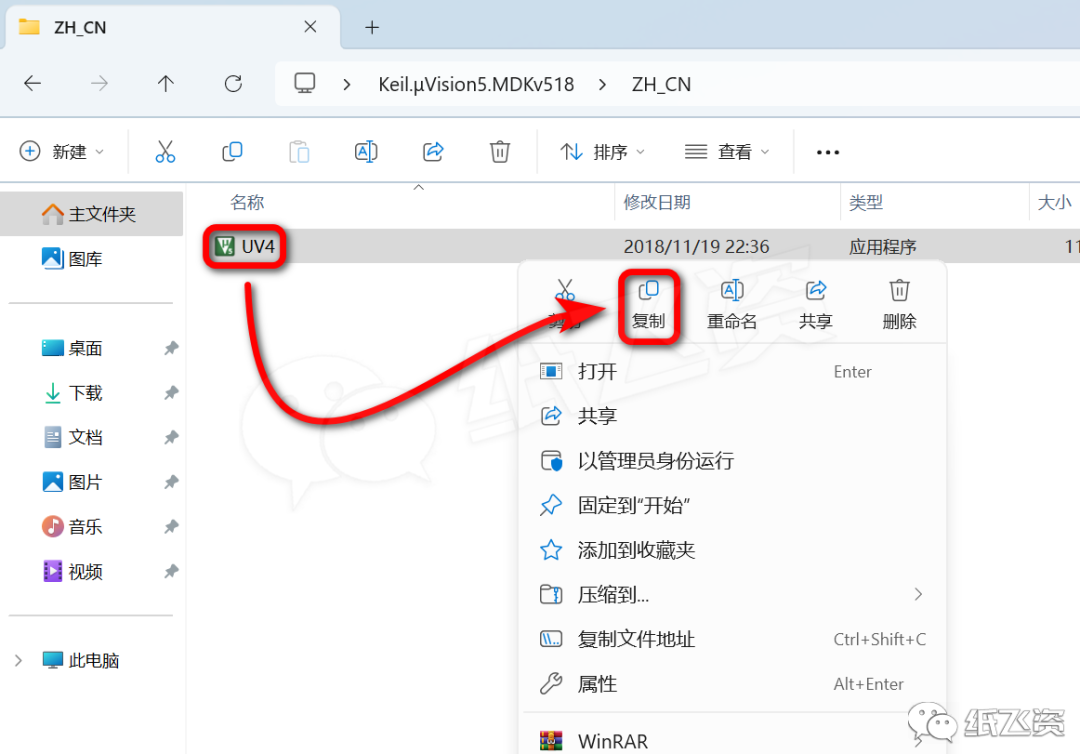
25. Right-click to copy [UV4]
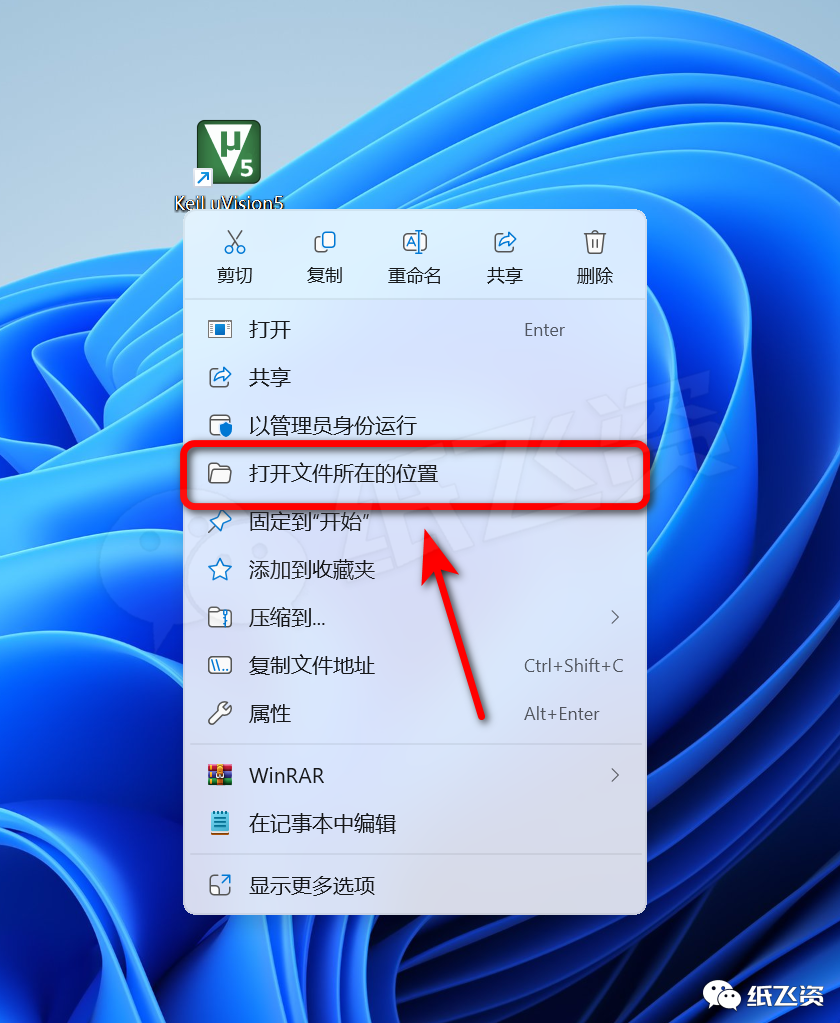
26. Right-click the program icon and select [Open file location]
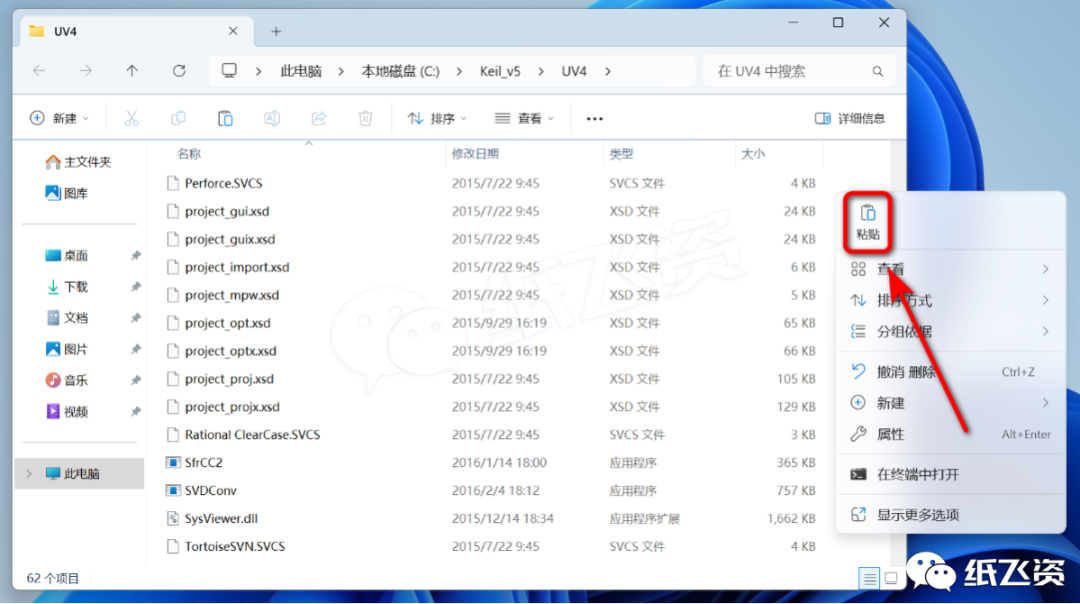
27. Right-click in the blank area and paste
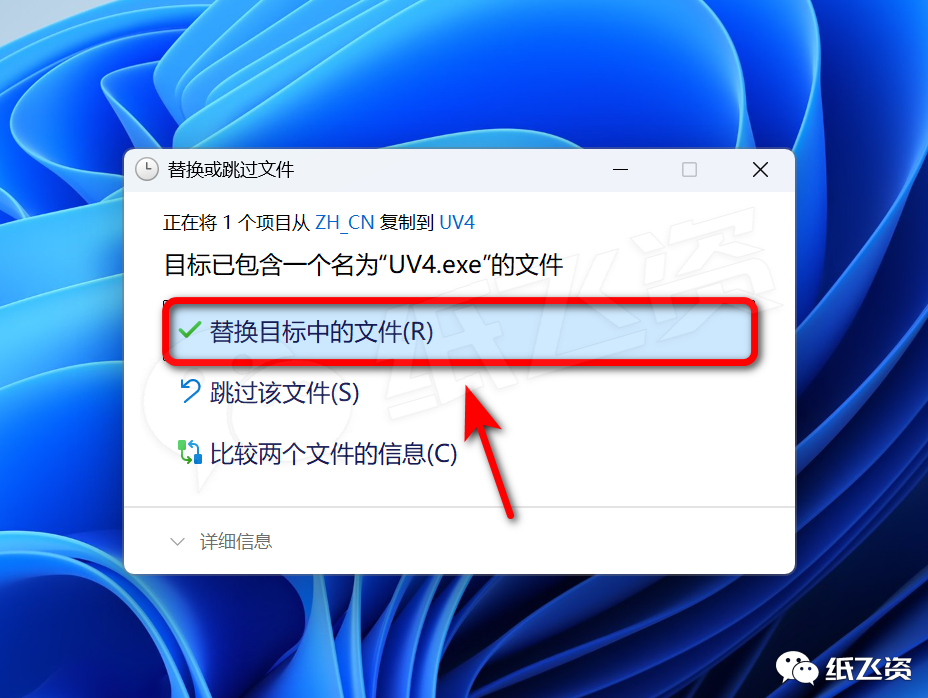
28. Click [Replace files in the destination]
29. Double-click to run the program
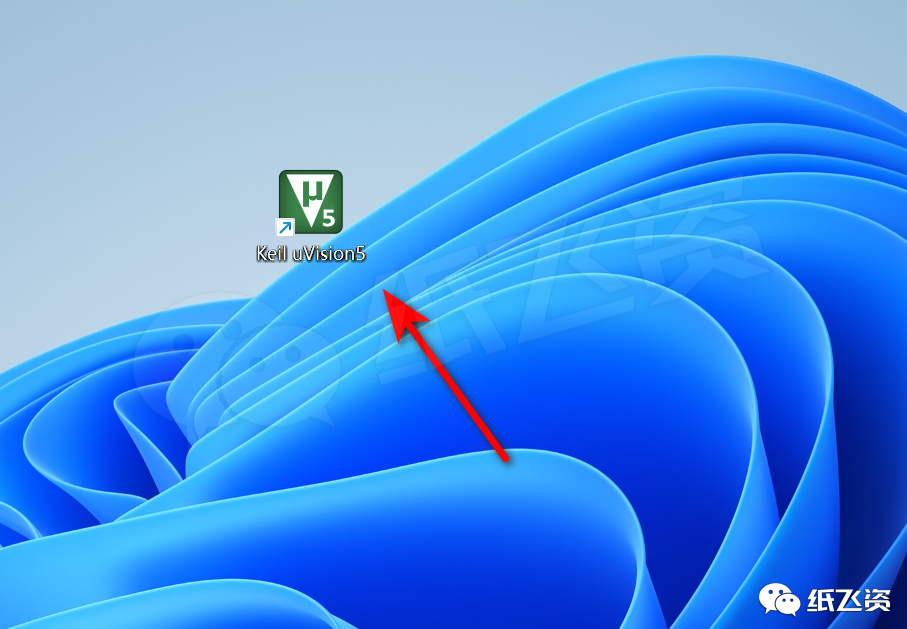
30. The interface is as follows, installation completed