[Name]:Keil uVision5 MDK Version
[Size]: 404MB
[Language]:Chinese/English
[Applicable Systems]:Windows 7, Windows 8, Windows 10, Windows 11 64-bit Systems
[Introduction]:Keil C51 is a C language software development system for 51 series compatible microcontrollers. Compared to assembly language, C language has significant advantages in functionality, structure, readability, and maintainability, making it easier to learn and use. It integrates these components through an integrated development environment (uVision).
[64-bit Download Link]:
https://pan.baidu.com/s/1k_gAG227Db4BJe9nyhfNmw?pwd=j22t
Extraction Code:j22t
For installation issues or remote installation, please contact:Customer Service
InstallationSteps
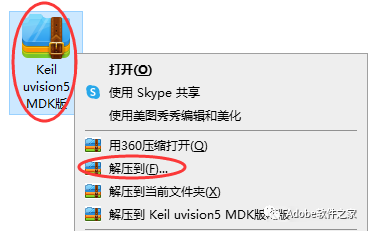
1. Right-click the downloaded installation package and select Extract.
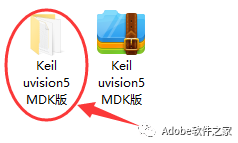
2. After extraction, you will get an installation folder, open it.
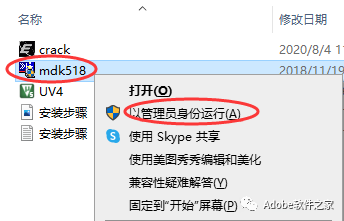
3. Right-click mdk518, select Run as Administrator
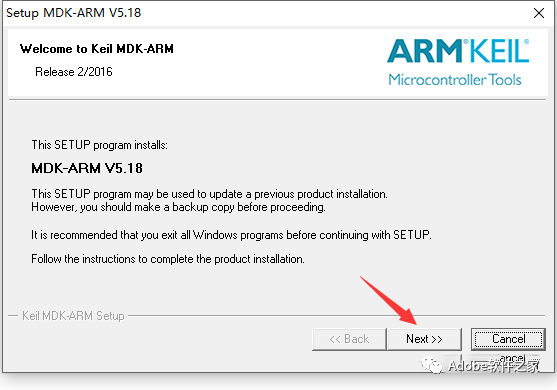
4. Click Next.
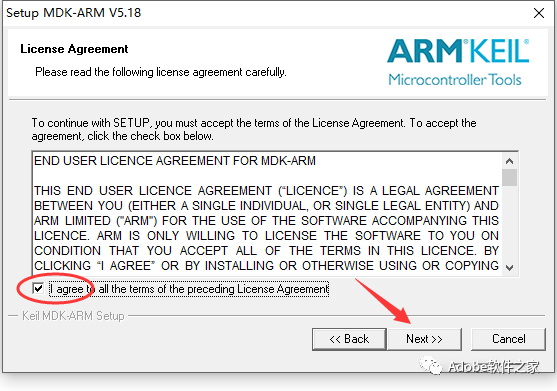
5. Check I agree… and then clickNext.
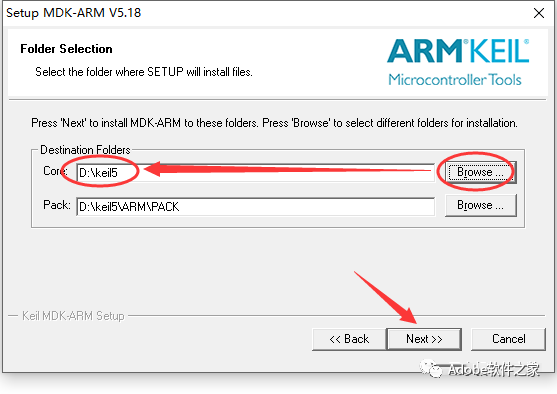
6. Click Browse… to select the installation location (only change the top installation location, the bottom will change automatically). Click Next.
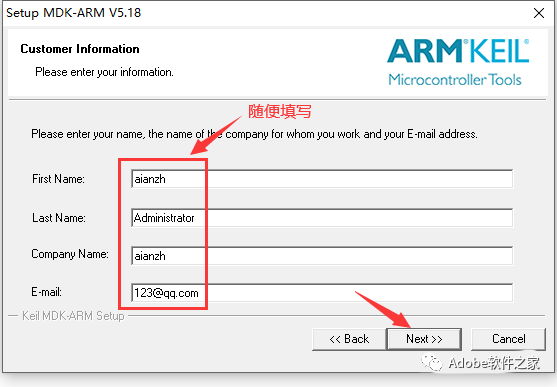
7. Fill in the information, click Next.
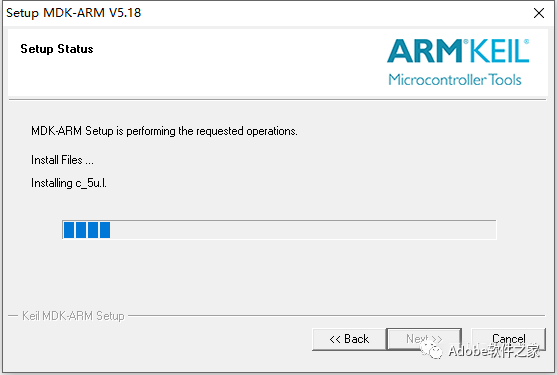
8. During installation.
9. A prompt will appear, click Install.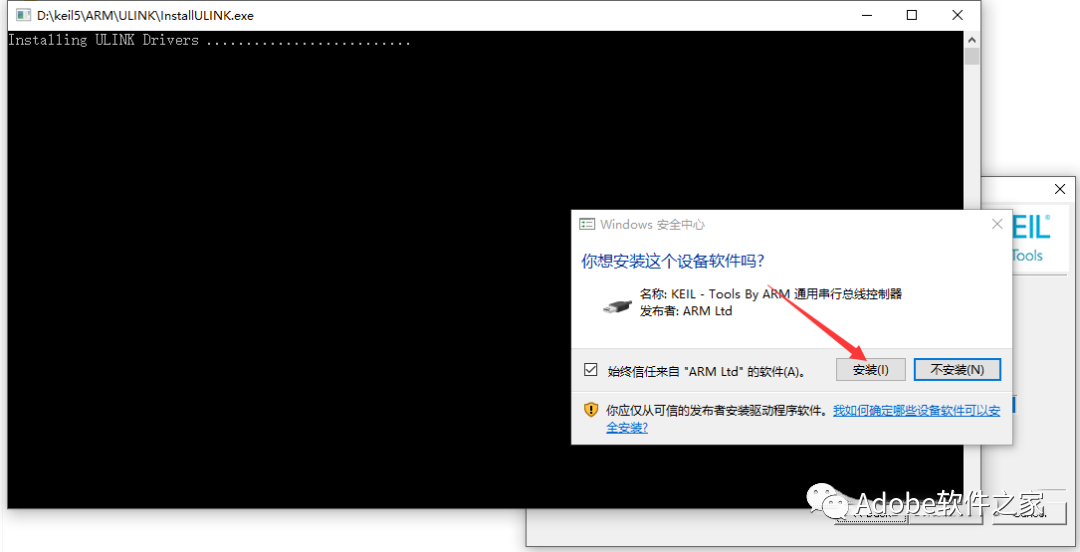
10. Uncheck, click Finish.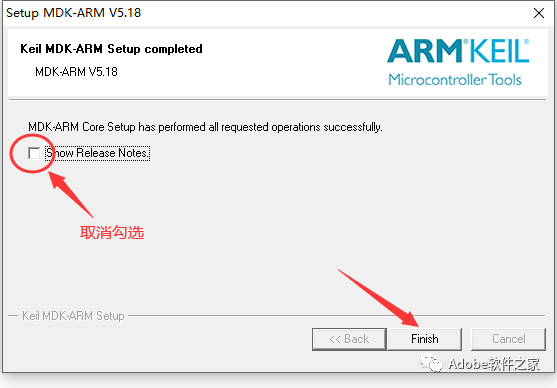
11. Click OK, then close the software.
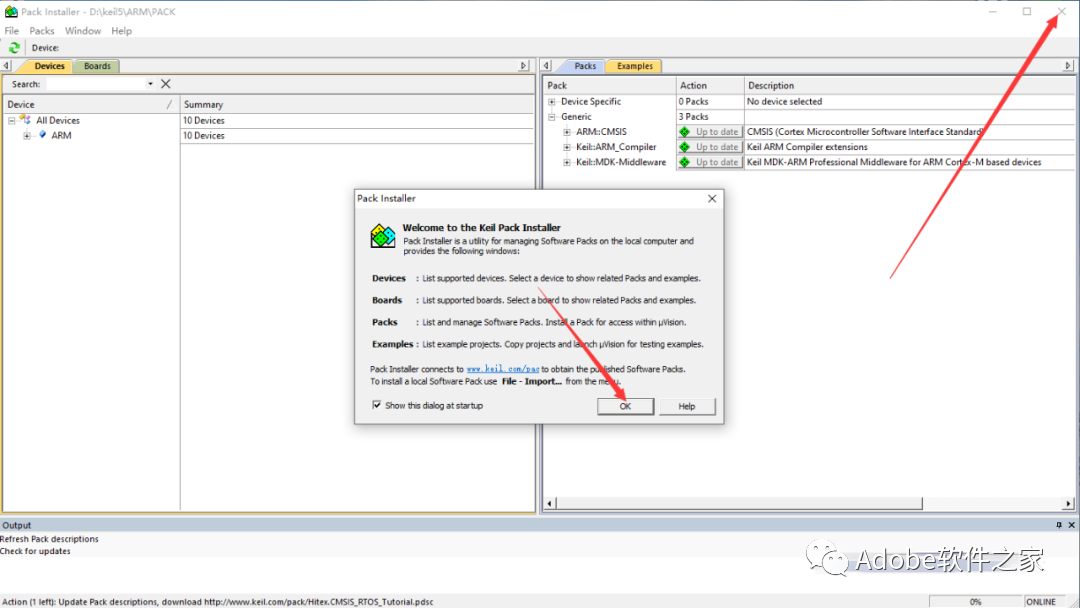
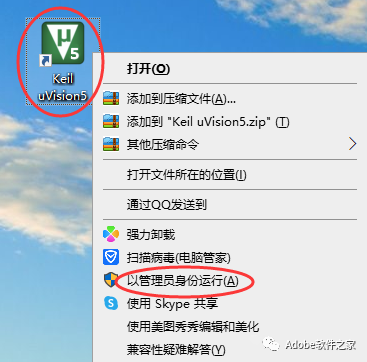
12. Find the installed software on your desktop, right-click and select Run as Administrator.
13. Click File, select License Management.
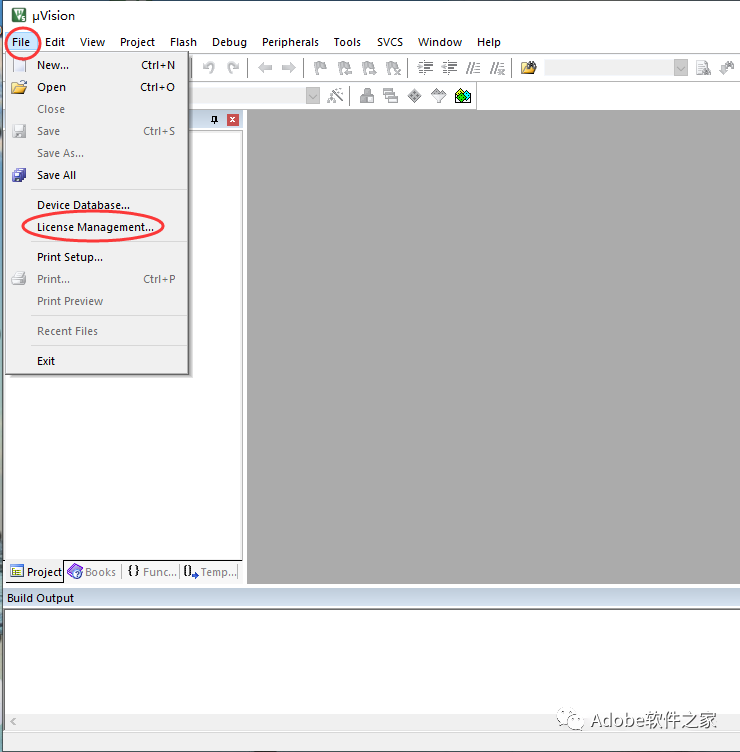
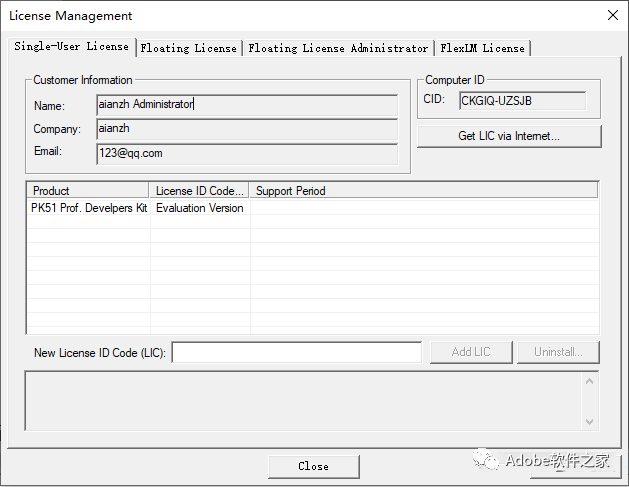
14. After opening, leave it here.
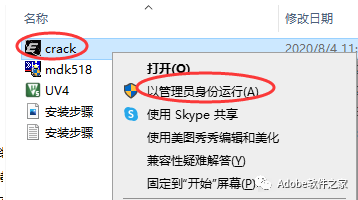
15. Return to the extracted installation folder, right-click crack, select Run as Administrator.
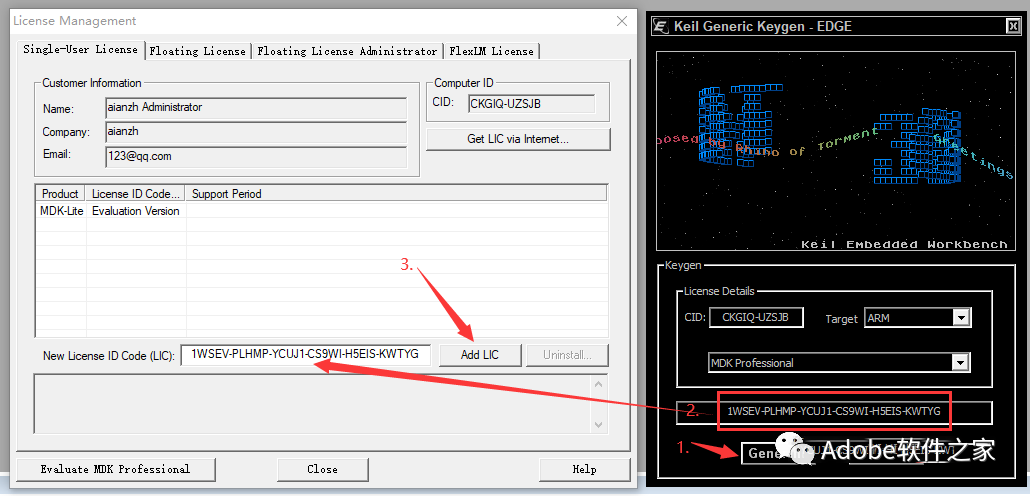
16. Copy the ID after CID from the software license manager to the registration machine’s CID box.
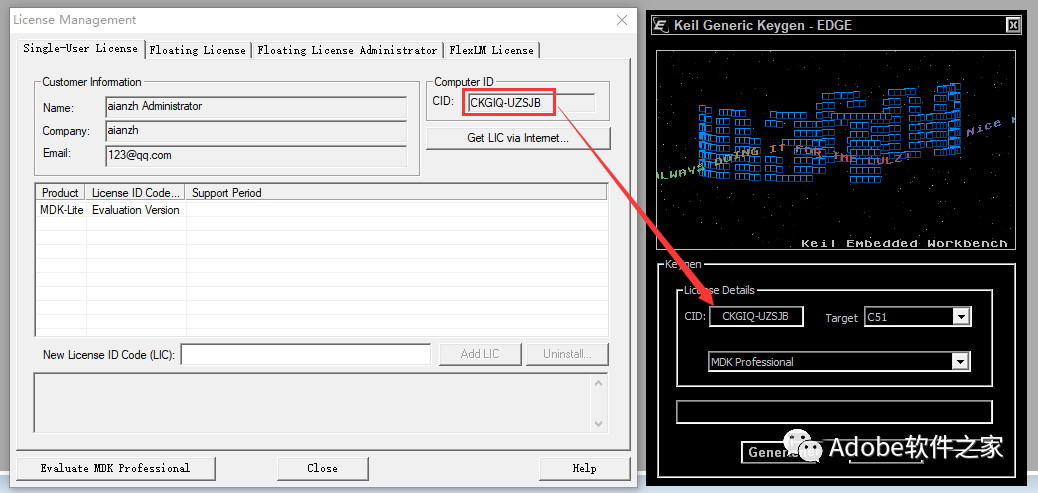
17. Set the Target in the registration machine to ARM.
18. Then 1. Click Generate 2. Copy the activation code generated in the box above to the software license manager’s New License ID Code box 3. Click Add LIC.
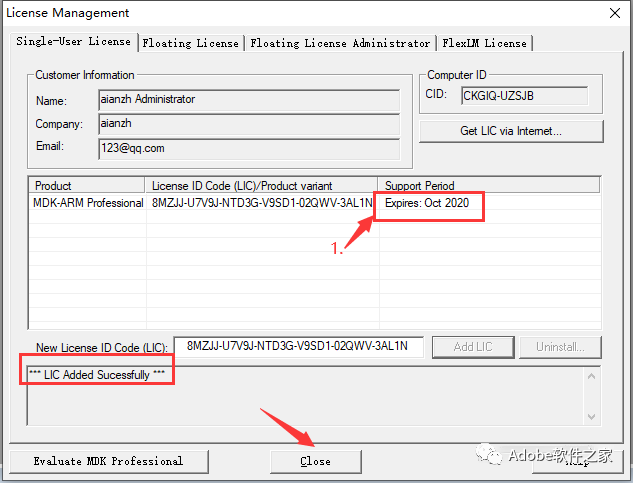
19. Activation successful, click Close. (If the icon shows red letters, repeat step 18 until it shows black letters.)
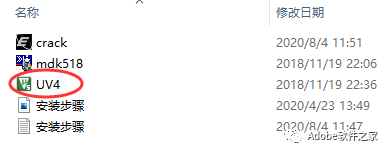
20. OK, the installation and activation of the English version of the software is complete. The following are the Chinese localization steps, which can be skipped if not needed. Return to the extracted installation folder, copy UV4.
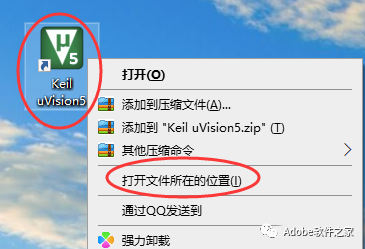
21. Find the installed software on your desktop, right-click the software icon, select Open File Location, and you will open the software installation directory folder.
22. Paste the copied UV4 into it, select replace.
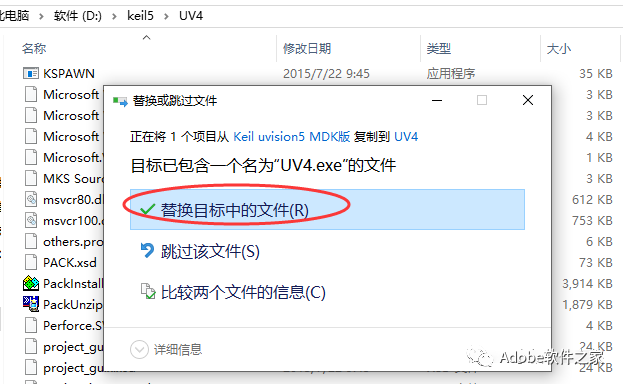
23. Open the software.
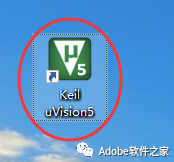

24. OK.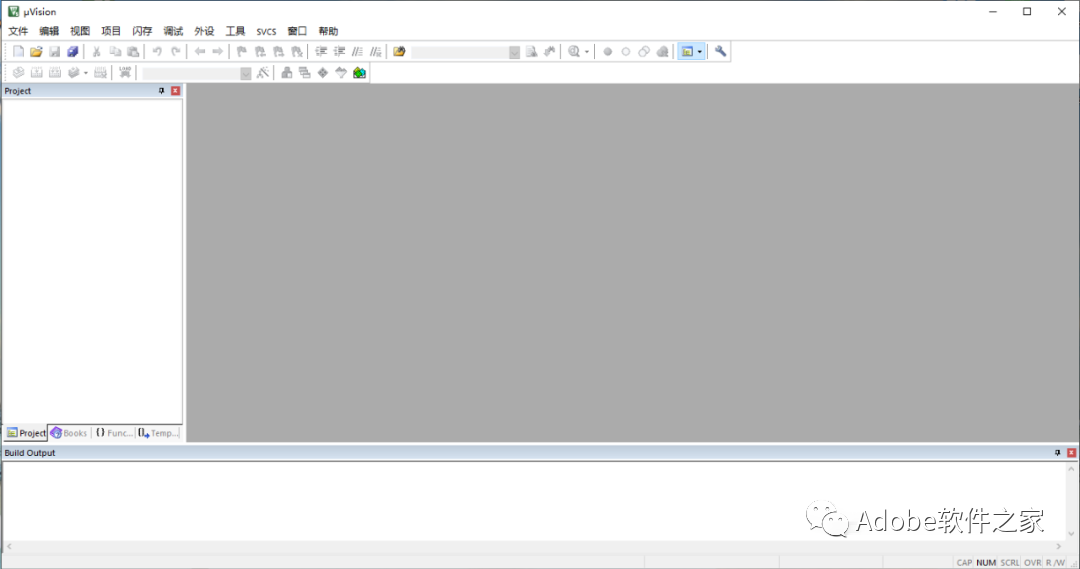


 Long press the QR code to follow us.
Software Installation
Public account focused on software installation
 Because of your sharing, likes, and views, your friends will also install it!