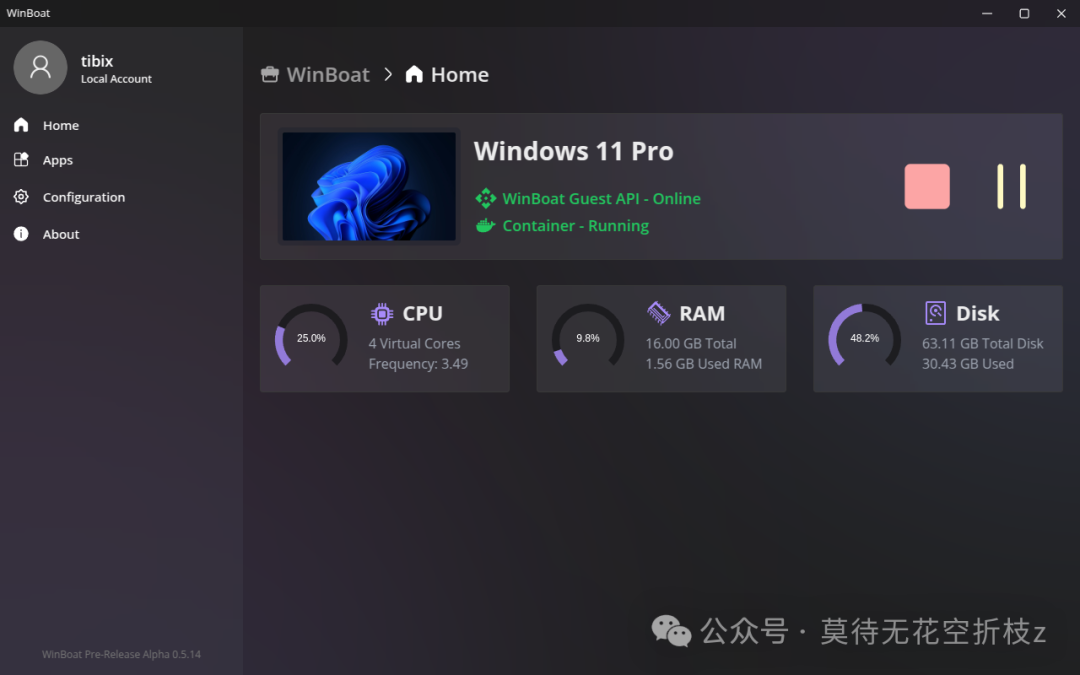
Introduction:
Are you still running Windows in full screen on VirtualBox just to use Office?WinBoat offers a new solution: Docker containers + FreeRDP remote application protocol, projecting Win32 applications directly as native Linux windows. In just 6 weeks, GitHub stars skyrocketed from 0 to 3.7k, with over 50 daily active issues and PRs, consistently ranking in the Trending TOP10. Today, we will guide you through running your first batch of Windows applications in just 10 minutes, compiling the official README, practical experiences, and community feedback. The project link is in the comments.
🛠️ What is WinBoat in a nutshell?
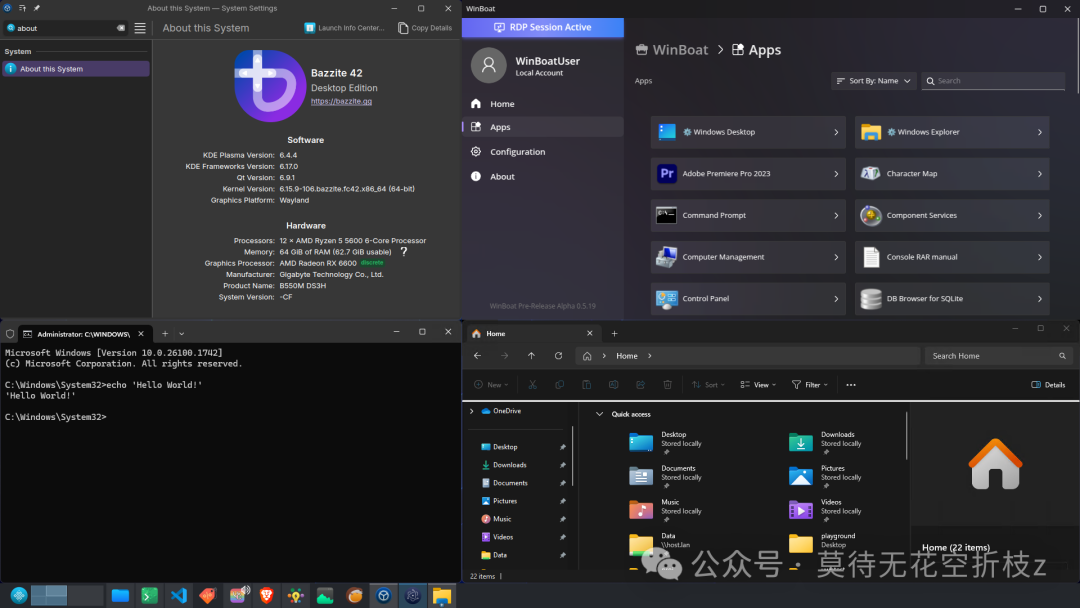
Package any Windows software → into AppImage → double-click to launch → appears in the Start menu like a native Linux application, with full support for file associations and GPU acceleration.
| Keyword | One-sentence Explanation |
| Electron Dashboard | Install Windows VM with just a few clicks |
| Containerization | Run Win11 in Docker, keeping the host system clean |
| AppImage Output | Single file after packaging, can be distributed and run offline with a double-click |
| Seamless Window | No RDP borders, Alt+Tab in the same queue as native software |
| File Pass-through | The host <span><span>$HOME</span></span> is automatically mounted as a Windows drive, allowing frictionless access |
🔍 Core Highlights
| Scenario | Wine | Virtual Machine | WinBoat |
| Installation Steps | Install dependencies + prefix + DLL replacement | Install the system and then apply patches | One-click container template |
| Window Integration | Garbage characters/border issues | Independent full screen | Native scaling, transparency, taskbar preview |
| Version Isolation | Manual different prefixes | Whole disk image | One application per container, snapshot in seconds |
| Offline Distribution | Requires prefix | Large image | 20 MB to 300 MB single AppImage |
| Resource Usage | Low | High | Medium (can be dynamically limited) |
 ⚙️ Quick Start (3 Commands)
① Install Prerequisites
sudo apt install -y docker.io docker-compose-plugin kvm-ok sudo usermod -aG docker,kvm $USER && newgrp docker② Pull the Latest Version
wget https://github.com/TibixDev/WinBoat/releases/download/v0.7.11/WinBoat-0.7.11.AppImage chmod +x WinBoat-0.7.11.AppImage③ Run It
./WinBoat-0.7.11.AppImage→ On the dashboard, click “Install Windows VM” → select the “Office2021” template → after 15 minutes, a desktop shortcut will be automatically generated, double-click to launch.
📊 Test ResultsHost: Ubuntu 24.04 / i7-12700H / 32 GB / SSDContainer Limits: 4 Cores + 8 GB + 60 GB
| Software | Cold Start | Memory Peak | Functionality Passed | Remarks |
| Office 2021 | 6 s | 2.1 GB | 100% | Printing, macros, VBA work normally |
| Photoshop 2024 | 11 s | 4.8 GB | 95% | GPU acceleration enabled, smooth 4K material |
| WeChat 3.9 | 3 s | 620 MB | 90% | Screenshot, emojis, file transfer OK |
| “CS:GO” 1080p high quality 110 FPS; sound, keyboard, and mouse with no delay. |
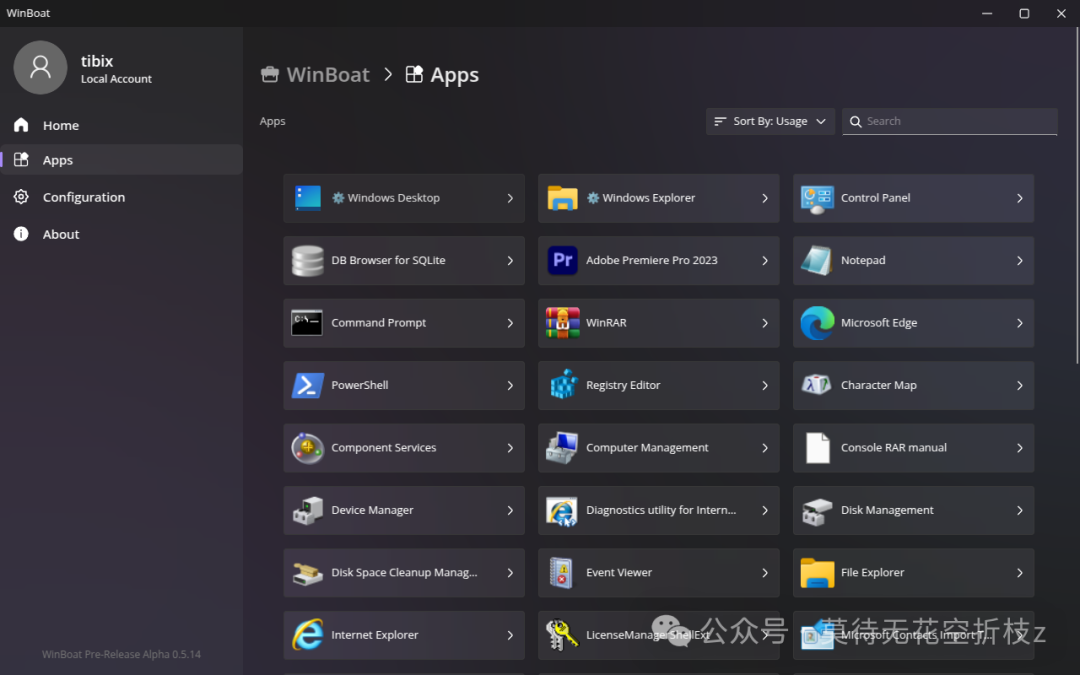
🔥 Popular Templates One-Click InstallThe official market has pre-configured:• Office 2016/2019/2021• Adobe Suite (PS/AI/AE)• WeChat/QQ/TIM• NetEase Cloud Music/Xunlei• “League of Legends”, “CS:GO”, “Genshin Impact”Supports uploading “custom Dockerfile”, with community stars potentially leading to official recommendations.
⚠️ Pitfall List (Updated 2025-09-15)
-
Do not use Docker Desktop & Podman, WinBoat relies on privileged mode to mount /dev/kvm.
-
Remember to enable VT-x/AMD-V in BIOS; for laptops, disable “kernel lock” and add kvm_intel.nested=1.
-
Window shadows may occasionally flicker under Wayland sessions; it is recommended to use X11 or GNOME+XWayland.
-
Before exporting AppImage, be sure to “Sysprep” to clean personal authorization information to prevent copyright disputes.
-
Daily builds during the beta phase may be interrupted; for production environments, please lock the Release version number.
🛠️ Advanced Features• Snapshot Chain: Debug before docker commitOne-click rollback.• Multi-instance: Copy the container and change the port to run two WeChat instances side by side.• Resource Monitoring: The dashboard integrates Prometheus endpoints, connect to Grafana for monitoring.• CI Packaging: GitHub Actions examples have been uploaded, automatically generating AppImage after push.
🤝 Contributions & Community
• Main Repository: github.com/TibixDev/WinBoat
• Discord: discord.gg/winboat (Online 2k+, Chinese channel opened)

Conclusion:
Wine configuration has become a thing of the past, and the era of virtual machine reboots that frustrate users will also come to an end. WinBoat uses “containers + remote applications” to break Windows software into plug-and-play “native Linux applications”, leaving dual systems, reboots, and blue screens in the past. If you successfully ran your first EXE with WinBoat, feel free to share your screenshots in the comments; if you encounter any issues, don’t hesitate to reach out in Issues & community! Give a “like” and “follow” to share this guide with that friend who “can’t live without Windows but wants to embrace Linux”—tonight, let’s help the Penguin take flight with Windows wings.