
SEGGER Embedded Studio (SES) is a cross-platform integrated development environment (IDE) for ARM and RISC-V architecture processors developed by SEGGER, known for its fast execution speed and strong functionality. SES includes Clang/LLVM and GCC compilers, utilizing SEGGER’s runtime library, which occupies less code space and offers higher execution efficiency compared to GCC’s newlib.
SES can import projects from other IDEs, such as IAR, Keil, and Eclipse. Since STM32CubeIDE is based on Eclipse, projects generated by STM32CubeMX for STM32CubeIDE can also be imported into SES. Below is a brief description of this process.
Steps
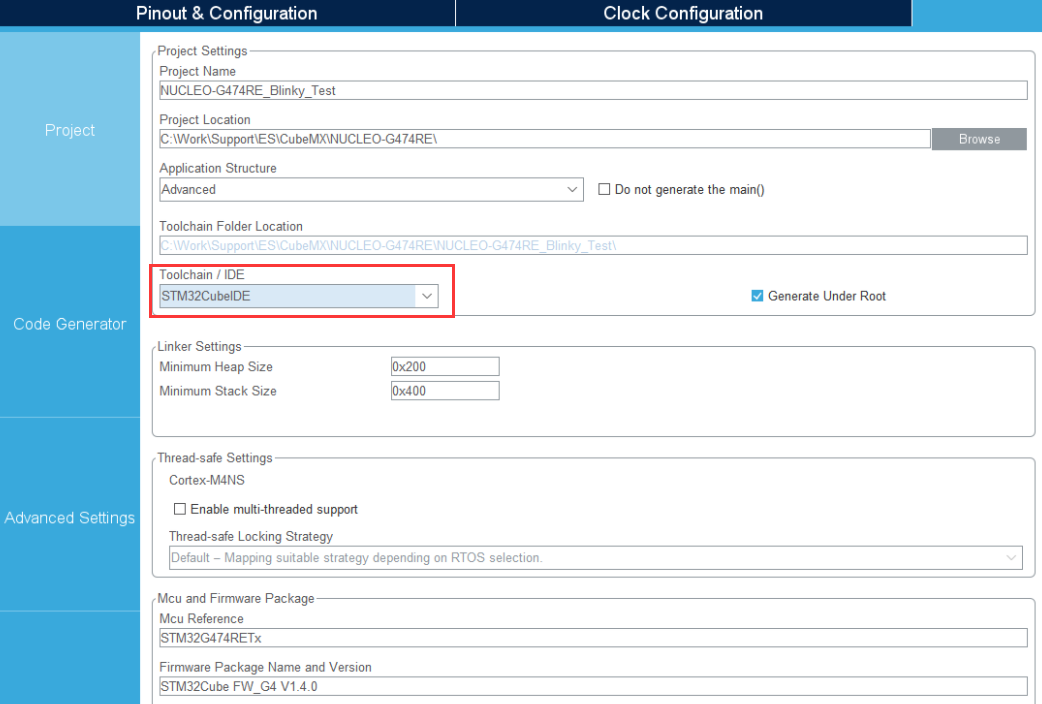
1. First, prepare the project to be imported into SES, which can be created using STM32CubeMX or directly in STM32CubeIDE. For example, when generating a project with CubeMX, select Toolchain/IDE as STM32CubeIDE and generate the project:
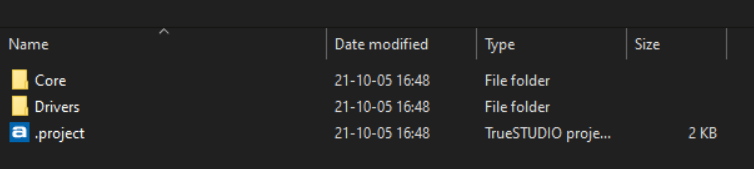
2. Open SES for ARM, select File -> Import Project… -> Import Eclipse Project, locate the directory where the STM32CubeIDE project files are located, and select the .project file.
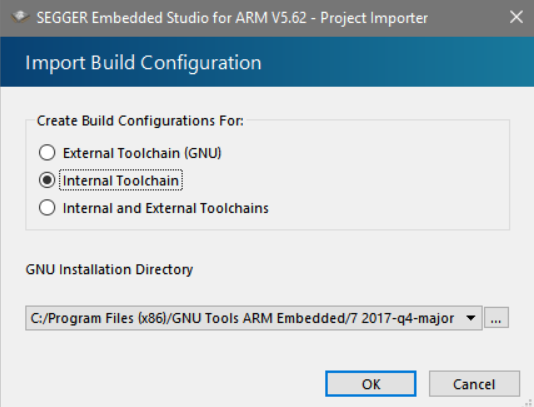
3. Select Internal Toolchain and click OK to confirm, choosing to use SES’s built-in GCC compiler.
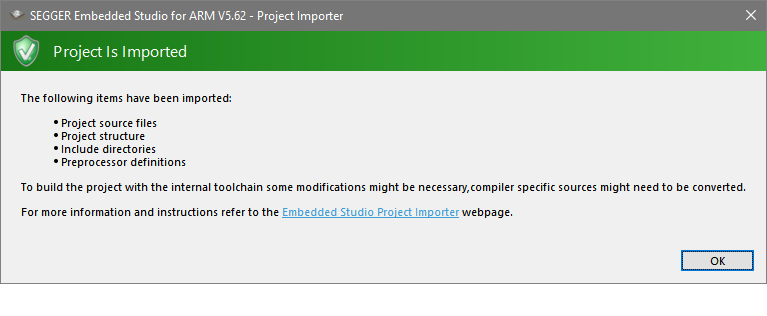
4. Wait for the SES .emProject file to be generated; a message will be displayed upon completion.
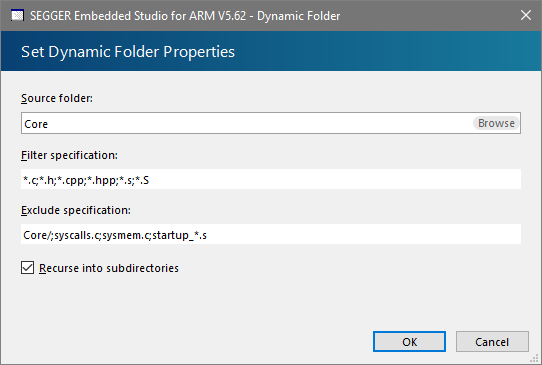
5. In the Project Explorer, select the Core folder, right-click, and choose Setup to edit Exclude Specifications, entering Core/; syscalls.c; sysmem.c; startup_*.s, and confirm by clicking OK.
The basic project import and setup is complete. By using the target-specific files in the CPU support package, the project can be further tailored for the selected target device:
🔺 Download the CPU support package for the chip through Tools->Package Manager in embedded SES, select the chip, and install the package. (For example, install the STM32G4xx package for STM32F474RE);
🔺 Next, open the newly installed Packages folder via File->Open Studio Folder…->Packages Folder. (In this example, /STM32G4xx/);
🔺 Create a new folder /ES/ in the project location and enter it.
🔺 Copy the following chip-specific files from the package folder to this folder. (In this example, from $(PackagesDir)/STM32G4xx/ to $(ProjectDir)/ES/);
🔹 Startup code, /Source/_Startup.s. (Source/STM32G4xx_Startup.s)
🔹 Vector table, /Source/_Vectors.s. (Source/STM32G474_Vectors.s)
🔹 Linker script, /Scripts/_Flash.icf. (Source/STM32G4xx_Flash.icf)
🔹 Memory map, /XML/_MemoryMap.xml. (/XML/STM32G474RETx_MemoryMap.xml)
🔹 Register file, /XML/_Registers.xml. (/XML/STM32G474xx_Registers.xml)
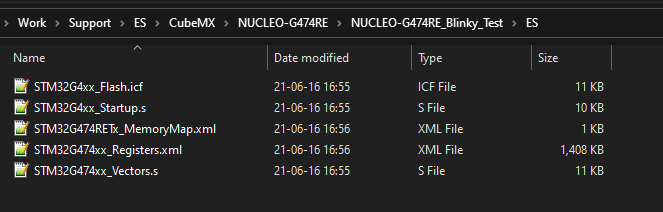
🔹 Drag and drop the /ES/ folder into the project explorer window;
🔹 Open project options and change the build configuration to Common
· Set Code -> Linker -> Linker Script File to the .icf file
· Set Debug -> Debugger -> Register Definition File to *_Registers.xml (if available)
· In the project explorer, delete the generic startup code Cortex_M_Startup.s from internal files
At this point, the import and setup of the project is complete, and adjustments have been made for the target system. You can now add code and debug applications in SES. The hardware debugger can use J-Link or any other hardware debugger that supports GDB Server.
SES is completely free for evaluation and educational purposes, with no limitations on functionality or duration.
Note
Due to recent changes in the subscription rules of WeChat official accounts, to avoid missing out, you can star the account to ensure that the articles pushed will appear in your subscription list.
Related Articles:
Embedded Device AP Networking Example Sharing
Embedded Linux Single Board Connection to Feiyan IoT Platform
Sharing a Highly Flexible Protocol Format (with Code Example)
Embedded Miscellaneous Weekly | Issue 16
Embedded Miscellaneous Weekly | Issue 15
Why Accessing Illegal Memory Doesn’t Cause an Error?
Embedded Miscellaneous Weekly | Issue 14
Sharing Some Useful Code Snippets (Part Two)
Sharing a Bug Localization Method You Might Not Know
Sharing a Method to Modify Configuration Files
Embedded Miscellaneous Weekly Issue 13: lz4
Embedded Parallel Multithreaded Processor, Take a Look!
Sharing a Method to Modify Configuration Files
Sharing Some Useful Code Snippets (with Code Example)
Reusing Old Boards: Setting Up a Wireless Debugging Environment!
Summary of Three Debugging Methods for Embedded Segmentation Faults!
Brief Discussion on Non-blocking Reception in TCP Communication (with Code Example)
Encapsulation of Common Interfaces in TCP Communication
Pitfalls of Bus Errors in Embedded Software? Let’s Step in First
Sharing Embedded Software Debugging Methods and Some Useful Tools!
Sharing Two Suggestions to Improve Programming Skills!
Reply 1024 in the WeChat public account chat interface to obtain embedded resources; reply m to view the article summary