The title of this project is: Rock-Paper-Scissors Gesture Recognition. This project implements basic gesture recognition for rock-paper-scissors, compares the recognized results with the gestures stored in the machine, controls the servo’s behavior based on the results, and synchronizes the recognized results to the host computer.
Table of Contents
Project Overview
Hardware List
Servo Control Pins
Software and Operating Environment
Firmware Compilation
Dataset Creation
Model Training
Code Structure and Main Functions
Usage Instructions
Common Issues
Project Source Code
1 Project Overview
-
Objective: Recognize the result of rock-paper-scissors within 3 seconds, control the servo rotation based on the win/lose result, and display the recognized result on the host computer.
-
Platform: Renesas VisionBoard (Camera, GPIO)
-
Core Idea:
-
Collect photo data using the Renesas VisionBoard as a dataset for model training.
-
Train the collected dataset using Edge Impulse.
-
Use MQTTX to receive recognition data from the Renesas VisionBoard.
-
Control the servo behavior based on the recognized rock-paper-scissors result.
-
User Manual: RA8D1 Group User’s Manual: Hardware (link)
-
Programming Tool: Renesas Flash Programmer V3.12 (link)
-
OpenMV Firmware: OpenMV Firmware (link)
2 Hardware List
-
Renesas VisionBoard Development Board (Camera)
-
Camera (RGB565, working resolution 320×240, OV5640)
-
360-degree SG90 Servo
3 Servo Control Pins
-
P008 —> Servo
-
P008 Address: 0x4040_0000 + 0x0020 × m (Refer to RA8D1 Group User’s Manual: Hardware page 655)
4 Software and Operating Environment
-
OpenMV Firmware (link)
-
Main Dependencies: sensor, time, tf, network, uctypes
5 Firmware Compilation
-
Clone the code from the GitHub repository (link) to your local machine.
-
Run the linking script, navigate to sdk-bsp-ra8d1-vision-board-master\projects\vision_board_openmv, open RT-Thread Env Tool, and enter scons —target=mdk5.
-
After the project is generated, add the MICROPYTHON_USING_UCTYPES define in the C++ preprocessor.
-
(You can check the definition in sdk-bsp-ra8d1-vision-board-master\projects\vision_board_openmv\packages\micropython-v1.13.0\port\mpconfigport.h).
-
After compilation, the OpenMV firmware rtthread.hex will be found in the objects folder.
-
Use Renesas Flash Programmer V3.12 to flash the firmware, ensuring the option “Enable address check of program file” is unchecked.
6 Dataset Creation
Use the Renesas VisionBoard to collect training images, ensuring consistency between input and output, which improves recognition accuracy to some extent.
import sensor, image, time, ossensor.reset()sensor.set_pixformat(sensor.RGB565)sensor.set_framesize(sensor.QVGA) # 320x240sensor.set_windowing((240,240))sensor.skip_frames(time=2000)img_counter = 0while True: img = sensor.snapshot() filename = "/dataset/scissors/scissors_img_%03d.jpg" % img_counter img.save(filename) print("Saved:", filename) img_counter += 1 time.sleep_ms(500)if img_counter >= 550: # Stop conditionbreakEnsure to insert the SD card and create the corresponding folders in advance.
7 Model Training
Train the model using Edge Impulse, applying Transfer Learning, with image size set to 240*240 and converting images to grayscale during training to reduce interference.
8 Code Structure and Main Functions
-
mqttx:
-
def publish(self, topic, msg, retain=False, qos=0): Send message to mqttx
def publish(self, topic, msg, retain=False, qos=0): pkt = bytearray() # MQTT publish header header = 0x30 if retain: header |= 0x01 if qos == 1: header |= 0x02 elif qos == 2: header |= 0x04 pkt.append(header) # Calculate remaining length remaining_length = 2 + len(topic) + len(msg) if qos > 0: remaining_length += 2 # Includes packet id # First encode remaining length def encode_len(length): encoded = bytearray() while True: digit = length % 128 length = length // 128 if length > 0: digit |= 0x80 encoded.append(digit) if length == 0: break return encoded pkt += encode_len(remaining_length) # Topic pkt += struct.pack("!H", len(topic)) + topic # If qos>0, packet id is needed if qos > 0: pkt += struct.pack("!H", 1) # packet id fixed to 1, can be changed pkt += msg self.sock.write(pkt)-
def connect(self, clean_session=True): Connect to mqttx
def connect(self, clean_session=True): addr = socket.getaddrinfo(self.server, self.port)[0][-1] self.sock = socket.socket() self.sock.connect(addr) pkt = bytearray(b"\x10") # CONNECT packet type var_header = bytearray(b"\x00\x04MQTT\x04") # Protocol Name + Level flags = 0 if clean_session: flags |= 0x02 var_header.append(flags) var_header += struct.pack("!H", self.keepalive) payload = struct.pack("!H", len(self.client_id)) + self.client_id remaining_length = len(var_header) + len(payload) # MQTT remaining length encoding (may exceed 127 bytes, requires multi-byte encoding) def encode_len(length): encoded = bytearray() while True: digit = length % 128 length = length // 128 if length > 0: digit |= 0x80 encoded.append(digit) if length == 0: break return encoded pkt += encode_len(remaining_length) pkt += var_header pkt += payload self.sock.write(pkt) resp = self.sock.read(4) if not resp or resp[0] != 0x20 or resp[1] != 0x02: raise MQTTException("Invalid CONNACK") if resp[3] != 0: raise MQTTException("Connection refused, code: %d" % resp[3])-
WIFI
-
def connect_wifi(SSID, PASSWORD): Connect to WIFI
def connect_wifi(SSID, PASSWORD): wlan = network.WLAN(network.STA_IF) wlan.active(True) wlan.connect(SSID, PASSWORD) connect_times = 0 while not wlan.isconnected(): print('Trying to connect to "{:s}"...'.format(SSID)) time.sleep_ms(1000) connect_times += 1 if connect_times > 5: print(f"Connect to {SSID} failed.") return False print("WiFi Connected ", wlan.ifconfig()) return wlan.ifconfig()-
Gesture Recognition
-
Initialization
def __init__(self): self.net = None self.labels = None self.WIFIConnectStatus = GestureRecoginze.connect_wifi("IQOO Neo 6", "x31415926y") self.MqttxClient = None self.MqttxConnectStatus = False if self.WIFIConnectStatus: self.MqttxClient = MQTTClient("openmv", "broker.hivemq.com", port=1883) self.MqttxConnectStatus = True try: self.MqttxClient.connect() self.MqttxClient.subscribe("openmv/test") except: print("connect to MQTTx failed.") self.MqttxConnectStatus = False self.MqttxClient.set_callback(lambda topic, msg: print(topic, msg)) self.servo = Servo360(0x40400000, 8) """ Initialize the camera """ sensor.reset() # Reset and initialize the sensor. sensor.set_pixformat(sensor.RGB565) # Set pixel format to RGB565 (or GRAYSCALE) sensor.set_framesize(sensor.QVGA) # Set frame size to QVGA (320x240) sensor.set_windowing((240,240)) # Set 240x240 window. sensor.skip_frames(time=2000) # Let the camera adjust. """ Load model """ try: # load the model, alloc the model file on the heap if we have at least 64K free after loading self.net = tf.load("trained.tflite", load_to_fb=uos.stat('trained.tflite')[6] > (gc.mem_free() - (64*1024))) except Exception as e: print(e) raise Exception('Failed to load "trained.tflite", did you copy the .tflite and labels.txt file onto the mass-storage device? (' + str(e) + ')') try: self.labels = [line.rstrip('\n') for line in open("labels.txt")] except Exception as e: raise Exception('Failed to load "labels.txt", did you copy the .tflite and labels.txt file onto the mass-storage device? (' + str(e) + ')')-
Recognition Main Body
def MainAction(self, comparetimes): clock = time.clock() compare_times = 0 start_time = None CompareResultShow = None compare_result = None while(compare_times < comparetimes): clock.tick() img = sensor.snapshot() results = self.net.classify(img, roi=(0, 0, img.width(), img.height()), scale_mul=0, x_overlap=0, y_overlap=0) obj = results[0] scores = obj[4] predictions_list = list(zip(self.labels, scores)) predictions_max = 0 predictions_num = None for i in range(len(predictions_list)): label, score = predictions_list[i] if score > predictions_max: predictions_max = score predictions_num = label print("%s = %f" % (label, score)) img.draw_string(0, 0, "Predictions: %s" % predictions_num, mono_space=False, scale=2) if start_time is None: start_time = time.ticks_ms() if time.ticks_diff(time.ticks_ms(), start_time) > 5000: if predictions_max > 0.90: machines_gesture = random.randint(0, 2) if machines_gesture == 0: # rock if predictions_num == "rock": compare_result = "draw" elif predictions_num == "paper": compare_result = "win" else: compare_result = "lose" elif machines_gesture == 1: # paper if predictions_num == "rock": compare_result = "lose" elif predictions_num == "paper": compare_result = "draw" else: compare_result = "win" else: # scissors if predictions_num == "rock": compare_result = "win" elif predictions_num == "paper": compare_result = "lose" else: compare_result = "draw" if self.WIFIConnectStatus: self.MqttxClient.publish("openmv/test", ujson.dumps({"compare_times": compare_times, "machine_label":self.RPS[machines_gesture], "label": predictions_num, "score": predictions_max, "compare_result": compare_result})) if compare_result == "win": self.servo.run(1, 1) # Rotate forward for one second else: self.servo.run(-1, 1) print(compare_times) start_time = time.ticks_ms() CompareResultShow = time.ticks_ms() compare_times += 1 else: print("get_ready......") if CompareResultShow is not None and time.ticks_diff(time.ticks_ms(), CompareResultShow) < 2500: img.draw_string(0, 20, "machines_gesture: %s" % self.RPS[machines_gesture], mono_space=False, scale=2) img.draw_string(0, 40, "compare result: %s" % compare_result, mono_space=False, scale=2) else: CompareResultShow = None img.draw_string(0, 20, "get_ready......", mono_space=False, scale=2) print(clock.fps(), "fps")9 Usage Instructions
-
Prerequisites
-
Ensure sufficient lighting and set a white background for recognition.
-
Ensure WiFi and MQTTX can connect.
-
Usage
-
Position the development board 20-30 cm above your hand; after 5 seconds, it will recognize once, and the result will be displayed on the screen for 2.5 seconds. Recognition will end after 5 comparisons.
10 Common Issues
-
In some cases, recognition errors occur: Ensure sufficient lighting and appropriate distance from the development board.
-
Unable to retrieve recognition results on MQTTX: Ensure WiFi is available and the password is correct.
11 Project Source Code
-
GitHub Repository Address (link)
Get Hardware
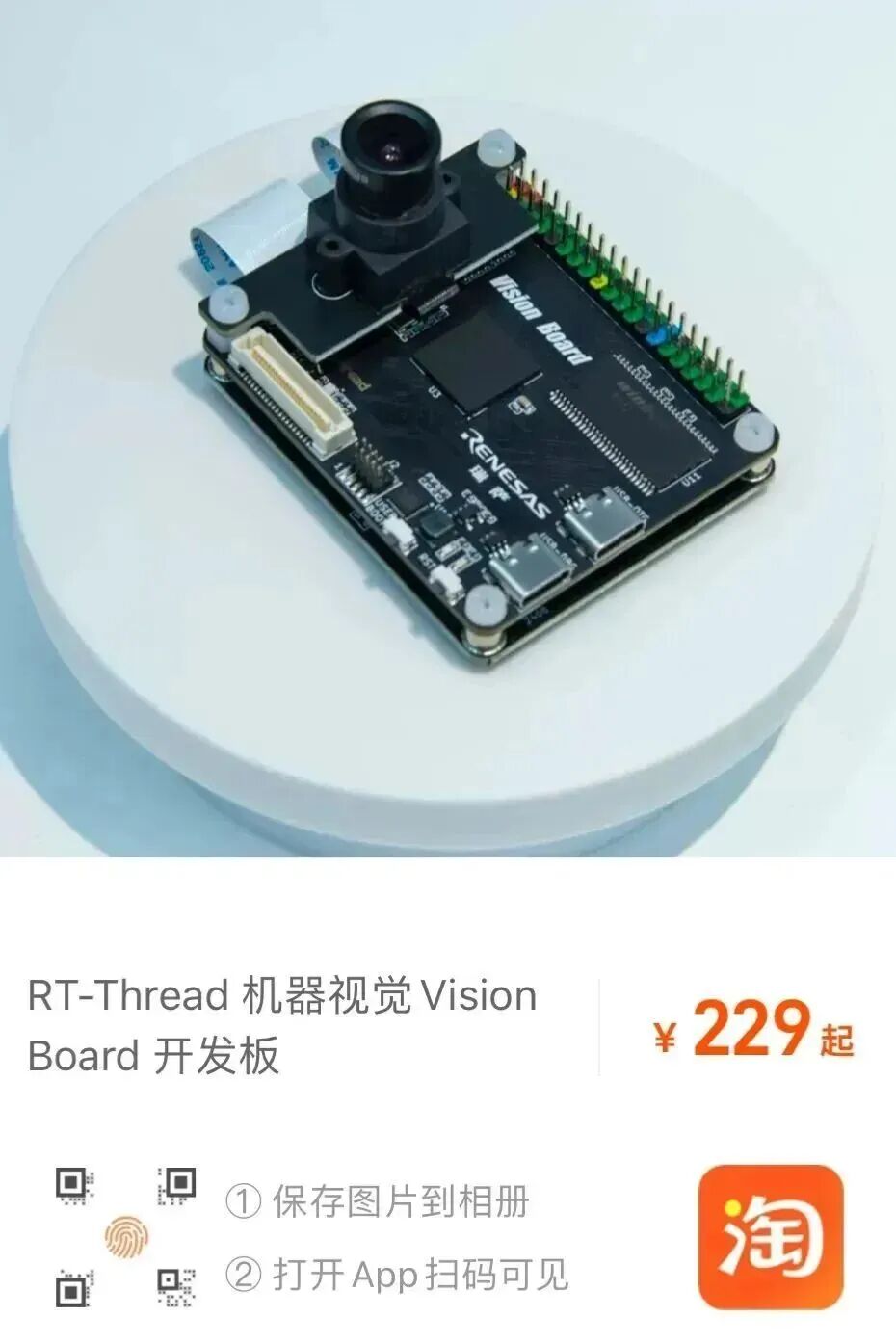
https://m.tb.cn/h.g0TaaKTnfx6iM2W?tk=lI8TWrhauqR
RT-Thread GitHub open-source repository, welcome to star (Star) and support, we look forward to your code contributions: link

Want to publish content on the RT-Thread platform or community?
Or want to participate in related live events and competitions?
RT-Thread has opened a docking window,
Please contact us via email, looking forward to cooperation!
Cooperation Email: [email protected]

Say goodbye to “stack overflow”! Use the RT-Trace tool to accurately locate memory hazards in embedded systems | Technical Assembly
Motion target control and tracking system based on RT-Thread and K230 (Xuantie C908) | Technical Assembly
[Book Recommendation] The 20th related book of RT-Thread! “Principles and Applications of Embedded Real-Time Operating System RT-Thread” | Technical Assembly
MCoreDump – Embedded System Fault Dump Component | Technical Assembly
[NES] From template project to NES emulator implementation | Technical Assembly
——————End——————

Click “Read the original text”