Every day at 6:30 PM, Haima delivers cutting-edge content in technology and education
In the context of the “double reduction” policy and new curriculum standards, how can we stimulate children’s creativity and enhance their hands-on skills? 3D printing is becoming an “innovation engine” in more and more primary and secondary school classrooms. It not only makes abstract concepts tangible but also allows children to experience the complete creative process of “from idea to reality”.
This article outlines the core processes and educational value of 3D printing for teachers and parents, helping you easily understand this technology and effectively support your child’s learning and practice.
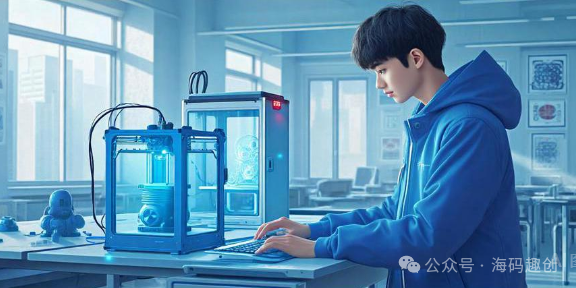
The Core Logic of 3D Printing: Additive Manufacturing, Layer by Layer
Unlike traditional material removal processing methods, 3D printing uses “additive manufacturing”—printing and stacking digital models layer by layer. This method can achieve complex structures (such as hollow designs, embedded gears, etc.), significantly lowering the threshold for realizing creativity.
Educational Insight: Children no longer just “hear knowledge”; they “do knowledge” and understand the integration of science, engineering, and art through practice.
Four Steps to Master the Complete 3D Printing Process (with Practical Suggestions)
1. Modeling: Turning Ideas into Digital Models
- Recommended Tools
- Elementary/Beginner: Tinkercad (web-based, drag-and-drop modeling)
- Middle/High School/Advanced: Blender, AutoCAD (suitable for complex structures)
- Teaching Suggestions: Use task-driven approaches (e.g., “design a personalized bookmark”) to guide children in understanding dimensions, structures, and functions.
2. Slicing: Generating Printer Instructions
- Use slicing software (such as Cura) to “slice” the model into hundreds of layers and output a G-code file.
- Key Reminders
- Model wall thickness ≥ 2mm to avoid breakage;
- Suspended structures need to add “supports” to prevent collapse.
3. Printing: The Machine Builds the Object Layer by Layer
- Common Technologies in Schools
- FDM (Fused Deposition Modeling): Safe, easy to operate, suitable for elementary classrooms;
- SLA (Stereolithography): High precision, suitable for middle school experiments;
- SLS (Selective Laser Sintering): High strength, often used in university engineering practices.
- Safety Tips: Do not touch the high-temperature nozzle; SLA requires ventilation during operation.
4. Post-Processing: Refining the Finished Product
- This includes removing supports, sanding, painting, etc.
- Layered Guidance
- Elementary Students: Lightly sand and use safety scissors to remove supports;
- Older Students: Can attempt fine sanding to improve assembly accuracy.
Educational Value: The post-processing stage cultivates patience and a “craftsman spirit,” allowing children to experience that “details determine quality”.
Why Should 3D Printing Be Introduced into the Classroom?
-
For Students: It exercises spatial thinking, logical reasoning, and problem-solving skills. For example, students at China Jiliang University deepen their understanding of mechanical transmission principles by printing and assembling gearbox parts.
-
For Teachers: It enables interdisciplinary teaching—mathematics (geometric modeling), science (structural mechanics), and art (design) can all be integrated.
-
For Parents: It supports children in transitioning from “playing with creativity” to “doing projects,” cultivating the innovative abilities and engineering literacy needed for the future.
Starting Suggestions: Begin with Small Projects, No High-End Equipment Needed
- A basic FDM printer + free software (like Tinkercad) is sufficient to start teaching;
- Recommended beginner projects: keychains, pencil holders, mini architectural models, etc.;
- Encourage children to document the entire process of design—print—improve, forming a “creative loop”.
ConclusionWhen children hold up the works they designed and printed, the sparkle in their eyes reflects not only a sense of achievement but also a passion for scientific exploration. 3D printing is not an unreachable “black technology” but an innovative tool that can be integrated into daily teaching right now.
Follow “Haima” for more information on technology education. Feel free to share and save, letting future education illuminate children’s paths.
#Children’s Programming #Programming Course Prices#STEAM Education#Must-Read for Parents#2025 Education Trends#Technology Enlightenment#Programming Education#Technology Competitions#Whitelist Events#CSP#AI Challenge#Scratch#Python#Informatics Olympiad#New Semester Planning#Educational Reflections#AI Education#Future Education#Family Education #Technology in Education#Competition Whitelist #Quality Education #New Education Policies #Must-Read for Parents #AI Education#14th Five-Year Plan #Education Reform #Strong Education Nation #Moral Education #Educational Equity #Lifelong LearningLearning#2026 New College Entrance Examination Policies #SpecialAdmissions #Education Public#Technology Education#AI in Schools#Interdisciplinary Learning#Future Education#Must-Read for Parents#Teacher Workload Reduction #New Education Policies #Return to Teaching Focus #Grassroots Workload Reduction#Technology Education #Creation Courses #3D Printing #Open Source Hardware #Primary and Secondary Schools STEAM