Tengine
Tengine is a lightweight neural network inference engine developed by OPEN AI LAB, specifically optimized for Arm embedded platforms, providing excellent support for both Android and Linux systems.
Moreover, what is even more valuable is that Tengine does not rely on dedicated AI chips (i.e., Tengine can utilize modules with dedicated AI acceleration capabilities such as GPU and NPU for AI computation, as well as general-purpose CPUs), allowing many Arm platforms to deeply exploit their computing power through the Tengine framework, thus efficiently running various AI applications.
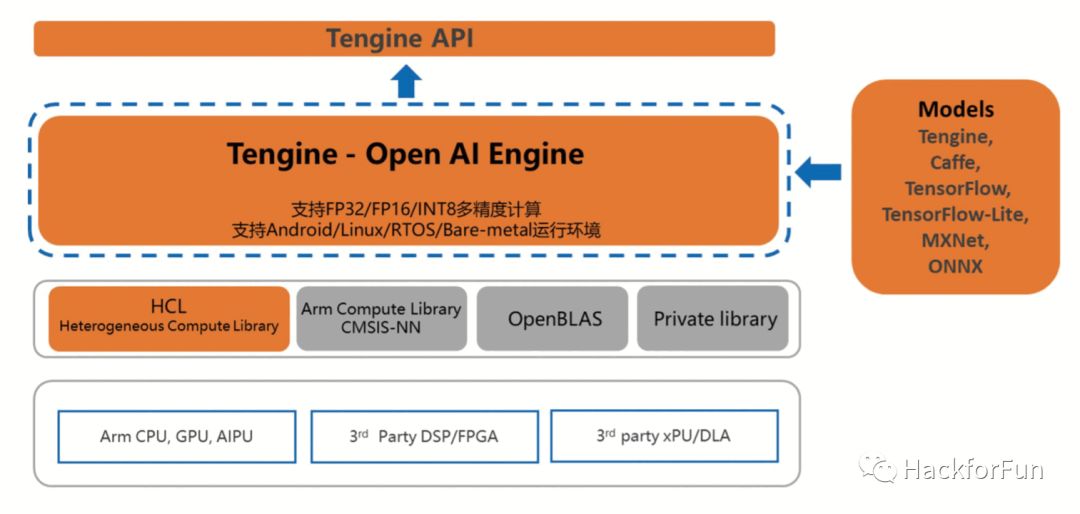
This article aims to describe how to set up the Tengine AI inference framework on the RK3399 Arm64 platform and run image recognition-related applications.
The RK3399 platform used here is a Leez P710 development board based on RK3399, on which I have ported a Debian 10 system based on Armbian, and the u-boot and Linux kernel running are both mainline versions. For detailed steps, please refer to this article: Deploying the Latest Linux 5.4 and U-Boot v2020.01 on RK3399.
Compiling Tengine
OPEN AI LAB provides an open-source version of Tengine on GitHub, along with relatively detailed reference documentation, so you can directly download the source code and compile it according to the documentation.
Thanks to the powerful performance of RK3399, we can directly download the code and compile it on RK3399, avoiding the many inconveniences of cross-compilation.
-
Download the Source Code
git clone --recurse-submodules https://github.com/OAID/tengine/Make sure to include the
--recurse-submodulesparameter when cloning, otherwise, the download will be incomplete. -
Install Dependencies
apt install libprotobuf-dev protobuf-compiler libopencv-dev pkg-config -
Edit Configuration File
The default_config directory in the source code provides configuration files for arm32, arm64, and x86 platforms.
RK3399 is Arm64, so the corresponding configuration file is: arm64_linux_native.config.
The modification needed is to enable the option
BUILD_SERIALIZER=yin the configuration file; otherwise, you may encounter the errorShared library not found: libcaffe-serializer.so: cannot open shared object file: No such file or directoryduring execution.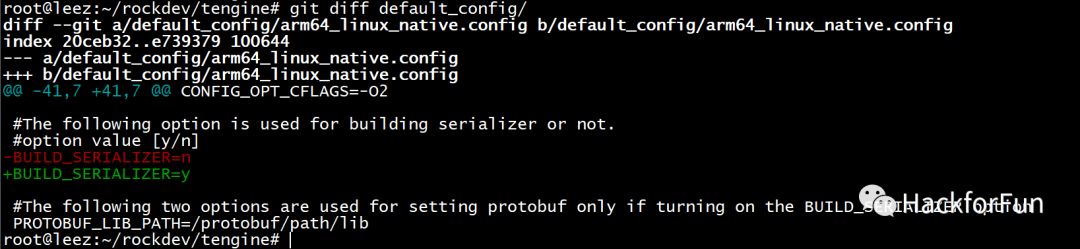
-
Compile
Execute the following command in the root directory of the source code to compile:
./linux_build.sh default_config/arm64_linux_native.config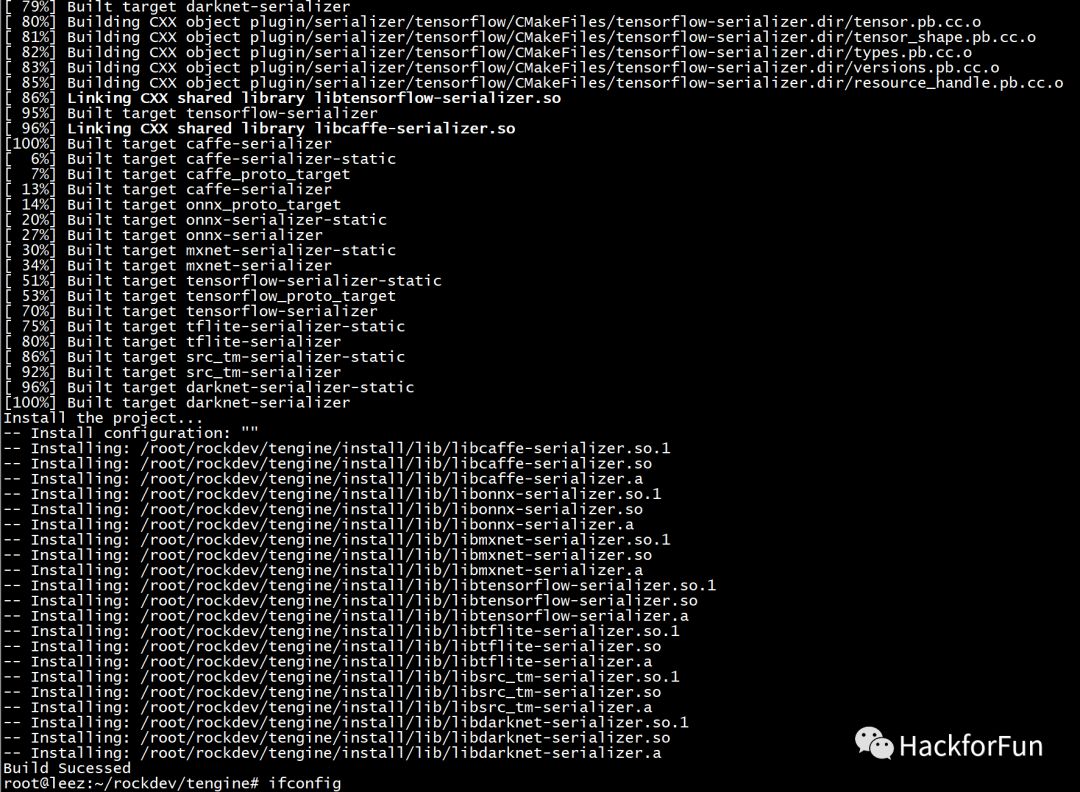
-
Download Model Files
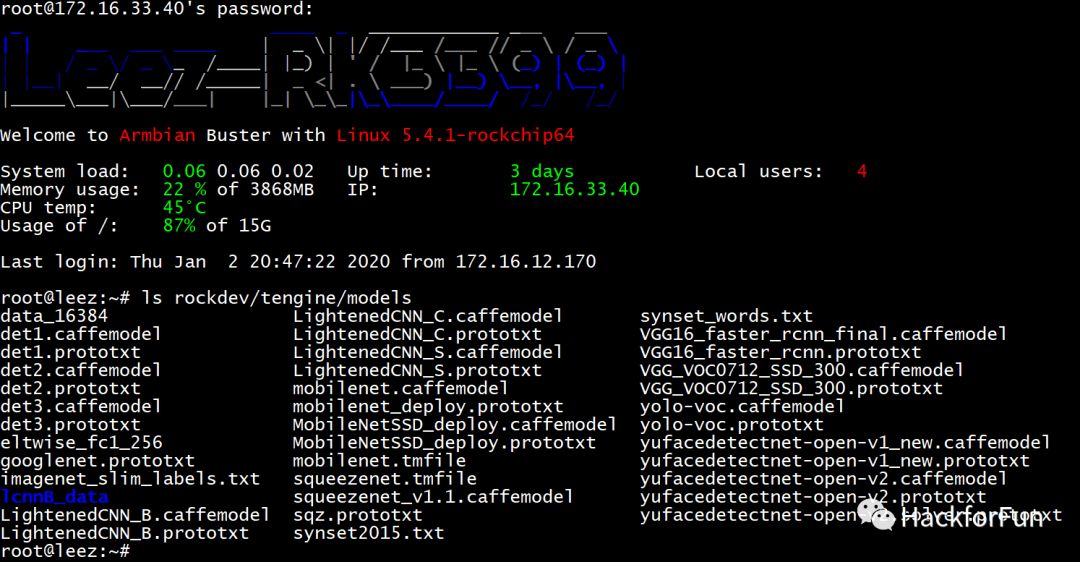
When running these AI applications, you need to load the corresponding model files, which can be downloaded from the cloud drive provided by OPEN AI LAB:
https://pan.baidu.com/s/1Ar9334MPeIV1eq4pM1eI-Q, with the extraction codehhgc.After downloading, place these model files in the models folder under the root directory of the Tengine source code. The total size of all model files is quite large; I only uploaded the parts needed for subsequent testing:
-
Run Benchmark
After compilation, two benchmark files will be generated in the
build/benchmark/bin/directory for testing. You can directly execute these two files to perform a simple test to verify whether the compilation was successful../build/benchmark/bin/bench_sqz ./build/benchmark/bin/bench_mobilenet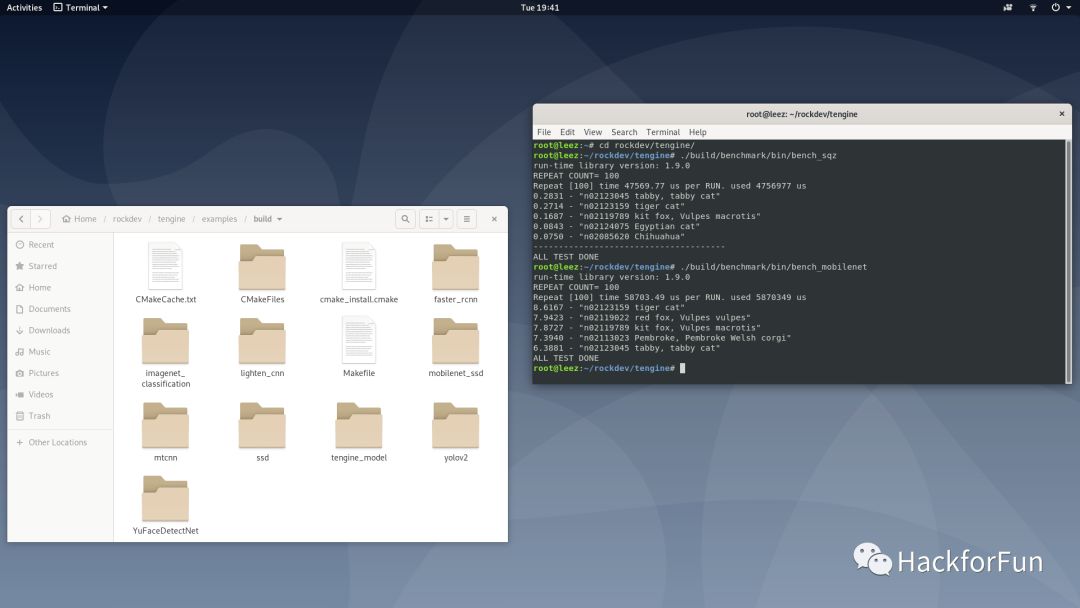
Compile and Run Test Demos
The open-source Tengine also includes several excellent image recognition-related test demos, which are great for testing and basic learning related to AI.
The source code for these demos is located in the examples directory. Before compiling, we need to modify a compilation script linux_build.sh to correctly set the path to Tengine according to the actual situation. For example, I downloaded and compiled the Tengine code in the /root/rockdev/tengine directory:
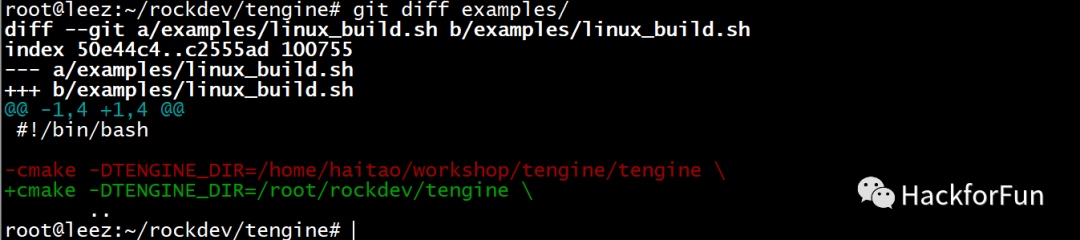
Then execute the following commands in the examples directory:
mkdir build
cd build/
../linux_build.sh
make
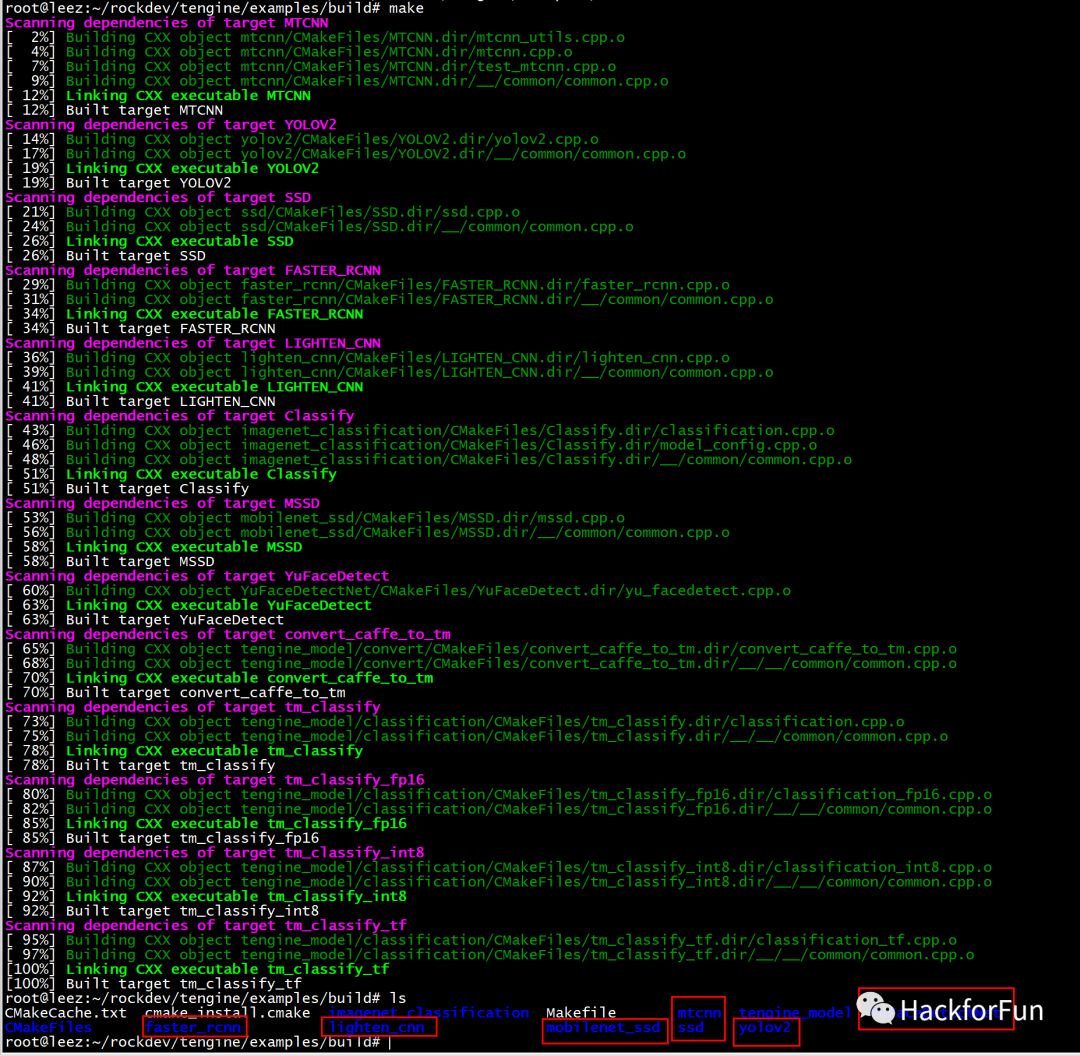
After compilation, there are several test demos including faster_rcnn, lighten_cnn, mobilenet_ssd, mtcnn, ssd, yolov2, and YuFaceDetectNet.
faster_rcnn
Faster R-CNN is a new model proposed by the expert Ross B. Girshick in 2016 based on RCNN and Fast RCNN, offering higher comprehensive performance and faster detection speed.
The Tengine version of the demo performs recognition on the following image:
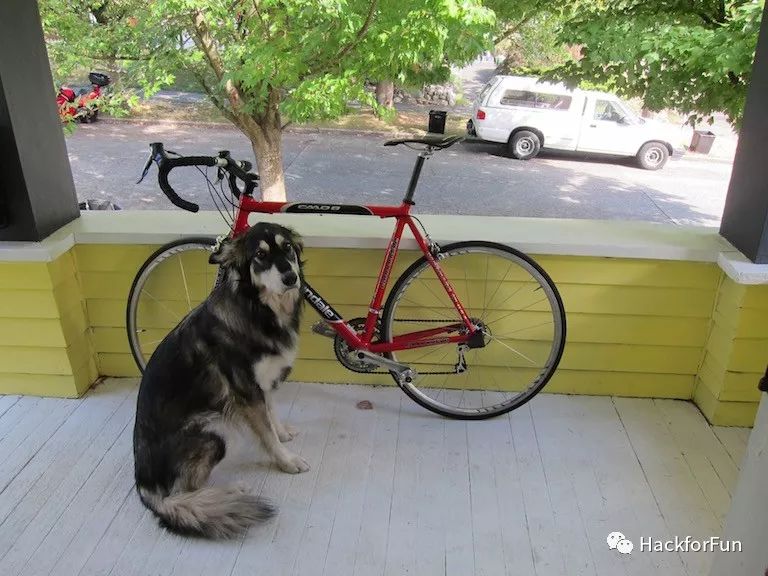
Running the faster_rcnn executable will generate an image with annotations on the detected objects:
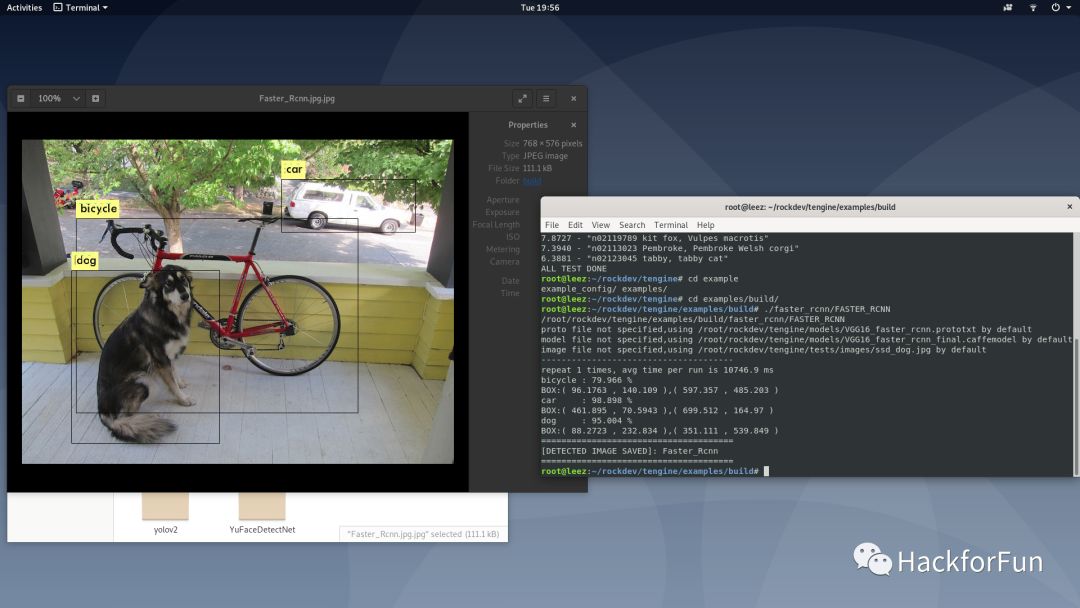
It can be seen that the model recognized three objects: Dog, bicycle, and car.
YOLO v2
YOLO, which stands for You Only Look Once, is a target detection paper published at CVPR in 2016.
YOLOv2 was published at CVPR in 2017, with the paper titled “YOLO9000: Better, Faster, Stronger,” which won the CVPR 2017 Best Paper Honorable Mention award.
This model is used to detect the same image as RCNN:
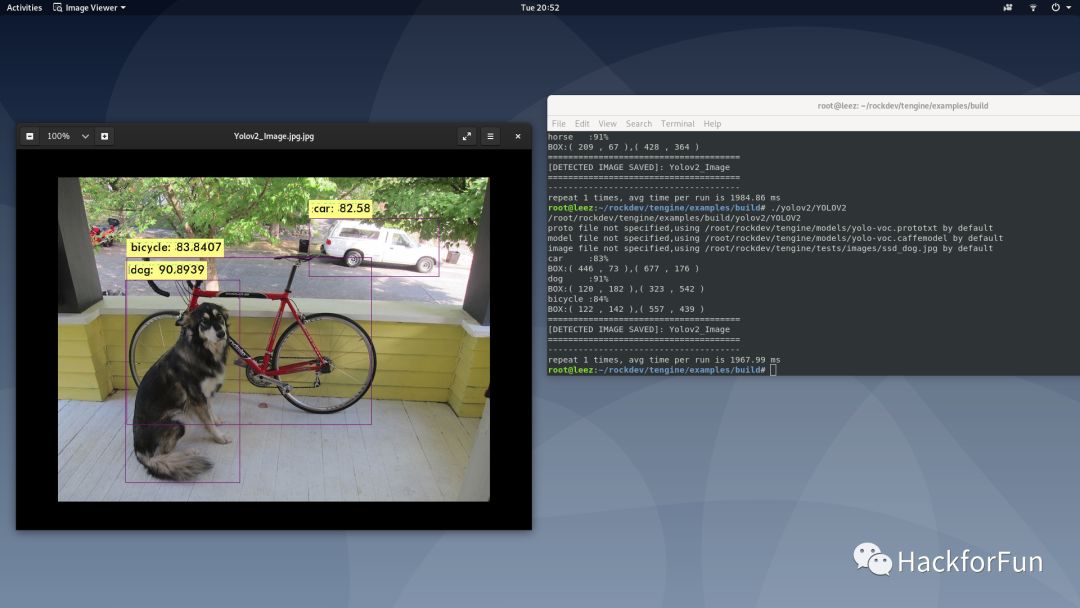
From this image, the accuracy is comparable to RCNN, but the detection speed is nearly six times faster.
SSD
SSD stands for Single Shot MultiBox Detector, a one-stage general object detection algorithm proposed by Wei Liu in 2016.
The following image is used for detection:
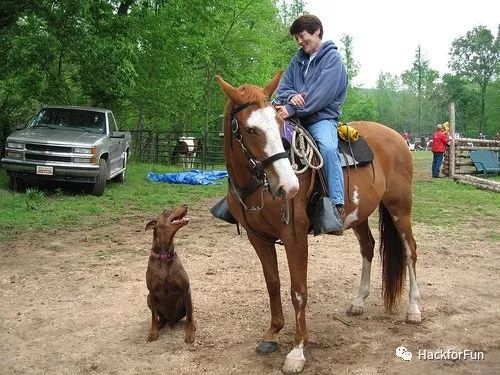
The results are as follows:
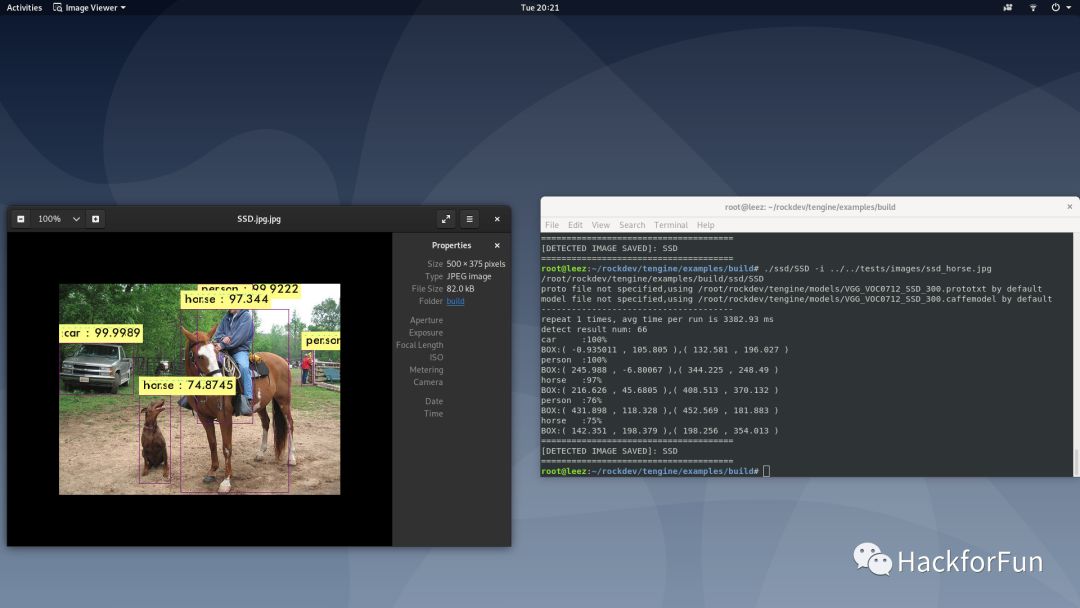
Unfortunately, the dog was misidentified.
mobilenet_ssd
This is a combination of mobilenet and SSD, more friendly for mobile devices.
Using the same image as SSD for detection:
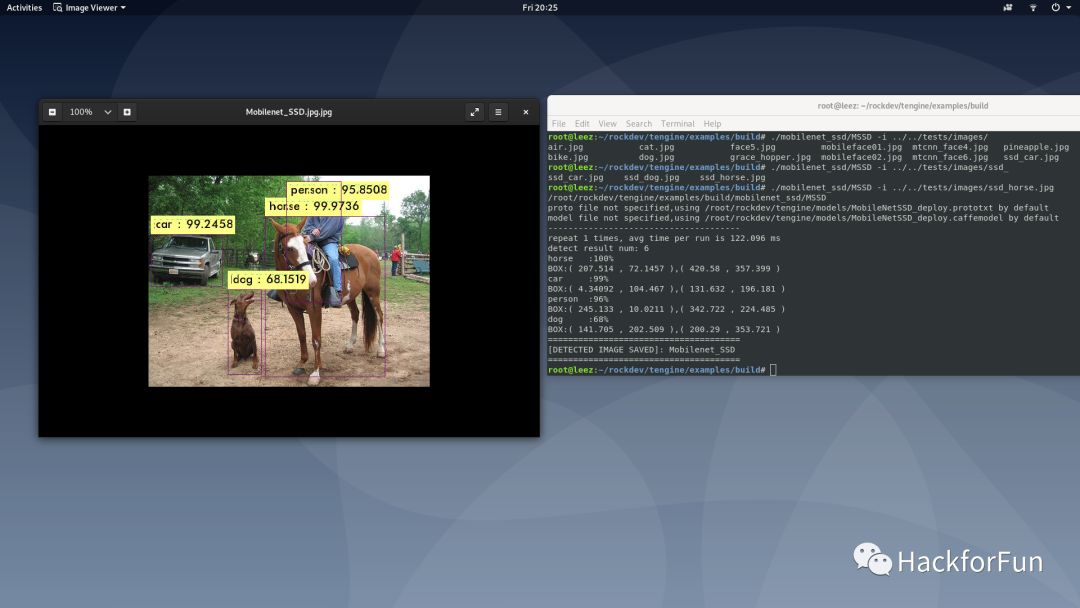
It can be seen that the dog was detected correctly, but a person in the distance was missed. However, the detection speed is much faster than SSD.
YuFaceDetectNet
This is the Tengine implementation of libfacedetection, an open-source project by Professor Shi Qi from Shenzhen University, which claims to be the fastest face detection library.
The original test image is as follows:

Test results:
MTCNN
MTCNN is another face detection solution proposed in 2016.
Here we test using the same image as YuFaceDetectNet:
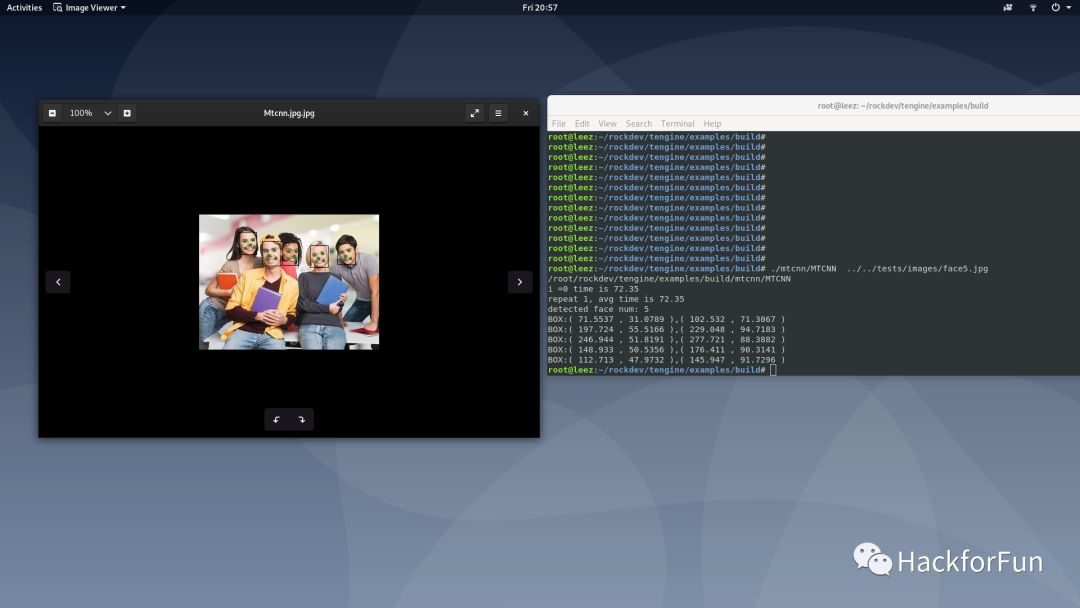
And the time taken is not significantly different from YuFaceDetectNet.
Conclusion
Actually, I am an outsider to AI and image recognition. The purpose of writing this article is to inform everyone how to deploy the open-source AI framework Tengine on an Arm development board at hand, and that even without powerful NPU or GPU, we can still conduct some AI-related practices.
If you are interested in AI or image recognition, this might be a good entry point.