Mainline U-Boot and Linux Kernel
Many Linux enthusiasts may have heard of the terms mainline or upstream, but they might not be clear about what they actually refer to.
Generally, when you get a development board, it usually comes with U-Boot and Linux kernel developed by the chip manufacturer, which we refer to as vendor U-Boot and kernel. These kernels are typically modified based on an official branch of Linux. For example, the kernel used by i.MX6 is often Linux 4.1, while the kernel for rk3288/rk3399 is mostly Linux 4.4. Manufacturers generally focus on long-term development on a specific version for system stability and maintenance, rarely upgrading the kernel version. In contrast, the official Linux kernel continuously evolves at a steady pace, with the latest stable version being Linux 5.4.2. We refer to such kernels as mainline or upstream kernels, and the same concept applies to U-Boot.
In the past two months, I have utilized my spare time to port the latest U-Boot and Linux kernel onto the RK3399 Leez P710 development board, and I have submitted the corresponding patches to the mainline. The Linux Kernel patches have been merged into Linux 5.4, and the support patches for U-Boot have also been merged into V2020.01.
With the recent releases of U-Boot v2020.1 and Linux 5.4, this development board can now boot directly using the mainline U-Boot and Linux kernel.
Here, I would like to mention the current development rhythm of the Linux and U-Boot open-source communities.
Linux generally releases a major version every two months, such as Linux 5.2, Linux 5.3, and Linux 5.4. During this two-month development cycle, there are usually 7-8 candidate versions (rc1~rc8) released at a rate of one per week. rc1 includes various new features, while rc2~rc8 generally only accept bug fixes for the current version, prohibiting the addition of new features until the system stabilizes without significant bugs, leading to the release of the official version. For example, Linux 5.4 was released after 8 candidate versions. After the official version is released, the next major version merge window is opened, which lasts about two weeks. Various prominent figures in the open-source community (maintainers trusted by Linus) will send their received patches to Linus in the form of Pull Requests during this two-week period, with Linus deciding whether to merge them.
The U-Boot open-source community currently releases a major version every three months, and the version number corresponds to the time of the official release, such as v2019.07, v2019.10, v2020.01. Generally, a candidate version is released every two to three weeks, and only rc1 accepts new features and characteristics, while other candidate versions only allow bug modifications.
Therefore, if you want to submit code to the Linux and U-Boot communities, make sure to send your patches to the corresponding maintainers before the rc1 version is released. If you miss this window, you will have to wait several months for the next version to be accepted.
Armbian
Armbian is an open-source project maintained by foreign developers for various Arm development boards, supporting a large number of boards based on Rockchip, Allwinner, and Amlogic chips, as well as a few boards based on i.MX. From this project, you can compile Debian and Ubuntu systems that run on Arm.
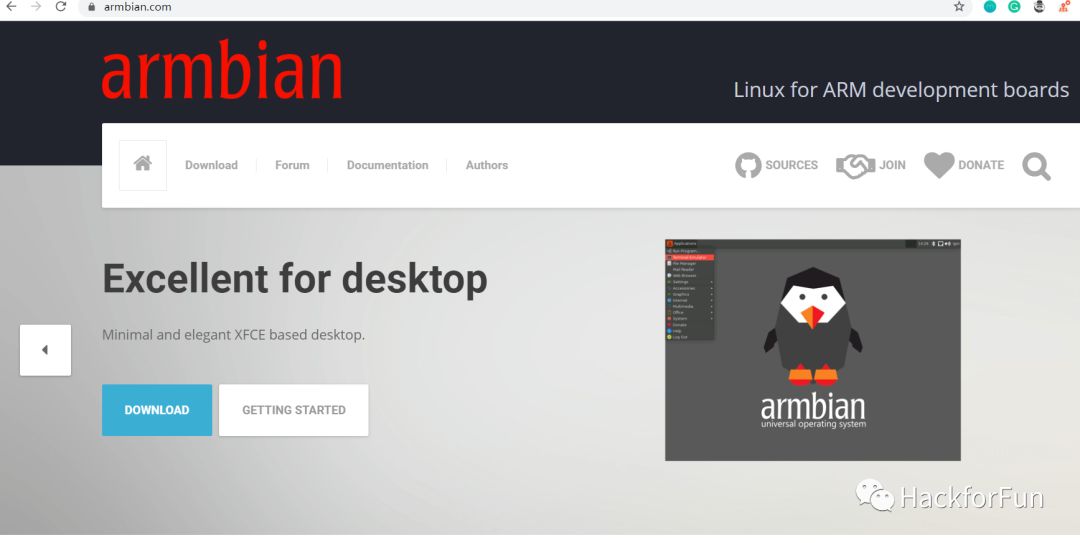
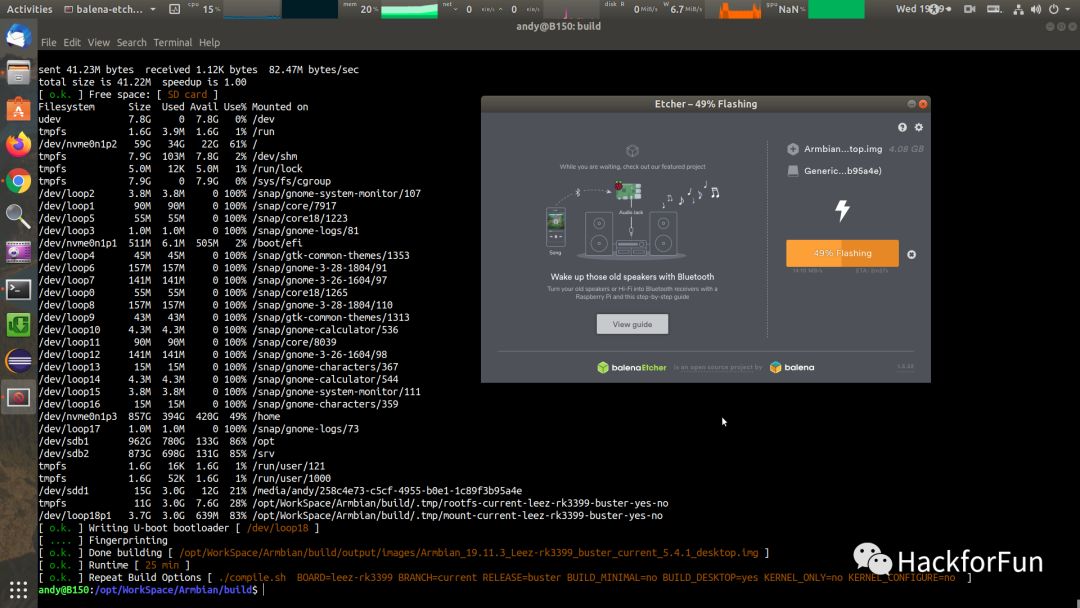
Based on the mainline U-Boot and Linux kernel, I created a Debian 10 image using Armbian and shared it on Baidu Cloud: Link: https://pan.baidu.com/s/1avuzcmSMvGREv4Cioh1_UA Extraction Code: af5i.
This image can be written to a TF card using Etcher software, and then the card can be inserted into the development board to boot the system.
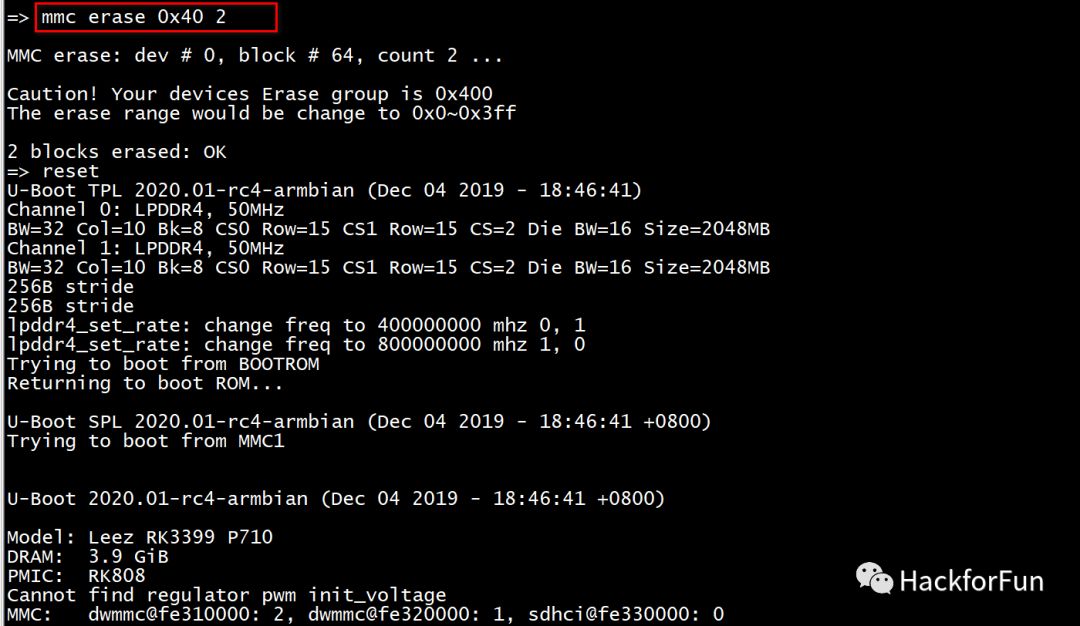
If your board has eMMC, it is best to erase the firmware on the eMMC first, at least erase a small section starting from the 64th sector, because RK3399 defaults to booting from eMMC. There are many methods to erase, such as entering the U-Boot command line and using the mmc erase command:
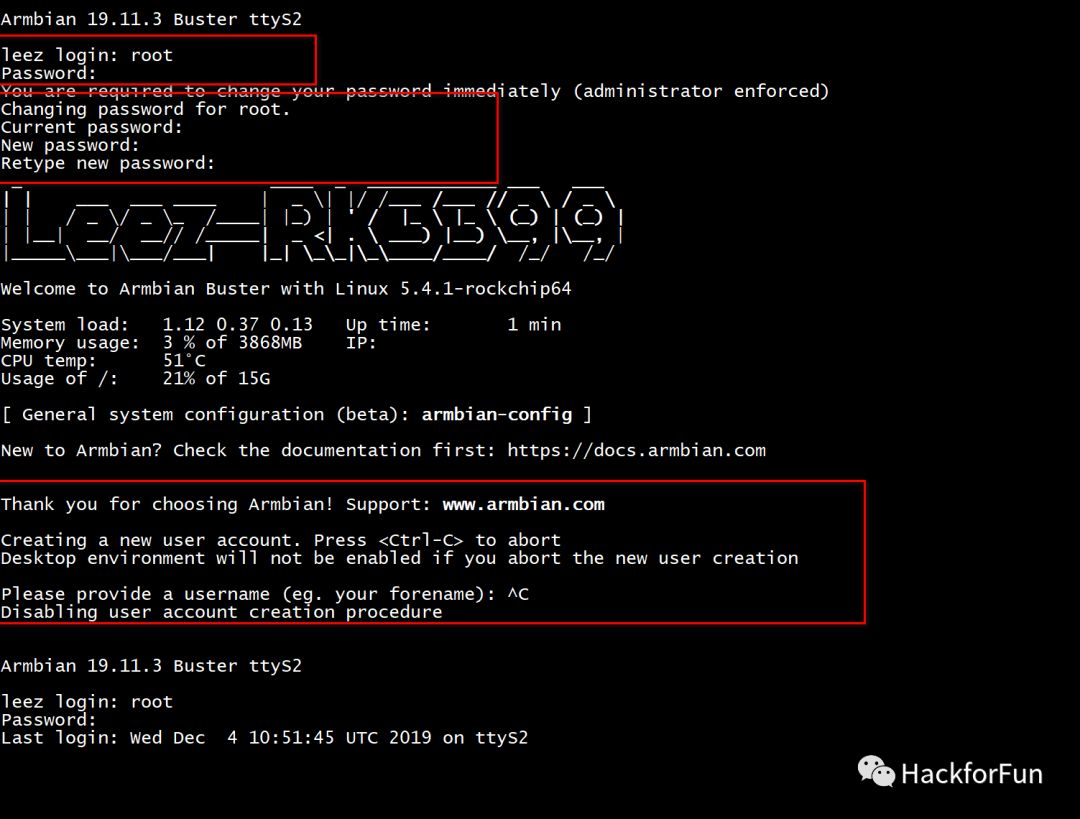
After inserting the TF card into the board and powering it on, the system will boot from the TF card. By connecting a serial port or HDMI, you can see the login information after the system starts. The default login username and password are root and 1234. After entering the password, the system will prompt you to change the password again, and you can follow the instructions to do so.
Once in the command line, you can use the nmtui-connect command to scan for WiFi and connect to the internet.
On the HDMI screen, you can start the desktop using the lightdm command. However, this desktop does not come with GPU acceleration, and I will write a separate article on how to enable GPU acceleration later.
You can also use the nand-sata-install command to migrate the entire system from the TF card to the eMMC. However, it is best to perform this operation via SSH, as I found that the display on the serial port has issues.
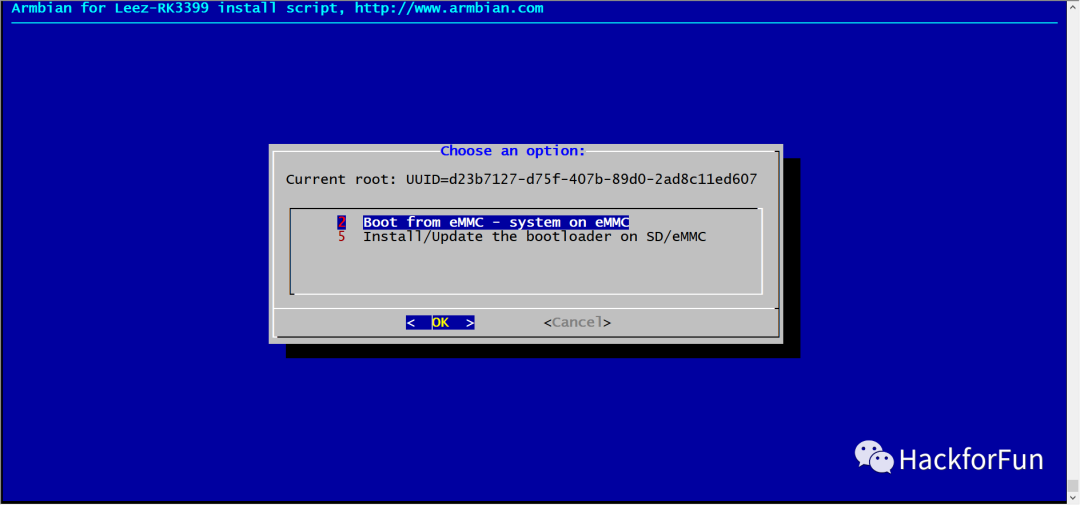
After the installation is complete, it will prompt All done. Power off. After selecting Power off, remove the card and power on again, and the system will boot from eMMC.
Updating U-Boot
We can compile the mainline U-Boot ourselves and then update it on the board.
Since RK3399 is Arm64, we also need to compile ATF (Arm Trusted Firmware). ATF is mainly responsible for switching the CPU from the secure EL3 to EL2 before starting U-Boot and then jumping to U-Boot, and it is responsible for starting other CPUs after the kernel boots.
-
Download ATF
git clone https://github.com/ARM-software/arm-trusted-firmware.git
-
Compile ATF
make CROSS_COMPILE=aarch64-linux-gnu- PLAT=rk3399
The final compiled target file is: build/rk3399/release/bl31/bl31.elf. This file needs to be packaged together with the compiled U-Boot into a FIT format image to be loaded by SPL.
-
Download U-Boot
git clone https://gitlab.denx.de/u-boot/u-boot.git
-
Compile U-Boot
export BL31=../../arm-trusted-firmware/build/rk3399/release/bl31/bl31.elf
make leez-rk3399_defconfig
make CROSS_COMPILE=aarch64-linux-gnu-
The first step is to set the BL31 environment variable, specifying the location of the previously compiled bl31.elf, which will be packaged into the FIT image during U-Boot compilation.
The second step is to execute the configuration file corresponding to the Leez-RK3399 development board.
The third step is to start the compilation.
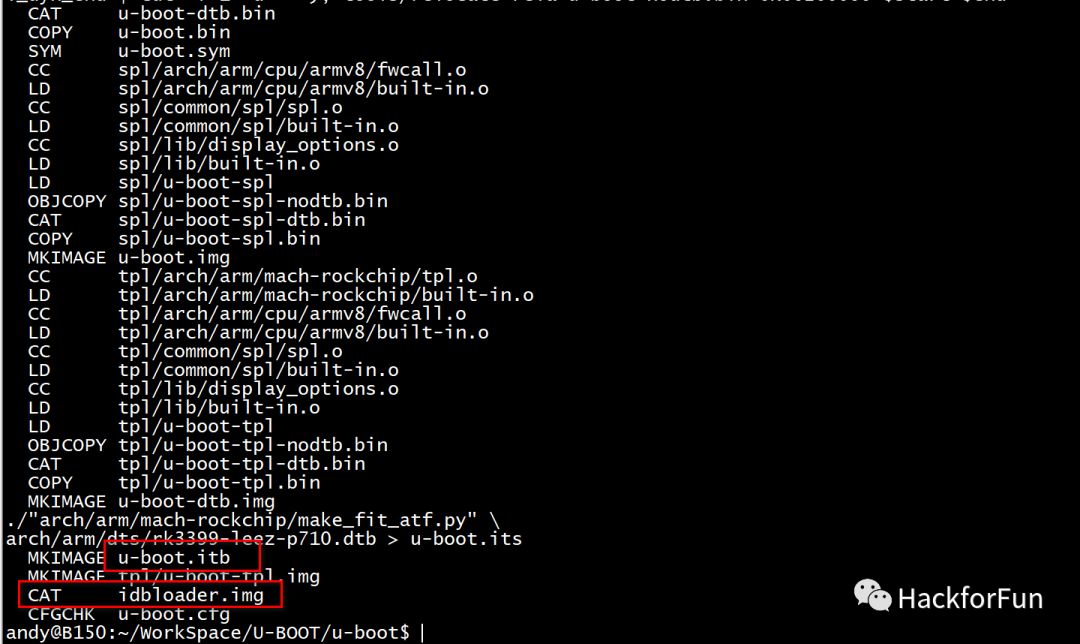
After successful compilation, two files will be generated for flashing:
-
idbloader.img: This is a composite file of TPL and SPL, where the former is responsible for DDR initialization, and the latter is responsible for loading ATF and U-Boot.
-
u-boot.itb: This is a FIT format image file composed of U-Boot and the previous ATF.
-
Update U-Boot on the Development Board
You can use the scp command to copy the compiled idbloader.img and u-boot.itb to the development board, and then use the dd command to write these two files into eMMC. The idbloader.img should be written to sector 64, and u-boot.itb to sector 16384:
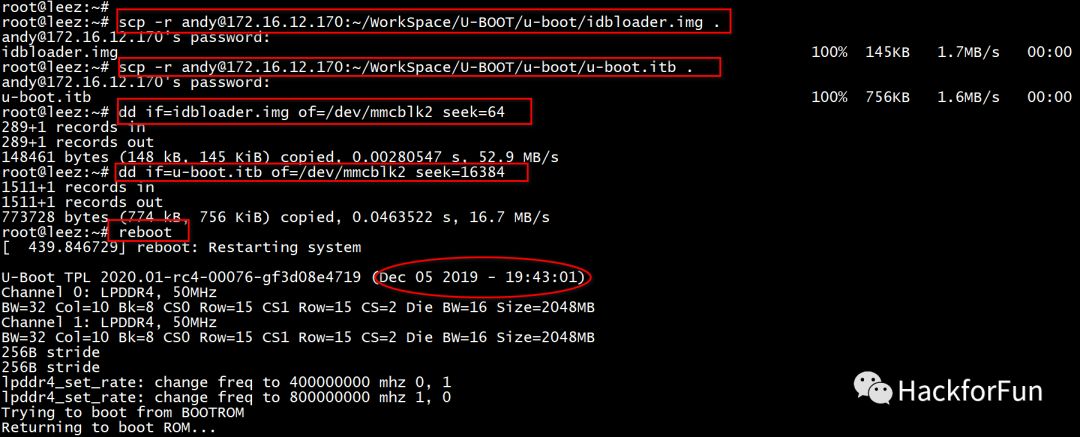
After writing, execute the reboot command to restart, and you can determine from the timestamp that U-Boot has been successfully updated.
Updating Linux Kernel
-
Download Mainline Linux Kernel
git clone https://git.kernel.org/pub/scm/linux/kernel/git/stable/linux.git
If the download speed is slow, you can refer to this article: A Small Tip for Accelerating Git Clone.
-
Switch to the Latest Stable Version Linux 5.4 Branch
git checkout -b linux-5.4.y origin/linux-5.4.y
-
Compile
make ARCH=arm64 defconfig
make ARCH=arm64 CROSS_COMPILE=aarch64-linux-gnu- -j8
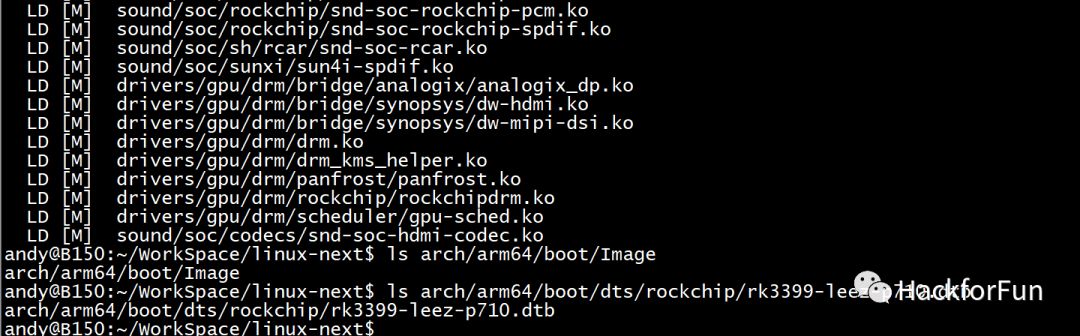
After successful compilation, the Image and dtb files will be generated:
-
Update Linux Kernel on the Development Board
The compiled Image and dtb files should also be copied to the development board using the scp command.
Armbian adopts the same mechanism as the PC Ubuntu distribution, placing the Kernel Image in the /boot directory,
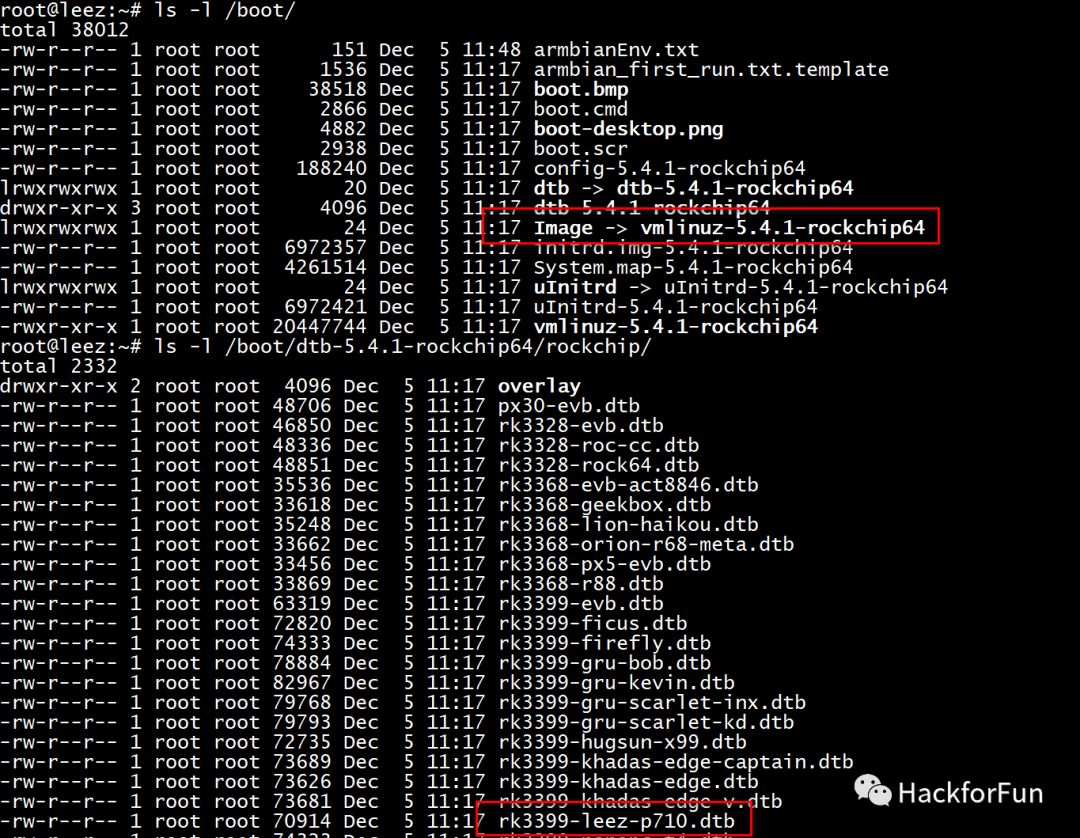
So we just need to use the compiled Image and dtb to replace vmlinuz-5.4.1-rockchip64 and rk3399-leez-p710.dtb respectively.
For safety, it is best to back up the original vmlinuz-5.4.1-rockchip64 and rk3399-leez-p710.dtb files in the system, in case the updated firmware breaks some functionality, you can restore using the backup.
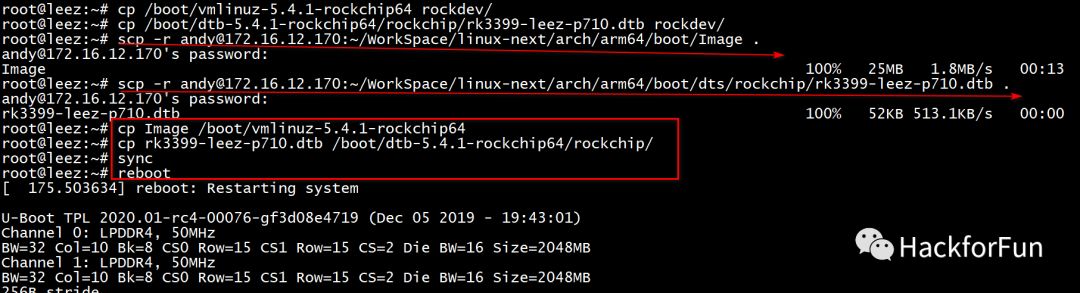
After updating, restart, and you will see that the latest kernel has taken effect.
If you encounter issues while compiling the Linux Kernel or U-Boot, you can refer to this article: Things About Compiling Linux Kernel and U-Boot.