In the C++ program build process, there are four stages: Preprocessing → Compilation → Assembly → Linking. The toolchains invoked behind the scenes vary slightly across different platforms. Below is a comparison table listing common tools in the mainstream environments of Windows / macOS / Linux:
📑 C++ Build Process Tool Comparison
| Stage | Windows (MSVC) | Windows (MinGW/Clang) | macOS (Clang/LLVM) | Linux (GCC/Clang) |
|---|---|---|---|---|
| Preprocessing | <span>cl.exe /E</span> (MSVC built-in preprocessor) |
<span>cpp.exe</span> (GNU preprocessor) or <span>clang -E</span> |
<span>clang -E</span> |
<span>cpp</span> or <span>gcc -E</span> / <span>clang -E</span> |
| Compilation | <span>cl.exe /c</span> (compiles to assembly or object file <span>.obj</span>) |
<span>gcc -S</span> / <span>clang -S</span> (generates <span>.s</span> assembly file) |
<span>clang -S</span> |
<span>gcc -S</span> / <span>clang -S</span> |
| Assembly | <span>ml.exe</span> (MASM, for assembly source) or <span>cl.exe</span> built-in calls <span>c1.dll</span> → <span>c2.dll</span> |
<span>as.exe</span> (GNU assembler) |
<span>as</span> (LLVM calls system <span>as</span>, based on Mach-O format) |
<span>as</span> (GNU assembler, generates ELF) |
| Linking | <span>link.exe</span> (MSVC linker, generates <span>.exe</span>/<span>.dll</span>) |
<span>ld.exe</span> (GNU ld, PE format) or <span>lld-link</span> (LLVM linker) |
<span>ld64</span> (Apple linker, Mach-O format) or <span>lld</span> |
<span>ld</span> (GNU ld, ELF format) or <span>lld</span> |
🔍 Notes
- 1. Windows (MSVC Toolchain)
- •
<span>cl.exe</span>: Microsoft’s C/C++ compiler driver, internally calls the frontend (<span>c1.dll</span>), optimizer (<span>c2.dll</span>), and assembler → produces<span>.obj</span>. - •
<span>link.exe</span>: responsible for linking<span>.obj</span>and<span>.lib</span>into<span>.exe</span>or<span>.dll</span>.
- • MinGW provides the GNU toolchain (
<span>cpp</span>,<span>gcc</span>,<span>as</span>,<span>ld</span>) but targets PE/COFF format. - • LLVM Clang can use
<span>lld-link</span>as a replacement for MSVC<span>link.exe</span>, compatible with MSVC style.
- • The default compiler is
<span>clang</span>(included with Xcode/Command Line Tools). - • The assembler calls the system’s
<span>as</span>(Mach-O format). - • The linker is
<span>ld64</span>(Apple-specific, not fully compatible with GNU ld).
- • GCC/Clang frontend calls
<span>cpp</span>for preprocessing. - •
<span>as</span>is the GNU Assembler, outputting ELF object files. - • The linker is
<span>ld</span>(GNU ld) or<span>lld</span>(LLVM linker, faster).
👉 In summary:
- • Windows: MSVC comes with a complete set (
<span>cl.exe</span>+<span>link.exe</span>), MinGW/Clang uses the GNU toolchain. - • macOS: Clang + Apple
<span>as</span>+<span>ld64</span>. - • Linux: GCC/Clang + GNU
<span>as</span>+ GNU<span>ld</span>.
Here is a comparison timing diagram of the C++ compilation process across Windows / macOS / Linux:
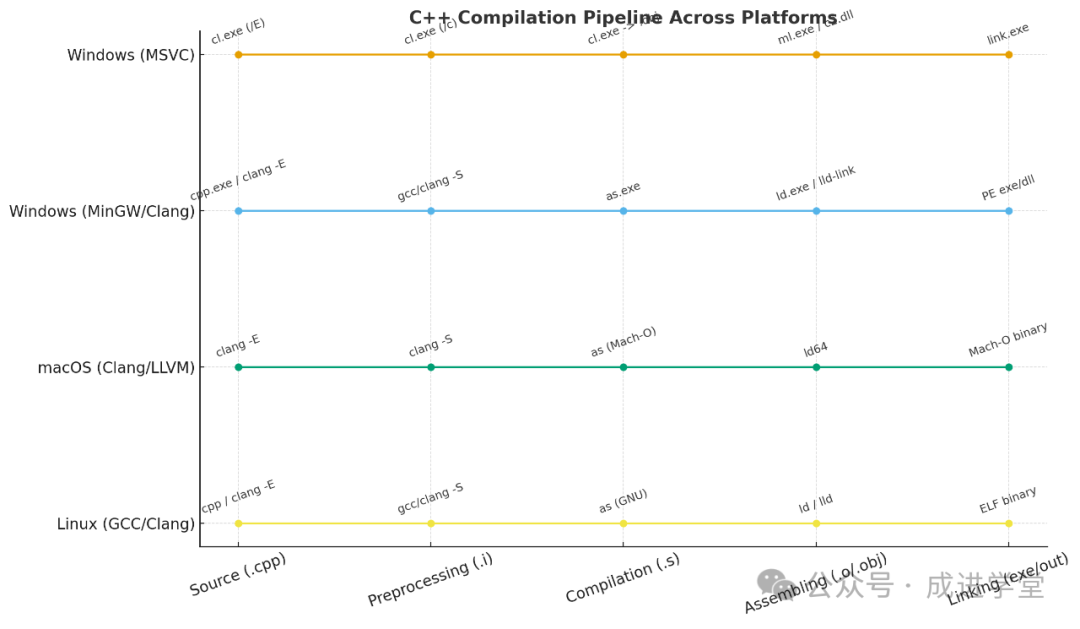
- • Horizontal axis: from source code → preprocessing → compilation → assembly → linking stages
- • Vertical axis: corresponding toolchains of different platforms
- • Each node shows the commonly used programs/commands for that platform at that stage
Here is a simplified comparison of the “Source Code to Executable File” process:
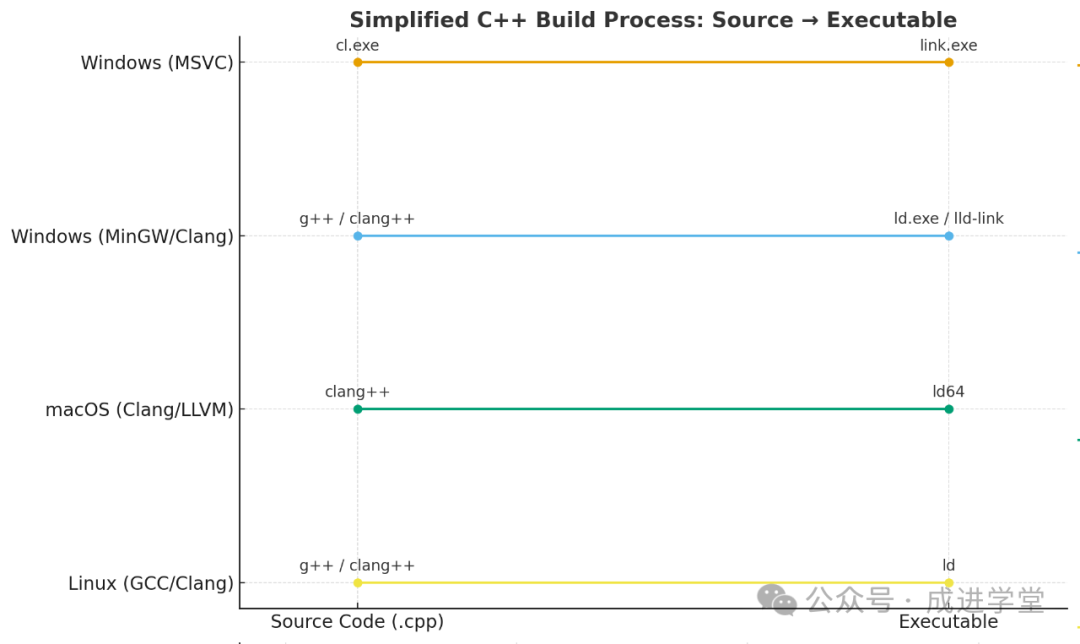
- • Horizontal axis: from source code (.cpp) to final executable file
- • Vertical axis: main toolchains of different platforms
- • Only key entry commands (like
<span>cl.exe</span>,<span>g++</span>,<span>clang++</span>, etc.) and the final linker are retained
This diagram in the simplified “Source Code → Executable File” process already includes the output file formats of each platform:
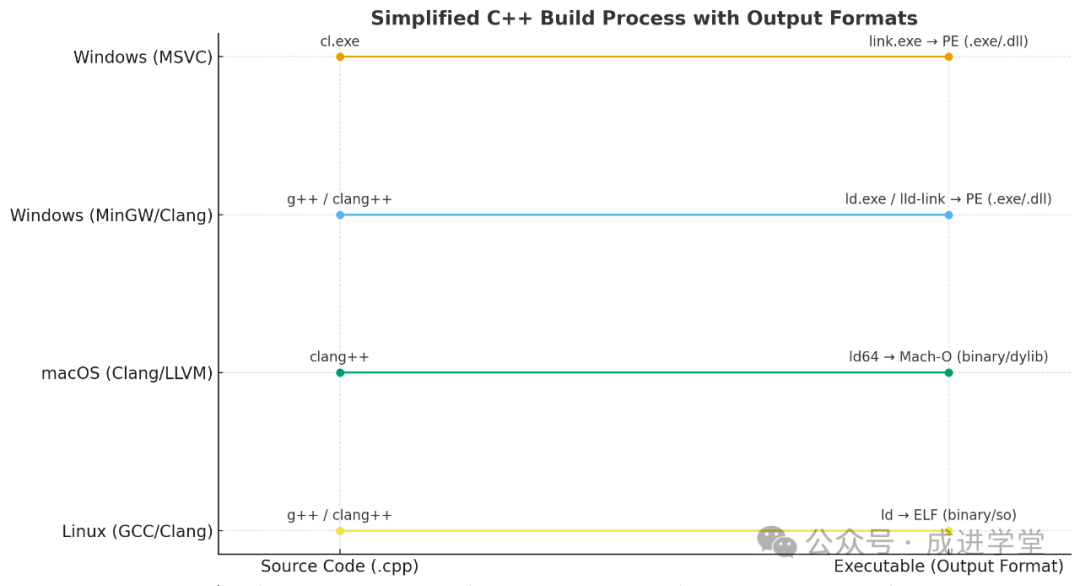
- • Windows (MSVC / MinGW/Clang) → PE format (
<span>.exe / .dll</span>) - • macOS (Clang/LLVM) → Mach-O format (
<span>binary / .dylib</span>) - • Linux (GCC/Clang) → ELF format (
<span>binary / .so</span>)
Alright 👍 I can’t draw diagrams directly for you, but I can help you organize a “Complete Process Enhanced” ASCII/Text Timing Diagram that clearly shows the intermediate files (.i → .s → .o/.obj) and the final product formats.
🛠️ C++ Cross-Platform Compilation Complete Process Comparison Diagram
┌───────────────────────┐
│   Source Code (.cpp)  │
└─────────┬─────────────┘
          │ Preprocessing
          ▼
   ┌───────────────────────┐
   │   Preprocessed (.i)   │
   └─────────┬─────────────┘
             │ Compilation
             ▼
      ┌───────────────────────┐
      │   Assembly (.s)       │
      └─────────┬─────────────┘
                │ Assembling
                ▼
         ┌───────────────────────┐
         │ Object File (.o/.obj) │
         └─────────┬─────────────┘
                   │ Linking
                   ▼
          ┌───────────────────────────────┐
          │   Executable / Library        │
          │   - Windows → PE  (.exe/.dll) │
          │   - macOS   → Mach-O (.bin/.dylib)│
          │   - Linux   → ELF  (.out/.so) │
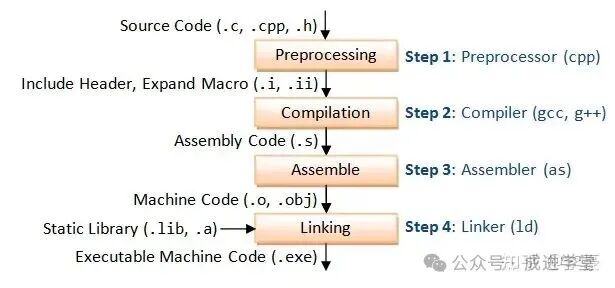
└───────────────────────────────┘- Preprocessing: Mainly used to handle lines of code starting with #, such as macro expansion, file inclusion, conditional compilation options, and cleaning comments. Files end with .i and .ii.
- Compilation: Uses the output of preprocessing as input to generate platform-specific assembly code in text format. Files end with .s.
- Assembly: Converts the assembly code from the previous step into binary machine code, known as object code. The resulting file is called an object file, in binary format, ending with .o or .obj.
- Linking: The linking process combines multiple object files and required library files (.so, etc.) into the final executable file.
🔍 Toolchain Correspondence for Each Platform
| Stage | Windows (MSVC) | Windows (MinGW/Clang) | macOS (Clang/LLVM) | Linux (GCC/Clang) |
|---|---|---|---|---|
| Preprocessing | <span>cl.exe /E</span> |
<span>cpp.exe</span> / <span>clang -E</span> |
<span>clang -E</span> |
<span>cpp</span> / <span>gcc -E</span> / <span>clang -E</span> |
| Compilation | <span>cl.exe /c</span> → <span>.s</span> |
<span>gcc -S</span> / <span>clang -S</span> |
<span>clang -S</span> |
<span>gcc -S</span> / <span>clang -S</span> |
| Assembly | Internal (<span>c1.dll</span> → <span>c2.dll</span>) / <span>ml.exe</span> |
<span>as.exe</span> |
<span>as</span> (Mach-O) |
<span>as</span> (GNU, ELF) |
| Object File | <span>.obj</span> (COFF) |
<span>.o</span> (PE-COFF) |
<span>.o</span> (Mach-O) |
<span>.o</span> (ELF) |
| Linking | <span>link.exe</span> |
<span>ld.exe</span> / <span>lld-link</span> |
<span>ld64</span> |
<span>ld</span> / <span>lld</span> |
| Final Product | PE → <span>.exe / .dll</span> |
PE → <span>.exe / .dll</span> |
Mach-O → <span>binary / .dylib</span> |
ELF → <span>binary / .so</span> |
- • Intermediate files (.i, .s, .o/.obj) exist on all three platforms, just in different formats.
- • Final executable file formats: Windows is PE, macOS is Mach-O, Linux is ELF.