Time Limit: 2s Memory Limit: 192MB
Problem Description
Sort ten numbers in descending order
Input Format
Ten integers
Output Format
Output these ten numbers in descending order
Sample Input
1 2 3 4 5 6 7 8 9 10
Sample Output
10 9 8 7 6 5 4 3 2 1
Code
#include <iostream>#include <algorithm> // For sort function#include <functional> // For greater<int>()using namespace std;
int main() {    int arr[10];
    // Input ten integers    for (int i = 0; i < 10; i++) {        cin >> arr[i];    }
    // Use sort function for descending order sorting    sort(arr, arr + 10, greater<int>());
    // Output sorted result    for (int i = 0; i < 10; i++) {        cout << arr[i];        if (i < 9) cout << " "; // No space after the last number    }    cout << endl;
    return 0;}
Output Result
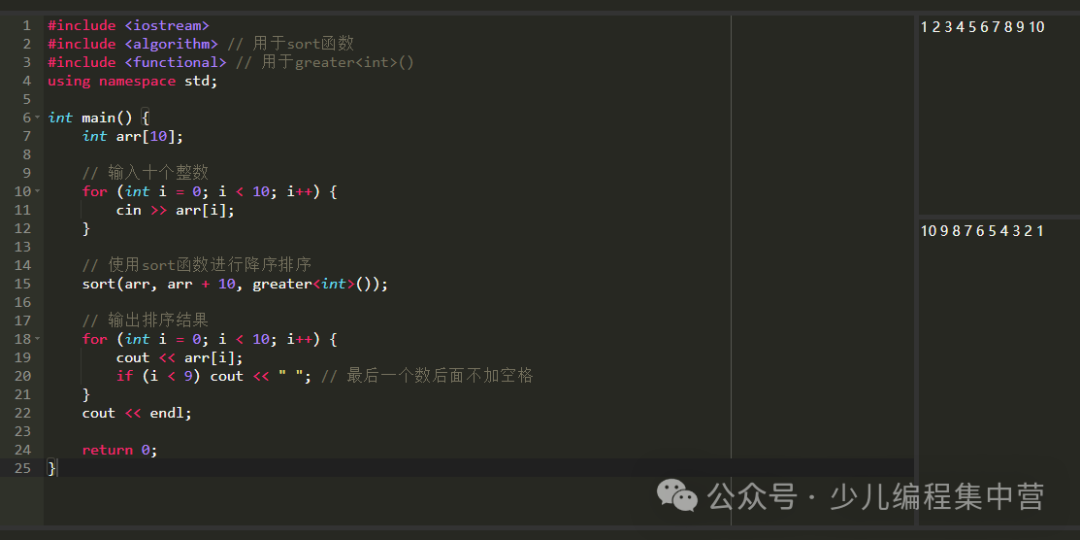 Code Explanation: (1) Header Files: a) <iostream> for input and output b) <algorithm> includes the sort function c) <functional> includes greater<int>() for descending order sorting (2) Array Storage: a) Use an integer array arr of size 10 to store the ten input numbers (3) Input Handling: a) Use a for loop to read 10 integers into the array (4) Descending Order Sorting: a) sort(arr, arr + 10, greater<int>()) sorts the array in descending order b) greater<int>() is a function object that tells the sort function to arrange in descending order (5) Output: a) Use a for loop to output the sorted array elements b) Add spaces between numbers, no space after the last number
Another Implementation Method (Sort Ascending then Reverse):
#include <iostream>#include <algorithm>using namespace std;
int main() {    int arr[10];
    for (int i = 0; i < 10; i++) {        cin >> arr[i];    }
    // First sort in ascending order    sort(arr, arr + 10);
    // Then reverse the array to get descending order    reverse(arr, arr + 10);
    for (int i = 0; i < 10; i++) {        cout << arr[i] << " ";    }    cout << endl;
    return 0;}
Third Method (Manual Comparison and Swap):
#include <iostream>using namespace std;
int main() {    int arr[10];
    // Input    for (int i = 0; i < 10; i++) {        cin >> arr[i];    }
    // Use selection sort for descending order    for (int i = 0; i < 9; i++) {        for (int j = i + 1; j < 10; j++) {            if (arr[i] < arr[j]) { // If the previous number is less than the next number, swap                int temp = arr[i];                arr[i] = arr[j];                arr[j] = temp;            }        }    }
    // Output    for (int i = 0; i < 10; i++) {        cout << arr[i] << " ";    }    cout << endl;
    return 0;}
Extended Knowledge:Three Uses of the sort Function:
- Ascending: sort(arr, arr+10) or sort(arr, arr+10, less<int>())
- Descending: sort(arr, arr+10, greater<int>())
- Custom sorting rules
Sorting Algorithm Comparison:
- sort() function: Efficient, O(n log n) time complexity
- Selection sort: O(n²) time complexity, suitable for understanding algorithm principles
- In practical programming, it is recommended to use the sort() function for efficiency and simplicity
Teaching Suggestions:
- For beginners, it is recommended to use the first method (sort + greater)
- The second method can help understand the concept of array reversal
- The third method is suitable for explaining the basic principles of sorting algorithms

C++ Basic Tutorial Collection
 C++ Basic Materials
1. C++ Output
2. C++ Variables
3. C++ Input
4. C++ Expressions
5. IF Statements
6. IF Applications
7. WHILE Loop Statements
8. FOR Loop Statements
9. Arrays
10. One-Dimensional Arrays
11. Two-Dimensional Arrays
12. C++ Functions
13. C++ File Operations – Writing Files
If you find it useful, please click on me