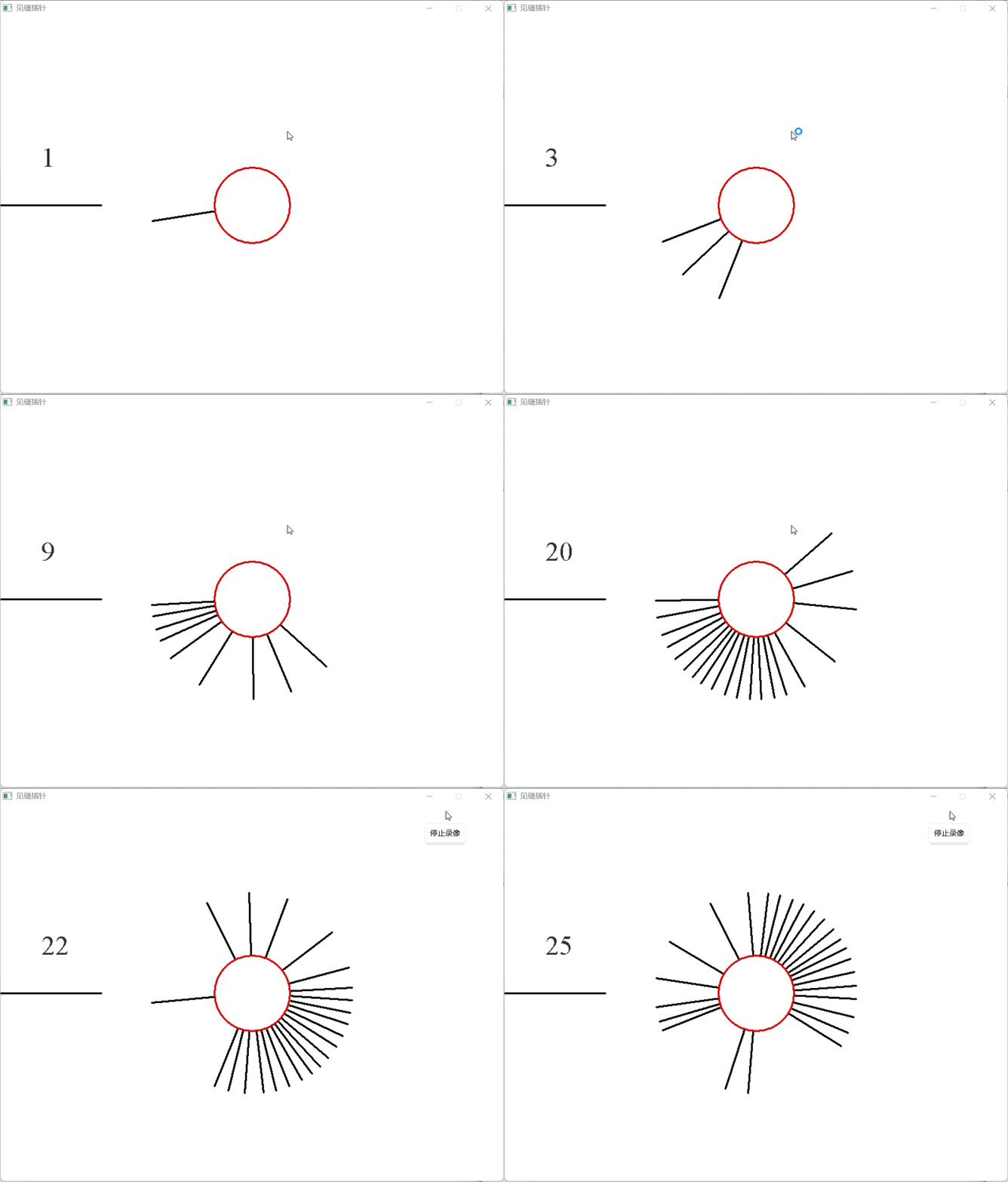
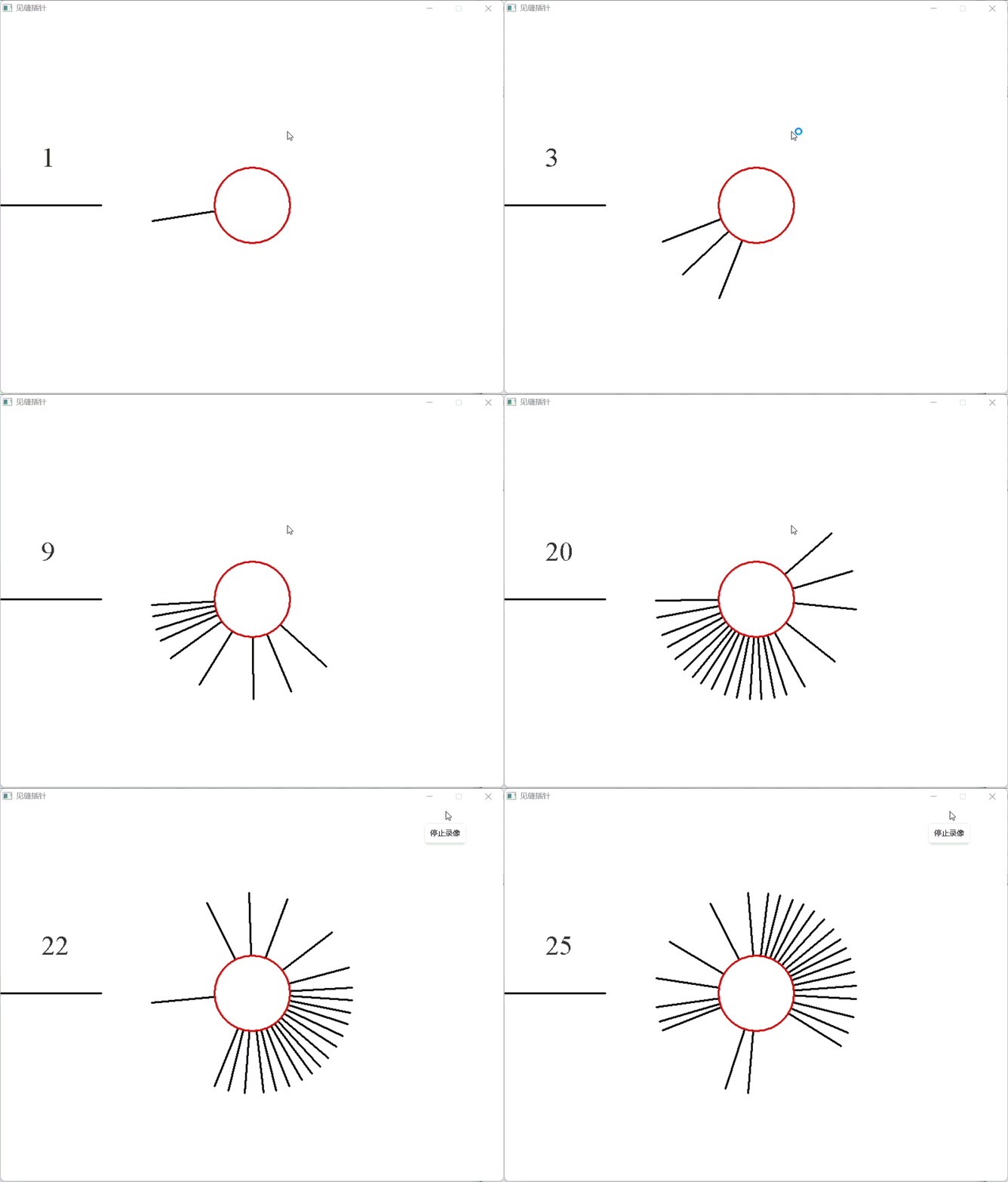
“Needle Insertion” is an interesting physics collision game where players need to press the space bar to launch needles onto a rotating disk. All launched needles rotate counterclockwise, and if a newly launched needle collides with an existing needle, the game ends. Below, I will explain step by step how to implement this game using C++ and the EasyX graphics library.
1. Drawing Basic Shapes: Disk and Needle
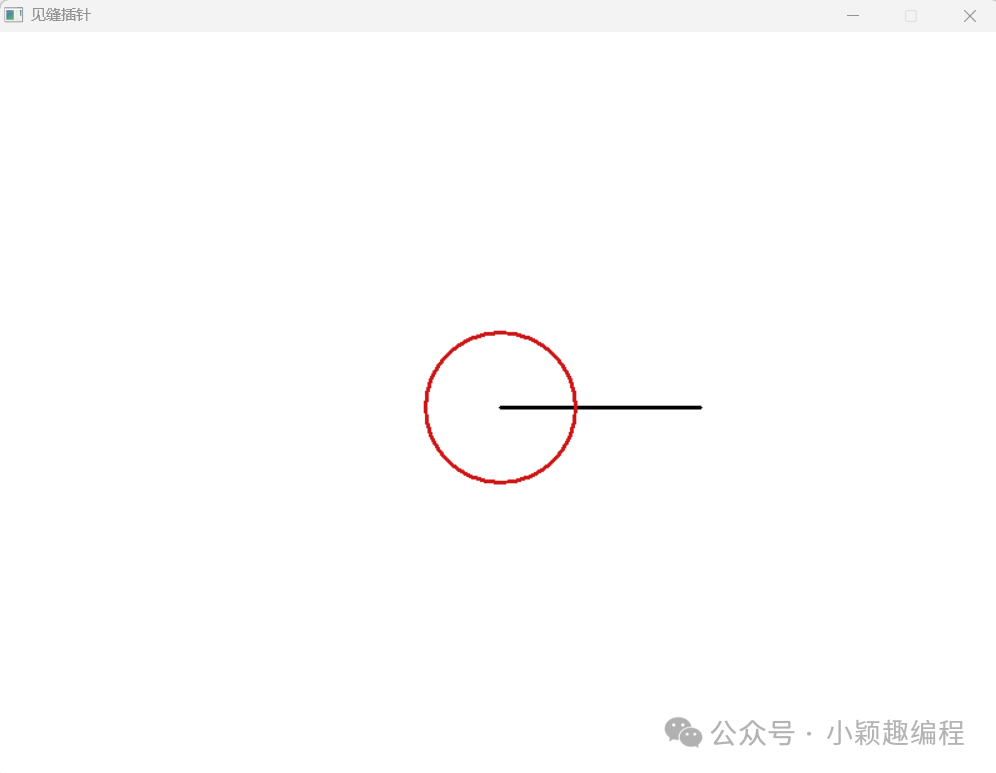
First, we need to draw a disk and a needle in the center of the screen. The coordinates of the center and the starting point of the line segment are both (width/2, height/2). The function setlinestyle(PS_SOLID, 3) is used to set the current line style, where PS_SOLID indicates a solid line with a width of 3 (the default line width is 1).
#include <graphics.h>
#include <conio.h>
int main() {
    int width = 800;   // Screen width
    int height = 600;  // Screen height
    initgraph(width, height);          // Open a new screen
    setbkcolor(RGB(255, 255, 255));    // Background color is white
    cleardevice();                     // Clear the background with the background color
    setlinestyle(PS_SOLID, 3);         // Set line width to 3, solid line
    setlinecolor(RGB(0, 0, 0));        // Set needle color to black
    line(width/2, height/2, width/2 + 160, height/2);  // Draw a needle
    setlinecolor(HSVtoRGB(0, 0.9, 0.8)); // Set disk line color to red
    circle(width/2, height/2, 60);     // Draw the central disk
    _getch();    closegraph();    return 0;
}
2. Implementing Needle Rotation Effect
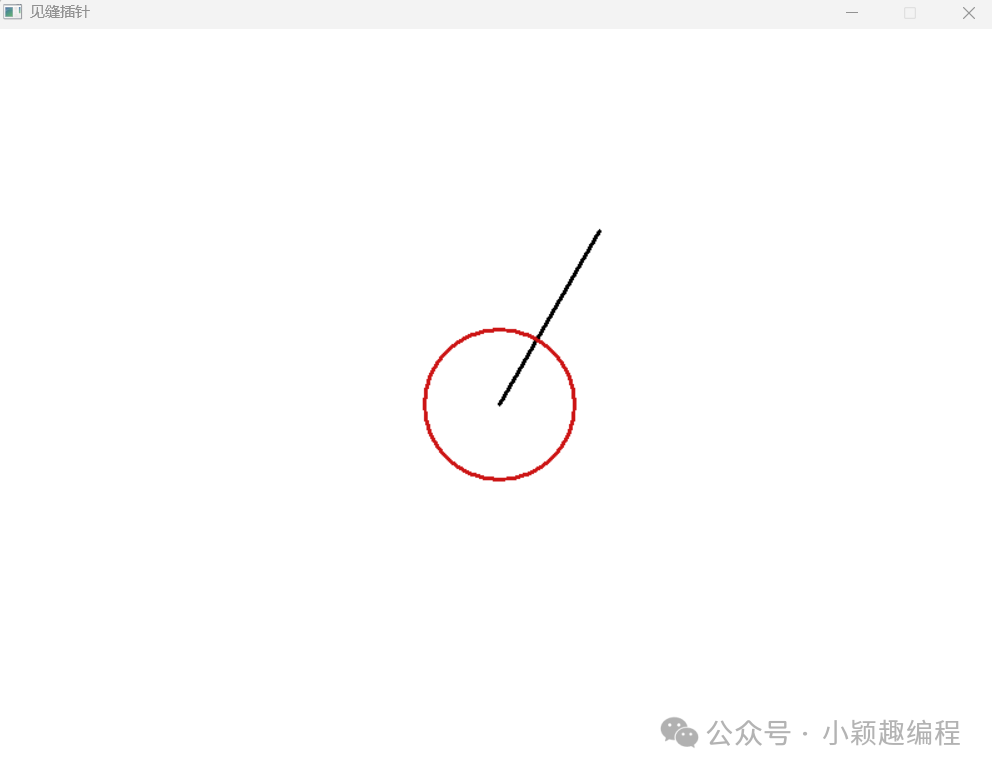
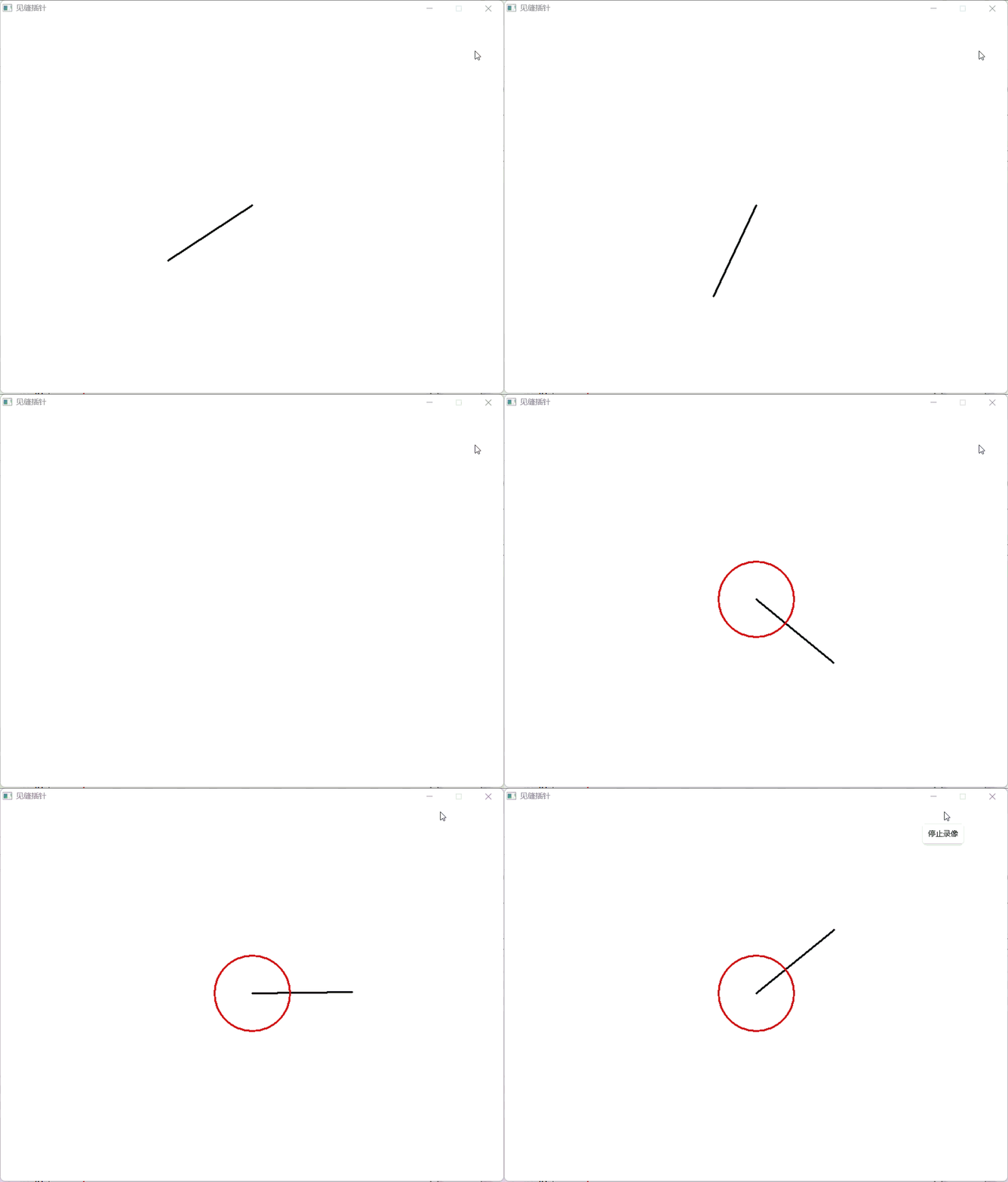
To make the needle rotate, we need to use trigonometric functions to calculate the coordinates of the needle’s tip. The starting coordinates of the needle are the center of the screen (width/2, height/2). Assuming the length of the needle is lineLength and the rotation angle is angle, the formula for calculating the tip coordinates is:
xEnd = lineLength * cos(-angle) + width/2;
yEnd = lineLength * sin(-angle) + height/2;
Since the y-axis direction of the EasyX drawing coordinate system is opposite to that of the general mathematical coordinate system, we need to calculate the trigonometric functions of -angle.
#include<graphics.h>
#include<conio.h>
#include<stdio.h>
#include<math.h>
int main() {
    float PI = 3.1415926;
    int width = 800;   // Screen width
    int height = 600;  // Screen height
    initgraph(width, height);  // Open a new screen
    setbkcolor(RGB(255, 255, 255));  // Background color is white
    cleardevice();  // Clear the background with the background color
    float lineLength = 160;  // Length of the needle
    float xEnd, yEnd;  // Tip coordinates of the needle (starting position is the center)
    float angle = PI/3;  // Rotation angle of the needle
    setlinestyle(PS_SOLID, 3);  // Line width is 3, making the needle more visible
    setlinecolor(RGB(0, 0, 0));  // Set needle color to black
    xEnd = lineLength * cos(-angle) + width/2;  // Calculate the tip coordinates of the needle
    yEnd = lineLength * sin(-angle) + height/2;    line(width/2, height/2, xEnd, yEnd);  // Draw a needle
    setlinecolor(HSVtoRGB(0, 0.9, 0.8));  // Set disk line color to red
    circle(width/2, height/2, 60);  // Draw the central disk
    _getch();    closegraph();    return 0;
}
To achieve continuous rotation animation, we gradually increase the angle in a while loop. In C++, both integers and floating-point numbers have value ranges, so to prevent the angle variable from increasing indefinitely, we set it to angle = angle – 2PI when angle > 2PI.
#include <graphics.h>
#include <conio.h>
#include <stdio.h>
#include <math.h>
int main() {
    const float PI = 3.1415926;  // PI constant
    int width = 800;  // Screen width
    int height = 600;  // Screen height
    initgraph(width, height);  // Open a new screen
    setbkcolor(RGB(255, 255, 255));  // Background color is white
    cleardevice();  // Clear the background with the background color
    float lineLength = 160;  // Length of the needle
    float xEnd, yEnd;  // Tip coordinates of the needle (starting position is the center)
    float angle = 0;  // Rotation angle of the needle
    float rotateSpeed = PI/360;  // Rotation speed of the needle
    setlinestyle(PS_SOLID, 3);  // Line width is 3, making the needle more visible
    while (1) {
        cleardevice();  // Clear the background with the background color
        angle = angle + rotateSpeed;  // Increase the angle
        // Prevent angle data from increasing indefinitely
        if (angle > 2 * PI) {
            angle = angle - 2 * PI;
        }
        xEnd = lineLength * cos(-angle) + width/2;  // Calculate the tip coordinates of the needle
        yEnd = lineLength * sin(-angle) + height/2;        setlinecolor(RGB(0, 0, 0));  // Set needle color to black
        line(width/2, height/2, xEnd, yEnd);  // Draw a needle
        setlinecolor(HSVtoRGB(0, 0.9, 0.8));  // Set disk line color to red
        circle(width/2, height/2, 60);  // Draw the central disk
        Sleep(10);  // Pause for 10 milliseconds
    }
    closegraph();    return 0;
}
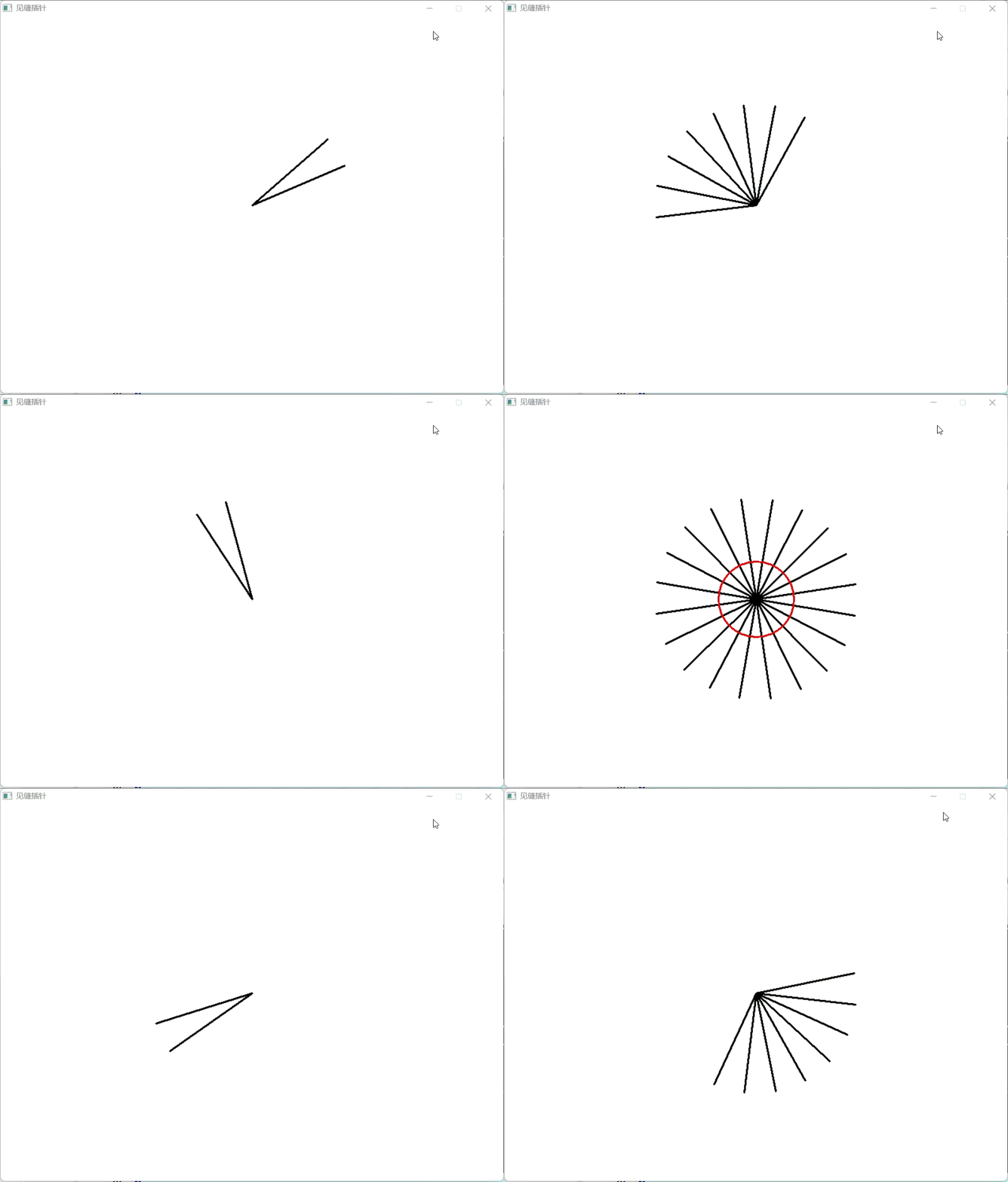
3. Using Arrays to Implement Multiple Needles Drawing
To achieve the effect of multiple needles, we need to use an array to store the angle values of each needle. An array is a collection of data of the same type, which can be accessed through an index.
#include <graphics.h>
#include <conio.h>
#include <stdio.h>
#include <math.h>
int main() {
    const float PI = 3.1415926;  // PI constant
    int width = 800;  // Screen width
    int height = 600;  // Screen height
    initgraph(width, height);  // Open a new screen
    setbkcolor(RGB(255, 255, 255));  // Background color is white
    setlinestyle(PS_SOLID, 3);  // Line width is 3, making the needle more visible
    float lineLength = 160;  // Length of the needle
    float xEnd, yEnd;  // Tip coordinates of the needle (starting position is the center)
    float rotateSpeed = PI/360;  // Rotation speed of the needle
    int lineNum = 20;  // Number of needles
    float Angles[20];  // Float array to store the rotation angles of all needles
    int i;
    // Start to evenly distribute the angles of the needles in the array
    for (i = 0; i < lineNum; i++) {
        Angles[i] = i * 2 * PI / lineNum;
    }
    while (1) {  // Repeat loop
        cleardevice();  // Clear the background with the background color
        setlinecolor(RGB(0, 0, 0));  // Set needle color to black
        for (i = 0; i < lineNum; i++) {  // Iterate through all rotating needles
            Angles[i] = Angles[i] + rotateSpeed;  // Increase the angle
            // If it exceeds 2*PI, subtract 2*PI to prevent angle data from increasing indefinitely
            if (Angles[i] > 2 * PI) {
                Angles[i] = Angles[i] - 2 * PI;
            }
            xEnd = lineLength * cos(-Angles[i]) + width/2;  // Calculate the tip coordinates of the needle
            yEnd = lineLength * sin(-Angles[i]) + height/2;            line(width/2, height/2, xEnd, yEnd);  // Draw a needle        }
        setlinecolor(HSVtoRGB(0, 0.9, 0.8));  // Set disk line color to red
        circle(width/2, height/2, 60);  // Draw the central disk
        Sleep(10);  // Pause for 10 milliseconds    }
    closegraph();    return 0;
}
4. Optimizing Drawing Performance: Batch Drawing
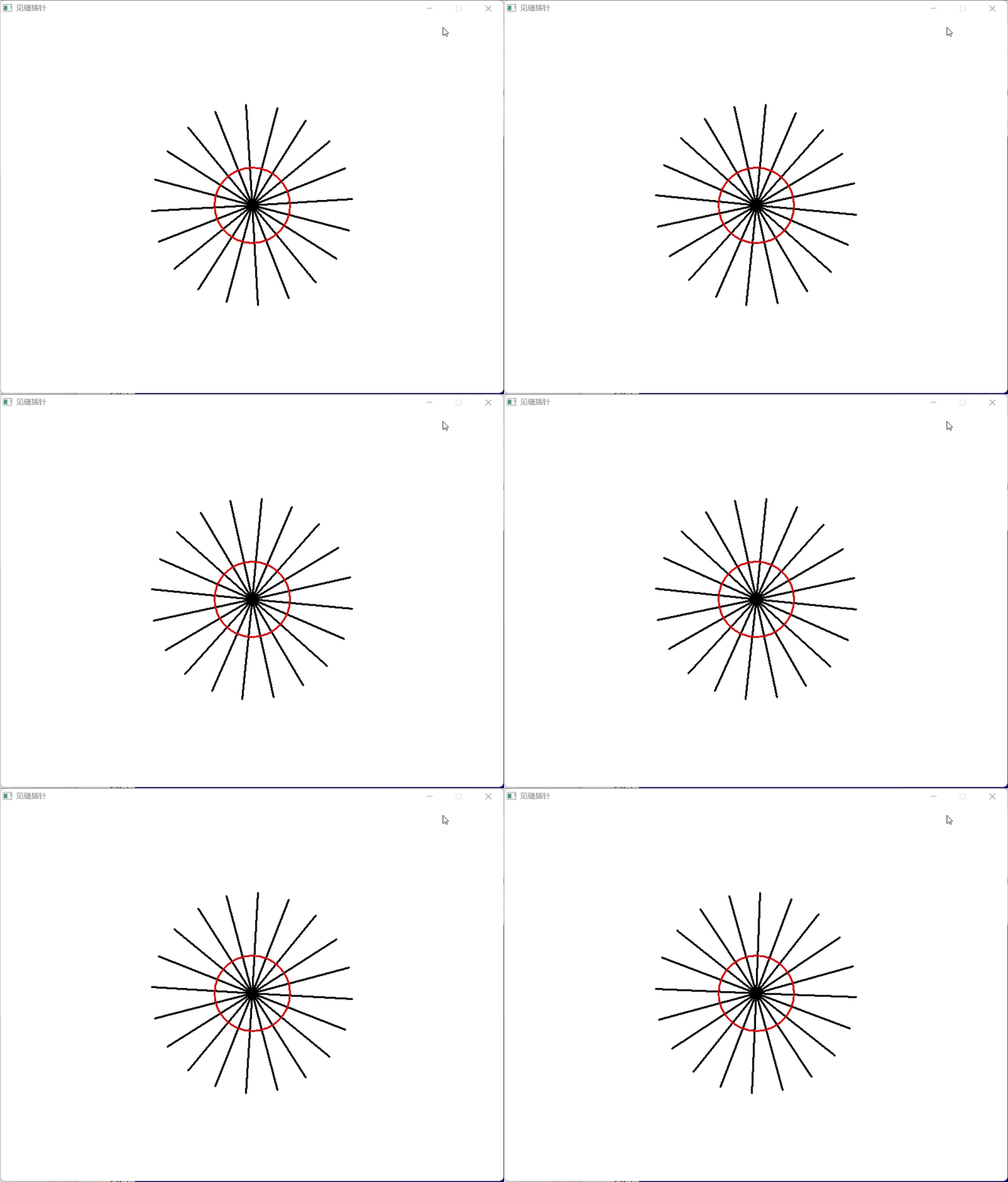
After running the above program, we may find that when there are many elements being drawn, the screen may flicker. In this case, we can use batch drawing functions to optimize:
#include <graphics.h>
#include <conio.h>
#include <stdio.h>
#include <math.h>
int main() {
    const float PI = 3.1415926;  // PI constant
    int width = 800;  // Screen width
    int height = 600;  // Screen height
    initgraph(width, height);  // Open a new screen
    setbkcolor(RGB(255, 255, 255));  // Background color is white
    setlinestyle(PS_SOLID, 3);  // Line width is 3, making the needle more visible
    float lineLength = 160;  // Length of the needle
    float xEnd, yEnd;  // Tip coordinates of the needle (starting position is the center)
    float rotateSpeed = PI/360;  // Rotation speed of the needle
    int lineNum = 20;  // Number of needles
    float Angles[20];  // Float array to store the rotation angles of all needles
    int i;
    for (i = 0; i < lineNum; i++) {
        Angles[i] = i * 2 * PI / lineNum;
    }
    BeginBatchDraw();  // Start batch drawing
    while (1) {
        cleardevice();
        setlinecolor(RGB(0, 0, 0));
        for (i = 0; i < lineNum; i++) {
            Angles[i] = Angles[i] + rotateSpeed;
            if (Angles[i] > 2 * PI) {
                Angles[i] = Angles[i] - 2 * PI;
            }
            xEnd = lineLength * cos(-Angles[i]) + width/2;
            yEnd = lineLength * sin(-Angles[i]) + height/2;
            line(width/2, height/2, xEnd, yEnd);
        }
        setlinecolor(HSVtoRGB(0, 0.9, 0.8));
        circle(width/2, height/2, 60);
        FlushBatchDraw();  // Batch draw
        Sleep(10);
    }
    closegraph();    return 0;
}
5. Implementing Needle Launching Functionality
Now we will implement the core functionality of the game—launching a new needle by pressing the space bar.
static bool lastSpaceState = false;  // Record the last frame's space key state
// Current frame state
bool currentSpaceState = (GetAsyncKeyState(VK_SPACE) & 0x8000) != 0;
// State change detection
if (currentSpaceState && !lastSpaceState && rotateSpeed != 0) {
    // Trigger only when the key changes from released to pressed
    // Logic for launching a needle
}
// Update last frame state
lastSpaceState = currentSpaceState;
GetAsyncKeyState is a function in the Windows API used to detect the current state of a specified virtual key. VK_SPACE: virtual key code representing the space bar.
The bitmask operation & 0x8000 is used to check if the key is pressed: a non-zero return value indicates the key is pressed, while zero indicates the key is not pressed.
6. Game Failure Judgment: Collision Detection
The key rule of the game is: if a newly launched needle collides with an existing needle, the game ends. We determine the collision by comparing the angle difference:
bool collision = false;
for (i = 0; i < lineNum - 1; i++) {
    if (fabs(Angles[lineNum-1] - Angles[i]) < PI/60) {
        collision = true;
        rotateSpeed = 0;  // Game over
        break;
    }
}
Here, we use the <span><span>abs()</span></span> function to calculate the absolute value. When the angle difference between two needles is less than PI/60, a collision is considered to have occurred.
7. Enhancing Game Effects: Scoring and Visual Effects
Finally, we add a scoring system and better visual effects. Below is the complete program:
#include <graphics.h>
#include <conio.h>
#include <stdio.h>
#include <math.h>
#include <windows.h>
int main() {
    const float PI = 3.1415926;  // PI constant
    int width = 800;  // Screen width
    int height = 600;  // Screen height
    initgraph(width, height);  // Open a new screen
    setbkcolor(RGB(255, 255, 255));  // Background color is white
    setlinestyle(PS_SOLID, 3);  // Line width is 3, making the needle more visible
    float lineLength = 160;  // Length of the needle
    float xEnd, yEnd;  // Tip coordinates of the needle (starting position is the center)
    float rotateSpeed = PI/360;  // Rotation speed of the needle
    int lineNum = 0;  // Number of rotating needles
    float Angles[1000];  // Float array to store the rotation angles of all needles, up to 1000 needles
    int score = 0;  // Score
    int i;
    BeginBatchDraw();  // Start batch drawing
    while (1) {  // Repeat loop
        cleardevice();  // Clear the background with the background color
        setlinecolor(RGB(0, 0, 0));  // Set needle color to black
        line(0, height/2, lineLength, height/2);  // Draw a needle in the left launch area
        for (i = 0; i < lineNum; i++) {  // Iterate through all rotating needles
            Angles[i] = Angles[i] + rotateSpeed;  // Increase the angle
            if (Angles[i] > 2 * PI) {  // If it exceeds 2*PI, subtract 2*PI
                Angles[i] = Angles[i] - 2 * PI;
            }
            xEnd = lineLength * cos(-Angles[i]) + width/2;  // Calculate the tip coordinates of the needle
            yEnd = lineLength * sin(-Angles[i]) + height/2;            line(width/2, height/2, xEnd, yEnd);  // Draw a needle        }
static bool lastSpaceState = false;  // Record the last frame's space key state
        bool currentSpaceState = (GetAsyncKeyState(VK_SPACE) & 0x8000) != 0;          // Use GetAsyncKeyState to detect the key, trigger only when the key changes from released to pressed
        if (currentSpaceState && !lastSpaceState && rotateSpeed != 0){  // If the key is pressed
            lineNum++;  // Increase the number of needles by 1
            Angles[lineNum-1] = PI;  // The initial angle of the newly added needle
bool collision = false;
for (i = 0; i < lineNum - 1; i++) {
    if (fabs(Angles[lineNum-1] - Angles[i]) < PI/60) {
        collision = true;
        rotateSpeed = 0;  // Game over
        break;
    }
}
if (rotateSpeed != 0) {  // If no collision occurs
    score = score + 1;  // Increase score by 1
}
}
lastSpaceState = currentSpaceState;  // Update state
        setlinecolor(HSVtoRGB(0, 0.9, 0.8));  // Set disk line color to red
        fillcircle(width/2, height/2, 60);  // Draw the central disk
        TCHAR s[20];  // Define string array
        _stprintf(s, _T("%d"), score);  // Convert score to string
        settextstyle(50, 0, _T("Times"));  // Set text size and font
        settextcolor(RGB(50, 50, 50));  // Set font color
        outtextxy(65, 200, s);  // Output score text
        FlushBatchDraw();  // Batch draw
        Sleep(10);  // Pause for 10 milliseconds
    }
    closegraph();    return 0;
}