A Convenient Tool for Automated CST Modeling
1. Background and Motivation
Metasurfaces, as a type of two-dimensional artificial electromagnetic material, exhibit tremendous potential in the field of electromagnetic wave manipulation. However, the design process, especially for large-scale arrays, often involves complex phase calculations and tedious three-dimensional modeling tasks. Traditional design workflows require manual data transfer between different software, which is not only time-consuming but also prone to errors. To address these challenges, an integrated MATLAB application has been developed for convenient modeling.
Thus, a graphical user interface (GUI) tool based on MATLAB App Designer has been created to simplify the design and simulation process of reflective and transmissive metasurfaces. This tool integrates three core functionalities: parametric phase distribution calculation, phase data superposition processing, and an automated modeling interface with CST Studio Suite®. With this tool, users can efficiently generate and process complex phase distributions and convert them into three-dimensional simulation models in CST with a single click, significantly enhancing research and development efficiency.
2. Detailed Function Modules
This application consists of the following three functional modules, with a clear interface layout and logical structure. They include:
- Basic Phase Calculation
- Phase Data Superposition
- CST Automated Modeling
Module 1: Parametric Phase Calculation
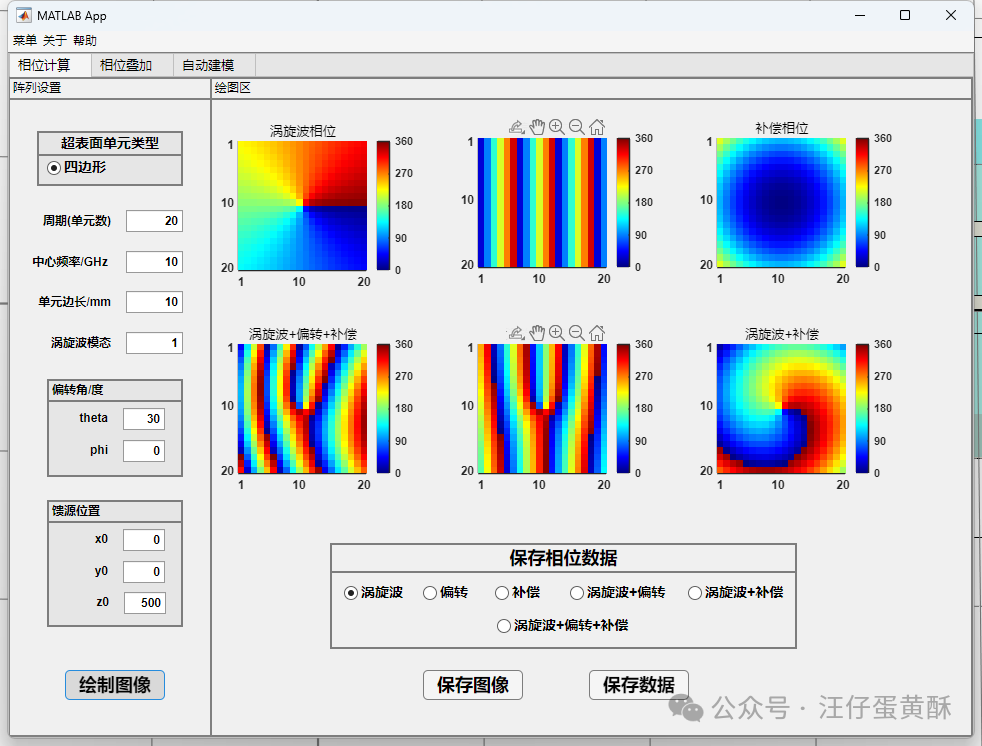
This module provides users with a quick way to generate the required phase distributions for various typical metasurfaces. Users only need to input key physical parameters to obtain the corresponding phase matrix, including different modes of vortex waves, different deflection angles, and settings for compensating phases.
Main Functional Features Include:
- Parametric Settings: Supports flexible configuration of basic parameters such as the number of array elements, center operating frequency, and physical dimensions.
- Phase Distribution Generation: Three core phase calculation models are built-in:
- Vortex Beam Phase: Generates vortex phases carrying orbital angular momentum based on the topological charge set by the user.
- Beam Deflection Phase: Users can generate the gradient phase required for beam deflection by specifying the elevation angle (theta) and azimuth angle (phi) of the beam.
- Feed Compensation Phase: For reflective or transmissive antenna arrays, users can input the spatial coordinates of the feed to generate compensation phases for spherical wave-plane wave conversion, which can also be used for electromagnetic wave focusing operations.
Module 2: Phase Data Superposition and Processing
This module provides convenient tools for processing existing phase data, especially suitable for scenarios requiring linear combinations of two different functional phases.
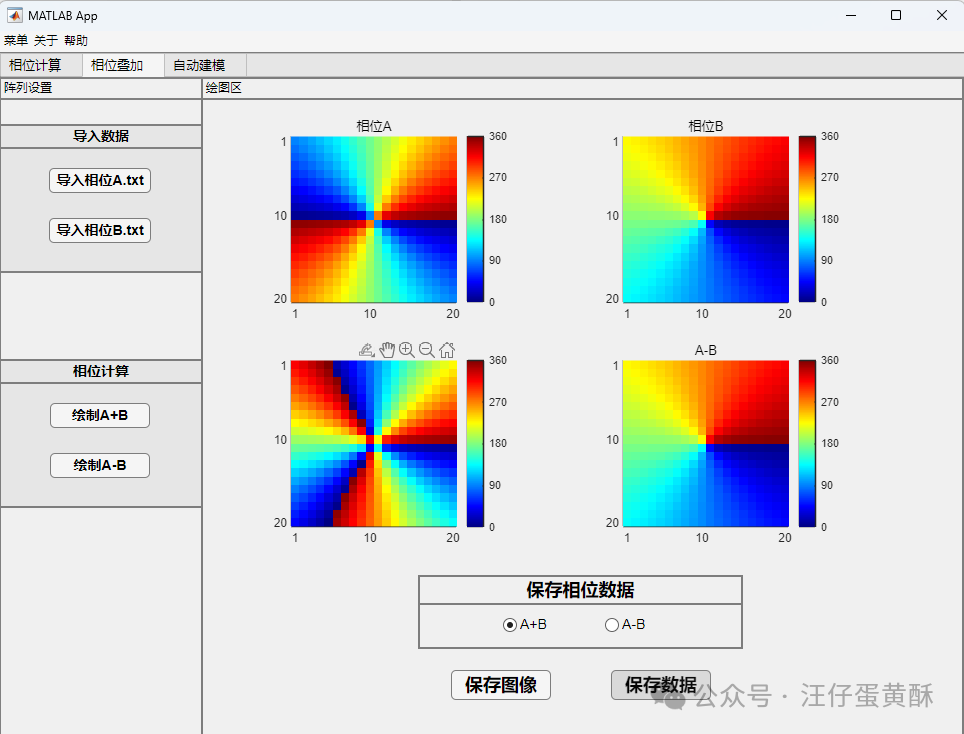
Main Functional Features Include:
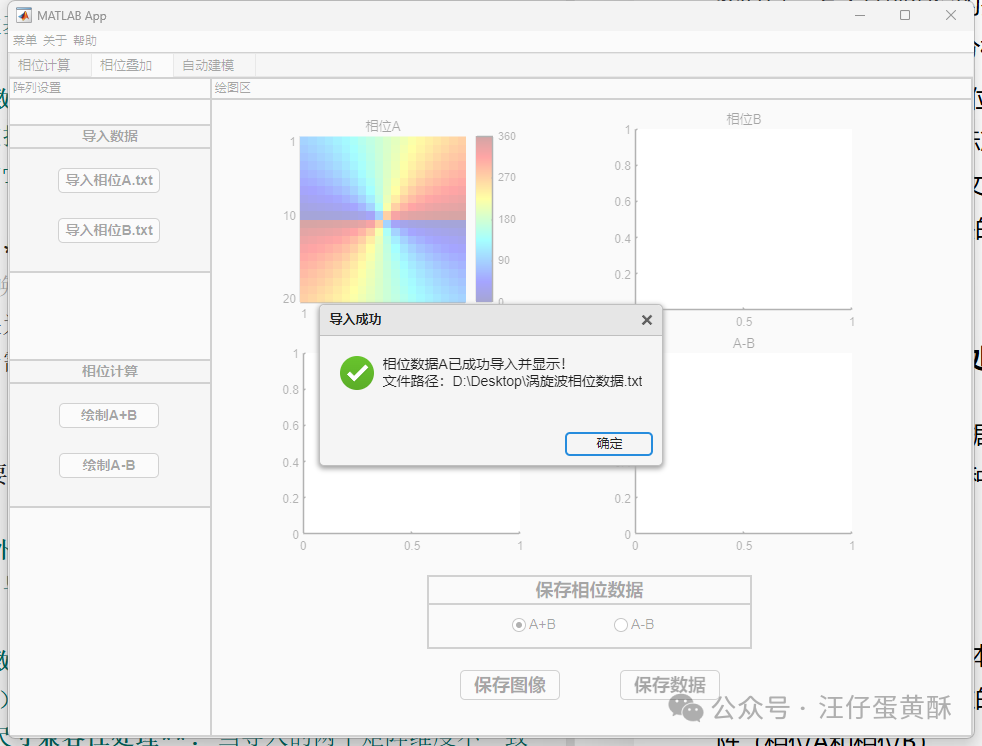
- External Data Import: Supports importing two independent phase distribution matrices (Phase A and Phase B) from text files (.txt, .dat, etc.).
- Mathematical Operations: Allows addition (A+B) or subtraction (A-B) operations on the imported two phase matrices.
- Dimension Compatibility Processing: When the dimensions of the two imported matrices are inconsistent, the system will automatically enable a center alignment algorithm to ensure the validity of the operations and prompt the user.
- Result Presentation and Saving: All phase distributions (A, B, A+B, A-B) before and after operations will be visually displayed, and the calculation results can also be exported.
Module 3: CST Automated Modeling Interface
This module is the core of the tool, establishing a communication bridge between the app and CST Studio Suite®, enabling automated and programmatic modeling of metasurface arrays.
Automated Modeling Process:
-
Select Array Implementation Method:
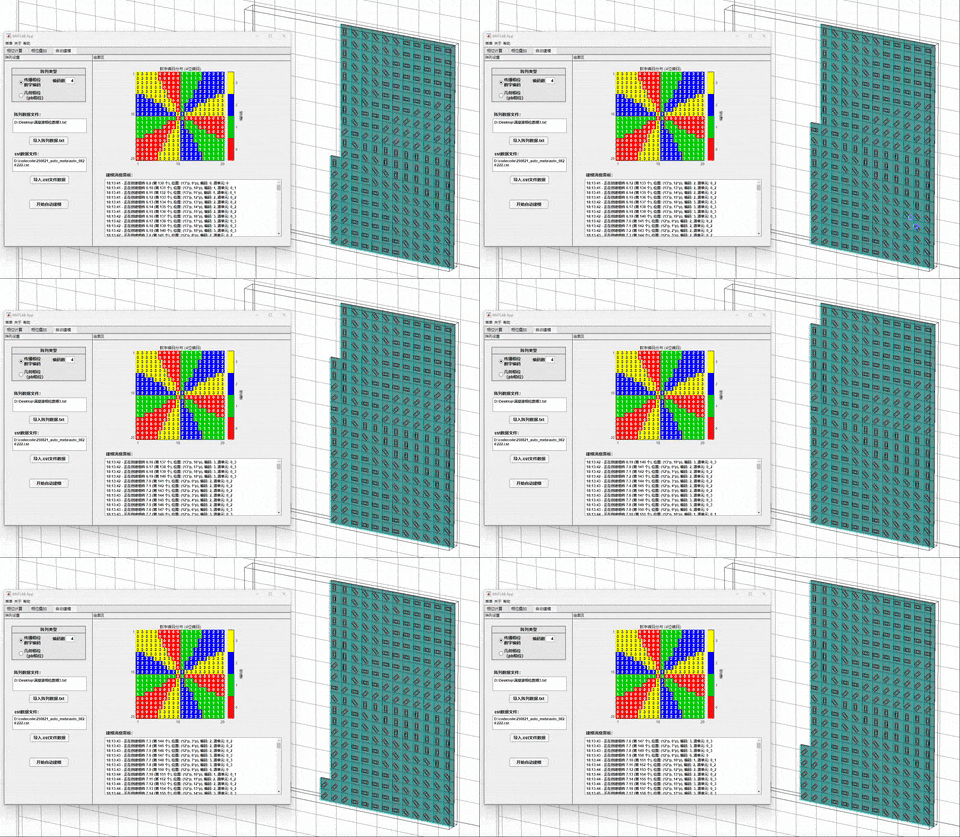
- Geometric Phase (PB Phase): This mode is suitable for metasurfaces that introduce phase discontinuities through the rotation of unit structures. The program will read the phase data file and convert the phase values of each unit into corresponding rotation angles, thereby controlling the posture of preset units in CST.
- Propagation Phase (Digital Encoding): This mode is suitable for coded or digital metasurfaces composed of several units with different phase responses. The program will quantize the continuous phase file into discrete coding states based on the phase data and the user-defined number of codes (e.g., code number 4, 2-bit; code number 8, 3-bit), and call the corresponding preset units from the CST library for array arrangement.
File Path Specification: Users need to specify the array data file containing the final phase distribution and a CST project file containing the basic unit model as a template.
Note:
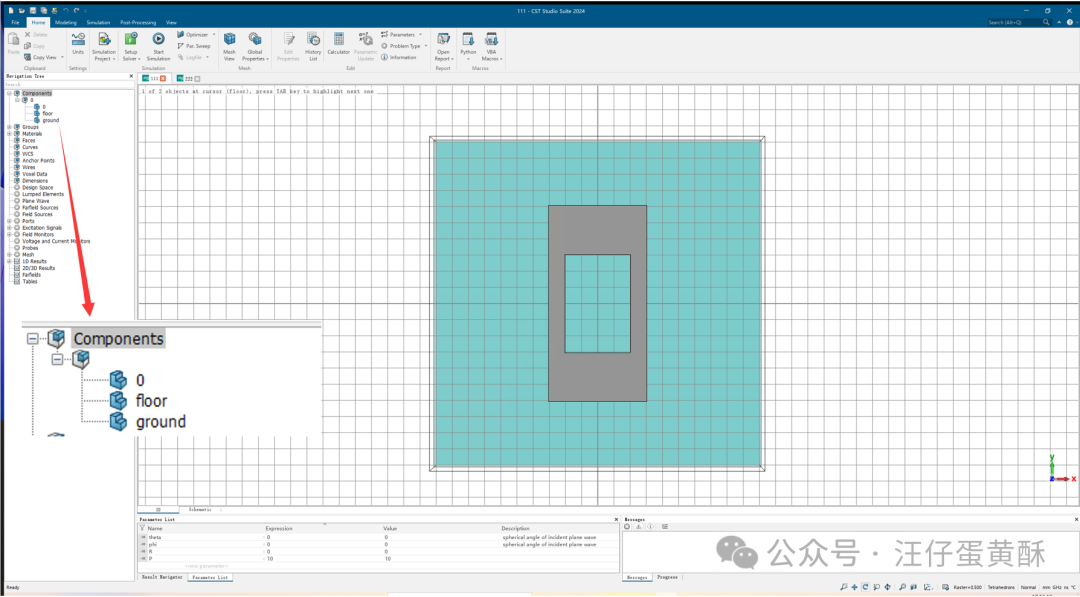
- For geometric phase, only one unit is needed to complete the automated modeling. The unit is named 0, and the patch unit is named 0
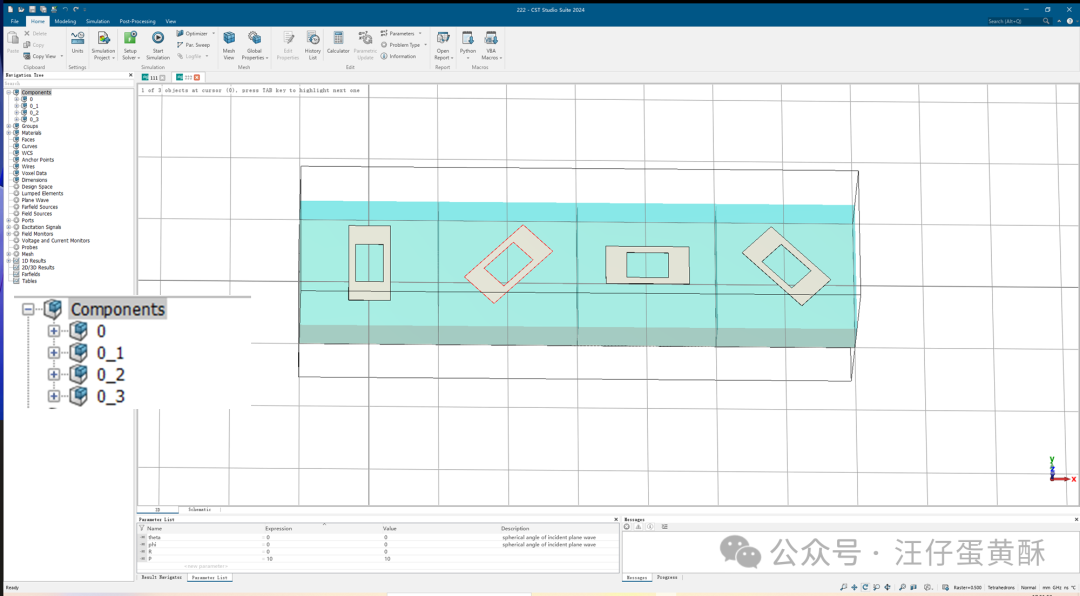
- For propagation phase (digital encoding phase), a unit array corresponding to the number of codes needs to be modeled. The units can be arranged from left to right along the x-axis, named sequentially as 0, 0_1, 0_2, 0_3, and the patch unit is named 0
- Execute Automated Modeling: Click the “Start Automated Modeling” button, and the program will interact with CST through the COM interface to automatically complete the entire array creation process.
Geometric Phase: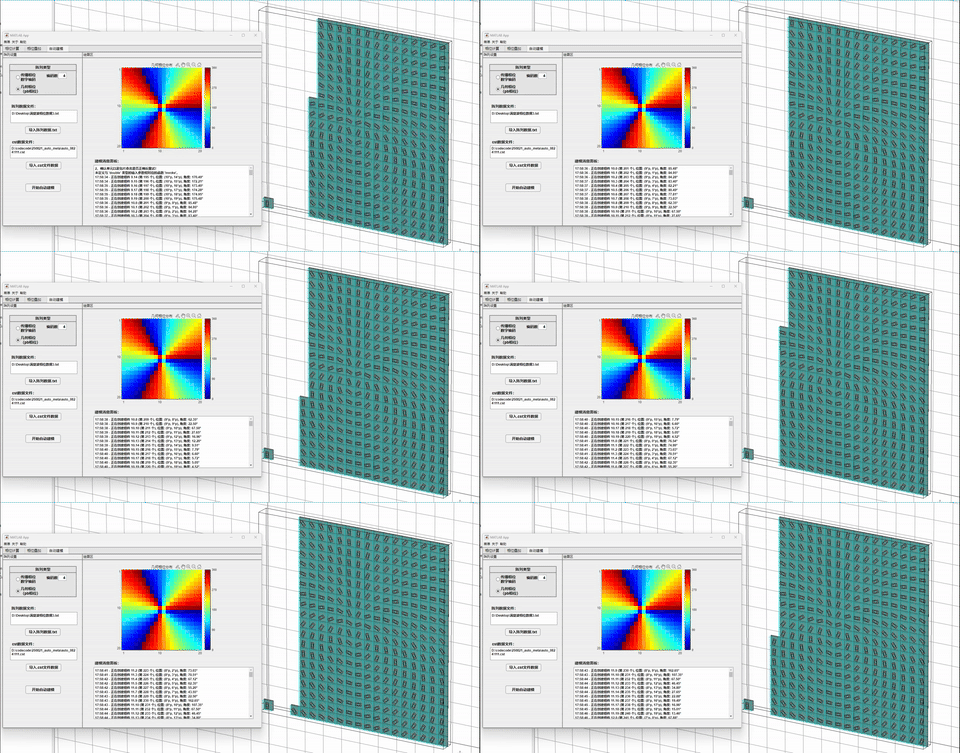
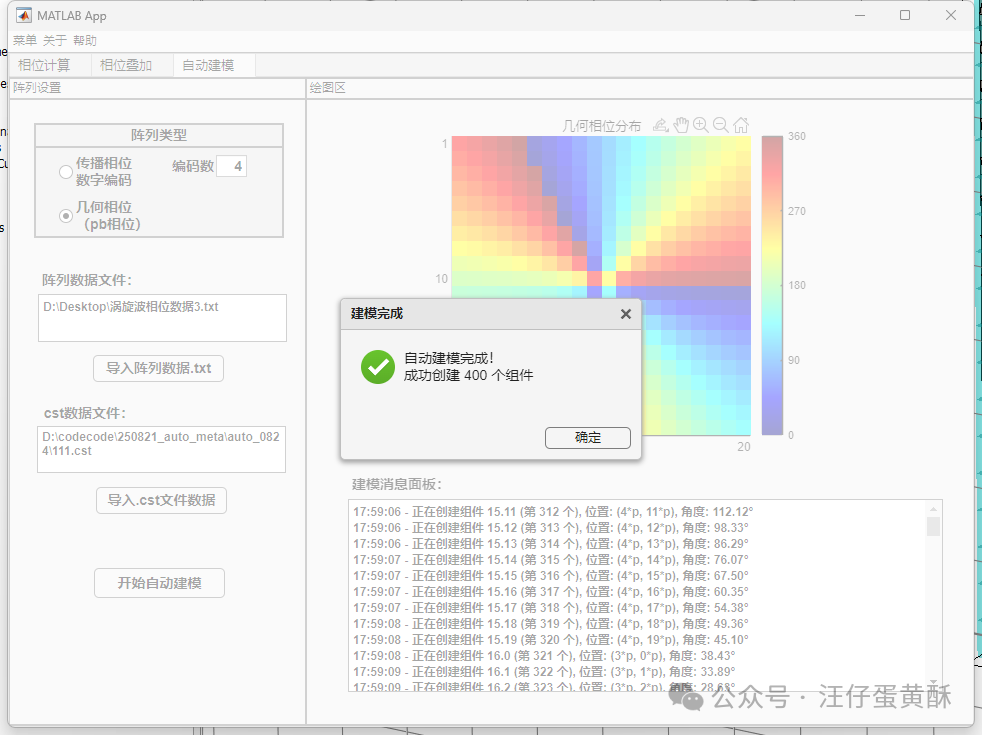
Digital Encoding:
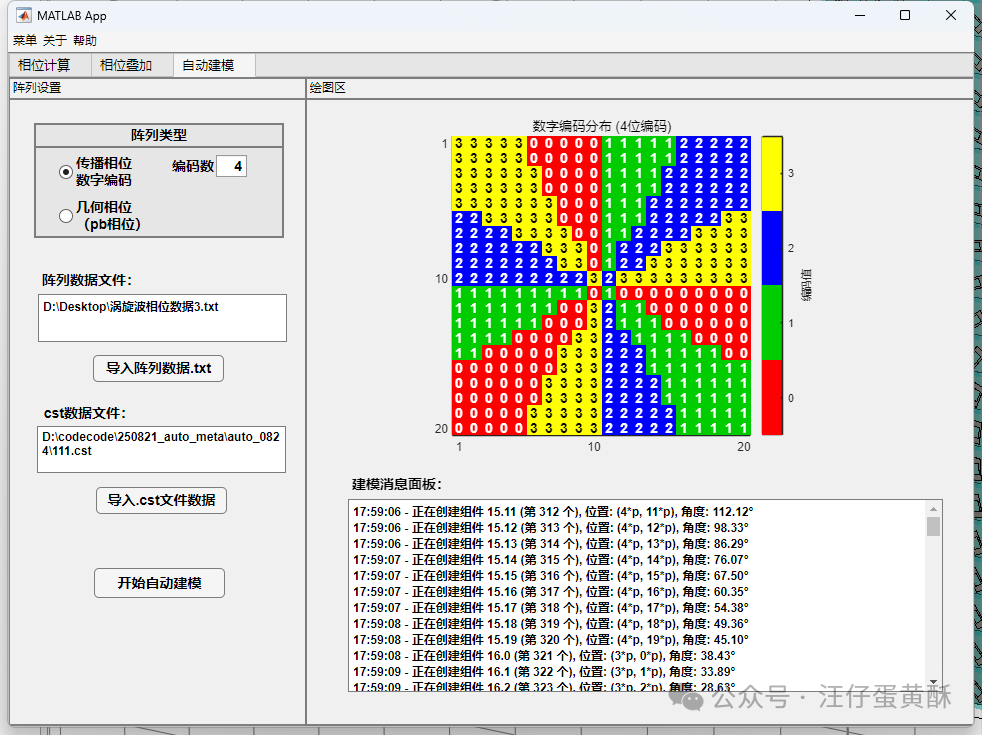
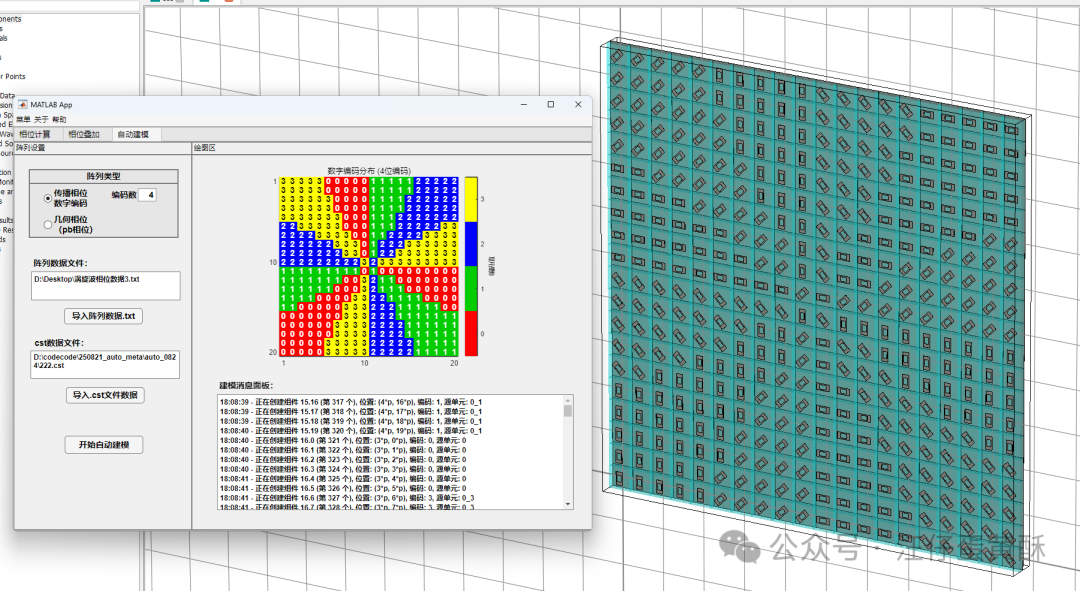
- Process Monitoring: The built-in “Modeling Message Panel” will output modeling logs in real-time, including the coordinates and parameters of the currently operated units, ensuring transparency and control of the process.
- Efficiency Improvement: Compared to traditional manual modeling methods, the automated process can reduce hours of work to minutes, fundamentally avoiding the negligence and errors that may arise from manual operations.
- High Stability: Developed based on the COM interface officially supported by CST, ensuring good compatibility and operational stability with mainstream CST versions.
3. Conclusion
This MATLAB GUI tool encapsulates and integrates complex phase calculations and tedious simulation modeling processes, providing researchers in the metasurface field with an efficient and reliable design assistance solution. It not only accelerates the design iteration cycle but also allows users to focus more on electromagnetic theory and algorithm innovation, enabling them to engage in more meaningful work.