Click the blue text to follow, reply ‘data‘ to getembedded software materials
Written by | Zhiwei (WeChat: zwjz1024)
『 Full text1217 words, reading takes about3~5 minutes 』
Hello everyone, I am Zhiwei!
Embedded software engineers often use Source Insight, Keil, and IAR to read and write code.
VS Code is well known, it’s very powerful and free!
Perhaps because this software has a certain learning curve, some friends may not want to try it easily.
I strongly recommend everyone to give it a try. VS Code offers a rich variety of plugins, allowing you to DIY your programming environment based on your usage habits.
Here are a few plugins that I find quite useful, and if you want to save effort, you can just copy them!
1. Chinese (Simplified) Language Pack
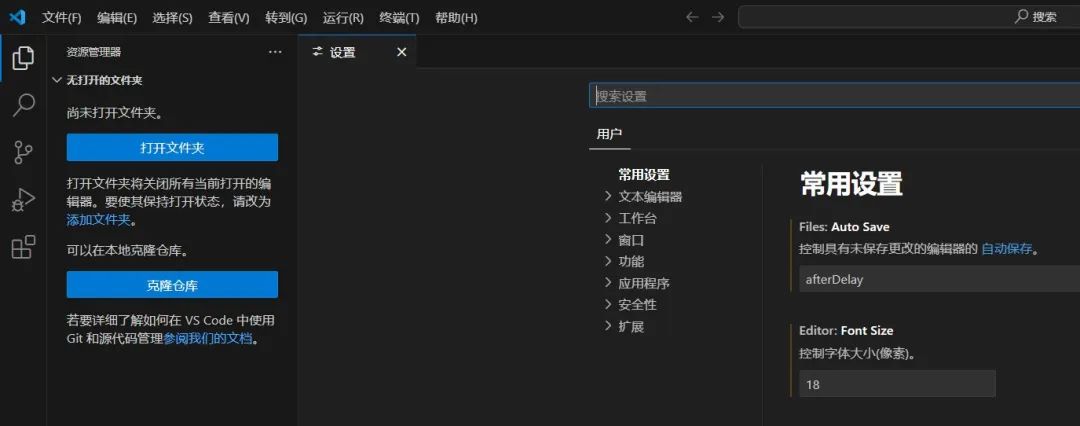
After installing VS Code, the default interface is in English. If you’re used to the Chinese interface, it can be hard to accept.
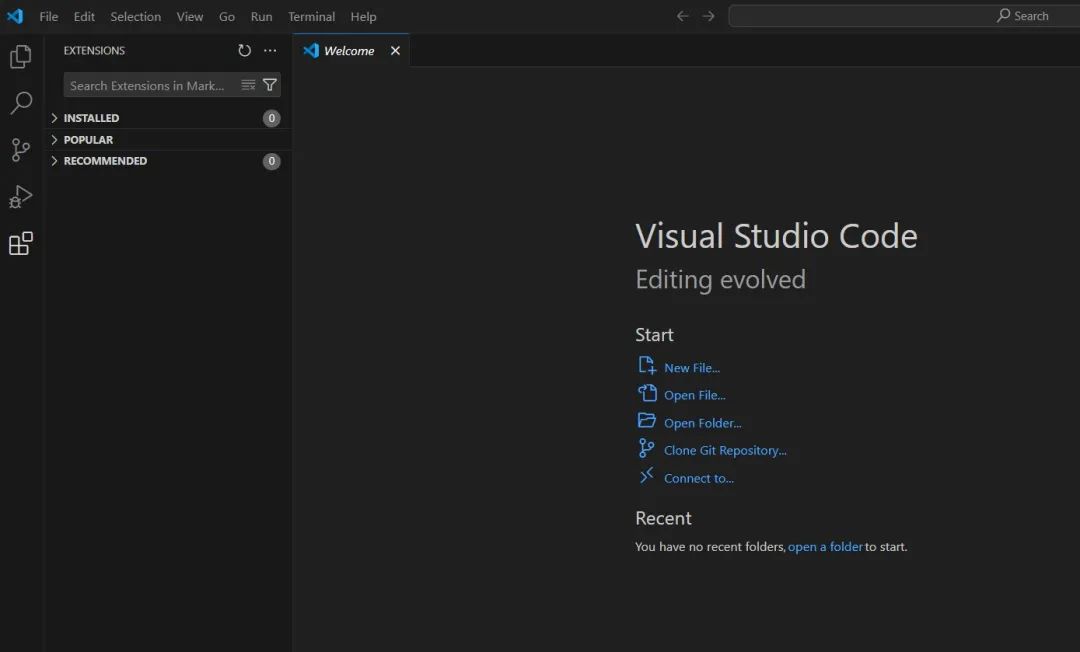
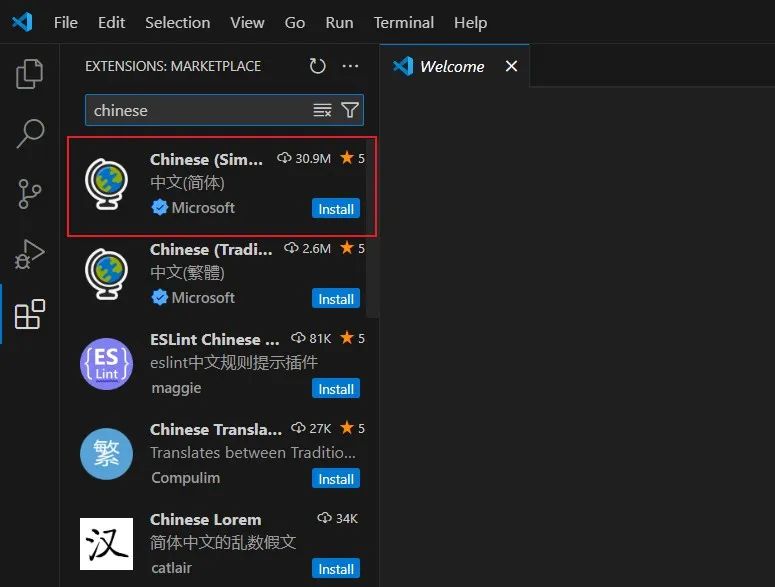
- Simply go to the plugin market (the icon with four small squares on the left in the image below), search for Chinese, and click
Install. After that, restart the software.
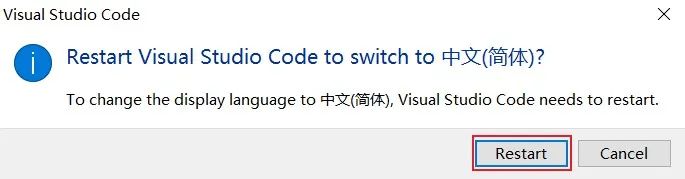
- If the plugin is installed and it still shows English, what should you do? Don’t worry, just follow the steps below to fix it.
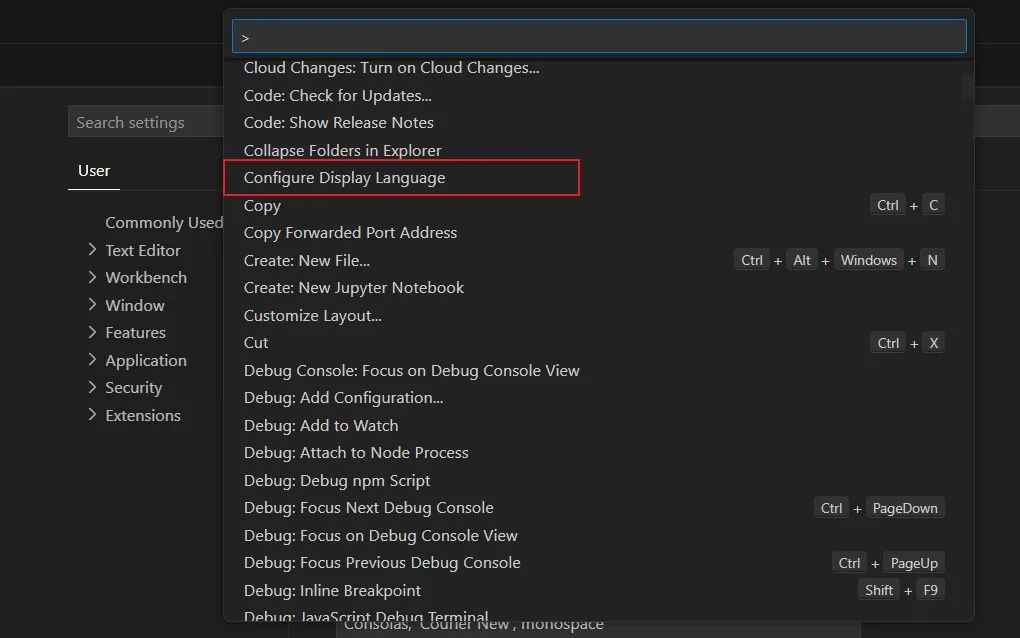
1. Use the shortcut Ctrl+Shift+P or F1 to open the global command panel and find Configure Display Language.
2. Click to select the language, here choose Chinese.
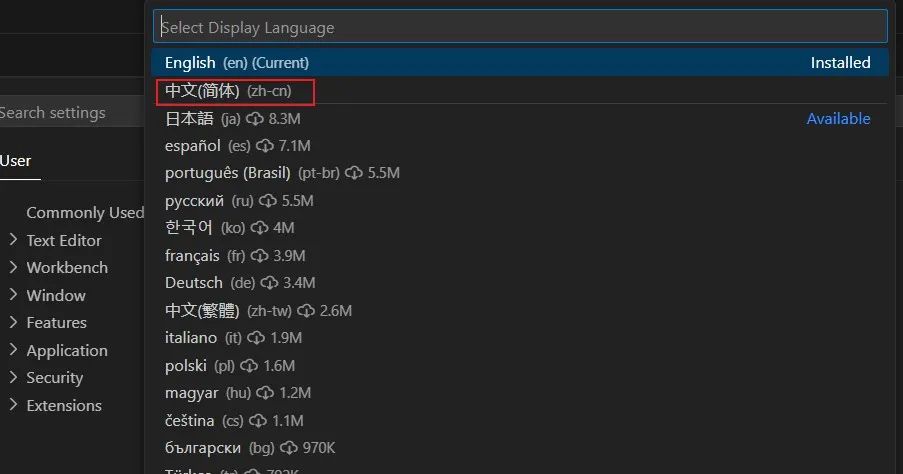
3. At this point, you should be prompted to restart, then restart the editor, perfect!
2. C/C++ Plugin
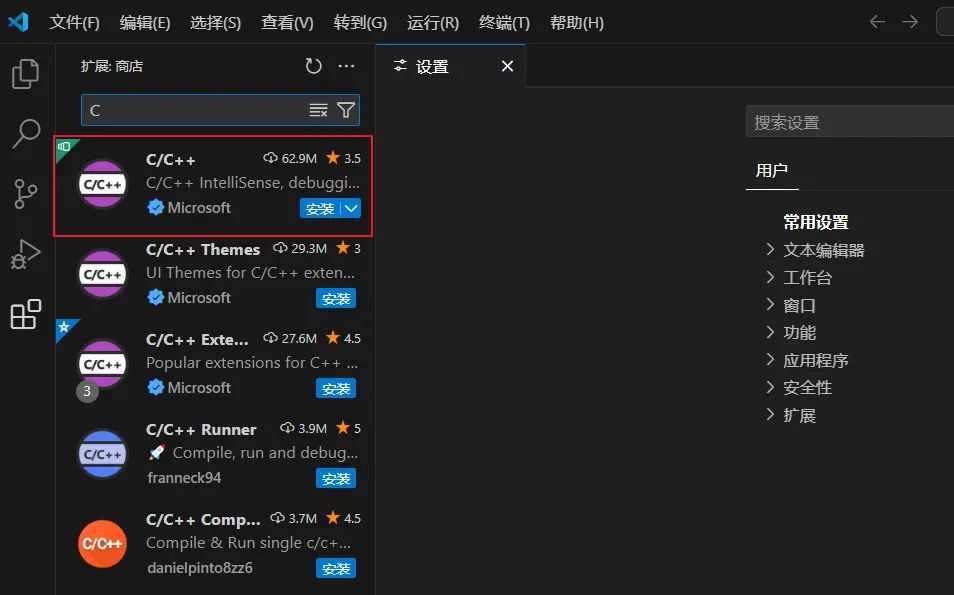
The common programming languages for embedded software development are C and C++. This plugin provides comprehensive C/C++ development features, including intelligent code completion, code formatting, and debugging support.
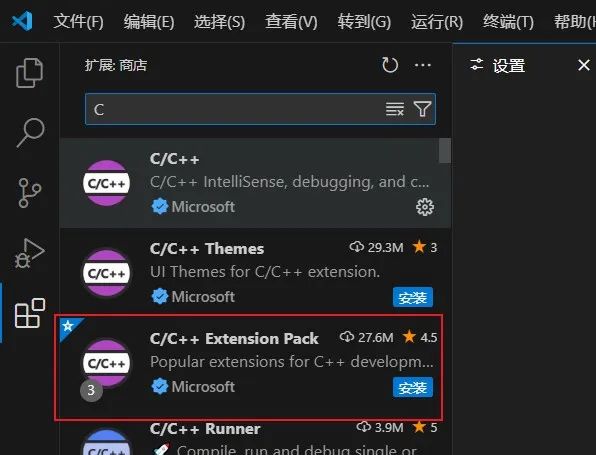
3. C/C++ Extension
This plugin includes the necessary plugins for C/C++ projects (C/C++ Themes, CMake, CMake Tools, etc.).
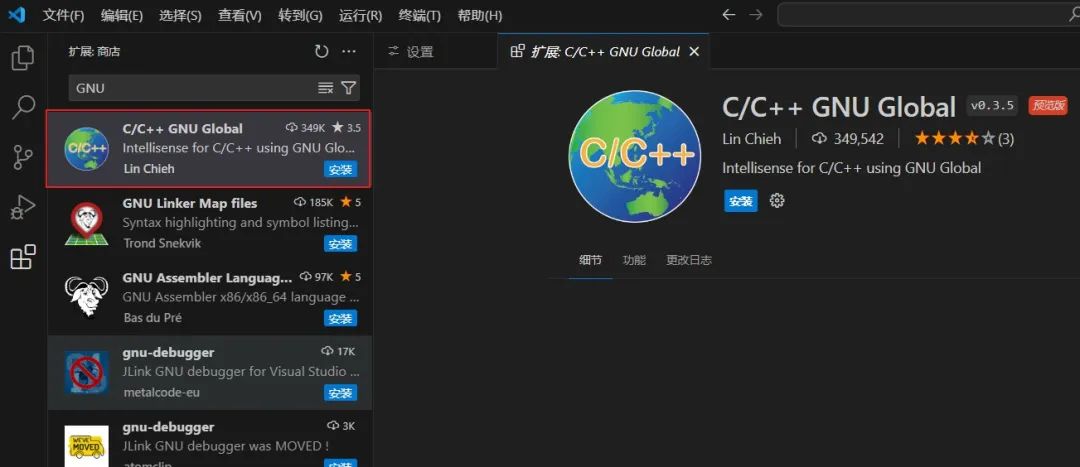
4. C/C++ GNU Global
If you want to implement function and variable navigation in VS Code, install this plugin as well.
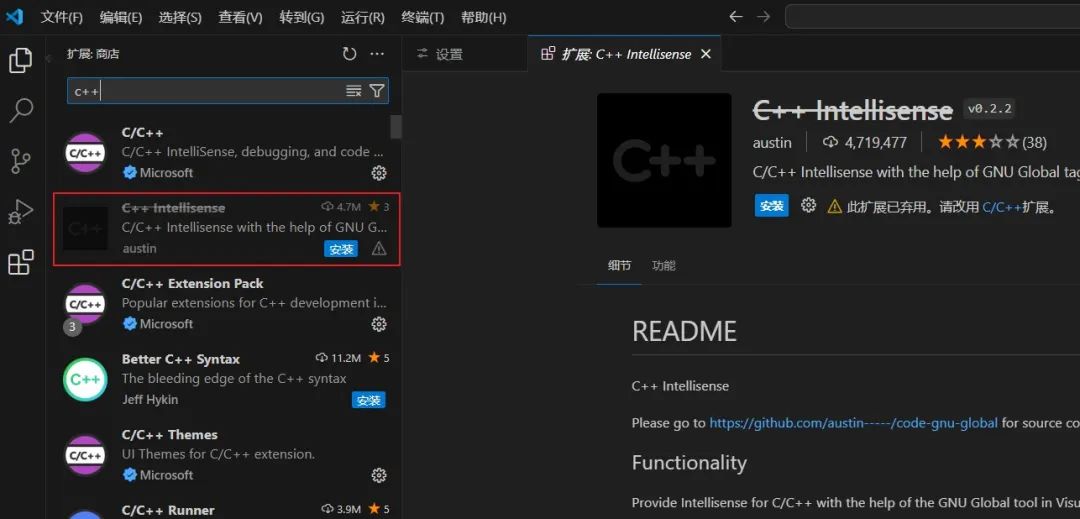
5. C++ Intellisense
This plugin relies on the previous one and is used for function or variable navigation.
Although VS Code no longer recommends it, as long as you are not remotely connecting to Linux for coding and debugging, it can still be used locally.
6. Todo Tree
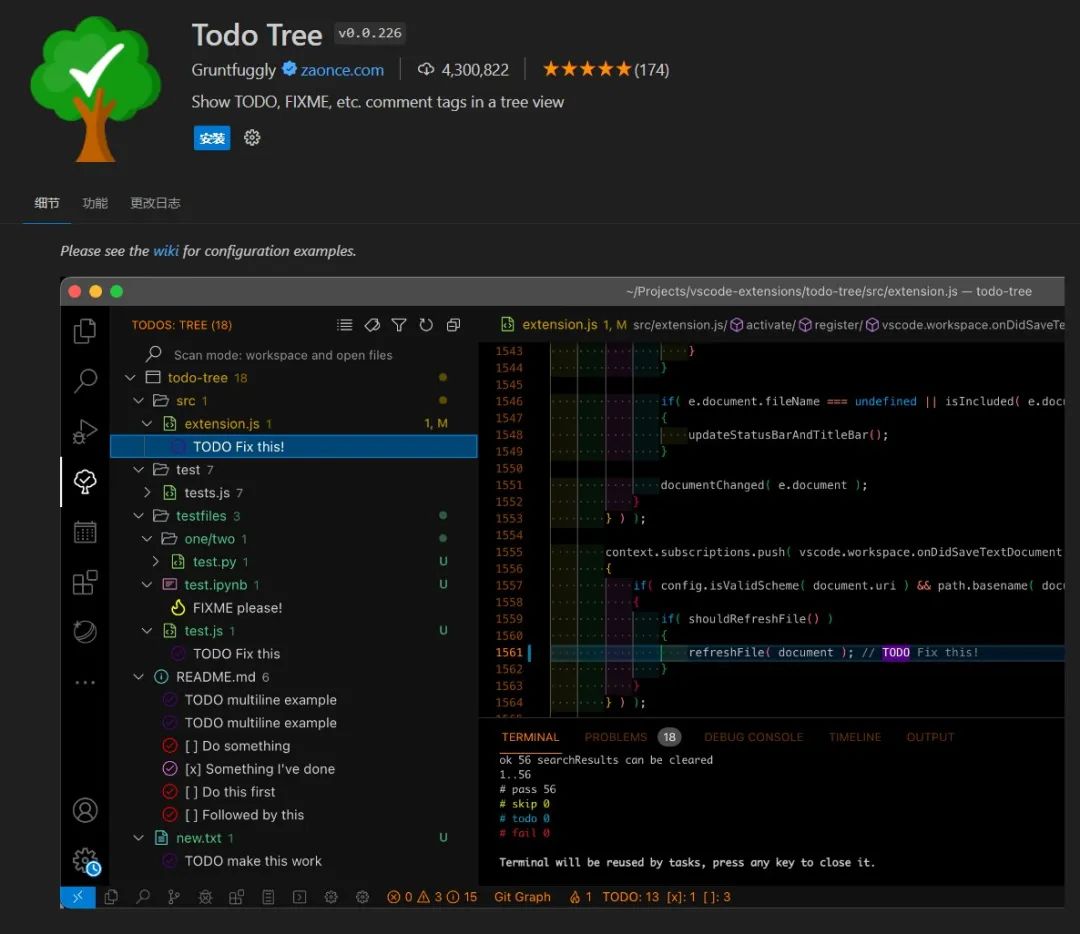
When we write code, we certainly can’t finish it all at once. If I didn’t finish it today, it’s okay to continue tomorrow without marking it, as it’s not easy to forget.
If I have a feature that I temporarily don’t need to complete and need to mark it for later, the time span is too long, and it’s easy to forget.
Todo Tree can be very useful at this time; it can help you manage TODO comments and other tags in the project, making it easy to track tasks within the project.
7. Git Graph
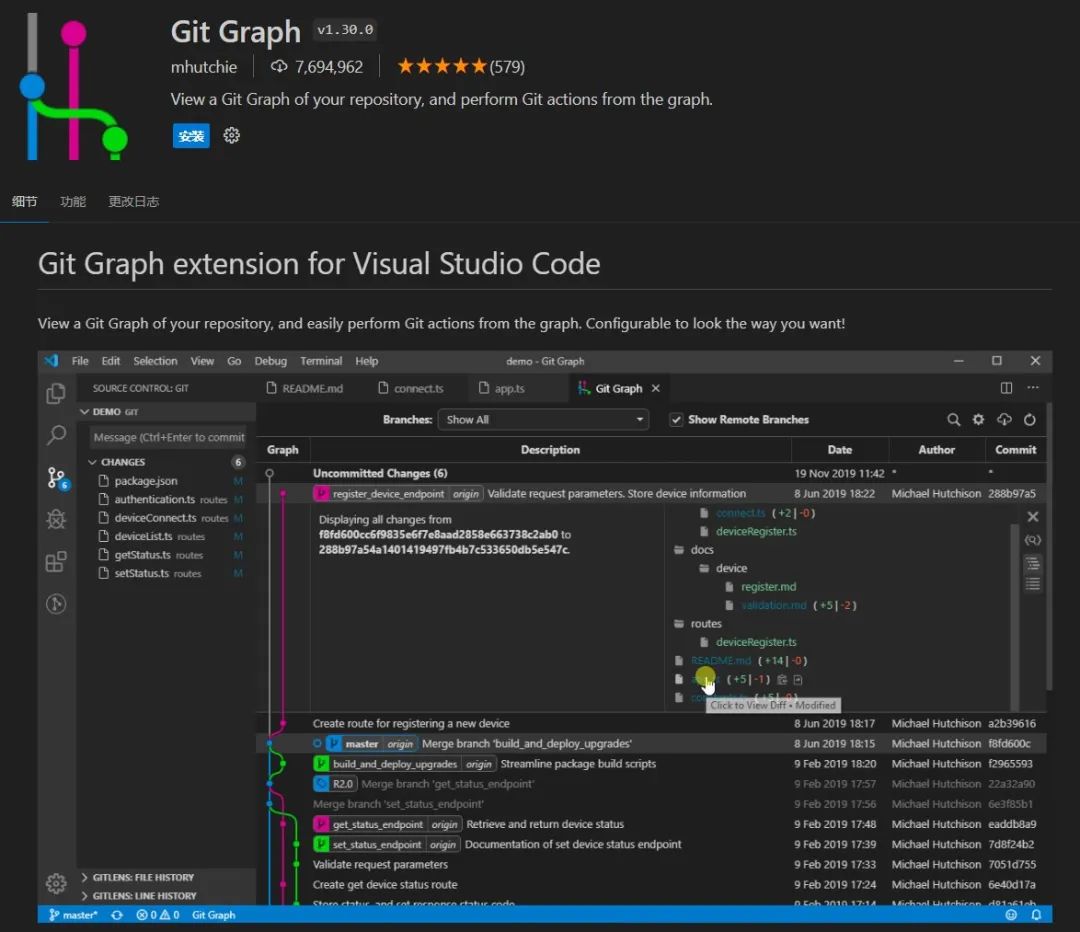
Whenever you develop a project, code management will definitely be involved. If you usually use git, then this visualization tool plugin can help you intuitively understand the complex branch information of the Git repository.
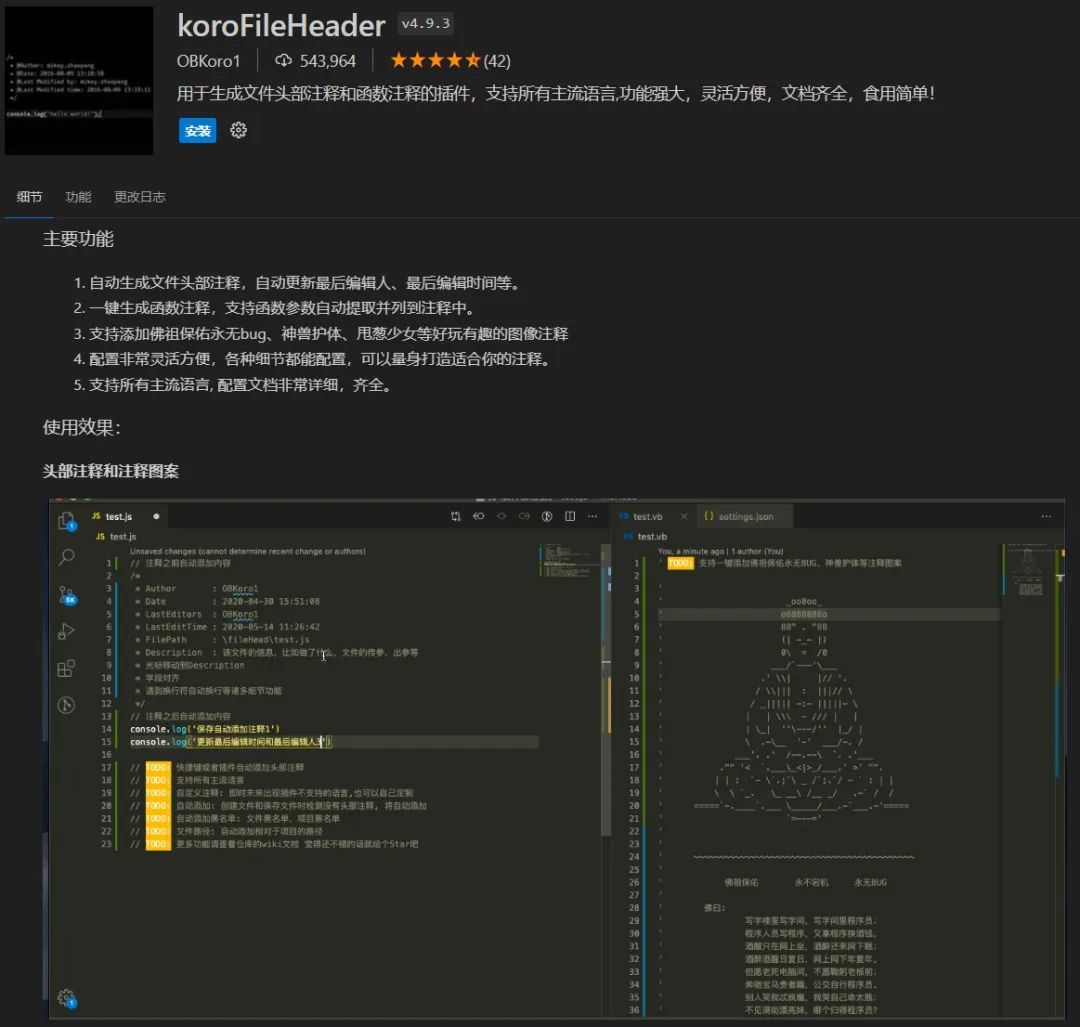
8. koroFileHeader
This plugin can automatically generate file header comments and automatically update the last editor and last edit time, etc.
It can also generate function comments with one click, supporting automatic extraction of function parameters and listing them in the comments.
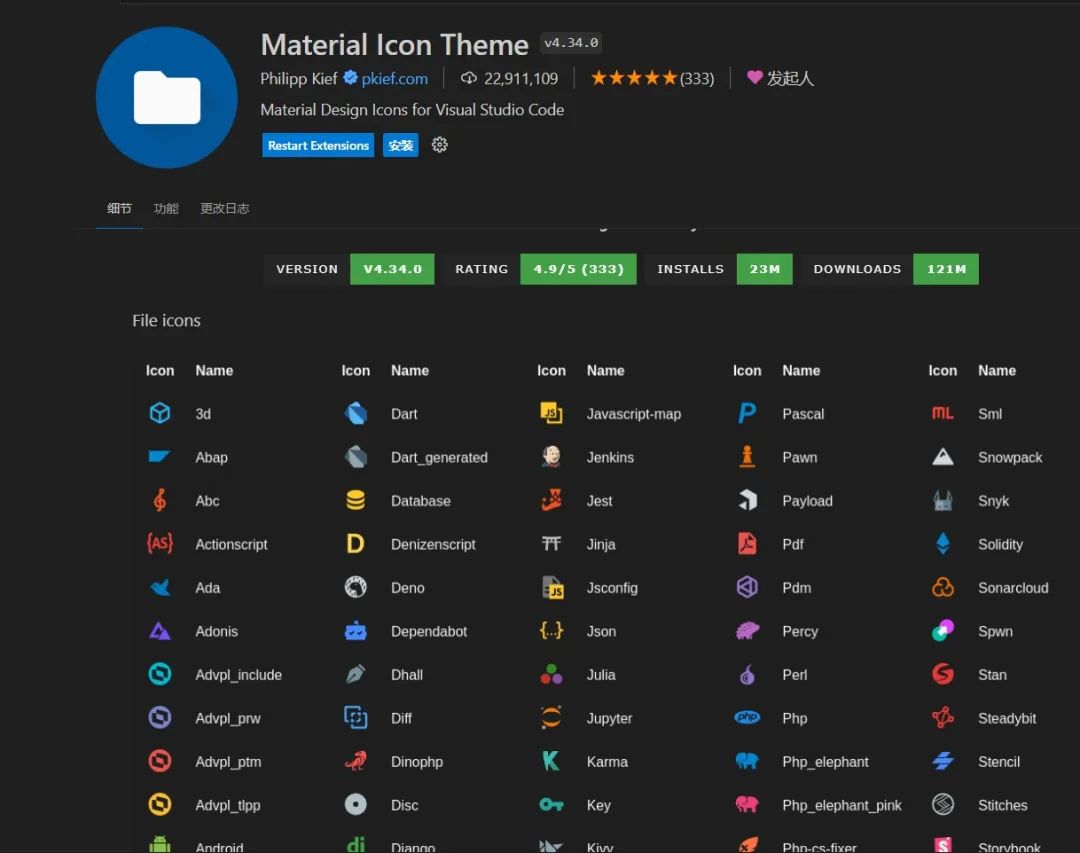
9. Material Icon Theme
This is an icon theme plugin that adds beautiful icons to files and folders.
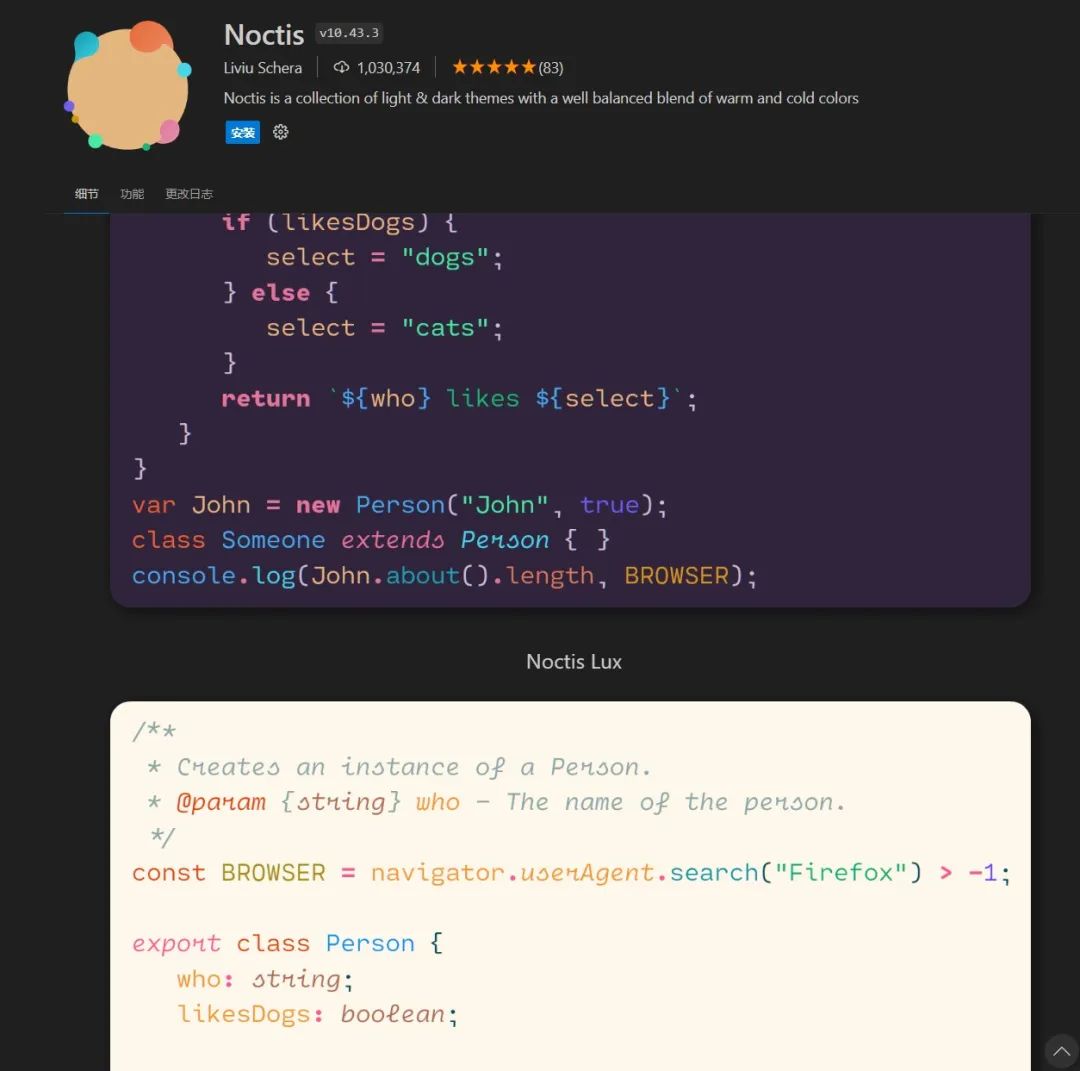
10. Noctis
Noctis is a color theme plugin that provides more than ten beautiful color themes that can be switched at will.
That’s all for today’s sharing!
📢 Every time you like 👍, favorite ⭐, or comment 📝, it motivates me to update. If there are any errors, please leave a comment for correction. Thank you very much!
You have read this far, why not subscribe? I update often!You can also add my personal WeChat to make friends.

Recommended past articles 🔥This online simulation website for development boards is a must-see. 🔥In less than 2000 words, easily understand the 8 working modes of GPIO in STM32.
10 tips to teach you to efficiently find open-source projects in 5 minutes.
From zero to master: sharing a book list for learning embedded Linux.
10 must-read books for embedded software _ microcontroller edition.
Content | Easily master Makefile (collection).
Content | Linux application programming (collection).
Content | Learn C language easily (collection).