In embedded system development, C++ is gradually becoming the mainstream programming language due to its powerful expressive capabilities and rich library functions. However, the standard C++ library is often too large and not suitable for resource-constrained embedded environments. At this point, a lightweight and configurable C++ standard library becomes particularly important. Today, we will delve into the libcpp library provided by Embedded Artistry, which will be a powerful aid in your embedded C++ development journey.
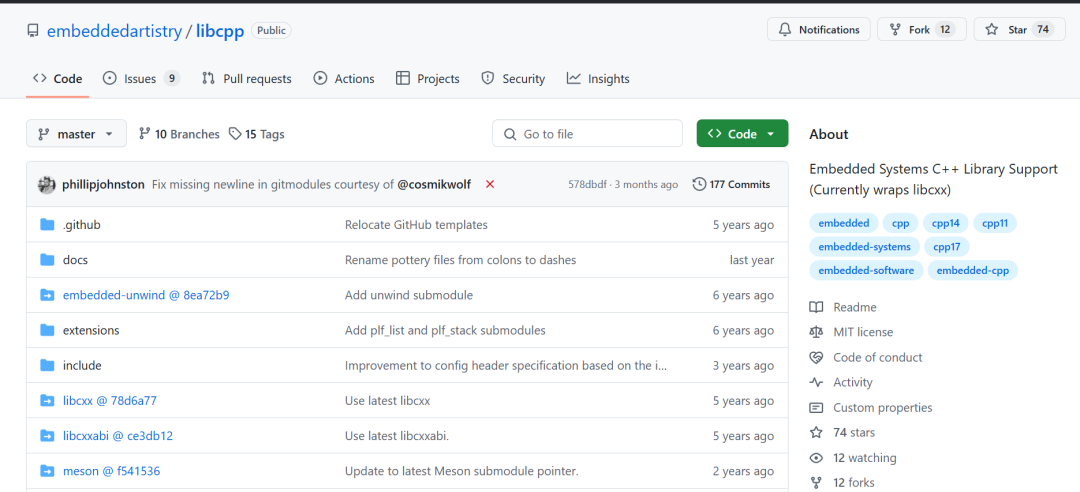
What is libcpp?
libcpp is a C++ standard library and C++ ABI library designed for microcontrollers and other embedded systems. It is built on Clang’s libc++ and libc++abi libraries, optimized and trimmed for embedded environments, providing highly configurable build options that allow developers to customize the library according to the specific needs of their systems. This means you can streamline the library size according to your hardware resources, maximizing efficiency and saving memory.
Core Advantages of libcpp
- Lightweight: libcpp is optimized for embedded systems and is much smaller than the standard C++ library, making it more suitable for resource-constrained devices.
- Highly Configurable: A powerful build system allows you to selectively include or exclude library components, thus building a customized library that meets specific needs. You can adjust functionalities according to your project requirements, only including necessary components to reduce library size and resource usage.
- Cross-Platform Support: libcpp supports various processor architectures, including x86, x86_64, ARM, and ARM64, making it applicable to a wide range of embedded platforms.

- Based on Mature Technology: libcpp is based on Clang’s libc++ and libc++abi libraries, ensuring its stability and reliability, and benefiting from continuous improvements and updates from Clang.
- Easy to Use: libcpp provides clear documentation and examples, making it easy for developers to quickly get started and integrate it into their projects.
How to Use libcpp?
1. Get the Source Code:
First, you need to install<span>git-lfs</span> to handle some binary files in the library:
sudo apt install git-lfs  # Linux
brew install git-lfs       # macOS
Then, clone the libcpp repository:
git clone --recursive [email protected]:embeddedartistry/libcpp.git
Note the<span>--recursive</span> parameter, which will clone all submodules as well.
2. Build libcpp:
libcpp uses the Meson build system. You need to install Meson and Ninja:
sudo apt-get install python3 python3-pip ninja-build  # Linux
brew install python3 ninja                         # macOS
pip3 install meson
Then, create a build directory and build:
meson buildresults
cd buildresults
ninja
This will build all targets, and the output files will be located in the<span>buildresults</span> directory. You can also use<span>make</span> to build, but it is recommended to use Meson as it provides more flexible configuration options.
3. Cross-Compile:
libcpp supports cross-compilation. You need to provide a cross-compilation toolchain and use Meson’s<span>--cross-file</span> option to specify the cross-compilation configuration file. For example, for ARM architecture, you can use:
meson buildresults --cross-file build/cross/arm.txt
4. Configuration Options:
libcpp offers a wealth of configuration options that allow you to customize the behavior of the library. For example, you can disable exception handling, RTTI, or choose different threading libraries. These options can be specified during the Meson build process using the<span>-D</span> parameter. Check the<span>meson_options.txt</span> file for a complete list of options.
5. Integrate into Your Project:
Copy the header files from the<span>include</span> directory into your project and link the library files generated in the<span>buildresults</span> directory to your project. In projects using the Meson build system, you can integrate libcpp as a subproject.
Common Configuration Options Explained:
<span>enable-werror</span>: Treat warnings as errors, forcing code to compile without warnings.<span>disable-rtti</span>: Disable runtime type information (RTTI).<span>disable-exceptions</span>: Disable exception handling.<span>enable-threading</span>: Enable multi-threading support.<span>libcxx-thread-library</span>: Choose the threading library, such as pthread or a custom RTOS threading library.<span>libcxx-enable-chrono</span>: Enable the chrono library (time-related functionalities).<span>libcxx-default-newdelete</span>: Enable the default new/delete operator implementations.
Conclusion
libcpp is a powerful, flexible, and easy-to-use C++ standard library, especially suitable for embedded system development. Its lightweight, highly configurable nature, and support for multiple processor architectures make it an ideal choice for embedded C++ developers. With flexible configuration options and a powerful build system, you can customize a perfectly fitting C++ runtime environment based on your project needs. Try libcpp now and experience the convenience and efficiency it brings!
Project Address: https://github.com/embeddedartistry/libcpp