S2.08. Alpine Linux LXC Ultra-Lightweight Template
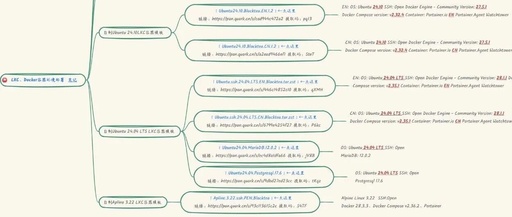
S2.08. Alpine Linux LXC Ultra-Lightweight Template

Alpine Linux Ultra-lightweight LXC container template, smaller and faster, can also set up container services https://www.alpinelinux.org/ Creating CT, select Alpine’s CT template Enter LXC and set up # Change source, I personally choose Nanjing University, feel free to choose mkdir -p /home/Update cd /home/Update apk add bash wget https://linuxmirrors.cn/main.sh chmod +x main.sh bash main.sh # … Read more


Docker Applications on Raspberry Pi: From Installation to Advanced Usage and Troubleshooting

Docker Applications on Raspberry Pi: From Installation to Advanced Usage and Troubleshooting

Docker is a platform that allows you to package applications and run them in isolated environments called containers. These containers include everything needed to run the application—code, runtime, libraries, and dependencies—ensuring consistency across different computing environments. Using Docker on a Raspberry Pi has many advantages, especially considering the device’s resource limitations: Resource Efficiency: Lightweight Containers: … Read more

Building a Home Media Server (Part 3) — Installing qBittorrent with Docker

Building a Home Media Server (Part 3) -- Installing qBittorrent with Docker

qBittorrent is a powerful and lightweight open-source BitTorrent client software. It allows users to download and share files via the BitTorrent protocol. It supports multiple platforms including Windows, Mac, and Linux! qBittorrent aims to provide a user experience similar to µTorrent, being equally compact while avoiding the ads and bundled software found in µTorrent. This … Read more

Setting Up Portainer on OpenWrt with NanoPi R4S

Setting Up Portainer on OpenWrt with NanoPi R4S

NO.1 Introduction to Portainer GitHub Address https://github.com/portainer/portainer NO.2 Installing Portainer Official Docker Documentation https://docs.portainer.io/start/install-ce/server/docker/linux Create a docker-compose.yml Configuration File Since we are not using the Baota panel here, we will use the command line to create it vi docker-compose.yml You can see the file editing page Press ‘i’ to enter editing mode Right-click to copy … Read more