Linux | I.MX6ULL File System

Linux | I.MX6ULL File System

01 All test programs in this section require the development board to have a Qt environment to run. The provided file system is derived from a Yocto build. We will later organize a separate ported Qt system to facilitate users in porting third-party software. If the user’s file system is not our factory version, please … Read more


Advanced File System Management in Linux

Advanced File System Management in Linux

Table of Contents Check if the kernel supports quotas Check if the mount properties of the specified partition meet the conditions quotacheck generates configuration files for users and groups edquota edits the quota file to set specified limit sizes Start quota management Stop quota management quota view quota information for specified users and groups repquota … Read more

Detailed Explanation of the /usr Directory in Linux

Detailed Explanation of the /usr Directory in Linux

📂 Linux Subdirectory <strong><span>/usr</span></strong> Directory Detailed Explanation 📌 I. Overview <span><span>/usr</span></span> is one of the most important directories in the Linux file system, which stands for “Unix System Resources”. It is used to store user programs, system tools, library files, documentation, shared resources, etc.. Originally designed as a read-only directory, it can be shared across … Read more

A Comprehensive Guide to the Linux File System: Exploring the ‘Heart’ of the System!

A Comprehensive Guide to the Linux File System: Exploring the 'Heart' of the System!

Linux | Red Hat Certified | IT Technology | Operations Engineer 👇 Join our technical exchange QQ group with 1000 members, note 【public account】 for faster approval Understanding the File System Simply To build a framework for the file system, we can start with this command: This is the stat command, which checks the information … Read more

A Must-Read for Linux Users: Easily Create an Efficient ZFS File System with File Compression

A Must-Read for Linux Users: Easily Create an Efficient ZFS File System with File Compression

Abstract: The ZFS file system has gained wider recognition on Linux. In ZFS, you can enable compression at the file system level. This will store data in a compressed format, saving a significant amount of disk space. In this article, we will explain how to create a file system from a ZFS storage pool and … Read more

The Design Philosophy of ‘Everything is a File’ in Linux

The Design Philosophy of 'Everything is a File' in Linux

1. Core Concept of Unix/Linux File Abstraction “Everything is a file” is one of the core design philosophies of Unix/Linux systems, which essentially means: Unified Interface: Provides a consistent access interface through the file system Abstract Encapsulation: Abstracts resources such as devices and processes as files Simplified Operations: Uses a unified file operation API (open/read/write/ioctl/close) … Read more

Why Does Linux Report ‘No Space Left on Device’ When There is Still Available Space?

Why Does Linux Report 'No Space Left on Device' When There is Still Available Space?

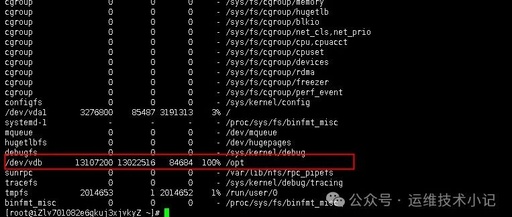
Hello everyone, I am Yu Yong. Yesterday, I encountered a problem: a Linux server used for data transfer suddenly stopped being able to perform data transfers. Upon checking the logs, there were messages indicating that files could not be saved and ‘No space left on device’. Using the command df -Th to check disk space, … Read more

SD Card Formatting Failure: What Went Wrong and How to Fix It?

SD Card Formatting Failure: What Went Wrong and How to Fix It?

When an SD memory card fails to format, it may be due to write protection, file system corruption, virus infection, or hardware issues. Here are the detailed steps to resolve the problem: 1. Check the Physical Write Protection Switch 1. Locate the write protection switch on the side of the SD card (usually marked as … Read more

Linux Disk Management: A Complete Process from Mounting to Daily Maintenance

Linux Disk Management: A Complete Process from Mounting to Daily Maintenance

Physical Device Recognition In Linux, everything is a file. When you connect a new disk to the system, the Linux kernel detects this device through the udev event mechanism: # View the disk devices recognized by the system $ lsblk $ ls -l /dev/sd* Disk devices are typically represented by paths such as /dev/sda, /dev/sdb, … Read more

Exploring Linux: The Secrets of File and Link Operations

Exploring Linux: The Secrets of File and Link Operations

File System 1. Experiment Objectives The file system (p583, programming problem) checks the relationship between files and inode on UNIX or Linux systems. On these systems, files are represented by inodes. In other words, an inode is a file (and vice versa). You can complete this exercise on the Linux virtual machine provided in this … Read more