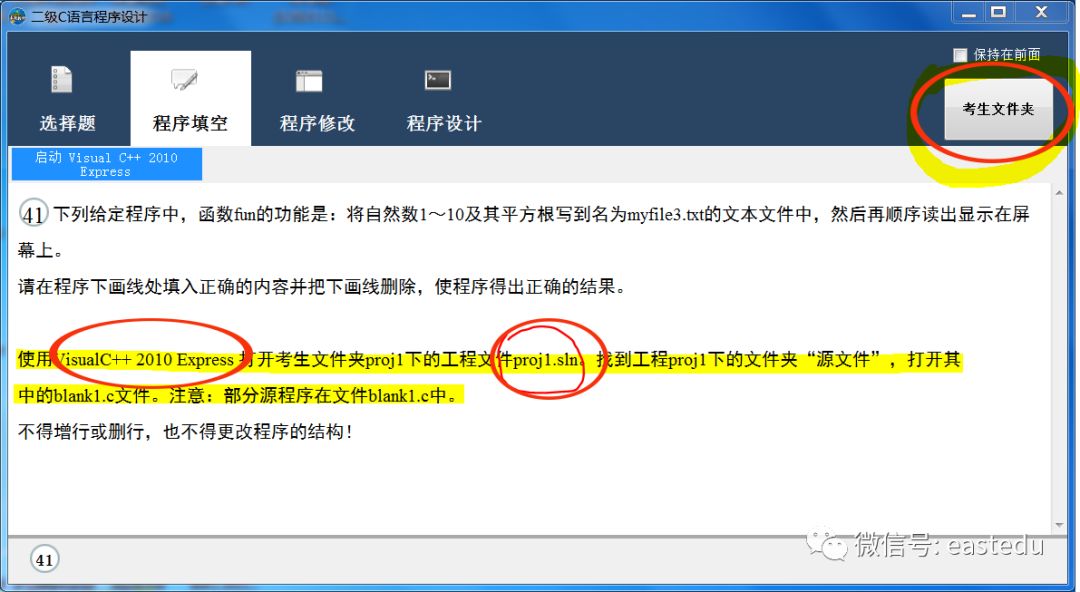
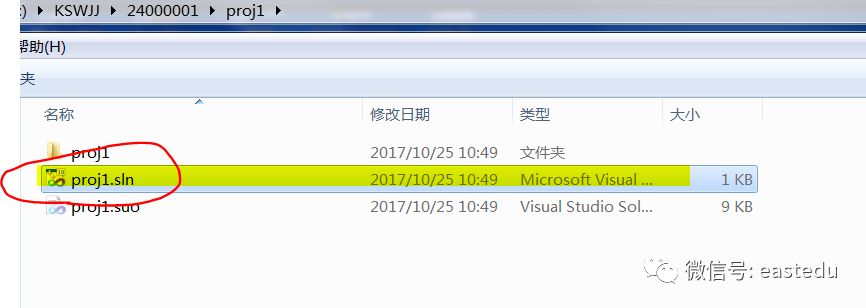
1. In the exam interface, click on the candidate folder on the right side, double-click the directory of the first question’s proj1 file, then double-click the proj1.sln project file to automatically launch the VC++2010 environment. Expand the left side in order: proj1, source files, and open BLANK1.C to start solving the problem.
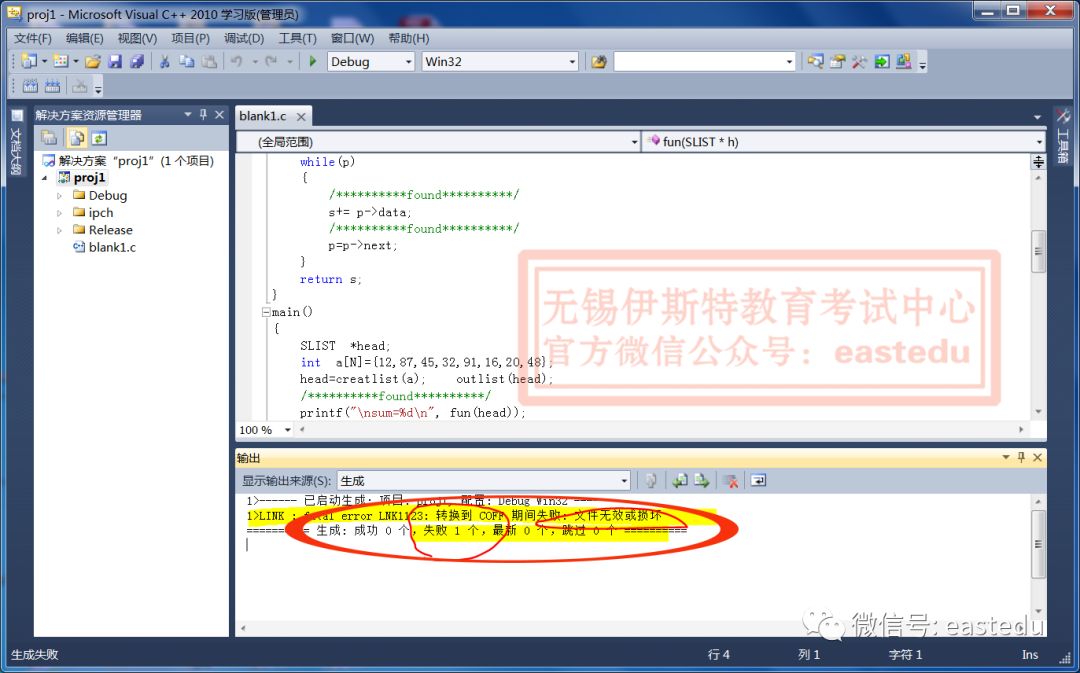
2. After answering the question, please first click the save icon in the upper left corner to save. To run and check the results, press ctrl+F5 to run the program. If the run result is correct, there will be information prompts in the console with a black background. If you have correctly completed this question, you can directly exit VC++2010 and continue to the next question. If there is an error, please refer to the solutions below.
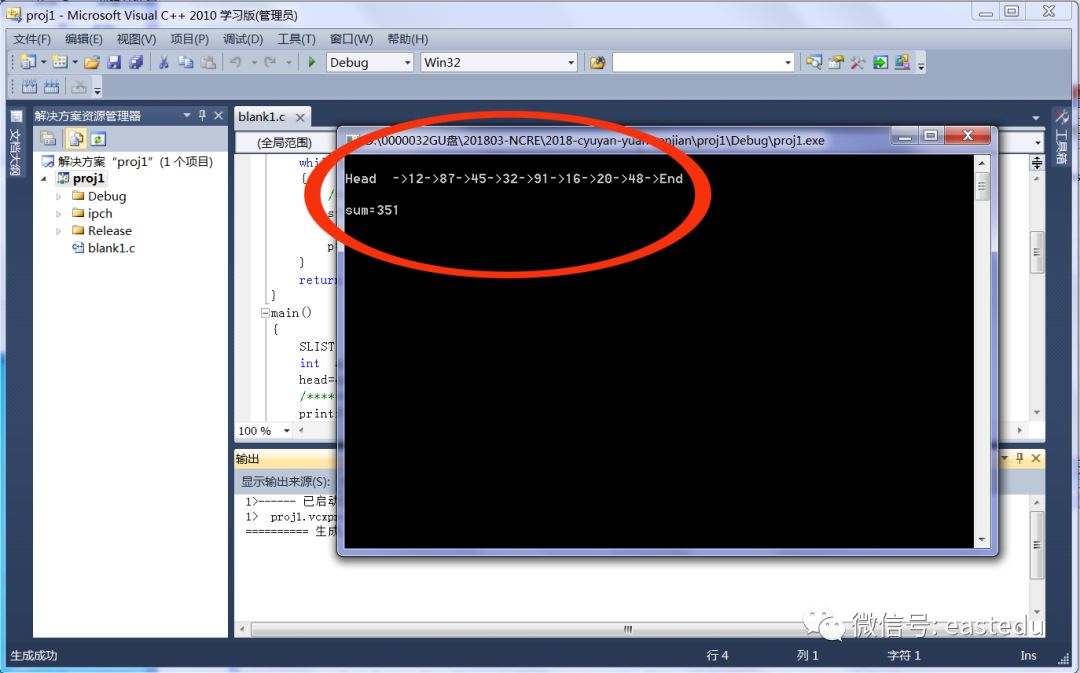
3. When compiling a C++ project with VC++ 2010 learning edition, you may encounter the following error:
LNK1123: Conversion to COFF failed: The file is invalid or corrupted.
Solution: Project menu > Project Properties > Configuration Properties > Linker > Manifest File > Generate Manifest: originally set to “Yes”, change it to “No”.
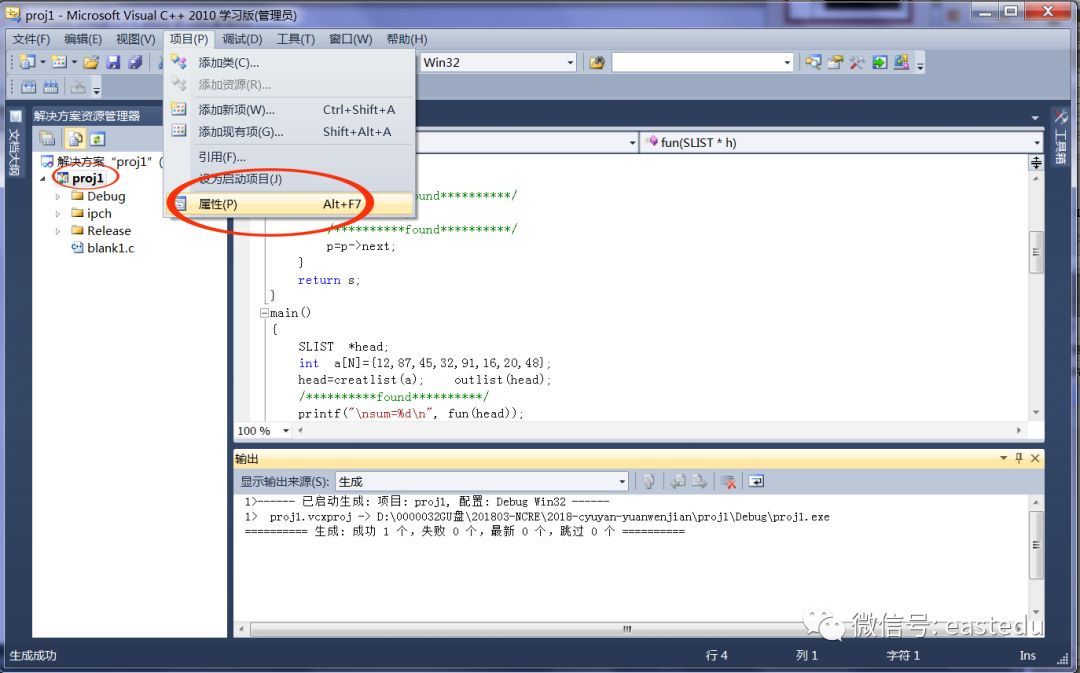
4. If the console (the window with a black background) flashes and does not display the run results:
Solution: Project menu > Project Properties > Configuration Properties > Linker > System > Subsystem: change it to “Console”.
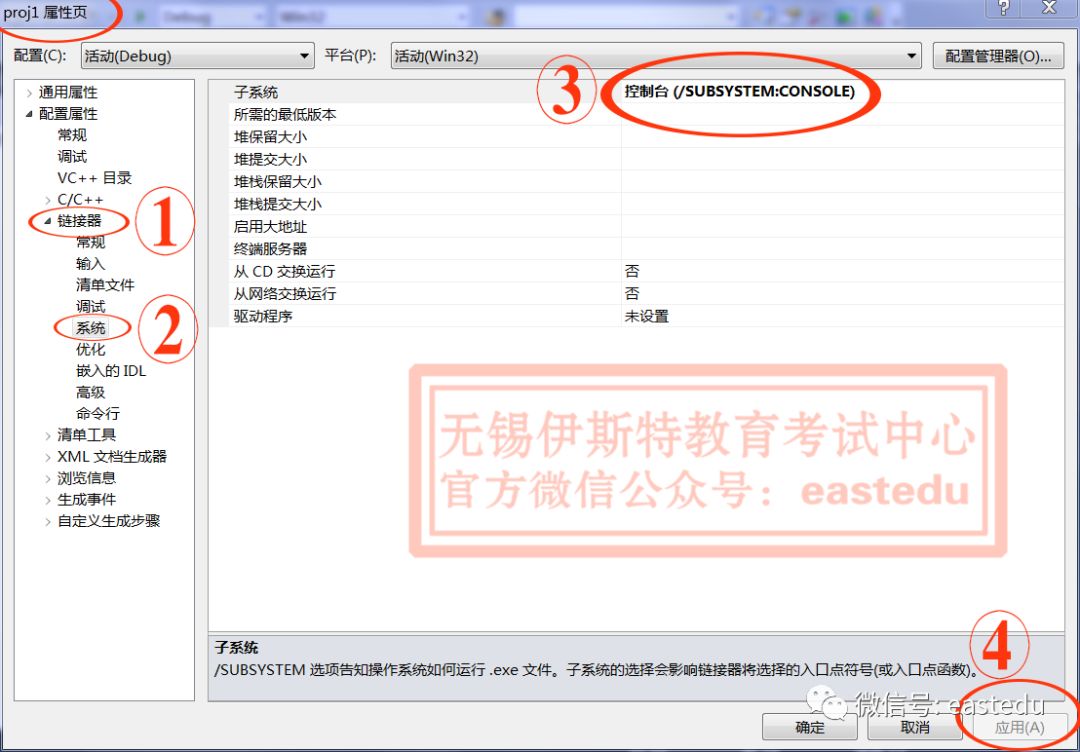
5. For other programming errors, please carefully review the prompts below, correct the program, and run debugging again.