Theme Summary
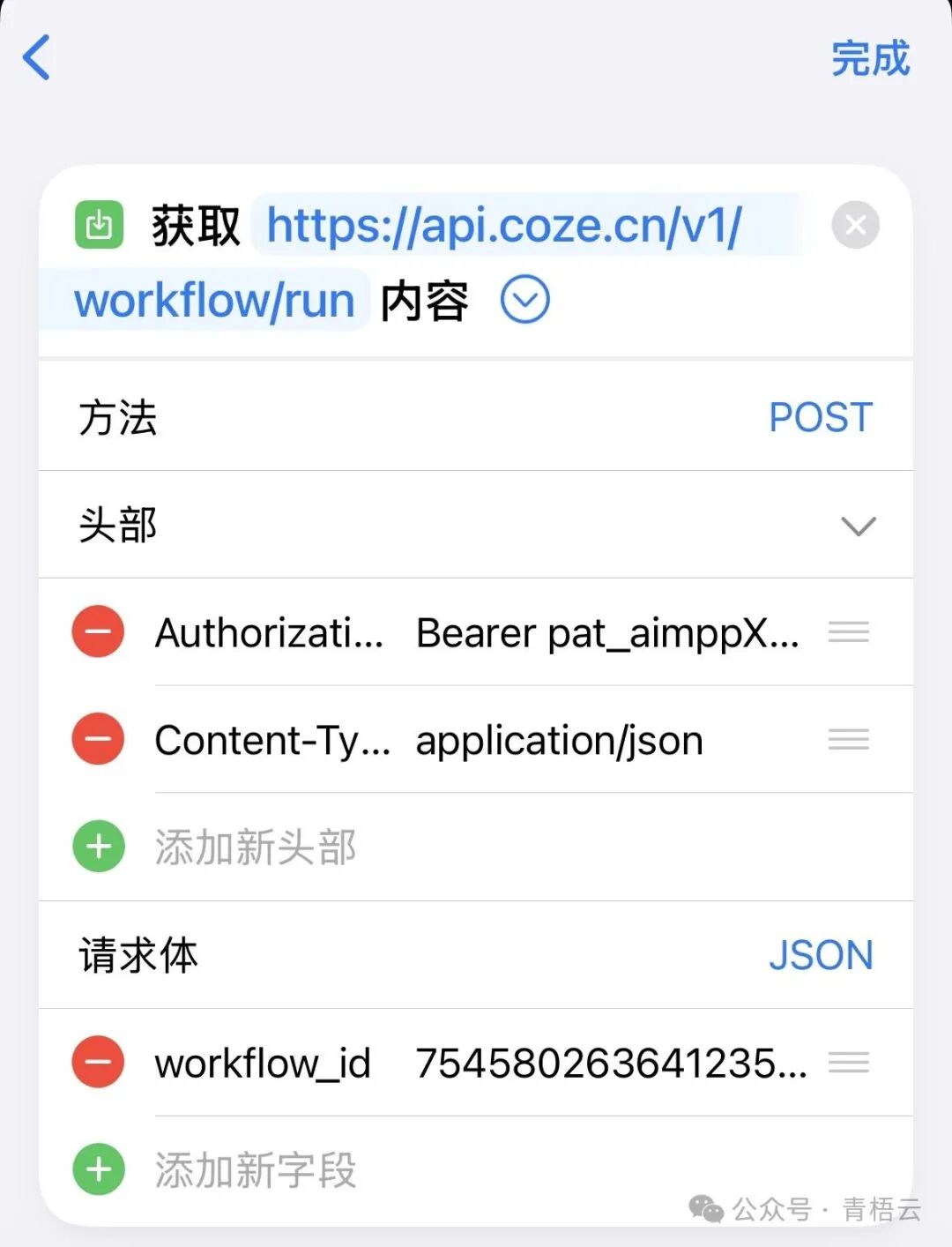
- •Implementing HTTP Requests in iOS Shortcuts: This section introduces the method of implementing HTTP requests in iOS Shortcuts, converting a given curl request into Shortcut format. The key is to use the URL and Get Contents of URL actions, setting the request method, headers, and passing the request body data.
Today’s Knowledge Sharing: Using HTTP Requests in iOS Shortcuts
Dear friends, today I would like to share a practical piece of knowledge regarding the implementation of HTTP requests in iOS Shortcuts.
Implementing HTTP Requests in iOS Shortcuts
In the digital age, we often need to interact with various APIs, and HTTP requests are a common operation. If you are using an iOS device, then Shortcuts can help you easily implement HTTP requests.
Taking a specific curl request as an example, we can convert it into the format for iOS Shortcuts. The specific steps are as follows:1. Open the Shortcuts app and create a new shortcut.2. Add the URL action and input the request URL, such as “https://api.coze.cn/v1/workflow/run”.3. Add the Get Contents of URL action and select the request method as POST.4. Set the request headers, including Authorization and Content-Type.5. Set the request body data, filling in the JSON data from the curl request.6. Finally, you can choose to display the response result or pass it to the next action for processing.
By following these steps, we can send HTTP requests on iOS using Shortcuts just like using the curl command. Isn’t that convenient?