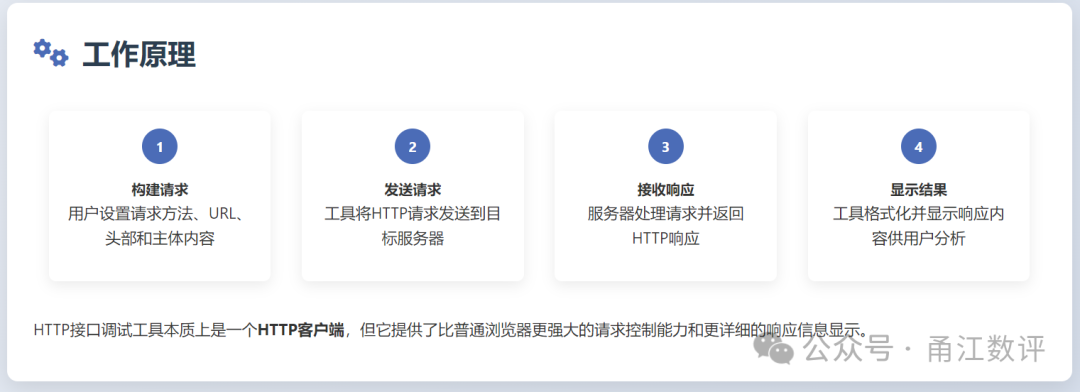
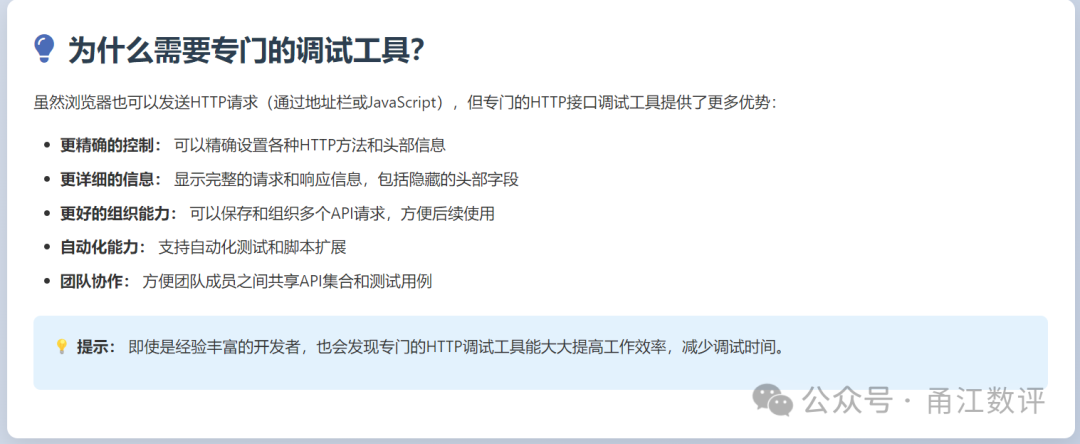
HTTP debugging tools are software applications specifically designed for testing, validating, and debugging HTTP APIs. They allow developers to send HTTP requests to servers and view the responses returned by the server, thereby verifying the correctness and reliability of the API.
In web development and API integration, HTTP interfaces serve as the bridge for communication between different systems. HTTP debugging tools act as the “testing instruments” for these bridges, helping developers ensure the stability and reliability of the connections.
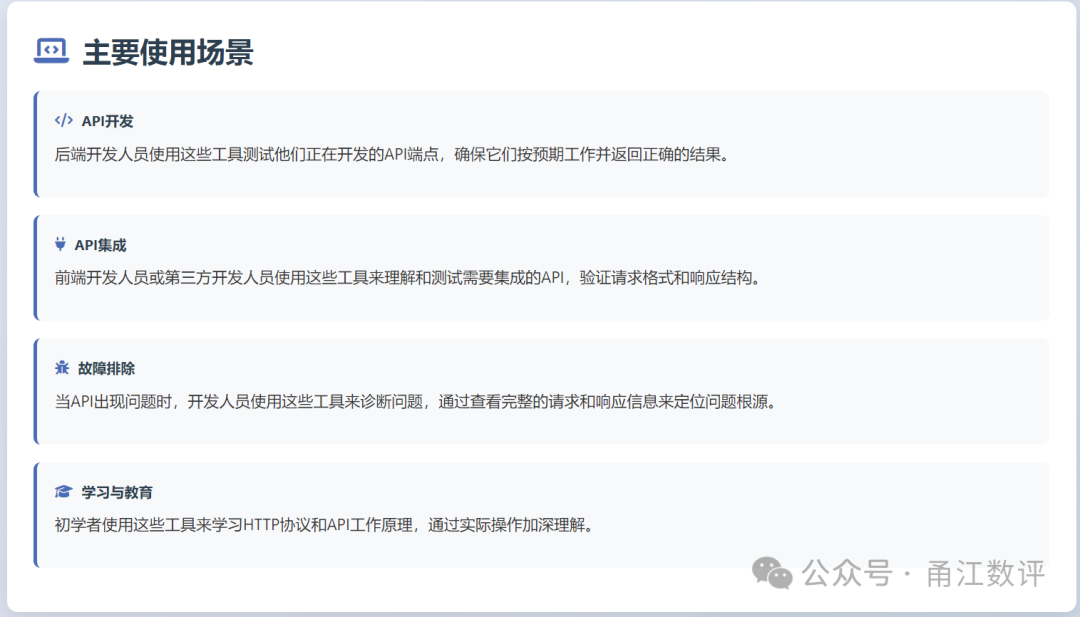
A simple analogy: If API development is likened to construction, then HTTP debugging tools are like the architect’s measuring instruments and quality testing equipment, ensuring that each part is built according to design specifications.
The main functions of HTTP debugging tools
1. Request Construction and Sending
They allow developers to construct various types of HTTP requests (GET, POST, PUT, DELETE, etc.), set request headers, parameters, and body content, and send them to the target server.
2. Response Viewing and Analysis
They fully display the server’s response, including status codes, response headers, and response bodies, and provide formatting and syntax highlighting features for easier reading and analysis.
3. Interface Testing and Validation
By sending test requests, they validate whether the interface works as expected and check if the returned data format and content are correct.
4. Performance Testing
They measure request response times, helping developers identify performance bottlenecks and optimization opportunities.
5. Automated Testing
Advanced tools support the creation and execution of automated test suites, ensuring the API remains stable throughout the development process.
6. Team Collaboration
They allow team members to share API collections, test cases, and environment configurations, improving collaboration efficiency.
7. Documentation Generation
They automatically generate documentation based on API requests and responses, keeping the documentation in sync with the API implementation.
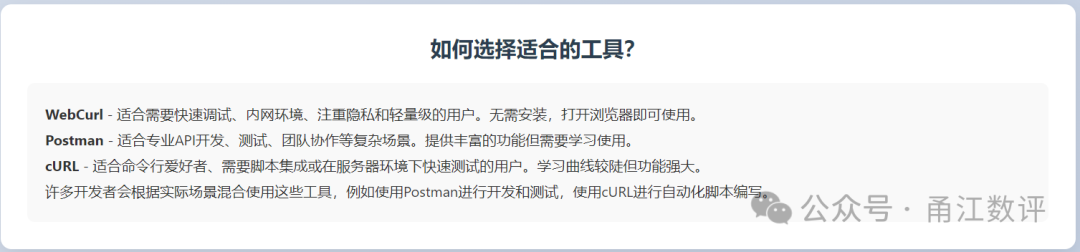
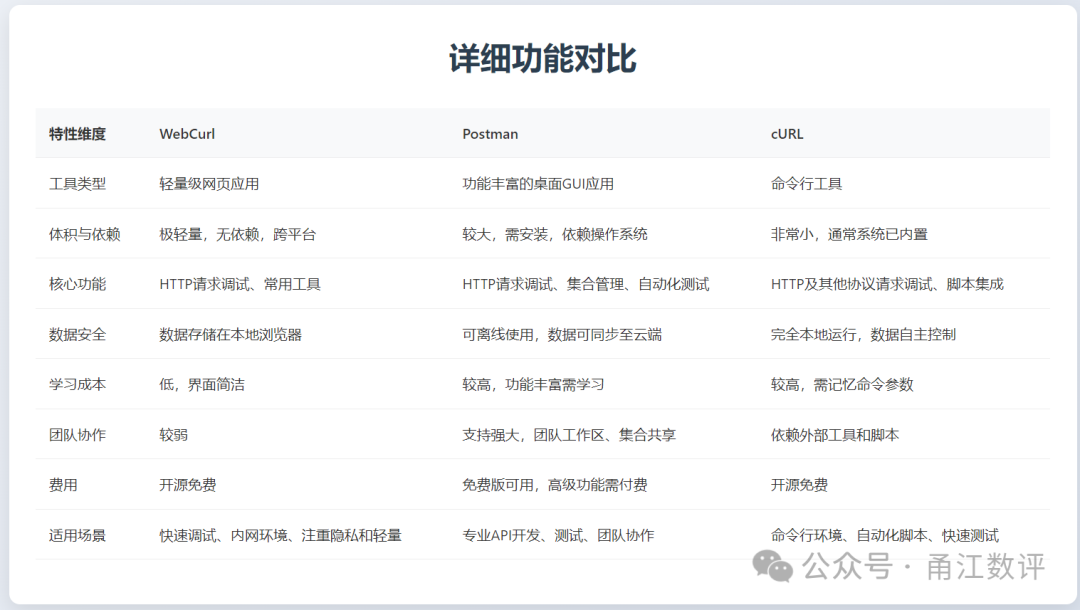
 Below is a comparative analysis of WebCurl, Postman, and cURL: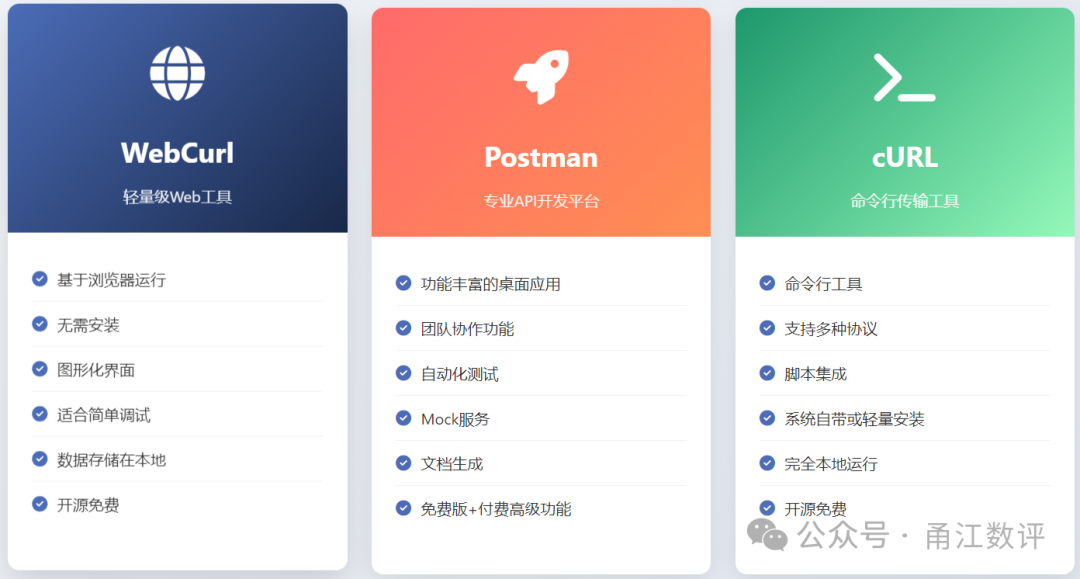
Usage Examples
1. WebCurl Usage Example
// After starting WebCurl, access its interface through a browser for graphical operations
// Default access http://localhost:4444
// Run WebCurl using Docker
docker run -d -p 4444:4444 --name webcurl webcurl:2.2
// Or download and run directly (if an executable is provided)
./webcurl
2. Postman Usage Example
// Postman provides a rich graphical interface
// Below is an example in Postman Collection format
{  "info": {    "name": "Example API Collection",    "description": "A sample collection for demonstrating Postman usage"  },  "item": [    {      "name": "Get User List",      "request": {        "method": "GET",        "header": [],        "url": "https://api.example.com/users"      }    },    {      "name": "Create New User",      "request": {        "method": "POST",        "header": [          {            "key": "Content-Type",            "value": "application/json"          }        ],        "body": {          "mode": "raw",          "raw": "{\n  \"name\": \"John Doe\",\n  \"email\": \"[email protected]\"\n}"        },        "url": "https://api.example.com/users"      }    }  ]}
3. cURL Usage Example
# Send GET request
curl -X GET "http://api.example.com/users" -H "Content-Type: application/json"
# Send POST request (JSON data)
curl -X POST "http://api.example.com/users" \  -H "Content-Type: application/json" \  -d '{"name": "John", "email": "[email protected]"}'
# Send authenticated request
curl -u username:password "http://api.example.com/protected"
# Detailed output, including time taken and response headers
curl -v -w "\nDNS resolution: %{time_namelookup}s\nConnection: %{time_connect}s\nTransfer: %{time_total}s\n" \  "http://api.example.com"
# Read POST data from file
curl -X POST "http://api.example.com/users" \  -H "Content-Type: application/json" \  -d @data.json
# Upload file
curl -X POST -F "file=@/path/to/local/file.jpg" "http://api.example.com/upload"