Understanding Computer Symbols: Power, Bluetooth, and More

Understanding Computer Symbols: Power, Bluetooth, and More

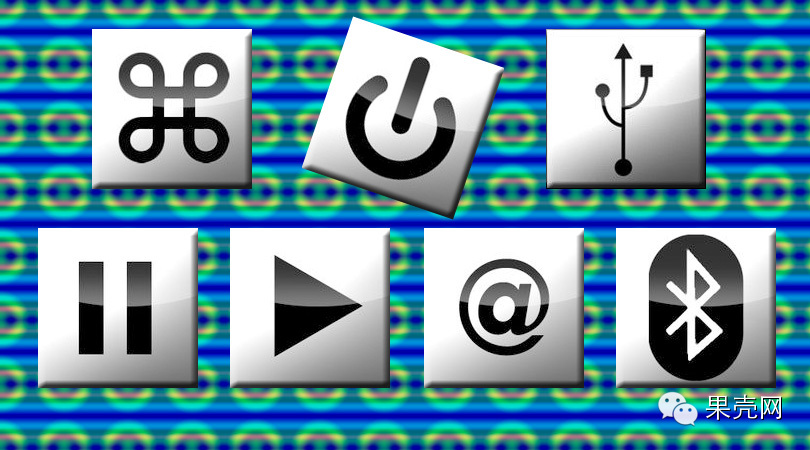
Various symbols on computers are like traffic signs on the road; you encounter them every day when you turn on your computer. You press, click, and gaze at these icons countless times. But how much do you know about their origins?

Power

Understanding Computer Symbols: Power, Bluetooth, and More

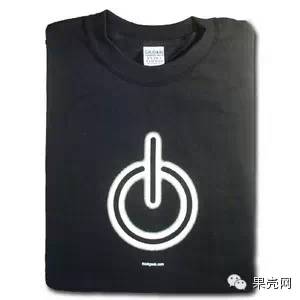
[Power Symbol]

This symbol was once printed on a Tee from ThinkGeek (see below), indicating that this button can end all previous operations and restart the machine.

Understanding Computer Symbols: Power, Bluetooth, and More

[The power symbol was once printed on a Tee from ThinkGeek]

Its origin dates back to World War II when engineers and scientists needed to label independent power buttons, switches, and rotary switches using binary. Back then, “1” represented “on” and “0” represented “off”. In 1973, the International Electrotechnical Commission (IEC) vaguely established an internal loop between the two and named it “standby power state”. However, engineers from the Institute of Electrical and Electronics Engineers (IEEE) found this definition too vague, modified it, and redefined it as “power”, designing this symbol.

What you need to know is that this symbol is made up of the numbers 1 and 0—now take a closer look at your computer’s power button!

Command Key

Understanding Computer Symbols: Power, Bluetooth, and More

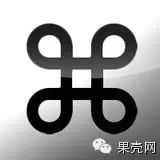
[The flower-shaped symbol of the Command key]

Understanding Computer Symbols: Power, Bluetooth, and More

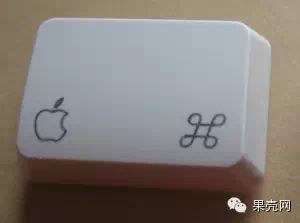
[The Command key on the keyboard]

Mac users use the ⌘ key countless times every day. What does this Command key have in common with Swedish camps? A lot!

According to Andy Hertzfeld, an early employee of the Macintosh development team, he was working with other team members to transfer various command menus from software to physical keyboard operations. They thought of a simple way to add a special “function key” to the keyboard—when this “function key” is used in conjunction with other keys, it triggers the corresponding menu command, which is also the origin of keyboard shortcuts.

They named this special “function key” the “Apple key” and put a small apple logo on the key. But Jobs hated this idea; more accurately, Jobs hated their idea of putting the apple logo on this “function key”.

According to Andy Hertzfeld, Jobs said at the time, “There are enough apples on the screen (referring to the apple logo used in multiple button elements in the original Mac OS interface). This is ridiculous! We are making the apple logo ubiquitous and ineffective (because users can’t distinguish its different meanings).”

Jobs ordered a redesign of the command, and they hurriedly found bitmap artist Susan Kare to help redesign it. This designer pulled out a book of the “International Symbol Dictionary”, flipped through it, and then said she chose a Swedish “⌘” flower-shaped symbol. The dictionary stated that this symbol is used in Swedish camps to remind people to pay attention. Additionally, it has meanings like infinite loops and Unicode standards.

[The flower-shaped symbol is commonly used in Swedish camps to remind people to pay attention]

Today, Apple computers still use this ⌘ as the identifier for the Command key. Earlier Apple keyboards still had the apple logo to the left of the Command key. But the latest Apple laptops and external keyboards have removed this logo, retaining only the ⌘ flower-shaped symbol.

Bluetooth

[Bluetooth Symbol]

What is the connection between King Harald Bluetooth of Denmark in the 10th century and Bluetooth technology? A lot!

King Harald lived around 935-985 AD. He was a brave warrior who continued to fight abroad during his reign over Denmark, uniting the vast Nordic regions of present-day Norway, Sweden, and Denmark. In his early years, Harald embraced the Nordic pirate spirit, and the main belief in the Nordic region at that time was Odin, the god of war. In Harald’s later years, the Norman pirates’ actions on the European continent were rampant, and Denmark was repeatedly invaded. Therefore, Harald decided to introduce Christianity to replace the original belief in Odin, educating the people so that the people in the Nordic region gradually got rid of the pirate smell and strengthened their ties with the European continent, which had a significant impact on the course of European history.

[Portrait of King Harald]

Legend has it that this King Harald particularly liked to eat blueberries and had one tooth dyed permanently blue, so people called him King “Harald Bluetooth”.

In 1995, led by Ericsson in Sweden, Nokia in Finland, Toshiba in Japan, and IBM in the United States planned to establish an industry association to jointly develop a short-range wireless connection technology. When naming this technology, since both leading companies—Ericsson and Nokia—came from Nordic countries, and King Harald Bluetooth had the meaning of “achieving unity and strengthening connections” in their history, they ultimately decided to name this technology “Bluetooth”, and this industry organization was thus called Bluetooth SIG.

The design of the Bluetooth logo is derived from the letters “H” and “B” from King Harald Bluetooth’s name, written in ancient Nordic letters, combining the two to form the Bluetooth logo (see below).

[The origin of the Bluetooth logo]

The bottom of the above image quotes a comparison of ancient Nordic letters and English letters, showing that the letters H and B are written in ancient Nordic characters, which is the source of the Bluetooth logo.

What you need to know is that the Bluetooth logo comes from the ancient Nordic writing of the letters H and B, and H and B originate from the name of King Harald Bluetooth.

USB Port

Understanding Computer Symbols: Power, Bluetooth, and More

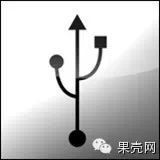
[USB Port Symbol]

You might see the USB icon on various devices every day, from USB drives, data cables to laptops. So where does its design origin come from?

In 1994, several companies, including Compaq, IBM, Intel, Microsoft, and DEC, planned to develop a universal data exchange interface to replace the various incompatible data interfaces on computers at that time. In 1995, Intel engineer Ajay Bhatt developed the first Universal Serial Bus (USB) interface. In 1996, the industry standard “USB 1.0 specification” was officially released.

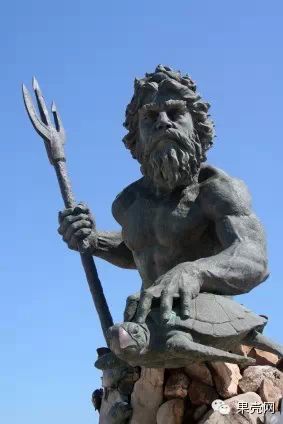
According to the “USB 1.0 specification”, the design inspiration for the USB icon comes from the weapon of the Roman god of the sea, Neptune, known as the “trident”—a powerful three-pronged spear.

Understanding Computer Symbols: Power, Bluetooth, and More

[Statue of Neptune holding a trident]

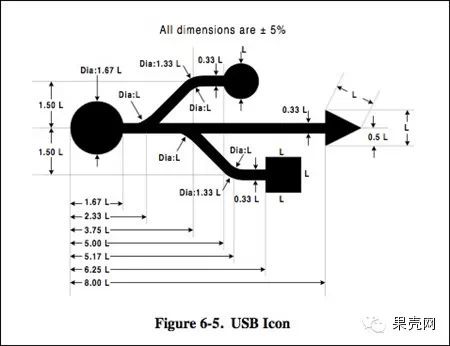
However, to avoid the trident shape implying that people should randomly insert their USB storage devices, the designer modified the three prongs of the trident, changing the triangular shapes of the left and right into a circle and a square, respectively. These three different shapes represent that various external devices can connect using the USB standard.

Understanding Computer Symbols: Power, Bluetooth, and More

[Detailed design of the USB icon in the “USB 1.0 specification”.]

What you need to know is that the design of the USB icon originates from the trident of the sea god Neptune.

Play and Pause

Understanding Computer Symbols: Power, Bluetooth, and More

[Play Symbol]

Understanding Computer Symbols: Power, Bluetooth, and More

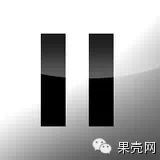
[Pause Symbol]

Although the play and pause symbols did not originally originate on computers, they are still commonly found on keyboards, media players, and many other audio and video devices. Unfortunately, neither the “right-pointing equilateral triangle” play symbol nor the “double vertical bars” pause symbol seems to have a very clear origin.

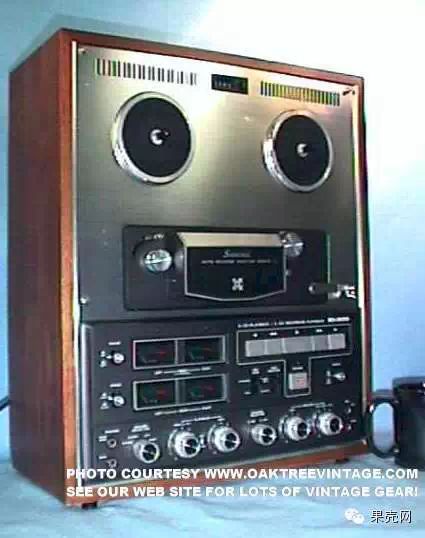
They were first used around the mid-1960s when the “reel-to-reel” tape recorder was born. At that time, people often used two overlapping triangles to represent “fast forward”, while the direction of the arrow indicated the direction in which the tape moved forward. Therefore, the play symbol should be a simplified “arrow” symbol.

Understanding Computer Symbols: Power, Bluetooth, and More

[Old reel-to-reel tape recorder]

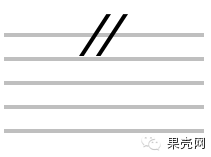
As for the origin of the pause symbol, the most credible explanation is that it is a caesura in musical notation, representing a pause or interruption in music.

Understanding Computer Symbols: Power, Bluetooth, and More

[Caesura in musical notation]

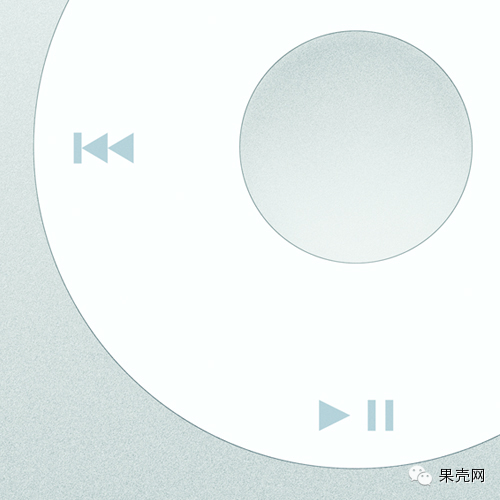
As digital music players (MP3) became popular, play and pause gradually merged from two separate buttons into a single “play/pause” button, a design that has continued since the first generation of iPods.

Understanding Computer Symbols: Power, Bluetooth, and More

[Play/Pause button on iPod Classic]

At@

Understanding Computer Symbols: Power, Bluetooth, and More

[At Symbol]

Among all the symbols above, @ (at) is the only one that has been included in the Museum of Modern Art (MoMA) architecture and design collection. It is also the most commonly used symbol in the digital world. Every email uses it, and in Twitter and Weibo, it is also used to notify others.

Perhaps this is related to its status as a fully functional “execution symbol” and its mysterious origin.

In different countries, @ has different names. In France and Italy, people call it “snail”, in China some people call it “little mouse”, and in Germany, it is referred to as “monkey’s tail”.

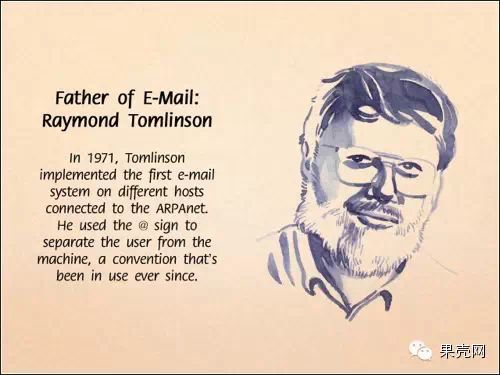
The origin of @ in the digital world dates back to 1971. At that time, a programmer at the American technology research company BBN, Raymond Tomlinson, was responsible for developing a program that allowed computer users to connect to ARPAnet (the first operational packet-switching network developed by the U.S. Advanced Research Projects Agency, which is also the ancestor of today’s internet). Tomlinson decided to insert an @ in the middle of the computer network address to distinguish between “user” and “terminal”. This practice was widely adopted and became the standard format for today’s email addresses. Therefore, Raymond Tomlinson is also known as the “father of email”.

Understanding Computer Symbols: Power, Bluetooth, and More

[Father of Email—Raymond Tomlinson]

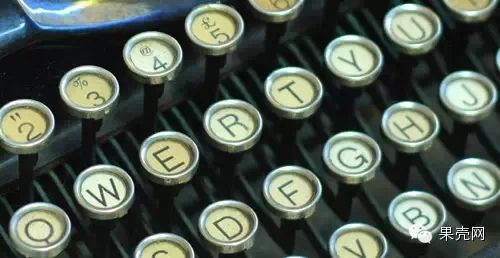
However, the @ symbol was not originally created by Tomlinson. In fact, the @ symbol had already existed on keyboards since the introduction of the American Underwood typewriter in 1885. At that time, it was used as an accounting shorthand symbol to mean “at the rate of”.

Understanding Computer Symbols: Power, Bluetooth, and More

[The @ symbol on the Underwood typewriter, located on the number 4 key]

If we trace back further, @ probably originated in the 6th century, when monks began using this symbol to replace the Latin word “ad”. In Latin, “ad” means “at” or “toward”. The benefit of this practice is to distinguish “ad” from the word AD (abbreviation for “Anno Domini”, which means “after Jesus”, i.e., what we now call “AD”).

Understanding Computer Symbols: Power, Bluetooth, and More

[The use of the @ symbol by an Italian merchant in a letter in 1536, shown in green]
Leave a Comment