Hello everyone, today I will share the troubleshooting process and thoughts regarding an issue in a client’s environment, hoping it can help everyone in similar incidents in the future.
For related series of troubleshooting articles, please refer to the following:
- (Must-read) Troubleshooting Network Issues in Production Environments
- How to Debug Running Golang Programs?
- Severe Issue in a Client Environment: A TCP Congestion Problem that Caused a Crash!
Issue Review
Issue Description: Recently, the client encountered a blank page when accessing the business website through the browser after refreshing the page, without any indication of access failure or server error. According to the client, the actual business server is running normally, but the page cannot be accessed through the browser.
The business process here is: The client accesses the externally exposed port of the proxy server through the office network, and then the proxy server accesses the actual business server.
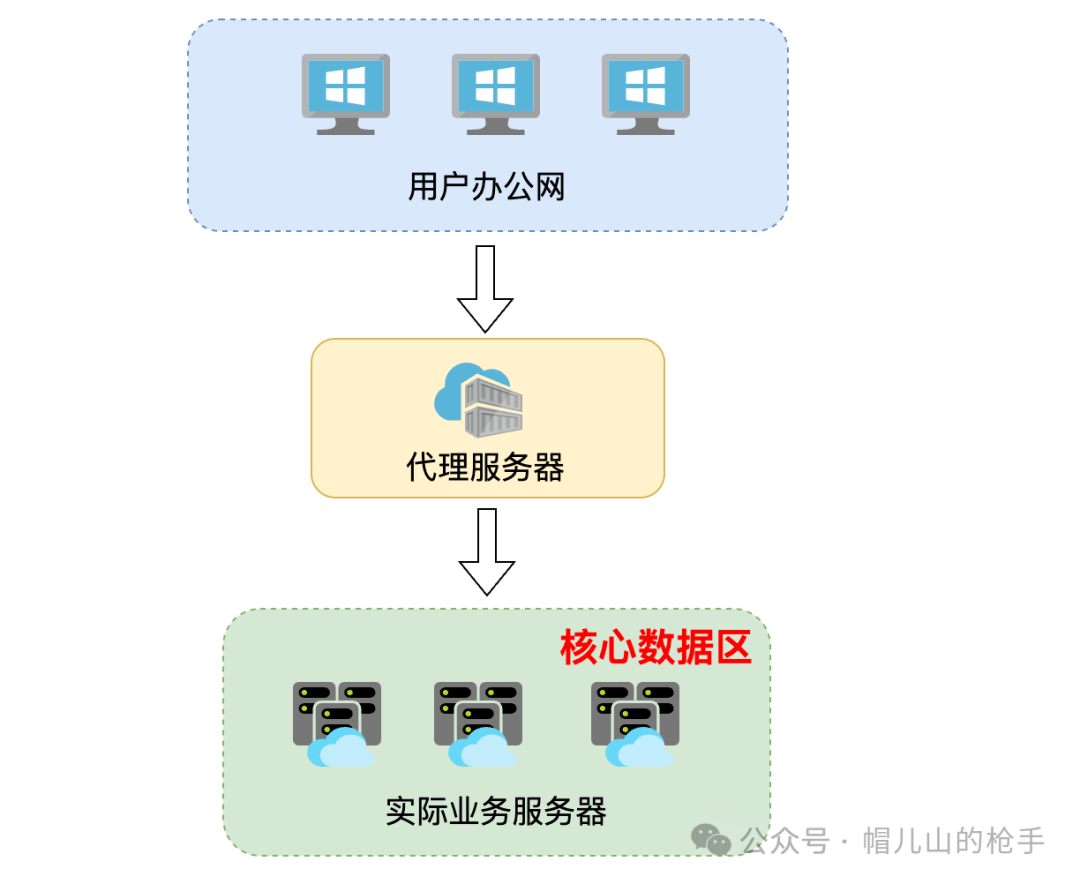
So why does the browser show an empty content when accessing the business website exposed by the proxy server?
Let’s follow my thought process to troubleshoot the issue in detail~
Problem Troubleshooting
(1) Access the business website again through the browser, and enable the <span>Disable cache</span> option. We can see that the user’s login information is now displayed.
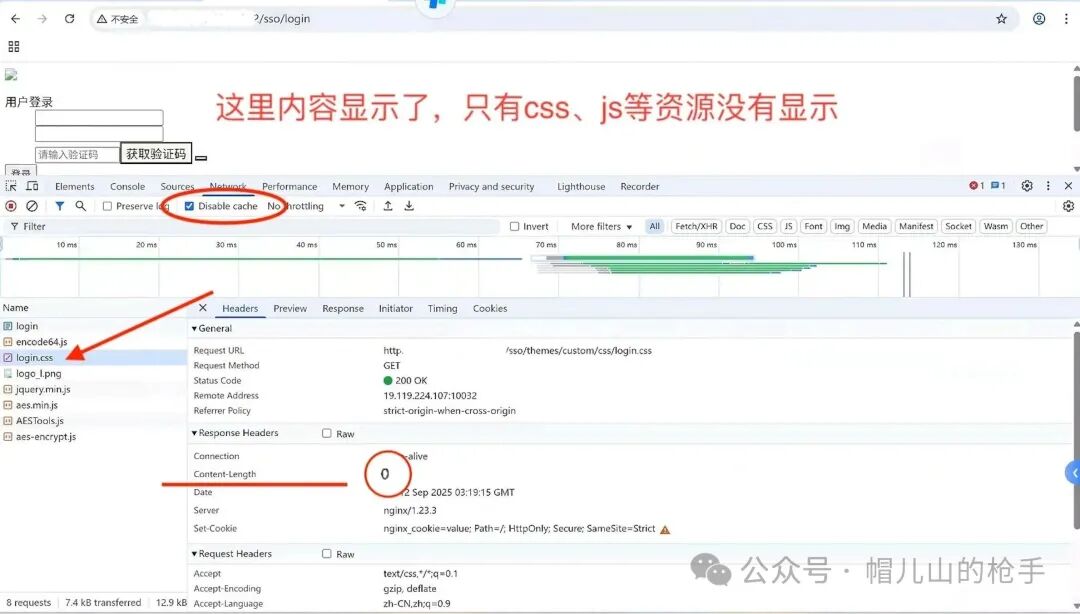
Next, we see that apart from the first HTTP <span>/sso/login</span> request which has a response, the other requests for <span>js</span>, <span>css</span>, <span>png</span>, etc., have a response content <span>Content-Length</span> of 0 .
This is actually very important information; a response header<span>Content-Length</span> of 0 indicates that the server did not return any body content.
(2) Enter the proxy server and use the <span>tcpdump</span> command to start capturing packets.
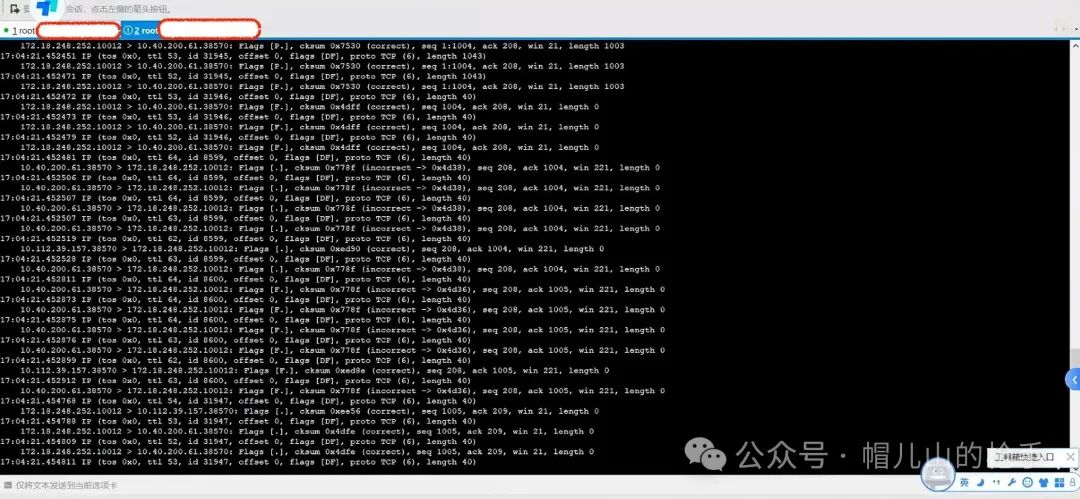
(3) Use Wireshark to analyze the data packets.
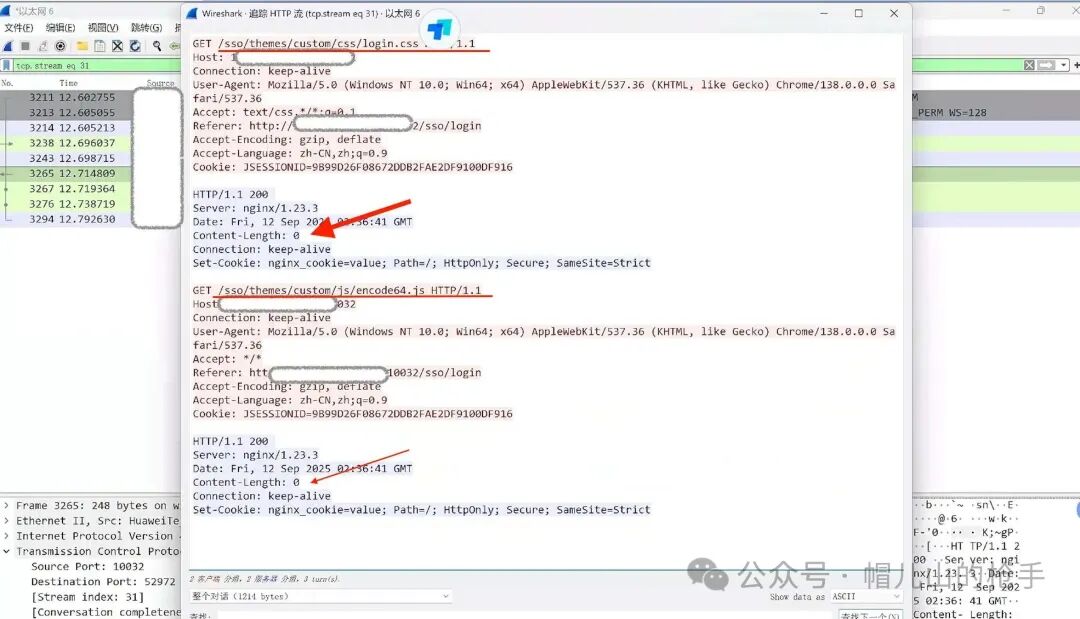
By analyzing the data packets, it was found that when the proxy server requested <span>CSS</span> and <span>JS</span> resources, the actual business system’s response content was already empty.
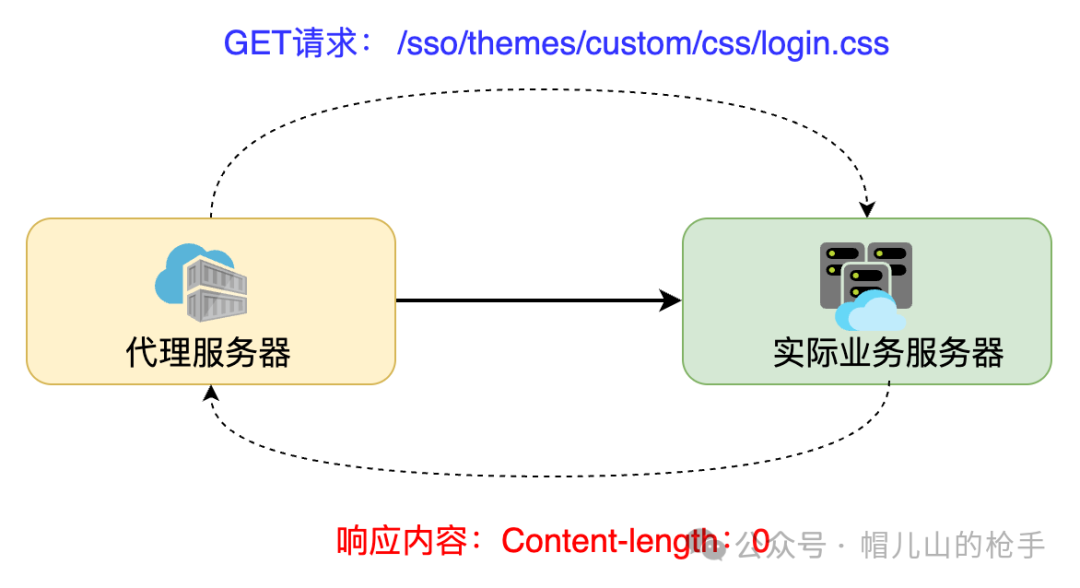
This indicates that there is a problem in the stage from the proxy server to the actual business system. While it is normal for the office network to show empty content to the proxy server.
Note
We have basically determined the scope of the fault.
Now we need to think🤔, why does the business server return a content length of 0 only for
<span>CSS</span>,<span>JS</span>, etc.?
(4) Next, on the proxy server, I manually simulated requests for CSS and other resources using the <span>curl</span> command.
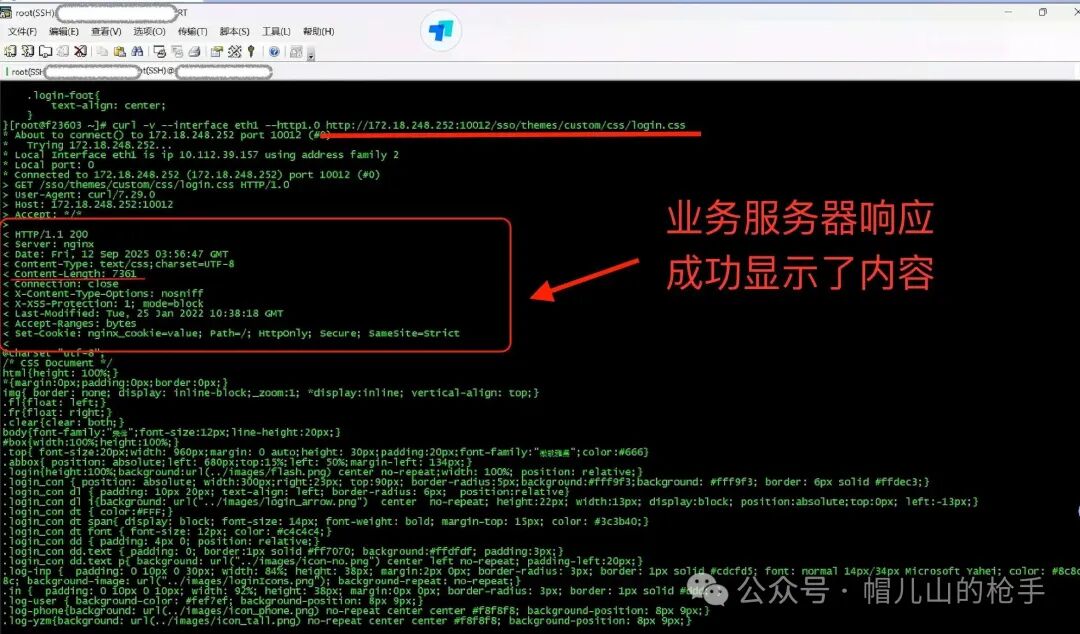
Using the <span>curl</span> command to manually request <span>CSS</span> resources, the business server actually responded with content!
At this point, I have roughly located the problem.
The only difference between executing the <span>curl</span> command and using the browser to request the business system is that the <span>HTTP</span> request headers are inconsistent!
(5) After comparing the two <span>HTTP</span> request headers, it was found that the browser automatically added the <span>Referer</span> HTTP header during the second HTTP request.
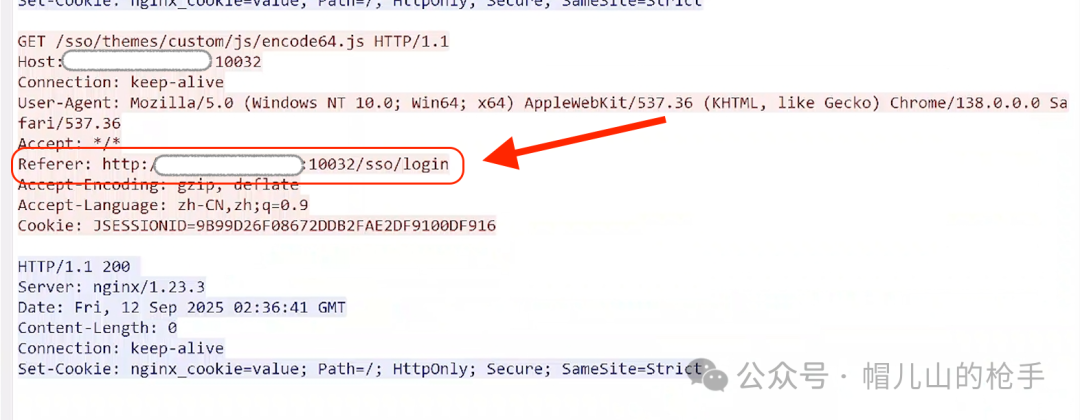
(6) Finally, in the proxy server, after forcibly removing the <span>Referer</span> header information, I accessed the business system again through the browser, and the access was successful!

Conclusion
<span>Referer</span> is part of the <span>HTTP</span> request <span>header</span>. When the browser (or simulating browser behavior) sends a request to the <span>web</span> server, the header information includes the <span>Referer</span>. For example, if I search on <span>www.google.com</span> and click on a link to <span>www.baidu.com</span>, then clicking on this <span>www.baidu.com</span> will have the following header information:<span>Referer: http://www.google.com</span>
Note
In this article, I mentioned that the second browser request for
<span>CSS</span>and<span>JS</span>resources returned empty, which is likely due to this principle.
Why does the business server set the response to empty when the Referer header is present in the network request?
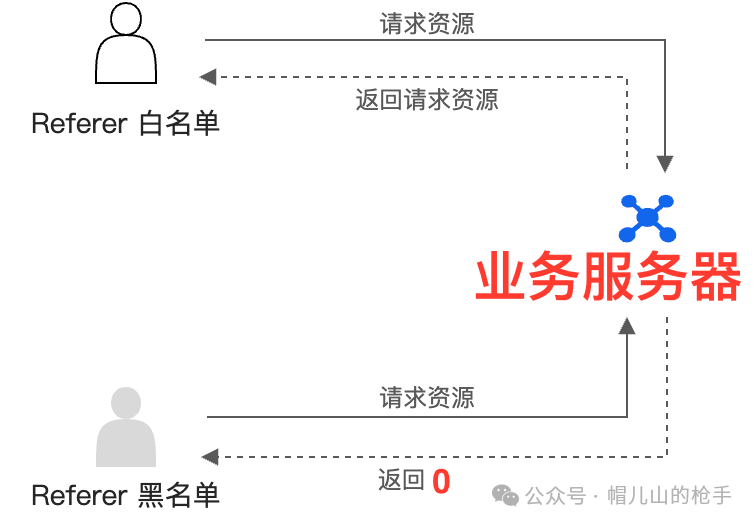
The answer is: The other server has configured a <span>Referer</span> blacklist/whitelist.
Working Principle
The server checks the <span>Referer</span> field of each request. If the <span>Referer</span> field is not from the configured whitelist, it refuses to provide services, thus saving bandwidth and server resources. The <span>Referer</span> request rules are as follows:
Technical articles are continuously updated, please stay tuned~~ Search for the WeChat public account and follow me 【 The Gunner of Maoshan 】