
Download Link
|
Software: STM32CubeMX |
Version: 6.11 |
|
Language: Simplified Chinese |
Size: 3.3 GB |
|
Installation Environment: Windows 10 and above |
|
| Download Link:
https://docs.qq.com/doc/DTmJHaGtHc2JXa0x5 (Copy the link to your browser to download. If the above link fails, please reply with 111) |

Software Overview
STM32CubeMX is a graphical configuration tool for STM32 microcontrollers launched by STMicroelectronics. Its core function is to simplify the initialization process of STM32 projects, eliminating the need to manually write extensive low-level code. It supports configuring the microcontroller’s pin functions, peripherals (such as UART, SPI, I2C, ADC, etc.), clock trees, interrupt priorities, and power management modes through an intuitive graphical interface. It can also automatically generate industry-standard initialization code compatible with mainstream development environments such as Keil MDK, IAR EWARM, and STM32CubeIDE. Additionally, it integrates an STM32 chip database for quick filtering and selection of target models, while providing practical features such as power consumption estimation and peripheral conflict detection, significantly lowering the technical barrier for STM32 development and enhancing project development efficiency. It is a key tool for STM32 developers from project initiation to code generation.

Installation Guide
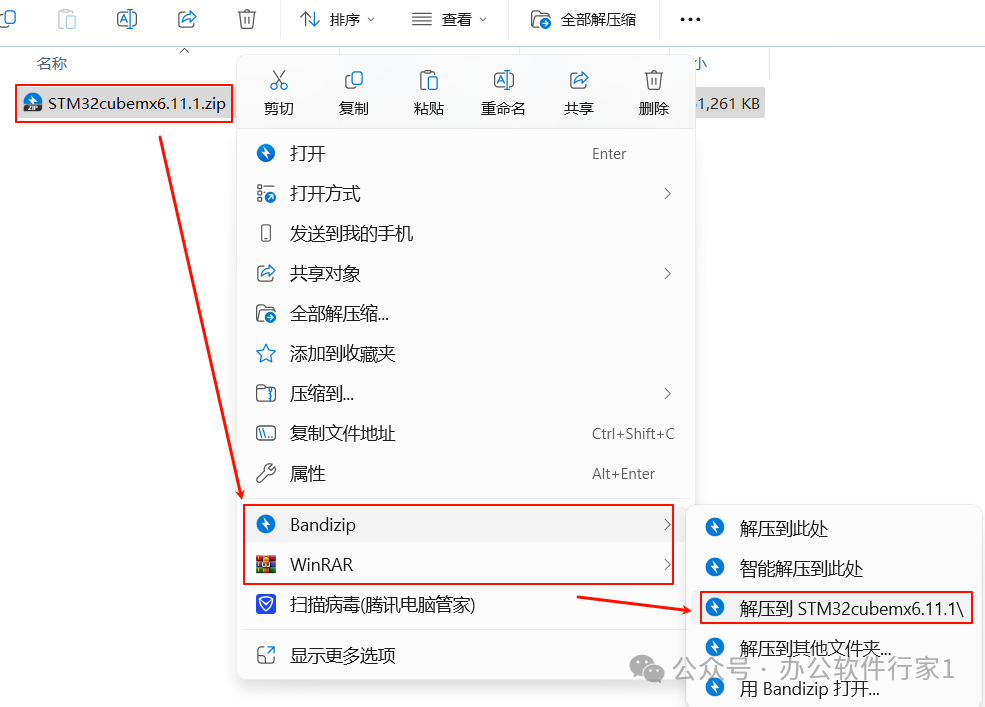
1. Select the downloaded installation package, right-click and extract it to the “STM32CubeMX 6.11.1″ folder
 2. Select “SetupSTM32CubeMX-6.11.1-Win.exe” and run it as an administrator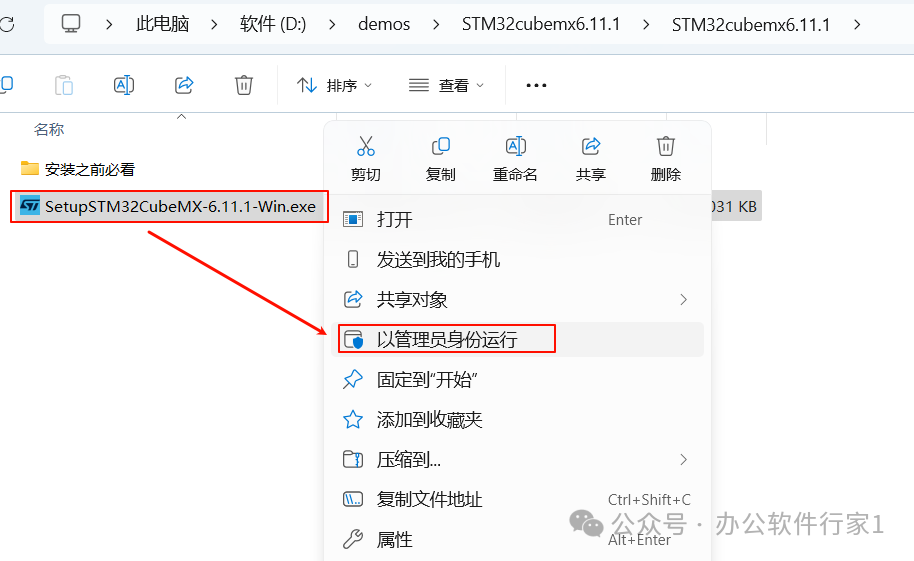
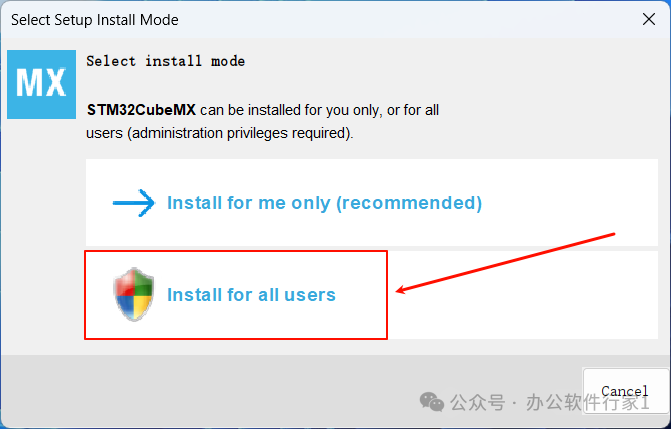
3. Click “Install for all users“
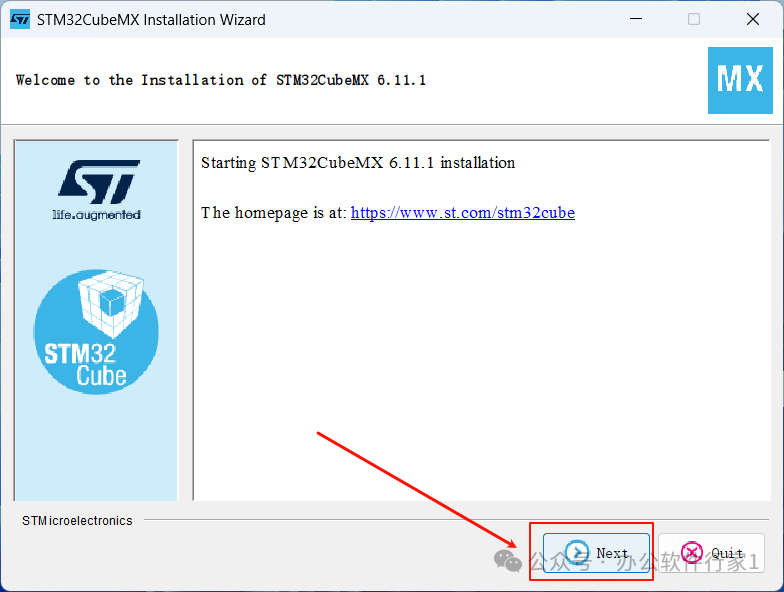
4. Click “Next”
5. Check the agreement and click “Next”
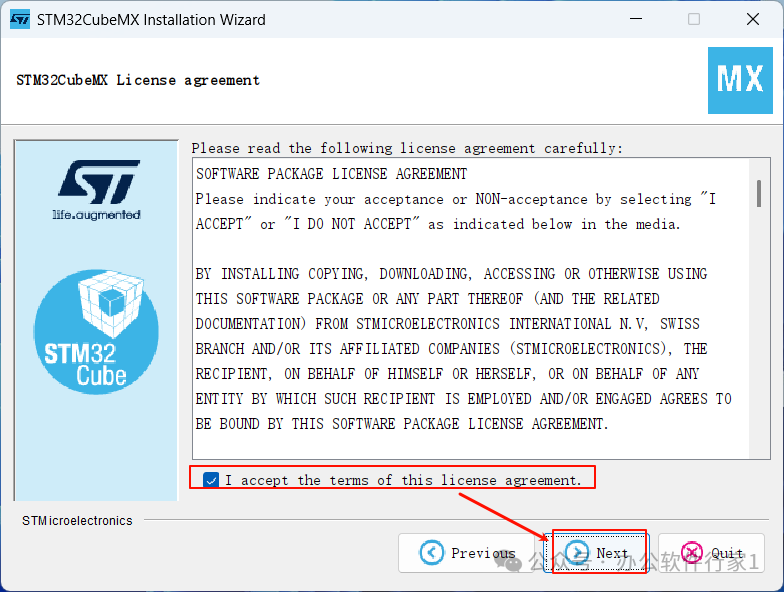
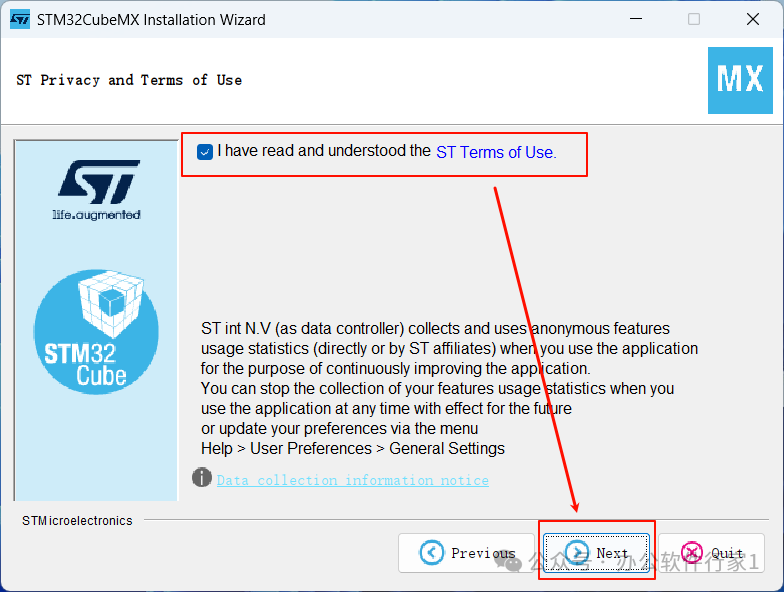
6. Check “I have read and understood the ST Terms of Use.“, then click “Next”
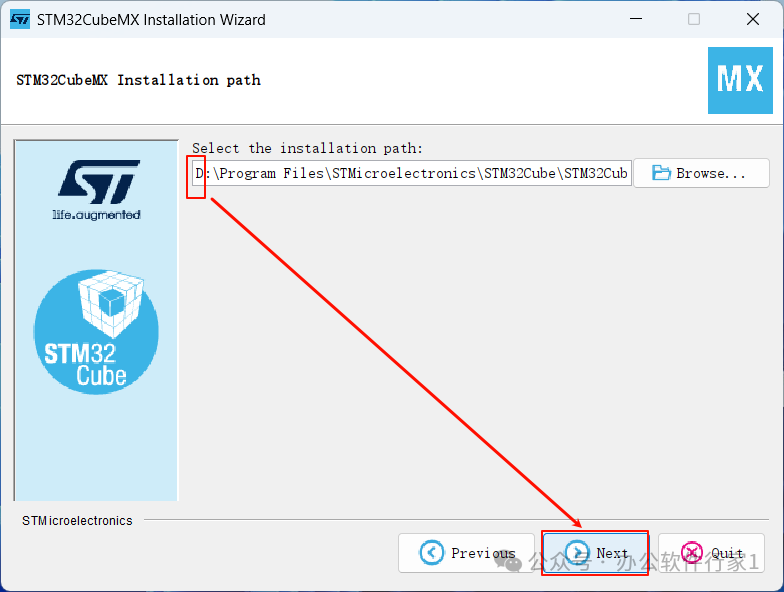
7. Choose the installation path and click “Next”
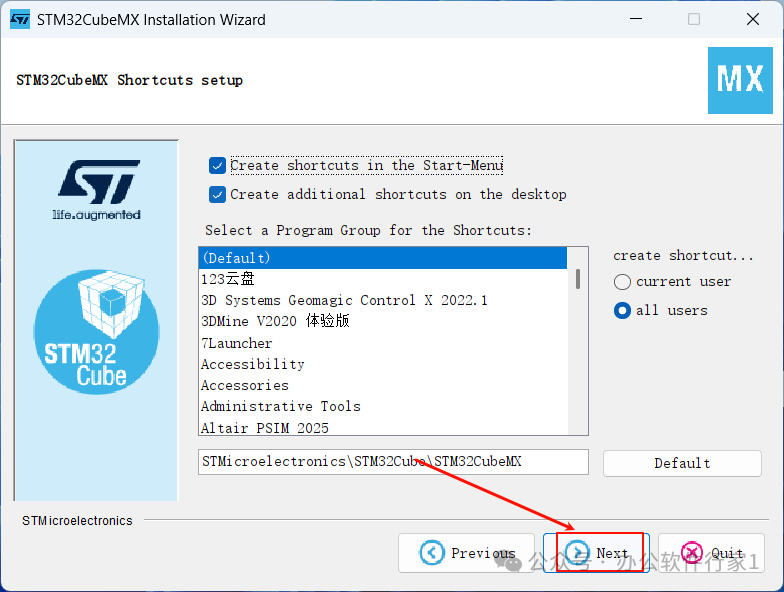
8. Click “Next”
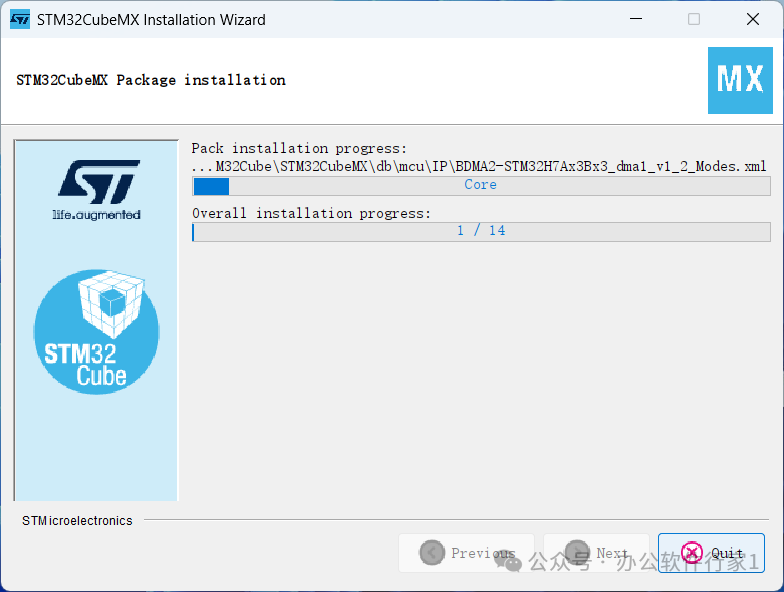
9. The software is installing, please wait for it to complete
 10. Click “Next”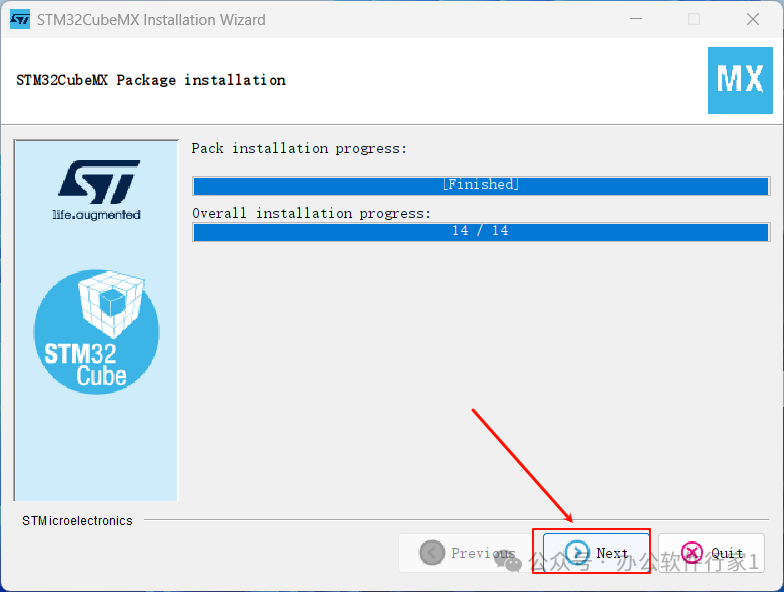
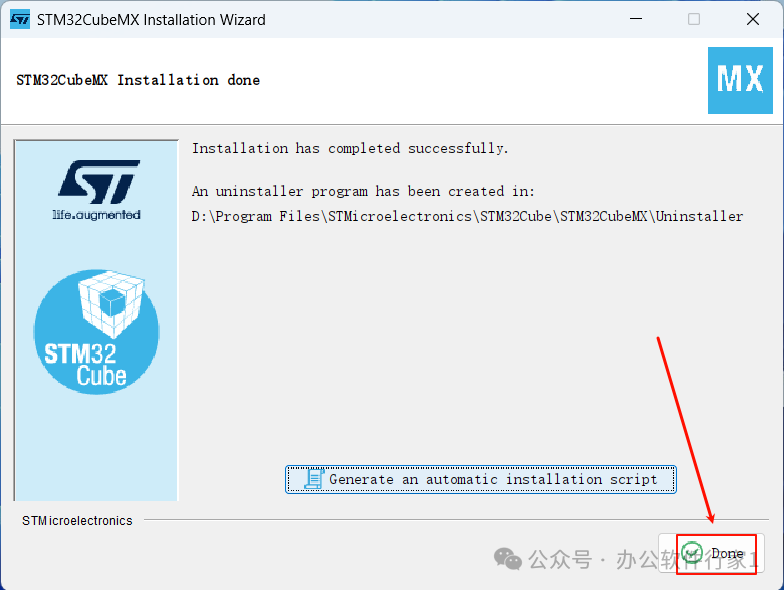
11. Click “Done”
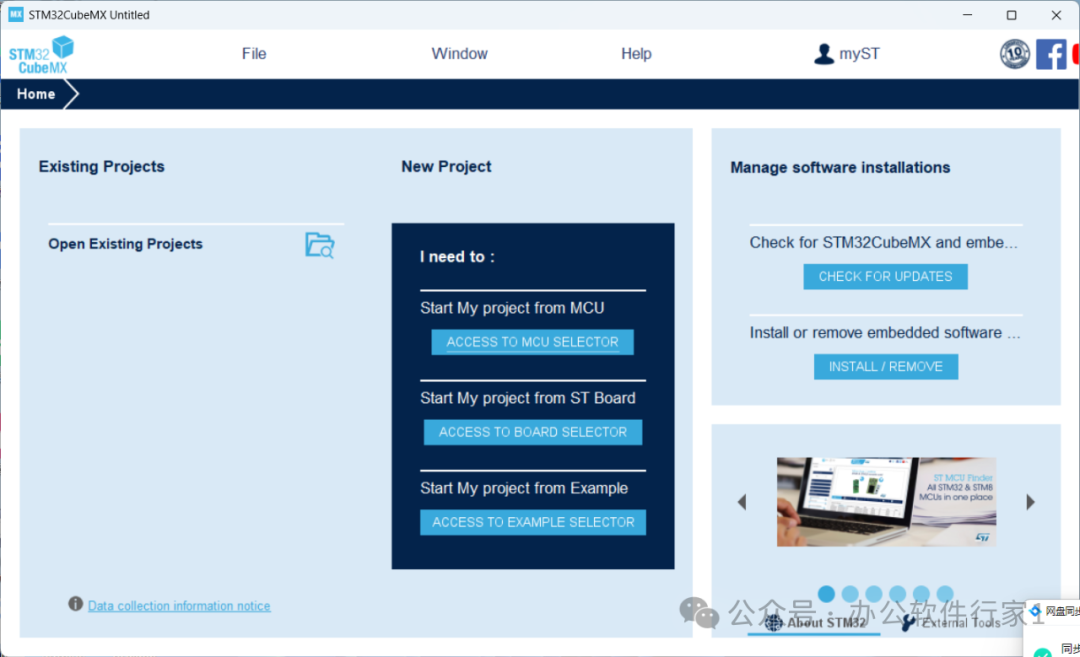
12. Double-click to open the software
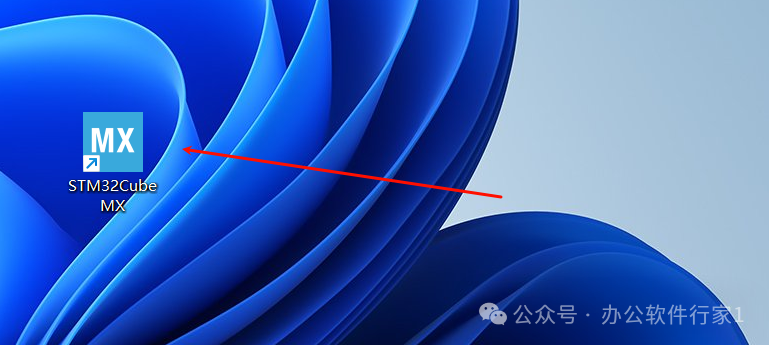
13. Software installation completed
Follow our public account for more resources
All software provided by this public account must not be sold or used for commercial purposes, otherwise, the consequences are at your own risk. According to the “Computer Software Protection Regulations” effective from January 1, 2002: For the purpose of learning and researching the design ideas and principles contained in the software, using the software through installation, display, transmission, or storage can be done without the permission of the software copyright owner and without paying remuneration! In light of this, we hope everyone studies and learns the software according to this statement! The content we provide for user download comes from the internet. If any content infringes your copyright or other interests, please edit an email explaining the situation and send it to our email [email protected]. We will handle it within 24 hours of receiving the message.